
1. Introdución
Grazas pola compraasing the XElectron C50 1080P Projector. This manual provides essential information for setting up, operating, and maintaining your projector to ensure optimal performance and longevity. Please read this manual thoroughly before using the product and retain it for future reference.
2. Información de seguridade
- Non mire directamente á lente do proxector cando estea aceso.amp está acendido. A luz intensa pode causar danos nos ollos.
- Asegúrese de que haxa unha ventilación axeitada arredor do proxector. Non bloquee as aberturas de ventilación.
- Manteña o proxector lonxe da auga, da humidade e dos materiais inflamables.
- Empregue só o adaptador de corrente subministrado co proxector.
- Non intente reparar o proxector vostede mesmo. Encargue calquera mantemento a persoal cualificado.
- Place the projector on a stable, level surface to prevent damage from falling.
3. Contido do paquete
Verifique que todos os elementos que se indican a continuación estean incluídos no seu paquete:
- XElectron C50 Projector
- Control remoto
- Adaptador de alimentación
- Cable HDMI
- Tarxeta de garantía

Image: Contents of the XElectron C50 Projector package, including the projector, remote, cables, and documentation.
4. Produto rematadoview
4.1 Projector Dimensions and Weight
The XElectron C50 projector is designed to be compact and portable.

Image: Diagram showing the dimensions of the XElectron C50 projector: 26 cm (length), 21.2 cm (width), 10.2 cm (height), and a weight of 1.900 kg.
4.2 Portos e controis
Familiarize yourself with the various input/output ports and control buttons on your projector.

Imaxe: Parte traseira e lateral views of the XElectron C50 projector, highlighting the 3.5 mm Audio Port, AV Port, HDMI 1, HDMI 2, USB 1, USB 2, IR receiver, and Power Port.
4.3 Funcións de control remoto
The included remote control allows for convenient operation of the projector from a distance.

Image: Diagram of the XElectron C50 remote control, labeling buttons such as ON/OFF, MUTE, PAUSE/PLAY, navigation (UP, DOWN, LEFT, RIGHT, OK), SOURCE, MENU, EXIT, VOLUME DOWN, and VOLUME UP.
5. Configuración
5.1 Placement and Projection Distance
Optimal image quality depends on correct projector placement and distance from the screen.

Image: A guide illustrating recommended projection distances and corresponding screen sizes for the XElectron C50 projector. For example, 3.5 ft distance for a 35-inch screen, up to 20 ft for a 300-inch screen. Recommended screen size is 100 to 120 inches.
5.2 Conexión de alimentación
- Connect the power adapter to the projector's Power Port.
- Enchufe o adaptador de alimentación nunha toma eléctrica adecuada.
- Prema o botón de acendido do proxector ou do mando a distancia para acendelo.
5.3 Axuste do enfoque e da distorsión trapezoidal
- Foco: Rotate the focus ring near the lens until the projected image is sharp and clear.
- Corrección Keystone: If the image appears trapezoidal, use the keystone adjustment feature (manual or digital, refer to on-screen menu) to correct the image shape. The C50 supports vertical keystone correction.
6. Instrucións de funcionamento
6.1 Acendido/Apagado
- Encendido: Preme o botón de acendido do proxector ou do control remoto.
- Apagado: Preme de novo o botón de acendido/apagado. Confirma o apagado se se che solicita.
6.2 Selección da fonte de entrada
Use the 'SOURCE' button on the remote control or the projector's control panel to cycle through available input sources (HDMI 1, HDMI 2, AV, USB).
6.3 Conexión de dispositivos
- HDMI: Connect devices like laptops, set-top boxes, or gaming consoles using an HDMI cable to either HDMI 1 or HDMI 2 port.
- USB: Insert a USB drive into the USB 1 or USB 2 port to play media files directamente.
- DE: Use the AV port for older devices with composite video output.
6.4 Conectividade sen fíos
The XElectron C50 supports various wireless connection options for enhanced versatility.
Conexión Bluetooth
Connect Bluetooth audio devices like headphones or speakers to the projector.

Image: The XElectron C50 projector with a Bluetooth logo, surrounded by icons of various Bluetooth audio devices like headphones, earbuds, and speakers, indicating support for wireless audio connections.
Wi-Fi, Miracast, and AirPlay (Screen Mirroring)
Wirelessly mirror content from your smartphone, tablet, or laptop to the projector.
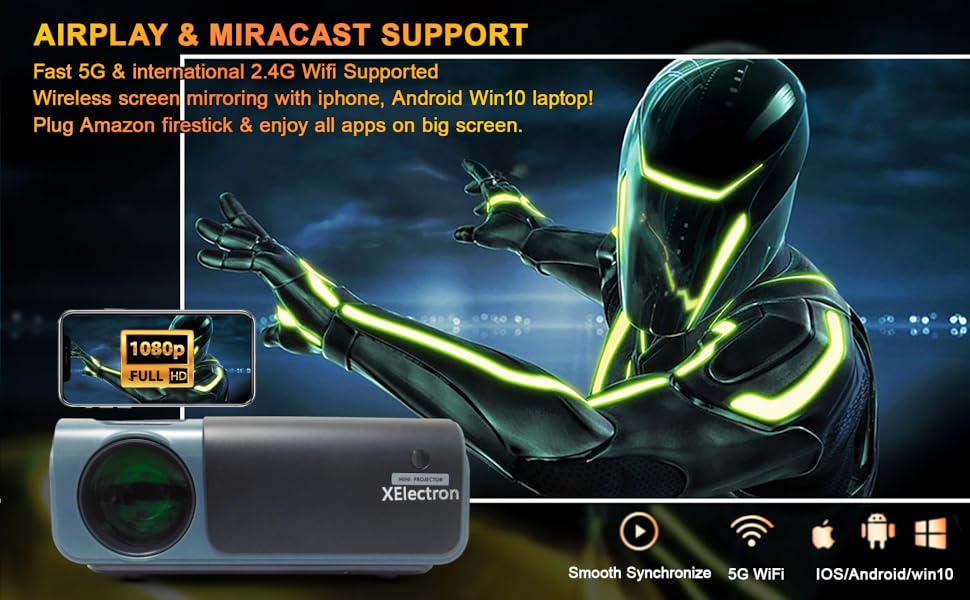
Image: A graphic illustrating the XElectron C50 projector supporting AirPlay and Miracast for wireless screen mirroring from iOS, Android, and Windows devices, including a phone displaying content mirrored to a large screen.
- Ensure your projector and device are connected to the same Wi-Fi network.
- Select the appropriate screen mirroring option (Miracast for Android/Windows, AirPlay for iOS) from the projector's menu.
- Follow the on-screen instructions to connect your device.
6.5 Gaming Setup
Connect your gaming console via HDMI or use wireless screen mirroring for mobile gaming.

Image: A person playing a racing game on a large projected screen using a gamepad, with icons indicating connectivity options like USB 1, USB 2, HDMI 1, HDMI 2, and VGA for expanding gaming possibilities with the C50 projector.
7. Mantemento
- Limpeza de lentes: Usa un pano suave e sen fiapos deseñado especificamente para lentes ópticas para limpar con coidado a lente do proxector. Non empregues produtos de limpeza abrasivos.
- Limpeza do filtro de po: Regularly check and clean the dust filters to ensure proper airflow and prevent overheating. Refer to the projector's exterior for filter locations.
- Almacenamento: Cando non o use durante períodos prolongados, garde o proxector nun lugar fresco e seco, protexido do po e da luz solar directa.
- Ventilación: Ensure the projector's ventilation openings are clear of obstructions during operation.
8 Solución de problemas
If you encounter issues with your XElectron C50 projector, refer to the following common problems and solutions:
| Problema | Causa posible | Solución |
|---|---|---|
| Non se proxecta ningunha imaxe | Power cable loose, incorrect input source, device not connected | Check power connection, select correct input source, ensure source device is on and connected. |
| A imaxe está borrosa ou desenfocada | Focus ring not adjusted, projector too close/far from screen | Adjust the focus ring. Ensure projector is within recommended projection distance. |
| A imaxe é trapezoidal | Proxector non perpendicular á pantalla | Use keystone correction feature to adjust the image shape. |
| Sen son | Volume too low, external audio device not connected, source device audio settings | Increase projector volume. Check external speaker connection. Verify audio output settings on source device. |
| Cannot connect via Wi-Fi/Bluetooth | Incorrect settings, device compatibility, network issues | Ensure Wi-Fi/Bluetooth is enabled on both devices. Check network connection. Refer to specific connection instructions in Section 6.4. |
| O proxector sobrequéntase ou apágase | Blocked ventilation, prolonged use in hot environment | Ensure ventilation openings are clear. Operate in a well-ventilated area. Allow projector to cool down. |
9. Especificacións
Detailed technical specifications for the XElectron C50 Projector:
- Marca: XElectron
- Modelo: C50M
- Tecnoloxía de visualización: LED, LCD
- Resolución nativa: 1920 x 1080 (1080p Full HD)
- Resolución admitida: Ata 4K
- Brillo da imaxe: 7500 lúmenes
- Relación de contraste da imaxe: 10000:1
- Relación de aspecto: 16:9
- Tamaño de visualización da pantalla de pé: Ata 300 polgadas
- Dimensións do produto: 26 x 21.2 x 10.2 cm
- Peso do artigo: 1.5 kg
- Número de procesadores: 4
- Flash Memory Installed Size: 8 GB
- Interface de hardware: 3.5mm Audio, AV, 802.11 ac/b/g/n (Wi-Fi), Bluetooth, HDMI (x2), USB (x2)
- Tipo sen fíos: Radiofrecuencia de 2.4 GHz, radiofrecuencia de 5.8 GHz, Bluetooth
- Dispositivos compatibles: iPhone, Android Phone, Set-top box, Laptop, TV Box, etc.
- Características especiais: 300 inch Display, Bluetooth, Native 1080P Resolution, Built-in Speakers, Vertical Keystone correction
- Speakers Nominal Output Power: 20 vatios
- Nivel de ruído: 40 decibeis
- Voltage: 230 voltios
- Wattage: 70 vatios
- Fonte de enerxía: AC
- Frecuencia de actualización: 60 Hz
- Tipo de montaxe: Ceiling Mount supported
- Ano modelo: 2021
10. Garantía e soporte
XElectron is committed to providing excellent customer service and product support.
- Garantía: The XElectron C50 Projector comes with a 12-month manufacturer warranty. Please refer to the included Warranty Card for detailed terms and conditions.
- Atención ao cliente: For any technical assistance, troubleshooting, or warranty claims, please contact XElectron customer service.
- Tempo de resposta: Expect a prompt reply within 24 hours for inquiries.
- Official Guide: Technical help is available to solve any problems you may encounter.

Image: Graphic detailing XElectron's customer support, including 24-hour reply, 12-month manufacturer warranty, lifetime customer service, and official technical guides.