
1. Introdución
This manual provides detailed instructions for the TECLAST P33 10.1-inch Android Tablet. Please read this manual thoroughly before using your device to ensure proper operation and to maximize its lifespan.
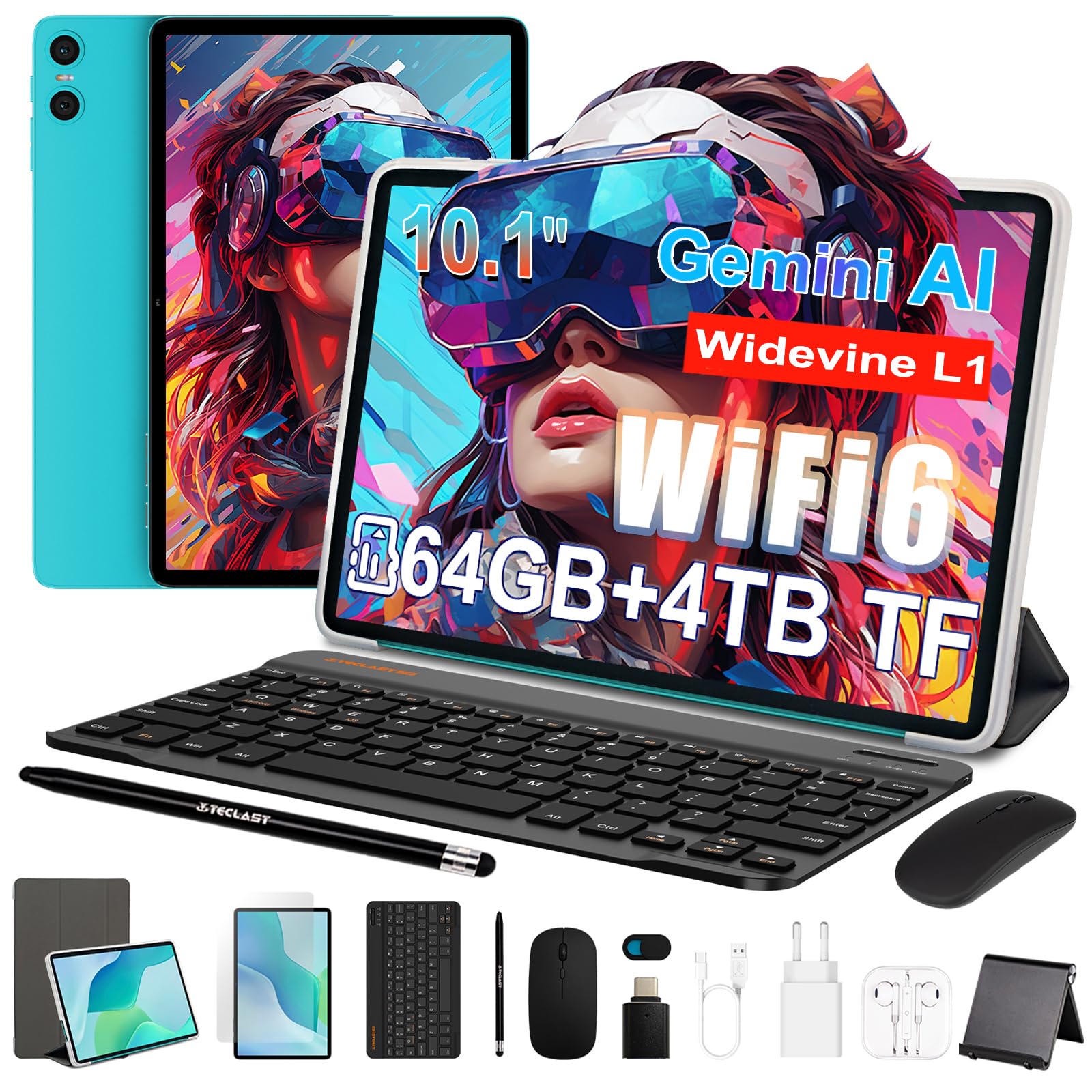
Figure 1: TECLAST P33 10.1-inch Android Tablet
Contido do paquete
The TECLAST P33 tablet comes with a comprehensive accessory bundle to enhance your user experience. Please verify that all items listed below are included in your package:
- TECLAST P33 Tablet
- Funda para tableta
- Película protectora
- Rato
- Camera Protection Caps
- Teclado Bluetooth
- Auriculares con cable de 3.5 mm
- Stylus Pen
- Soporte para tableta
- Adaptador OTG
- Cable tipo C
- Cargador
- Manual de usuario

Figure 2: TECLAST P33 Package Contents
2. Configuración
2.1 Carga inicial
Before first use, it is recommended to charge the tablet for at least 30 minutes. Use the provided Type-C cable and charger.
- Conecta o cable tipo C ao porto de carga da tableta.
- Connect the other end of the cable to the charger.
- Conecte o cargador a unha toma de corrente.
- O indicador de carga iluminarase.

Figure 3: Charging the TECLAST P33 Tablet
2.2 Acendido/Apagado
- Para acender: Press and hold the Power button until the TECLAST logo appears on the screen.
- Para apagar: Mantén premido o botón de acendido/apagado ata que apareza un menú de apagado. Selecciona "Apagar" e confirma.
- Para reiniciar: No menú de apagado, selecciona "Reiniciar" e confirma.
2.3 Inserción dunha tarxeta MicroSD
The TECLAST P33 supports MicroSD card expansion up to 4TB.
- Localiza a ranura para tarxetas MicroSD no lateral da tableta.
- Use the provided ejector pin to open the card tray.
- Place the MicroSD card into the tray with the gold contacts facing down.
- Empurre suavemente a bandexa cara atrás na ranura ata que encaixe no seu lugar.
2.4 Conexión de accesorios
The TECLAST P33 comes with several accessories that can be connected via Bluetooth or physical ports.
- Teclado/rato Bluetooth:
- Turn on the Bluetooth keyboard or mouse.
- On the tablet, go to Settings > Connected devices > Bluetooth.
- Activa o Bluetooth e busca os dispositivos dispoñibles.
- Select the keyboard or mouse from the list and follow on-screen pairing instructions.
- 3.5mm Wired Earphones: Plug the earphones into the 3.5mm audio jack on the tablet.
- OTG Adapter: The OTG adapter allows you to connect USB devices (like flash drives) to your tablet. Plug the OTG adapter into the Type-C port, then connect your USB device to the adapter.
3. Instrucións de funcionamento
3.1 Display and User Interface
The TECLAST P33 features a 10.1-inch IPS display with a resolution of 1280x800 pixels. It utilizes T-color 3.0 technology for enhanced color and image detail. The tablet runs on Android 15, offering an intuitive user interface.

Figure 4: TECLAST P33 Display Features
3.2 Rendemento e almacenamento
Powered by an Allwinner A333 Octa-Core processor (up to 2GHz) and an ARM Mali-G57 GPU, the P33 delivers smooth performance for multitasking, video playback, and light gaming. It includes 9GB RAM (3GB LPDDR4 + 6GB expandable memory) and 64GB of internal storage, expandable up to 4TB via MicroSD card.

Figure 5: Processor and GPU Details

Figure 6: Storage Expansion Capabilities
3.3 Conectividade
The tablet supports dual-band Wi-Fi 6 (2.4G+5G) for faster connection speeds and lower latency. Bluetooth 5.4 is included for connecting wireless peripherals and supports AAC and LDAC codecs for high-fidelity audio.

Figure 7: Wireless Connectivity
3.4 Cámara e son
The P33 is equipped with a 5MP front camera and a 5MP rear camera, suitable for video calls and capturing everyday moments. It features dual PureSound stereo speakers and an intelligent amplification chip for immersive audio. A 3.5mm audio jack is also available for headphones.

Figure 8: Audio Features
3.5 Duración da batería
The 6000mAh battery provides approximately 10-12 hours of online video playback at standard brightness, ensuring extended usage for reading and browsing.
4. Mantemento
4.1 Limpeza da tableta
- Usa un pano suave e sen fiapos para limpar a pantalla e o corpo da tableta.
- Para manchas difíciles, lixeiramente dampEnxágüe o pano con auga ou cun limpador de pantallas deseñado especificamente para dispositivos electrónicos.
- Avoid using harsh chemicals, abrasive materials, or excessive moisture, as these can damage the device.
4.2 Actualizacións de software
Comprobe e instale regularmente actualizacións de software para garantir un rendemento, unha seguridade e un acceso a novas funcións óptimos.
- Vaia a Configuración > Sistema > Actualización do sistema.
- Siga as instrucións en pantalla para comprobar e instalar as actualizacións dispoñibles.
4.3 Coidado coa batería
- Evite descargar completamente a batería con frecuencia.
- Non expoñas o comprimido a temperaturas extremas (quentes ou frías).
- Use só o cargador orixinal ou un cargador compatible certificado.
5 Solución de problemas
If you encounter issues with your TECLAST P33 tablet, refer to the following common solutions.
| Problema | Solución |
|---|---|
| A tableta non se acende | Asegúrate de que a batería estea cargada. Conecta o cargador e inténtao de novo. Se non responde, mantén premido o botón de acendido durante 10-15 segundos para forzar un reinicio. |
| Rendemento lento | Close unnecessary background applications. Clear cache regularly. Consider performing a factory reset if the issue persists (back up data first). |
| Problemas de conexión wifi | Reinicia a tableta e o teu enrutador Wi-Fi. Esquécete da rede e volve conectar. Asegúrate de estar dentro do alcance do sinal Wi-Fi. |
| O dispositivo Bluetooth non se sincroniza | Ensure the Bluetooth device is in pairing mode. Turn Bluetooth off and on again on the tablet. Check if the device is already paired with another device. |
| A pantalla non responde | Reinicia a tableta. Se o problema persiste, asegúrate de que a pantalla estea limpa e libre de residuos. |
For further assistance, please contact TECLAST customer support.
6. Especificacións
| Característica | Detalle |
|---|---|
| Nome do modelo | TECLAST P33 |
| Tamaño de visualización | 10.1 polgadas |
| Resolución de visualización | 1280x800 Pixels (IPS LCD) |
| Procesador | Allwinner A333 Octa-Core (up to 2 GHz) |
| Coprocesador gráfico | Mali-G57 |
| RAM | 9 GB (3GB LPDDR4 + 6GB expandable) |
| Almacenamento interno | 64 GB |
| Almacenamento ampliable | Up to 4 TB via MicroSD |
| Sistema Operativo | Android 15 |
| Capacidade da batería | 6000 mAh (polímero de litio) |
| Duración da batería (media) | 10 horas |
| Cámara traseira | 5 MP |
| Cámara frontal | 5 MP |
| Wi-Fi | 802.11a/b/g/n/ac (Wi-Fi 6, Dual-band 2.4G/5G) |
| Bluetooth | Bluetooth 5.4 |
| Tecnoloxía Celular | 5G (SIM card support not explicitly detailed) |
| Portos | 1x USB-C, 1x 3.5mm Audio Jack, MicroSD Slot |
| Dimensións (LxWxT) | Aprox. 24 x 16 x 0.8 cm |
| Peso | 535 gramos |
| Características especiais | Gemini AI, Stereo Speakers, USB OTG Support, Stylus Support |
7. Garantía e soporte
7.1 Garantía do produto
The TECLAST P33 tablet is covered by a limited three-year warranty from the date of purchase. This warranty covers manufacturing defects and ensures product quality. Please retain your proof of purchase for warranty claims.
For the first use, it is recommended to charge the tablet for more than 30 minutes before powering it on.
7.2 Atención ao cliente
If you encounter any issues or have questions regarding your TECLAST P33 tablet that are not covered in this manual, please contact TECLAST customer support. Our team is available to assist you and will respond to inquiries within 24 hours.
You can typically find contact information on the official TECLAST websitio web ou a través do vendedor onde adquiriu o produto.


