
1. Introdución
This manual provides essential information for setting up, operating, and maintaining your TECLAST T60Pro 12-inch 2K Tablet. The T60Pro features a 12-inch 2K IPS display, powered by a MediaTek Helio G99 Octa-Core processor, running Android 15. It includes 20GB RAM (8GB physical + 12GB virtual expansion) and 128GB internal storage, expandable up to 1TB via Micro SD. The tablet is equipped with four stereo speakers, a 13MP rear camera, an 8MP front camera, and an 8000mAh battery with 18W fast charging.

The TECLAST T60Pro features a slim 7.9mm metal body, weighing 553g, designed for portability and comfortable handling.
2. Que hai na caixa
Verifica que todos os elementos estean presentes no paquete:
- TECLAST T60Pro Tablet (x1)
- Cargador (x1)
- Cable USB-C (x1)
- SIM Ejector Tool (x1)
- Manual de usuario (x1)
This video demonstrates the unboxing process of the TECLAST T60Pro tablet and its included accessories.
3. Configuración
3.1 Disposición do dispositivo
The image displays the side profile of the tablet, highlighting the SIM/TF Card slot, speaker grilles, and the Type-C port for charging and data transfer.
3.2 Cargar a tableta
Before first use, fully charge the tablet using the provided USB-C cable and charger. Connect the USB-C cable to the tablet's Type-C port and the charger to a power outlet. The battery indicator on the screen will show charging status.
3.3 Encendido/apagado
- To power on: Press and hold the Power button until the TECLAST logo appears.
- Para apagar: manteña premido o botón de acendido e, a seguir, seleccione "Apagar" entre as opcións que aparecen na pantalla.
- To restart: Press and hold the Power button, then select 'Restart' from the options.
3.4 Instalación da tarxeta SIM/TF
To install a SIM card for cellular connectivity or a TF (Micro SD) card for expanded storage:
- Localiza a bandexa da tarxeta SIM/TF no lateral da tableta.
- Insira a ferramenta de expulsión da tarxeta SIM fornecida no pequeno orificio que hai xunto á bandexa e prema suavemente ata que esta saia.
- Place your Nano-SIM card(s) and/or Micro SD card into the designated slots on the tray, ensuring correct orientation.
- Empurre con coidado a bandexa cara atrás na tableta ata que encaixe no seu lugar.

The tablet supports up to 1TB Micro SD card expansion for additional storage.
3.5 Configuración inicial de Android
Upon first power-on, follow the on-screen prompts to complete the initial setup, which includes selecting your language, connecting to Wi-Fi, setting up your Google account, and configuring security options.
4. Instrucións de funcionamento
4.1 Pantalla e elementos visuais
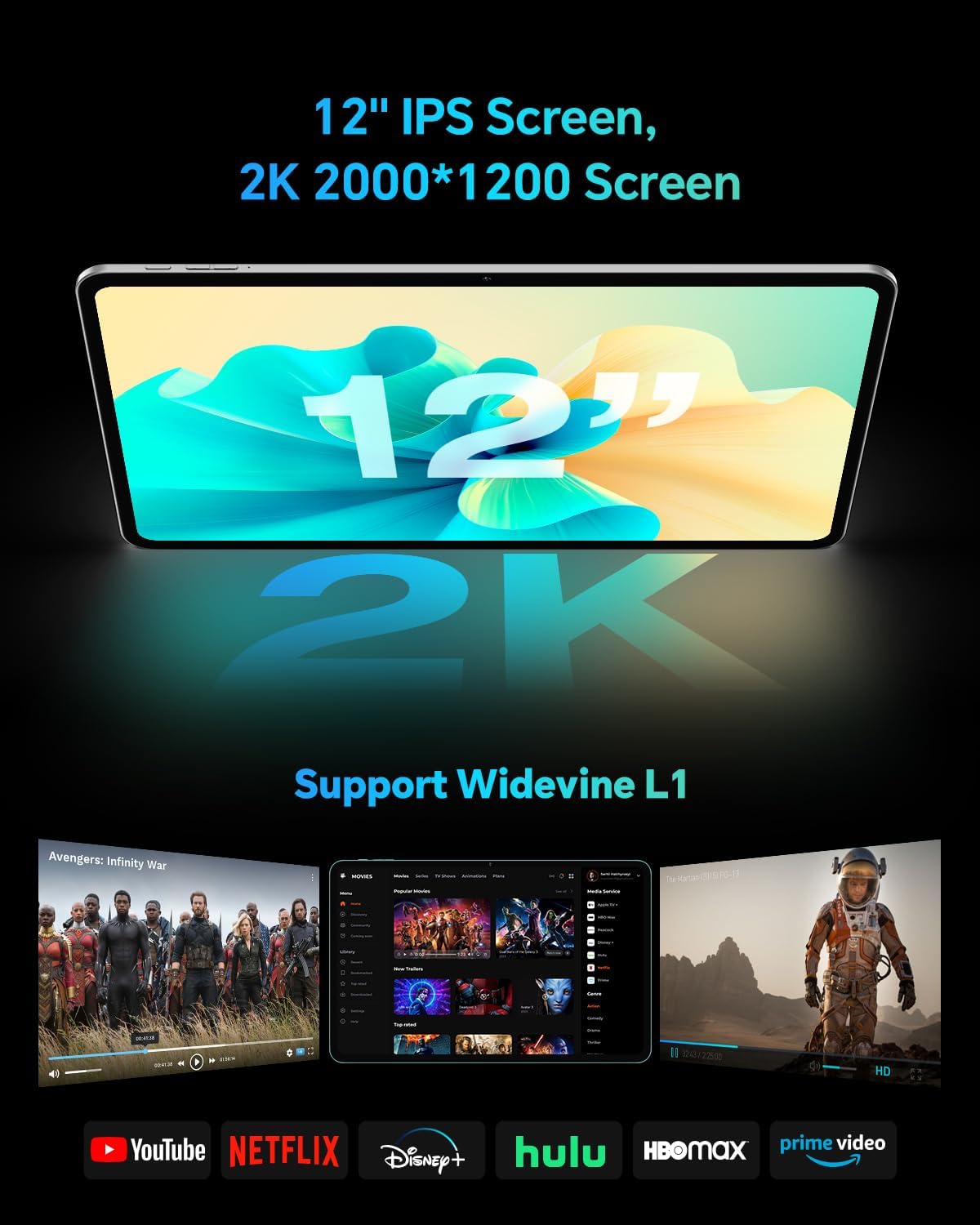
The TECLAST T60Pro features a 12-inch 2K (2000x1200) IPS TDDI full-lamination screen. It includes built-in blue light filtering for eye protection. The display supports Widevine L1 for high-definition streaming content.

Experience crisp visuals and support for HD streaming with the 12-inch 2K IPS display and Widevine L1 certification.
Audio 4.2
The tablet is equipped with four high-fidelity stereo speakers, providing an immersive audio experience for media consumption and video calls.
4.3 Funcións da cámara
The T60Pro includes a 13MP rear camera and an 8MP front camera. The rear camera is designed for clear shooting, even in low-light conditions. Utilize the camera for photos, videos, and video calls.

The tablet features a 13MP rear camera and an 8MP front camera, supporting features like Google Lens and Face Recognition.
4.4 Conectividade
- Wi-Fi: Supports 2.4/5GHz dual-band Wi-Fi (802.11a/b/g/n/ac) for stable internet connection.
- Bluetooth: Features Bluetooth 5.2 for connecting wireless accessories.
- Celular: Supports 4G cellular connectivity with a compatible SIM card.
- GPS: Integrated A-GPS/GPS/BeiDou/GLONASS/Galileo multi-navigation system for accurate location services.

The tablet includes built-in GPS with support for multiple satellite positioning systems for reliable navigation.
4.5 Xestión do almacenamento
The tablet comes with 128GB of internal storage. This can be expanded up to 1TB using a Micro SD card (sold separately).
4.6 Recoñecemento facial
For convenient and secure unlocking, the tablet supports face recognition. Simply hold your face in front of the front camera. If face recognition fails, use your registered password or adjust ambient lighting for better recognition.

Unlock your tablet quickly and securely using the face recognition feature.
4.7 Proxección sen fíos
Mirror your tablet's display to a larger screen, such as a TV, for an enhanced viewing experience. Refer to your TV's manual for specific wireless projection setup instructions.
4.8 Parental Controls and Kids Mode
The Android 15 system includes built-in parental controls to manage screen time and app access for children. Utilize these features to create a safe and controlled environment for younger users.
5. Mantemento
5.1 Limpeza do dispositivo
Use a soft, lint-free cloth to clean the tablet's screen and body. Avoid using harsh chemicals or abrasive materials that could damage the surfaces.
5.2 Coidado coa batería
Para prolongar a duración da batería:
- Evita temperaturas extremas.
- Non deixes que a batería se descargue completamente con frecuencia.
- Use o cargador fornecido para unha carga óptima.
5.3 Actualizacións de software
Regularly check for and install system updates to ensure optimal performance, security, and access to the latest features. Navigate to Configuración > Sistema > Actualización do sistema para comprobar se hai actualizacións dispoñibles.
5.4 Protección da pantalla
The tablet comes with a pre-applied tempered glass screen protector. A protective film for shipping is also applied, which should be removed after opening the package.

The tablet includes a pre-applied screen protector for immediate use and protection.
6 Solución de problemas
6.1 O dispositivo non se acende
- Ensure the battery is charged. Connect the tablet to the charger for at least 30 minutes before attempting to power on.
- Manteña premido o botón de acendido durante 10-15 segundos para realizar un reinicio forzado.
6.2 Problemas de conectividade (Wi-Fi/Bluetooth)
- Toggle Wi-Fi or Bluetooth off and on in the Settings menu.
- Restart your router or Bluetooth device.
- Esquécete da rede/dispositivo e volve conectar.
6.3 Low Audio Volume
- Adjust the volume using the physical Volume buttons on the tablet.
- Check media volume settings in Configuración > Son e vibración.
- Ensure no external audio devices are connected via Bluetooth or Type-C that might be overriding the internal speakers.
6.4 As aplicacións fallan ou conxélanse
- Pecha e volve abrir a aplicación.
- Limpar a caché e os datos da aplicación en Configuración > Aplicacións > [Nome da aplicación] > Almacenamento > Borrar caché/Borrar datos.
- Asegúrate de que a aplicación estea actualizada á súa última versión desde Google Play Store.
7. Especificacións
| Característica | Especificación |
|---|---|
| Marca | TECLAST |
| Nome do modelo | T60pro |
| Sistema Operativo | Android 15 |
| Tamaño da pantalla | 12 polgadas |
| Resolución de visualización | 2000 x 1200 píxeles (2K) |
| Procesador | MediaTek Helio G99 Octa-Core (2.2 GHz) |
| Memoria RAM | 20 GB (8 GB físico + 12 GB virtual) |
| Capacidade de almacenamento | 128 GB |
| Almacenamento ampliable | Up to 1 TB (Micro SD) |
| Coprocesador gráfico | Mali-G57 MC2 |
| Capacidade da batería | 8000 mAh |
| Cargando | 18W USB-PD Fast Charging |
| Cámara traseira | 13 MP |
| Cámara frontal | 8 MP |
| Tecnoloxía sen fíos | Wi-Fi (2.4/5GHz), Bluetooth 5.2, 4G Cellular |
| Funcionalidade GPS | GPS/BEIDOU/GLONASS/GALILEO |
| Jack para auriculares | Tipo-C |
| Dimensións (L x A x P) | 10.97" x 6.85" x 0.31" |
| Cor | Gris escuro |
8. Garantía e soporte
8.1 Garantía do fabricante
The TECLAST T60Pro tablet comes with a 1 anos de garantía do fabricanteEsta garantía cobre defectos de materiais e fabricación en condicións normais de uso. Conserve o comprobante de compra para reclamacións de garantía.
8.2 Atención ao cliente
For technical assistance, troubleshooting, or warranty inquiries, please contact TECLAST customer support. Most questions are answered within 24 hours. Refer to the official TECLAST website or your purchase platform for specific contact details.
Online resources and FAQs may also be available on the TECLAST support page.