
Dascert Q38[NEW]
Dascert Q38 Wireless Bluetooth Earbuds User Manual
Model: Q38[NEW]
1. Introdución
Thank you for choosing the Dascert Q38 Wireless Bluetooth Earbuds. These earbuds are designed to provide a comfortable and immersive audio experience, perfect for sports and daily use. Featuring Bluetooth 5.1 technology, IP7 waterproofing, and a long-lasting battery, the Q38 earbuds offer stable connectivity and high-fidelity stereo sound.
Lea este manual atentamente antes de usar o produto para garantir o seu correcto funcionamento e maximizar a súa vida útil.
2. Contido do paquete
Asegúrate de que todos os elementos estean presentes no paquete:
- Dascert Q38 Wireless Earbuds (Left and Right)
- Estuche de carga
- Cable de carga USB-C
- Manual de usuario
- Earhooks (pre-installed or included separately)
- Varios tamaños de almofadas para os oídos (S, M, L)

3. Produto rematadoview
The Dascert Q38 earbuds are designed for comfort and performance, especially during physical activity. Key features include secure earhooks, IP7 waterproofing, and intuitive touch controls.
3.1 Compoñentes dos auriculares

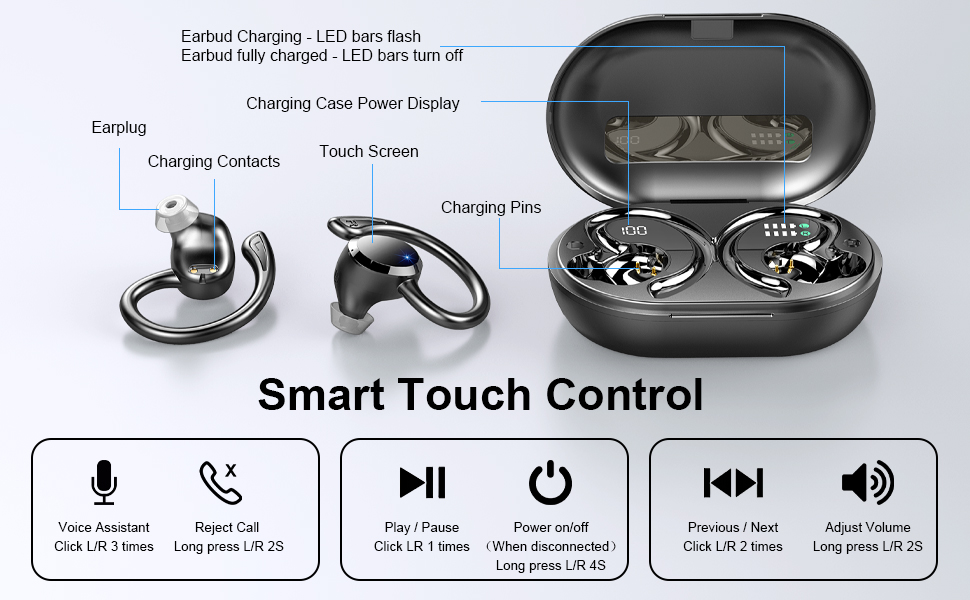
- Gancho para a orella: Provides a secure and comfortable fit, ideal for sports.
- Área de control táctil: Para xestionar a reprodución, as chamadas e o asistente de voz.
- Indicador LED: Mostra o estado da carga e o estado da conexión.
- Contactos de carga: Conéctase coa caixa de carga para obter enerxía.
- Micrófono: Para chamadas e comandos de voz.
3.2 Compoñentes da caixa de carga
- Pantalla LED dixital: Shows the charging case battery percentage (1%-100%).
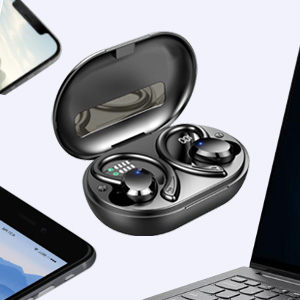
- Earbud Charging Indicators: LED bars for Left (L) and Right (R) earbuds, flashing when charging and turning off when fully charged.
- Porto de carga USB-C: For fast charging the case.

4. Configuración
4.1 Cargo inicial
Antes do primeiro uso, carga completamente os auriculares e a caixa de carga.
- Coloque os dous auriculares no estoxo de carga.
- Connect the USB-C charging cable to the charging port on the case and plug the other end into a USB power adapter (not included) or a computer's USB port.
- The LED display on the case will show the battery percentage, and the earbud indicators will flash during charging.
- Charging takes approximately 1 hour for earbuds and 1.5 hours for the case.

4.2 Pairing with a Device (One-Step Pairing)
The earbuds feature one-step pairing for convenience.
- Abre a caixa de carga. Os auriculares acenderanse automaticamente e entrarán no modo de emparellamento.
- No teu teléfono intelixente ou dispositivo con Bluetooth, vai á configuración de Bluetooth.
- Busca "Q38" in the list of available devices and select it to connect.
- Unha vez conectado, unha mensaxe de voz confirmará o emparellamento correcto.

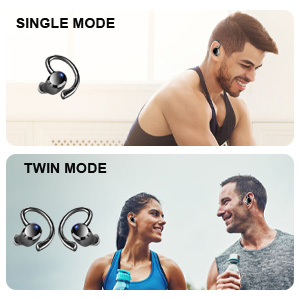
You can use either earbud independently (single mode) or both together (twin mode).
4.3 Escolla das almofadas axeitadas
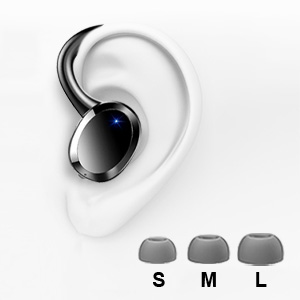
Selecting the correct eartip size is crucial for optimal sound quality and comfort. A proper seal enhances bass and noise isolation.
- Try each size (S, M, L) to find the one that fits snugly and comfortably in your ear canal.
- The earbud should feel secure and create a good seal without causing discomfort.
5. Instrucións de funcionamento
5.1 Encendido/apagado
- Encendido: Open the charging case, or long press the touch control area on either earbud for 4 seconds if disconnected.
- Apagado: Place the earbuds back into the charging case and close the lid. Alternatively, long press the touch control area on either earbud for 4 seconds if disconnected.
5.2 Controis táctiles
The Dascert Q38 earbuds feature multi-function touch panels for easy control.
| Función | Acción |
|---|---|
| Reproducir/Pausa | Click L or R once |
| Próxima canción | Fai clic dúas veces en R |
| Canción anterior | Fai clic dúas veces en L |
| Subir volume | Prema R durante 2 segundos |
| Baixar o volume | Long press L for 2 seconds |
| Responder/colgar a chamada | Click L or R once |
| Rexeitar a chamada | Long press L or R for 2 seconds |
| Activar o asistente de voz (Siri/Asistente de Google) | Click L or R three times |
5.3 Uso dos auriculares
The ergonomic design with earhooks ensures a secure and comfortable fit.
- Identifica os auriculares esquerdo (E) e dereito (D).
- Insira suavemente o auricular no canal auditivo.
- Adjust the earhook over your ear until it feels secure and comfortable.

6. Mantemento e coidados
- Limpeza: Regularly clean the earbuds, especially the eartips and charging contacts, with a soft, dry cloth. For stubborn dirt, a slightly damp cloth or alcohol wipe can be used, ensuring no liquid enters the earbud openings.
- Almacenamento: Cando non estean en uso, garde os auriculares no seu estoxo de carga para protexelos e mantelos cargados.
- Resistencia á auga: The earbuds are IP7 waterproof, meaning they can withstand sweat, rain, and splashes. However, they are not designed for swimming or submersion for extended periods. Ensure earbuds are dry before placing them back in the charging case.
- Evita temperaturas extremas: Do not expose the earbuds or charging case to extreme heat or cold, as this can damage the battery and internal components.

7 Solución de problemas
If you encounter issues with your Dascert Q38 earbuds, please refer to the following common problems and solutions:
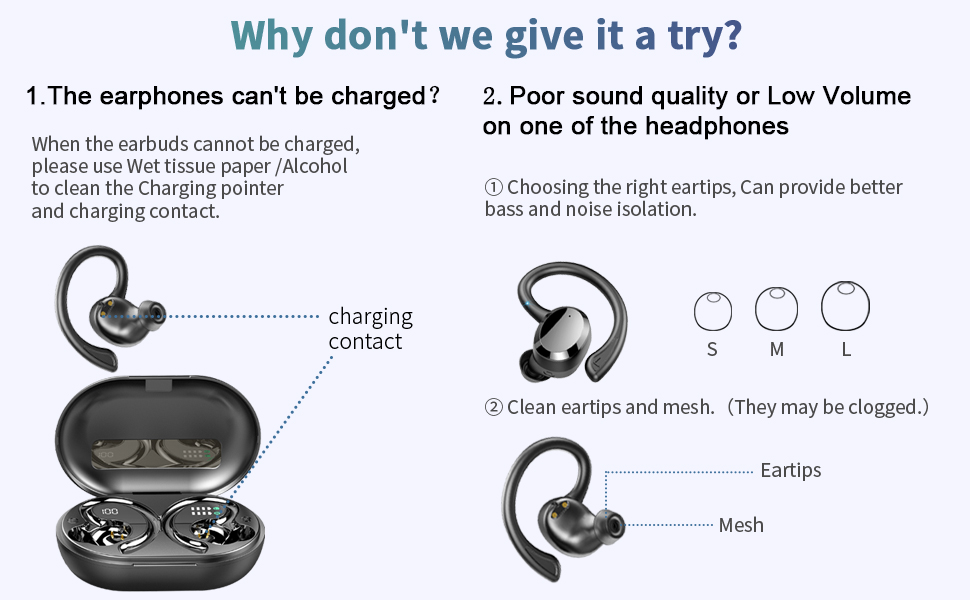
| Problema | Solución |
|---|---|
| Os auriculares non se cargan |
|
| Mala calidade de son ou baixo volume |
|
| Os auriculares non se emparellan nin se conectan |
|
| Só funciona un auricular |
|
8. Especificacións
| Característica | Detalle |
|---|---|
| Nome do modelo | Q38[NEW] |
| Tecnoloxía de conectividade | Sen fíos (Bluetooth 5.1) |
| Nivel de resistencia á auga | Impermeable IP7 |
| Tempo de reprodución (auriculares) | 5-6 hours (single charge) |
| Tempo de reprodución total (co estoxo de carga) | Ata 48 horas |
| Tempo de carga (auriculares) | Aprox. 1 hora |
| Tempo de carga (caso) | Aprox. 1.5 horas |
| Porto de carga | USB-C |
| Tipo de control | Control táctil, por voz |
| Colocación do oído | In Ear with Earhooks |
| Control de ruído | Cancelación activa de ruído |
| Rango de frecuencias | 20 Hz - 20,000 Hz |
| Peso do elemento | 2.54 onzas |
| Dimensións do produto | 3.64 x 2.47 x 1.12 polgadas |
9. Garantía e soporte
Dascert products come with a standard manufacturer's warranty. For detailed warranty information, please refer to the warranty card included in your package or visit the official Dascert websitio.
If you require technical support or have any questions regarding your Dascert Q38 Wireless Bluetooth Earbuds, please contact our customer service team:
- Correo electrónico: Non proporcionado
- Teléfono: Non proporcionado
- Soporte en liña: Visita o Dascert Store on Amazon para preguntas frecuentes e recursos adicionais.
Please have your model number (Q38[NEW]) and purchase date ready when contacting support.
10. Información de seguridade
- Non desmontes nin intentes reparar os auriculares nin a caixa de carga.
- Manter lonxe dos nenos e animais.
- Evite a exposición prolongada a altos niveis de volume para evitar danos auditivos.
- Non empregues os auriculares en situacións onde a incapacidade de escoitar os sons ambientais poida ser perigosa (por exemplo, conducir, andar en bicicleta ou camiñar polo tráfico).
- Eliminar o produto de forma responsable segundo a normativa local.
Ask a question about this manual
Ask about setup, troubleshooting, compatibility, parts, safety, or missing instructions. Manuals+ will review the question and use this page’s manual context to help answer it.