
Smarter Living KMG-TY109
Smarter Living WiFi Gas Alarm Leak Detector Instruction Manual
Model: KMG-TY109
Brand: Smarter Living
Introdución
This manual provides detailed instructions for the installation, operation, and maintenance of your Smarter Living WiFi Gas Alarm Leak Detector. This device is designed to detect various flammable gases, including Natural Gas, Propane, Methane, Butane, LPG, and LNG, providing both audible alarms and smartphone notifications to enhance safety in your home, RV, or trailer.
For optimal performance and safety, please read this manual thoroughly before using the device and retain it for future reference.
Información de seguridade
Your Smarter Living Gas Alarm Leak Detector is lab tested and in compliance with the UL 1484 standard for Residential Gas Detectors. Adherence to these safety guidelines is crucial:
- Localización da instalación: Install the detector in areas where gas leaks are most likely to occur, such as kitchens, basements, or near gas appliances. Ensure proper ventilation.
- Fonte de enerxía: The device operates on 85V to 250V AC power. Ensure it is plugged into a compatible outlet.
- Resposta da alarma: Upon detection of a gas leak, the device will emit a loud 70dB audible alarm and send notifications to your smartphone. Immediately investigate the source of the alarm. If a gas leak is confirmed or suspected, evacuate the premises, turn off the gas supply if safe to do so, and contact emergency services.
- Probas regulares: Although the device continuously monitors gas levels, it is recommended to periodically test its functionality as per local safety regulations.
- Mantemento: Keep the device clean and free from dust or obstructions that could impede its sensor.

Image: The Smarter Living Gas Detector undergoing lab testing to ensure compliance with UL 1484 standards for residential gas detectors. This rigorous testing confirms the device's reliability and safety.
Produto rematadoview
The Smarter Living WiFi Gas Alarm Leak Detector is a compact and modern device designed for easy integration into any home environment. It features a plug-in design, eliminating the need for batteries or complex wiring.

Imaxe: Unha completa view of the Smarter Living Gas Detector, showcasing its compact design and the real-time gas concentration display on the associated smartphone application.
Características principais:
- Detección de gases: Detects Natural Gas, Propane, Methane, Butane, LPG, LNG, and other flammable explosive gases.
- Sistema de alerta dual: Features a loud 70dB audible alarm and instant phone notifications via the Smart Life or Tuya App.
- Monitorización en tempo real: App displays real-time gas concentration levels (LEL%).
- Rexistro histórico: Keeps a record of past alarms and gas concentration levels.
- Fácil configuración: Auto Detection Setup Mode via Bluetooth for quick WiFi configuration.
- No Gateway Required: Connects directly to your 2.4GHz WiFi network.
- Deseño moderno: Compact white design with LED status indicators.
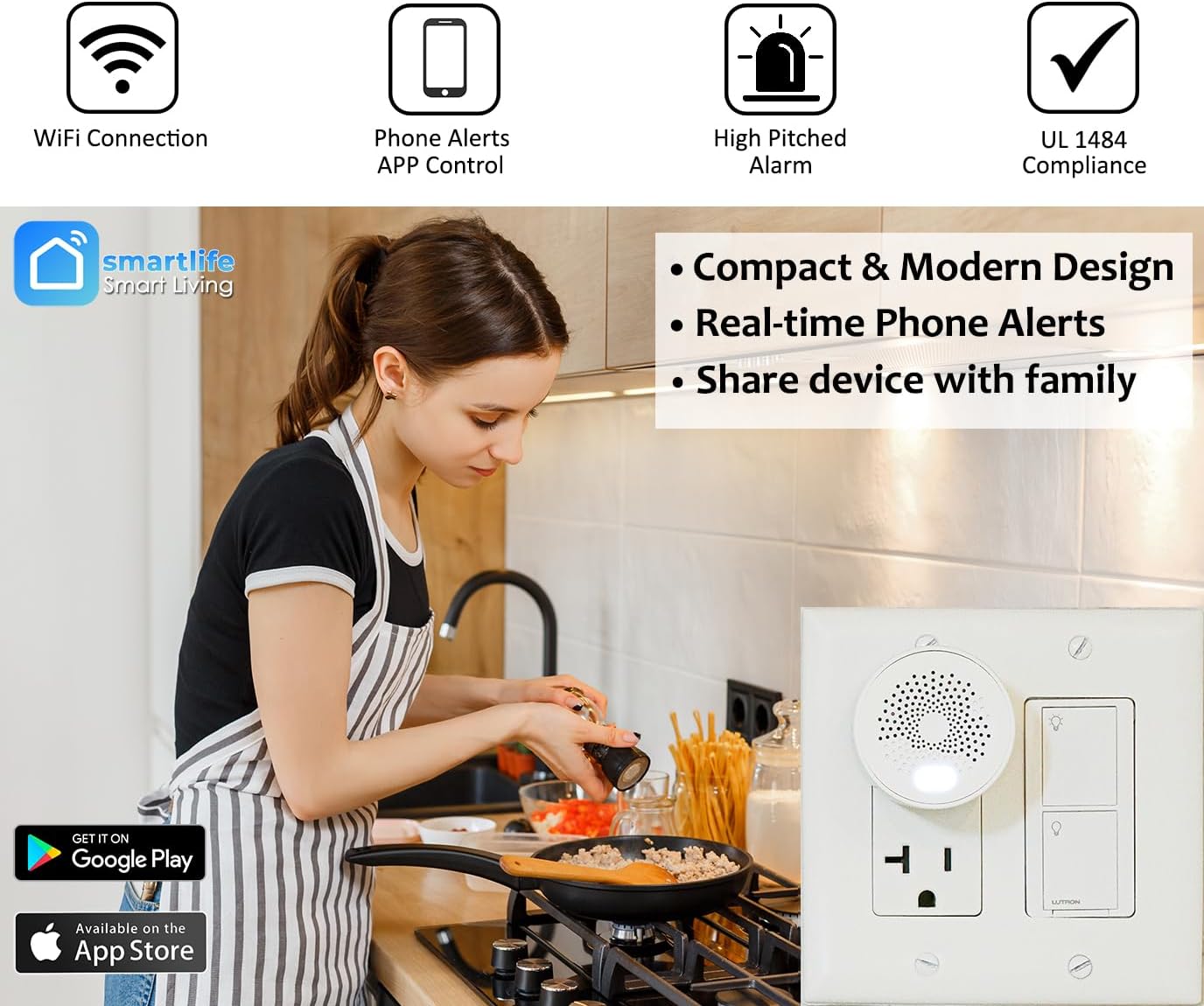
Image: Demonstrating the compact and portable size of the Smarter Living Gas Detector, easily held in one hand, making it convenient for various placements.
Instrucións de configuración
1. Instalación da aplicación
- Descarga o Vida intelixente or Tuya Smart aplicación desde a App Store de Apple (para dispositivos iOS) ou desde a Google Play Store (para dispositivos Android).
- Rexístrate para obter unha nova conta ou inicia sesión se xa tes unha.

Image: The Smarter Living Gas Detector discreetly plugged into a kitchen outlet, highlighting its compact design and the availability of the Smart Life app on both Google Play and the App Store for easy download.
2. Device Placement and Power On
- Choose a suitable location for the detector, such as a kitchen, basement, or near gas appliances. Ensure it is plugged into a standard 120V AC outlet.
- Once plugged in, the device will power on automatically. The LED indicator light will show its status.
3. Connecting to WiFi (2.4GHz only)
- Open the Smart Life or Tuya Smart app on your smartphone.
- Ensure your phone's Bluetooth is enabled for the "Auto Detection Setup Mode".
- In the app, tap the "+" icon to add a new device. The app should automatically detect the gas detector via Bluetooth.
- Follow the on-screen prompts to connect the device to your 2.4GHz WiFi network. Enter your WiFi password when prompted.
- Once connected, the device's LED indicator will change, and the app will confirm successful pairing.
Nota: This device works exclusively on the 2.4GHz wireless band, which is optimal for long distances and penetrating walls. No Zigbee hub or other gateway is required.

Imaxe: A parte traseira view of the Smarter Living Gas Detector, indicating the location of the reset button. Alongside, a simplified diagram confirms its function as a Smart WiFi Gas Detector for various combustible gases.
Instrucións de funcionamento
1. Gas Detection and Alarm
- The detector continuously monitors the air for the presence of flammable gases.
- If gas concentration reaches 7% LEL (Lower Explosive Limit), the device will trigger an alarm. This is a higher sensitivity than the UL 1484 standard of 10% LEL, providing earlier warning.
- Upon alarm, the device will emit a loud 70dB audible sound.
- Simultaneously, you will receive instant notifications on your smartphone via the Smart Life or Tuya app, whether you are home or away.
- The audible alarm will sound even if the WiFi connection is disconnected, ensuring local warning.
2. App Control and Monitoring
- Real-time LEL Display: Abre a aplicación para view the current gas concentration level (LEL%) in real-time.
- Rexistro histórico: The app maintains a history log of all gas alarms and concentration readings. This allows you to review acontecementos pasados.
- Alarm Sound Options: You can select from 5 available alarm sound options within the app settings.
- Compartir dispositivos: The app allows you to share device control with family members.

Image: A screenshot of the Smarter Living app displaying the history log for the gas detector, showing timestamps and status (Normal or Gas Alarm) for various detection events.
Mantemento
- Limpeza: Gently wipe the exterior of the detector with a soft, dry cloth. Do not use harsh chemicals or abrasive cleaners. Ensure the sensor vents are clear of dust and debris.
- Comprobacións periódicas: Periodically check the device's status via the app to ensure it is online and functioning correctly.
- Actualizacións de firmware: Check for device updates within the app's settings menu to ensure you have the latest features and security enhancements.
Resolución de problemas
Problemas comúns e solucións:
- Device Not Connecting to WiFi:
- Asegúrate de que a túa rede wifi sexa de 2.4 GHz. O dispositivo non admite redes de 5 GHz.
- Verifica que o contrasinal do teu wifi sexa correcto.
- Move the device closer to your WiFi router.
- Reinicia o teu enrutador e tenta conectar de novo.
- Use the "Auto Detection Setup Mode" via Bluetooth for easier pairing.
- No Phone Notifications:
- Check your phone's notification settings for the Smart Life/Tuya app to ensure notifications are enabled.
- Asegúrate de que o dispositivo estea conectado a WiFi.
- Verify the "Device Offline Notification" setting is enabled in the app if you wish to be alerted when the device goes offline.
- Falsas alarmas:
- Ensure the device is not placed near sources of strong odors, aerosols, or cleaning products that might trigger the sensor.
- Check for actual gas leaks. If unsure, contact a professional.
- O dispositivo non responde:
- Unplug the device from the outlet, wait 10 seconds, and plug it back in.
- Locate the reset button (refer to Product Overview image) and press it if a full reset is required. Note that resetting will require re-pairing with the app.
Image: Screenshots of the Smarter Living app's settings interface, allowing users to manage gas alarm toggles, auto-detection, offline notifications, alarm sounds, and other device configurations.
Especificacións
| Característica | Detalle |
|---|---|
| Marca | Smarter Living |
| Número de modelo | KMG-TY109 |
| Fonte de enerxía | Plug in, AC (85V - 250V) |
| Voltage | 120 voltios (CA) |
| Cor | Branco |
| Dimensións do produto | 1.9" D x 1.9" W x 2.16" H |
| Peso do elemento | 22.68 g (0.8 onzas) |
| Tipo de alarma | Audible (70dB) and Phone Notifications |
| Humidade de funcionamento | 95 por cento |
| Dispositivos compatibles | Android, iPhone (Smart Life / Tuya App) |
| Tipo de sensor | Electroquímica |
| Conectividade sen fíos | WiFi 2.4 GHz |
| Uso | Só para uso en interiores |
| Conformidade UL | UL 1484 Standard for Residential Gas Detectors |
Soporte e Garantía
For additional support, instructional setup videos, and frequently asked questions, please visit the official Smarter Living websitio. Tamén podes consultar o Manual de instalación (PDF) para máis detalles.
Information regarding product warranty can typically be found on the product packaging or the official Smarter Living websitio. Garde o comprobante de compra para reclamacións de garantía.
Ask a question about this manual
Ask about setup, troubleshooting, compatibility, parts, safety, or missing instructions. Manuals+ will review the question and use this page’s manual context to help answer it.