
1. Información importante de seguridade
Please read all safety and operating instructions carefully before using this television. Keep this manual for future reference. Always follow basic safety precautions to reduce the risk of fire, electric shock, and injury.
- Non expoña este aparello á choiva nin á humidade.
- Non bloquee ningunha abertura de ventilación. Instáleo segundo as instrucións do fabricante.
- Non instale preto de fontes de calor como radiadores, rexistros de calor, cociñas ou outros aparellos (incluíndo amplificadores) que producen calor.
- Protexa o cable de alimentación para que non se camiñe nin se aplique, especialmente nos enchufes, nos tomacorrientes e no punto onde saen do aparello.
- Use só anexos/accesorios especificados polo fabricante.
- Remita todo o servizo a persoal de servizo cualificado. O mantemento é necesario cando o aparello sufriu algún dano.
2. Que hai na caixa
Carefully unpack your new Sansui TV and ensure all items listed below are present.
- 1 x Sansui 4K Ultra HD Android LED TV (JSW50ASUHD)
- 2 x Base de soporte de mesa
- 1 x Wall Mounting Set
- 4 x Screws for stand/mount
- 1 x Manual de usuario
- 1 x tarxeta de garantía
- 1 x mando a distancia
- 2 pilas AAA (para o mando a distancia)
- 1 x cable de alimentación
- 1 x cable mini AV
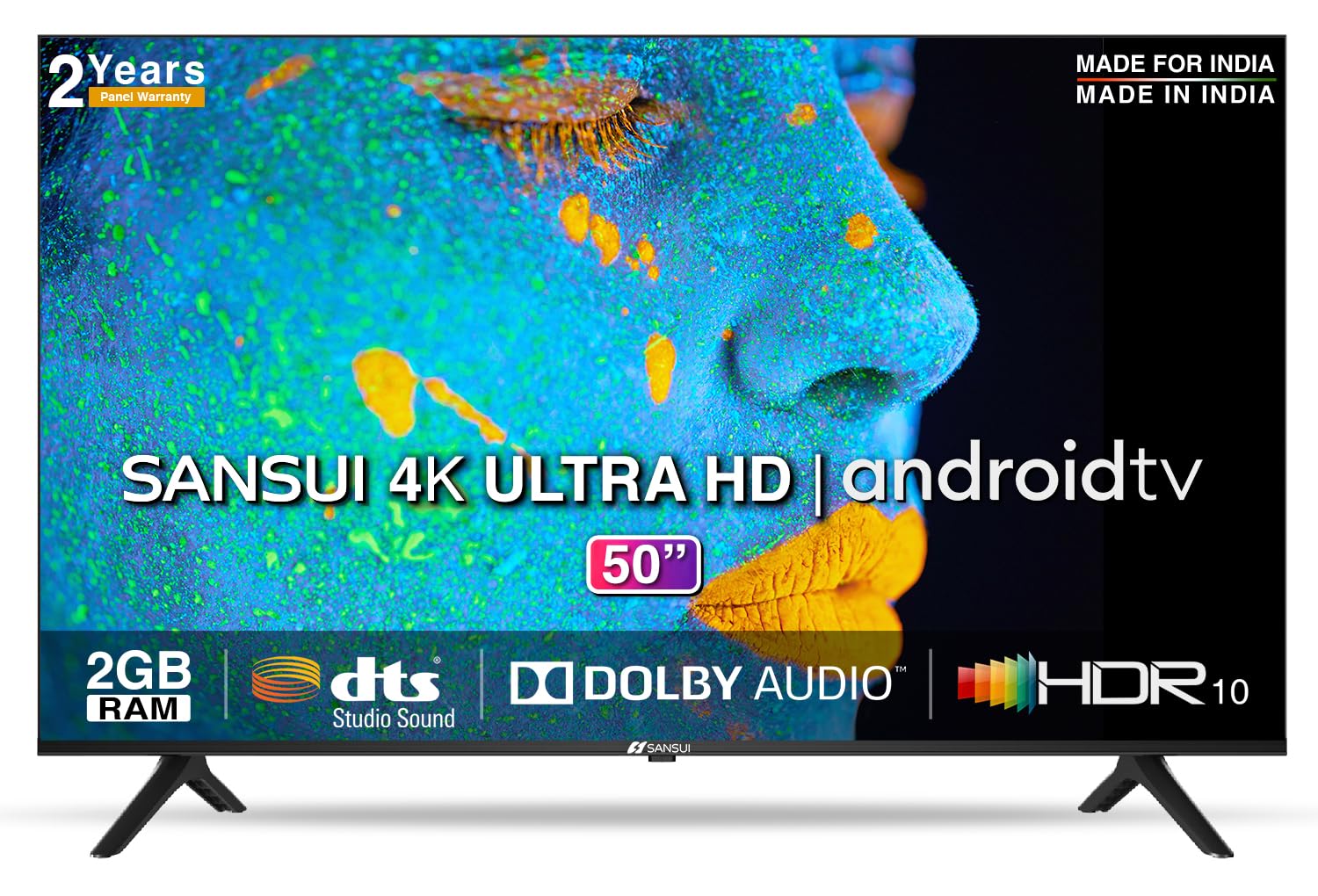
Image: Sansui 50-inch 4K Ultra HD Android LED TV with its table stand.
3. Produto rematadoview
3.1. Características clave
- Visualización: 4K Ultra HD (3840x2160) resolution, 60Hz refresh rate, Wide Viewing Angle, A+ Grade Panel, Wide Colour Gamut, HDR 10, Crystal Clear Display, High Brightness, Bezel-less Design.
- Audio: Dolby Audio, DTS Studio Sound, 20 Watts Audio Output.
- Funcións de Smart TV: Android 10.0 (Certified by Google), Google Assistant, Alexa Enabled Support, Built-in Chromecast, CA53 Quad Core Processor, 2GB RAM, 8GB ROM.
- Aplicacións compatibles: Prime Video, Netflix, Disney + Hotstar, YouTube, Google Play.
- Conectividade: 3 HDMI ports, 2 USB ports, 3.5mm audio jack, Bluetooth, Wi-Fi, RJ45 (Ethernet), Antenna.

Image: Visual representation of the TV's main features and capabilities.
3.2. Dimensións
The TV features a 50-inch screen (127 cm diagonal) with a bezel-less design for an immersive viewexperiencia ing.

Image: Detailed dimensions of the Sansui 50-inch TV, including width, height, and depth with and without the stand.
4. Configuración
4.1. Installing the Table Stand
- Coloque a pantalla do televisor coa pantalla cara abaixo sobre unha superficie suave e plana para evitar danala.
- Align the table stand bases with the corresponding slots at the bottom of the TV.
- Secure the bases using the provided screws. Ensure they are tightened firmly.
4.2. Montaxe na parede (opcional)
If you choose to wall mount your TV, please use the provided wall mounting set and screws. The VESA mount standard is 800 x 400 mm. It is recommended to seek professional assistance for wall mounting to ensure proper and safe installation.
4.3. Dispositivos de conexión
The TV offers various connectivity options for your external devices.
- Potencia: Conecta o cable de alimentación á entrada de alimentación do televisor e despois a unha toma de corrente.
- HDMI: Use HDMI cables to connect devices like set-top boxes, gaming consoles, or Blu-ray players to the 3 HDMI ports.
- USB: Connect USB drives or other USB devices to the 2 USB ports for media playback.
- Saída de audio: Use the 3.5mm jack to connect headphones or external audio systems.
- Ethernet (RJ45): For a stable internet connection, connect an Ethernet cable from your router to the RJ45 port.
- Antena: Connect your antenna cable to the RF input for terrestrial broadcasting.
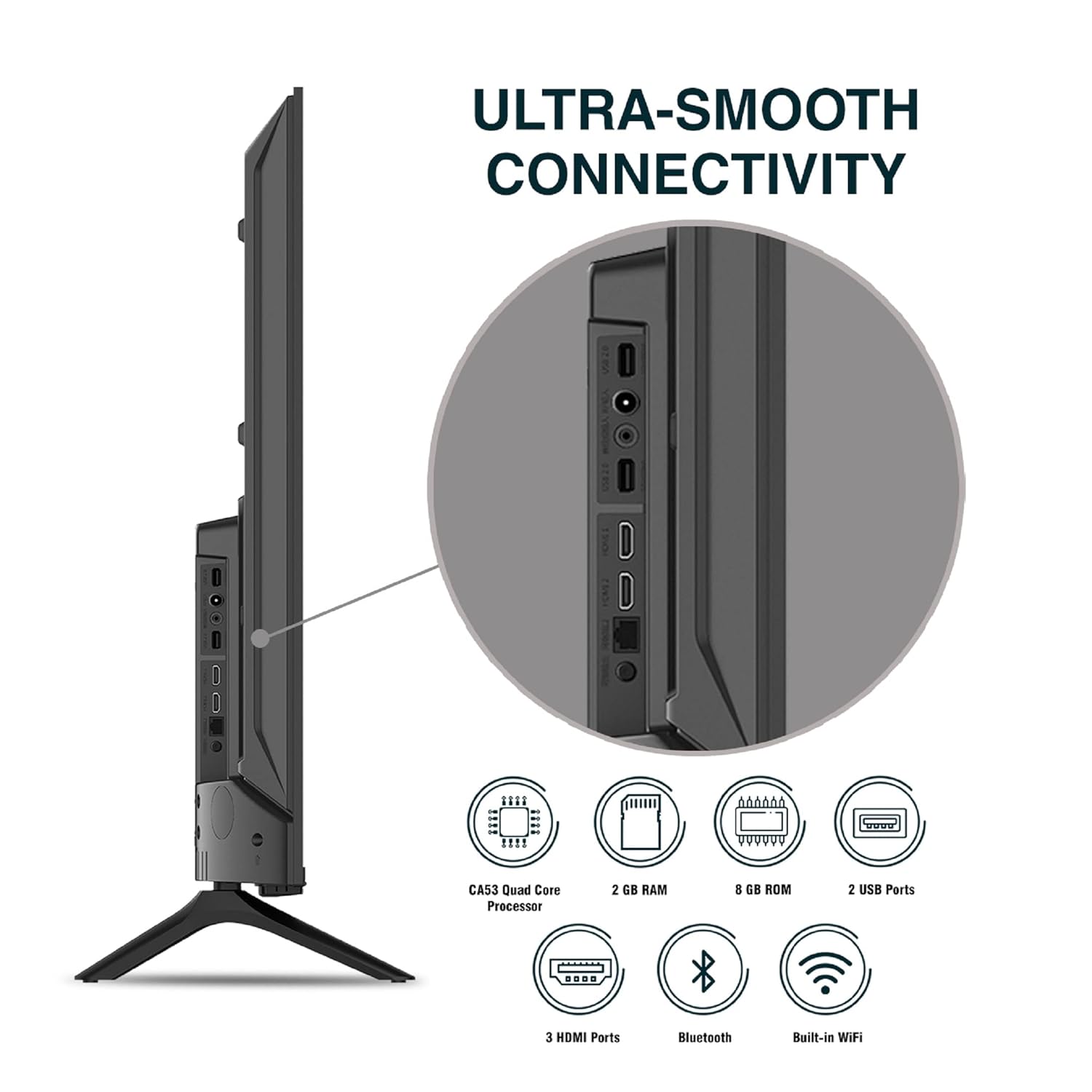
Imaxe: Detallada view dos portos de conectividade do televisor.
5. Instrucións de funcionamento
5.1. Funcionamento básico
- Encendido/apagado: Press the power button on the remote control or on the TV to turn it on or off.
- Configuración inicial: Upon first power-on, follow the on-screen instructions to set up language, network connection, and Google account.
- Fonte de entrada: Press the 'Input' button on the remote to select between HDMI, AV, TV, or other connected sources.
- Control de volume: Usa os botóns para subir/baixar o volume do mando a distancia.
5.2. Uso do mando a distancia intelixente
The included remote control features voice control and dedicated hotkeys for quick access to popular streaming services.
- Control de voz: Press the Google Assistant button (microphone icon) and speak your commands to search for content, control smart home devices, or ask questions.
- Teclas de acceso rápido: Directly launch Netflix, Prime Video, YouTube, and Google Play with a single press.
- Navegación: Use the directional pad and 'OK' button to navigate the Android TV interface.

Image: Sansui Smart Remote Control with voice control and app hotkeys.
5.3. Android TV Interface and Smart Features
Your Sansui TV runs on Android 10.0, providing access to a wide range of apps and smart functionalities.
- Pantalla de inicio: The home screen displays your favorite apps, recommended content, and input sources.
- Google Play Store: Download and install additional apps, games, and content from the Google Play Store.
- Chromecast integrado: Cast content (videos, photos, music) from your smartphone, tablet, or computer directly to the TV.
- Google Assistant/Alexa: Use voice commands via the remote or a compatible Alexa device to control your TV and other smart home devices.

Image: Android TV home screen showing available applications.
6. Mantemento
Un coidado e mantemento axeitados prolongarán a vida útil do teu televisor.
- Limpeza da pantalla: Limpa a pantalla con suavidade cun pano suave e sen pelusa. Para as marcas difíciles, usa un limpador de pantallas deseñado especificamente para televisores, aplícao sobre o pano e non directamente sobre a pantalla.
- Limpeza do armario: Usa un pano suave e seco para limpar o moble do televisor. Non empregues produtos de limpeza abrasivos nin disolventes.
- Ventilación: Asegúrate de que as aberturas de ventilación estean libres de po e residuos para evitar o sobrequecemento.
- Cable de alimentación: Regularly check the power cord for any damage. If damaged, replace it with an authorized part.
7 Solución de problemas
Se tes algún problema, consulta os seguintes problemas e solucións comúns.
| Problema | Causa posible | Solución |
|---|---|---|
| Sen Poder | Cable de alimentación desconectado; problema coa toma de corrente | Comprobe a conexión do cable de alimentación; probe a toma de corrente con outro dispositivo. |
| Sen imaxe, só son | Incorrect input source; External device issue | Select correct input source; Check external device connection and power. |
| Sen son, só imaxe | Volume muted/low; External audio system issue | Unmute or increase volume; Check external audio system connections. |
| O control remoto non funciona | Pilas esgotadas; Obstrución entre o mando a distancia e o televisor | Substitúa as baterías; retire calquera obstrución. |
| Problemas de conexión Wi-Fi | Contrasinal incorrecto; Problemas co enrutador; Interferencia de sinal | Re-enter password; Restart router; Move TV closer to router or use Ethernet. |
Se o problema persiste despois de probar estas solucións, póñase en contacto co servizo de atención ao cliente.
8. Especificacións
Detailed technical specifications for the Sansui JSW50ASUHD TV.
| Característica | Descrición |
|---|---|
| Nome do modelo | SANSUI LED - JSW50ASUHD |
| Tamaño da pantalla | 50 polgadas (127 cm) |
| Tecnoloxía de visualización | LED |
| Resolución | 4K Ultra HD (3840 x 2160) |
| Taxa de actualización | 60 Hz |
| Sistema Operativo | Android 10.0 (Certificado por Google) |
| Procesador | CA53 Quad Core |
| RAM | 2 GB |
| ROM (almacenamento) | 8 GB |
| Saída de audio | 20 vatios |
| Tecnoloxía de son | Dolby Audio, DTS Studio Sound |
| Portos HDMI | 3 |
| Portos USB | 2 |
| Conectividade sen fíos | Wi-Fi, Bluetooth |
| Outras conectividades | Ethernet (RJ45), 3.5mm Audio Jack, Antenna |
| Soporte HDR | HDR10 |
| Tipo de montaxe | Soporte de parede e soporte de mesa |
| Estándar de montaxe VESA | 800 x 400 mm |
| Consumo de enerxía | 120 vatios |
| Peso do elemento | 9650 gramos |
| Cor | Mystique Black |
9. Garantía e soporte
Your Sansui TV comes with a comprehensive warranty and dedicated customer support.
- Garantía: 1 year comprehensive warranty and 1 year additional on panel from the date of purchase.
- Soporte de garantía: For warranty-related queries, please contact Sansui Toll Free No.: 1800-419-3777.
- Contacto do importador: Jaina India Pvt Ltd., D170, Okhla Industrial Area, Phase-1, New Delhi-110020 INDIA | Email: sansuicare@jainaindia.com.
Conserve o recibo de compra para reclamacións de garantía.