
1. Introdución
Thank you for choosing the Attoe Ergonomic Rechargeable Small Vertical Wireless Mouse. This mouse is designed to provide a more natural hand position, reducing strain on your wrist and hand during extended use. Its vertical design promotes comfort and efficiency.
This manual will guide you through the setup, operation, and maintenance of your new mouse to ensure optimal performance and longevity.
2. Contido do paquete
- Vertical Mouse x 1
- Receptor USB x 1
- Cable de carga USB x 1
- Instructions x 1 (This document)
3. Requisitos do sistema
- IBM ou ordenador compatible
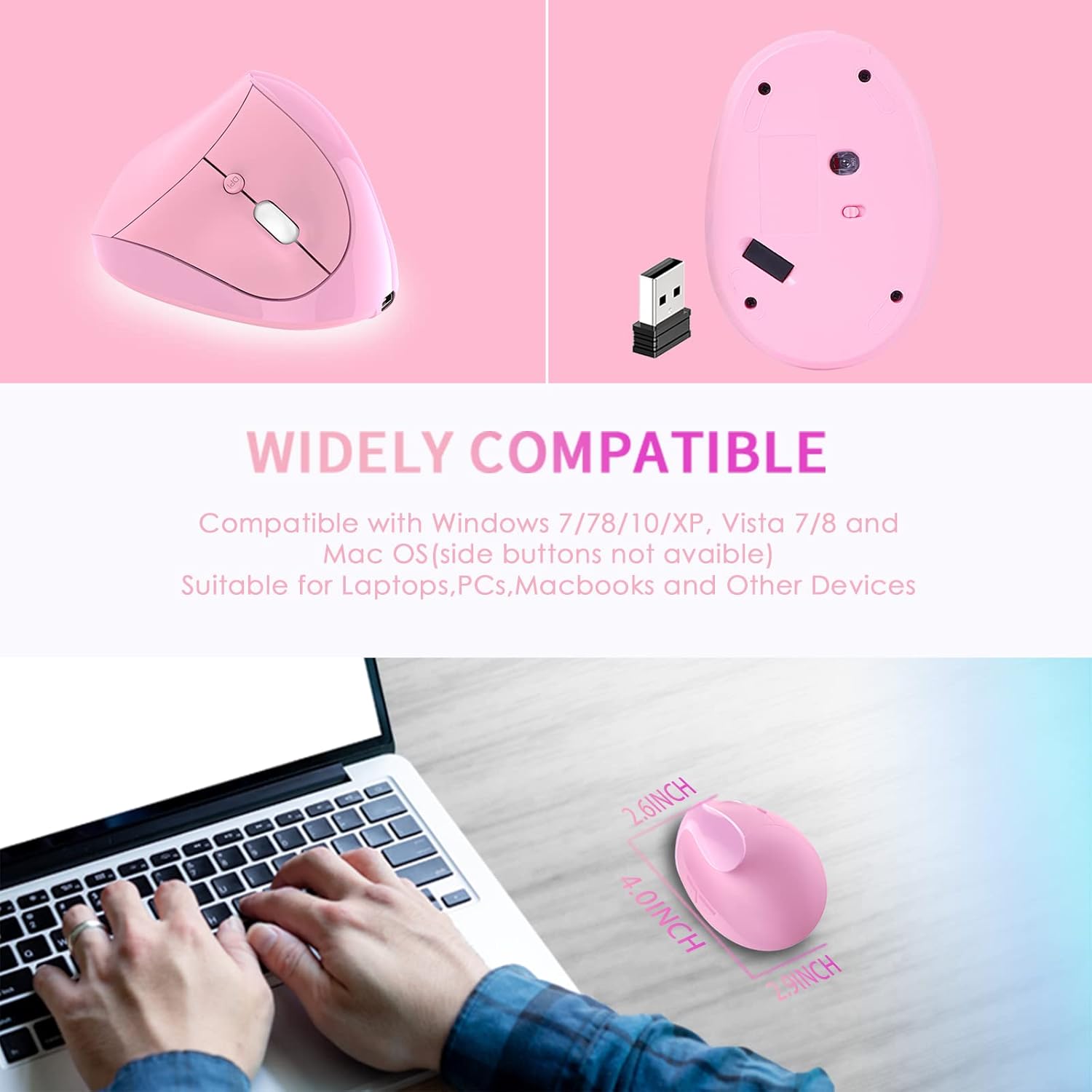
- Operating Systems: Windows 2000/ME/XP (x64)/Vista/7/8/10, Mac OS X (over V10.4), Linux
- Un porto USB dispoñible
4. Guía de configuración
- Install USB Receiver: Insira o receptor USB nun porto USB dispoñible no seu ordenador.
- Recoñecemento do sistema: Wait for your computer to recognize and install the necessary drivers for the USB receiver. This usually happens automatically.
- Acender o rato: Localiza o interruptor de acendido na parte inferior do rato e deslízao á posición "ON".
- Funcionalidade de proba: The mouse should now be operational. Move the mouse and click buttons to confirm it is working correctly.

5. Instrucións de funcionamento
The Attoe Ergonomic Vertical Wireless Mouse features 6 buttons for enhanced productivity:
- Botón esquerdo para premer: Standard selection function.
- Botón dereito do rato: Accede aos menús contextuais.
- Roda de desprazamento: Pergamiña documentos e web páxinas. Tamén se pode facer clic para a funcionalidade de clic central.
- Botón de axuste de DPI: Cycles through DPI settings (800/1200/1600).
- Botón de avance: Navega cara adiante web navegadores ou file explorers. (Note: Not recognized on Mac OS.)
- Botón de retroceso: Navega cara atrás en web navegadores ou file explorers. (Note: Not recognized on Mac OS.)

Axuste de DPI
Press the DPI button, usually located near the scroll wheel, to cycle through the available sensitivity settings: 800 DPI, 1200 DPI, and 1600 DPI. Choose the setting that best suits your preference and task.
Vantaxes do deseño ergonómico
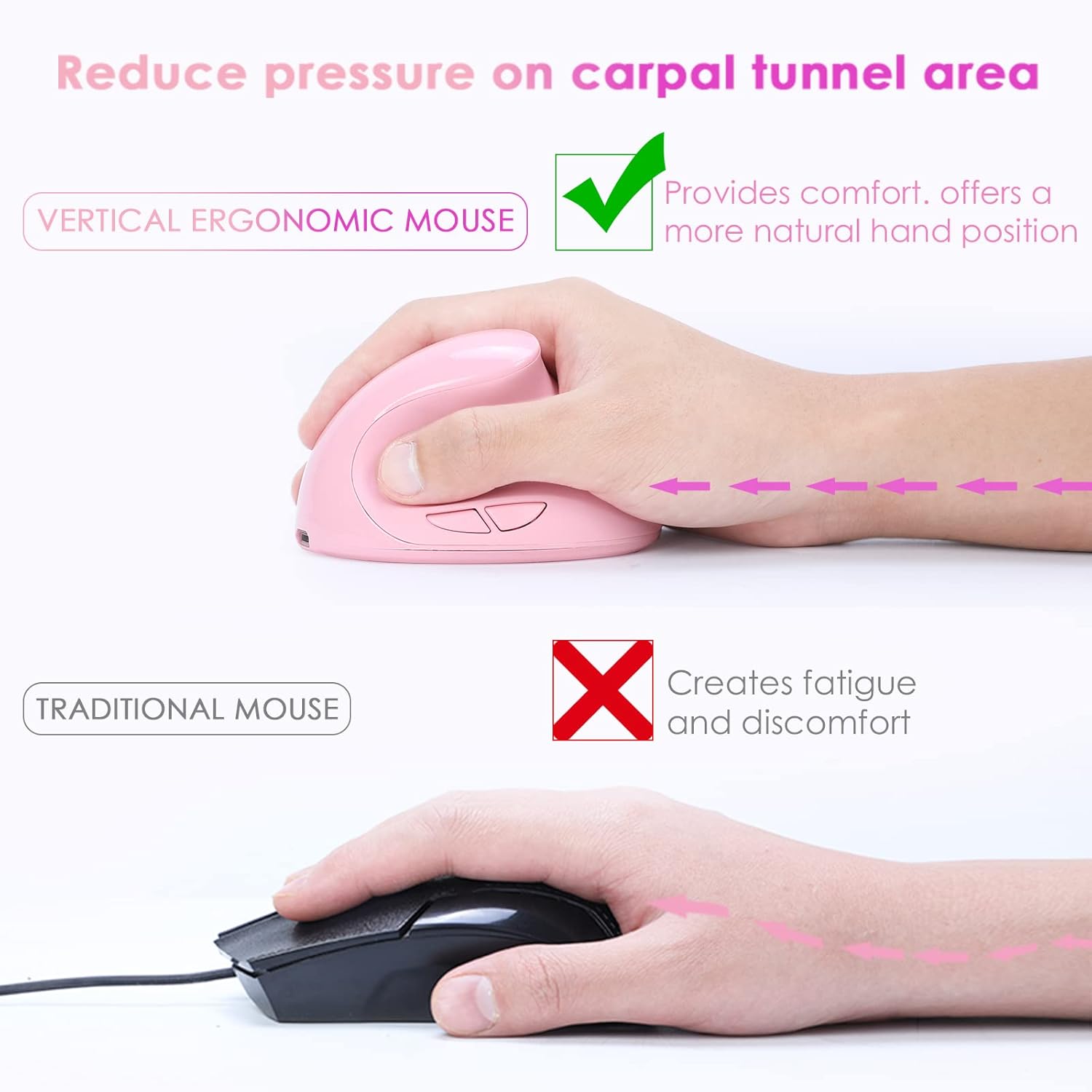
The vertical design of this mouse positions your hand in a natural handshake posture, which helps to alleviate wrist pronation and reduce pressure on the carpal tunnel area, promoting comfort during prolonged use.
Funcionamento silencioso
The mouse features whisper-quiet clicks, allowing you to work without disturbing others in quiet environments.

6. Cargando
This mouse is rechargeable. When the battery is low, connect the provided USB charging cable to the mouse's charging port and to a USB power source (e.g., computer USB port, USB wall adapter). The mouse can be used while charging.

7. Mantemento
To ensure the longevity and appearance of your mouse, please note the following:
- The surface of the mouse's grip is sprayed with rubber oil. Prolonged use, especially with uncleaned hands or exposure to sweat, can cause this surface to blacken or corrode.
- Regularly clean the mouse with a soft, dry cloth. Avoid harsh chemicals or abrasive cleaners.
8 Solución de problemas
Mouse Has No Response
If your mouse is not responding, try the following steps:
- Carga o rato: Connect the mouse to a power source using the USB charging cable.
- Comprobar o receptor USB: Tenta conectar o receptor USB a un porto USB diferente do teu ordenador.
- Verificar o interruptor de alimentación: Ensure the power switch on the bottom of the mouse is in the "ON" position.
- Reiniciar o ordenador: Restart your computer to refresh the USB connections and drivers.
If the issue persists after trying these steps, please contact customer support for technical assistance.
9. Especificacións
| Característica | Detalle |
|---|---|
| Número de botón | 6 botóns |
| Sistema de seguimento | Óptica |
| Frecuencia | 2405MHz-2476MHz |
| Distancia efectiva | 10 metros (33 pés) |
| Traballo Voltage / Actual | 3V/4mA |
| Botón Vida | 5 millóns de veces |
| Roller Life | 1.2 million turns |
| Dimensións do produto | 4.0 (L) * 2.9 (W) * 2.6 (H) inches |
| Peso do produto | 200 ± 5g (0.44 lbs) |
| Resolución (DPI) | 800 / 1200 / 1600 (Axustable) |
| Rate of Return | 250 Hz |
| Orientación das mans | Certo |
10. Garantía e soporte
The Attoe Ergonomic Rechargeable Small Vertical Wireless Mouse comes with a 1 ano de garantía desde a data de compra.
For technical assistance, troubleshooting, or warranty claims, please contact Attoe customer support. Refer to your purchase documentation or the official Attoe websitio para información de contacto.