
Introdución
Thank you for choosing the SOMIC GS510 Cat Ear Wireless Gaming Headset. This manual provides detailed instructions on how to set up, operate, and maintain your new headset. Please read this manual thoroughly before use to ensure optimal performance and longevity of your device.
O que hai na caixa
Carefully unpack your SOMIC GS510 headset and ensure all items are present:
- Auriculares sen fíos x 1
- Orador Tags x 4 (2 pre-installed, 2 extra)
- USB Transmitter x 1
- 3.5MM Audio Cable x 1
- Cable de carga tipo C x 1

Image: The SOMIC GS510 headset in black with its detachable cat ears and the included USB wireless transmitter.
Produto rematadoview
Familiarize yourself with the key components and controls of your SOMIC GS510 headset:
- Diadema axustable: Para un axuste cómodo en varios tamaños de cabeza.
- Soft PU Earpads: Deseñado para unha maior comodidade de uso.
- Flexible Earcaps: Allow for slight rotation to conform to your ears.
- Micrófono retráctil: An omnidirectional microphone that can be extended or retracted as needed.
- Controis no oído: Located on the earcups for easy access to power, volume, mode switching, and microphone mute.
- Altavoz magnético Tags: Customizable outer earcup covers that can be easily swapped.

Imaxe: Detallada view of the headset's comfort features, including the adjustable headband, soft PU earpads, flexible earcaps, and the retractable microphone.
Configuración
1. Cargando os auriculares
Antes do primeiro uso, carga completamente os auriculares. Unha carga completa tarda aproximadamente 2 horas.
- Connect the supplied Type-C charging cable to the charging port on the headset.
- Conecta o outro extremo do cable a unha fonte de alimentación USB (por exemplo, un porto USB do ordenador ou un adaptador de parede USB).
- The LED indicator on the headset will show charging status and turn off or change color when fully charged.
2. Wireless Connection (2.4GHz USB Transmitter)
For wireless use with PS4, PS5, PC, or Laptop:
- Insert the USB transmitter into an available USB port on your console or computer.
- Power on the SOMIC GS510 headset by pressing and holding the power button.
- The headset will automatically pair with the USB transmitter. A stable indicator light on both devices confirms a successful connection.
- Ensure the headset is selected as the audio output and input device in your system's sound settings.

Image: The SOMIC GS510 headset demonstrating its 2.4GHz wireless connection to a laptop using the USB transmitter, indicating up to 8 hours working time and 33 feet transmission distance.
3. Conexión con cable (cable de audio de 3.5 mm)
For wired use with PS5 Controller, PS4 Controller, Xbox Series X/One Controller, and other mobile devices:
- Conecta un extremo do cable de audio de 3.5 mm á toma de 3.5 mm dos auriculares.
- Conecta o outro extremo ao porto de audio de 3.5 mm do teu dispositivo.
- For older Xbox One controllers, a Microsoft adapter (not included) may be required.
Instrucións de funcionamento
Encendido/apagado
- Para acender, manteña premido o botón de acendido ata que se acenda o indicador luminoso.
- Para apagar, manteña premido o botón de acendido ata que o indicador luminoso se apague.
Modos de audio
The headset features three professional sound modes for different scenarios:
- Modo de xogo: Optimized for immersive gaming audio, enhancing footsteps, gunfire, and explosions.
- Modo de audio: Profesional de son equilibradofile for music and general listening.
- Modo en directo: Clearer voice reproduction, ideal for live streaming or voice chat.
Press the 'Mode Switch' button on the earcup to cycle through these modes.

Image: The headset's earcup controls with labels for ON/OFF, Mode Switch, Mic Mute Button, and Volume Wheel, illustrating the three distinct audio modes: Gaming, Audio, and Live.
Son surround virtual 7.1
Experience enhanced spatial awareness with virtual 7.1 surround sound, allowing you to pinpoint audio cues like footsteps and gunfire in games.

Image: The headset positioned above a graphic representing virtual 7.1 surround sound, highlighting its ability to render distinct audio details such as footsteps, gunfire, explosions, and general surround sound.
Uso do micrófono
- Extend the retractable microphone for use.
- Press the 'Mic Mute Button' on the earcup to toggle microphone mute on or off. The microphone may have an indicator light to show its status.
- The omnidirectional microphone is designed to capture clear voice communication while reducing background noise.
Efectos de iluminación RGB
The headset features 8 RGB lighting effects and a multi-color cycling mode.
- Press the light touch key on the earcup to switch between different RGB colors and modes.
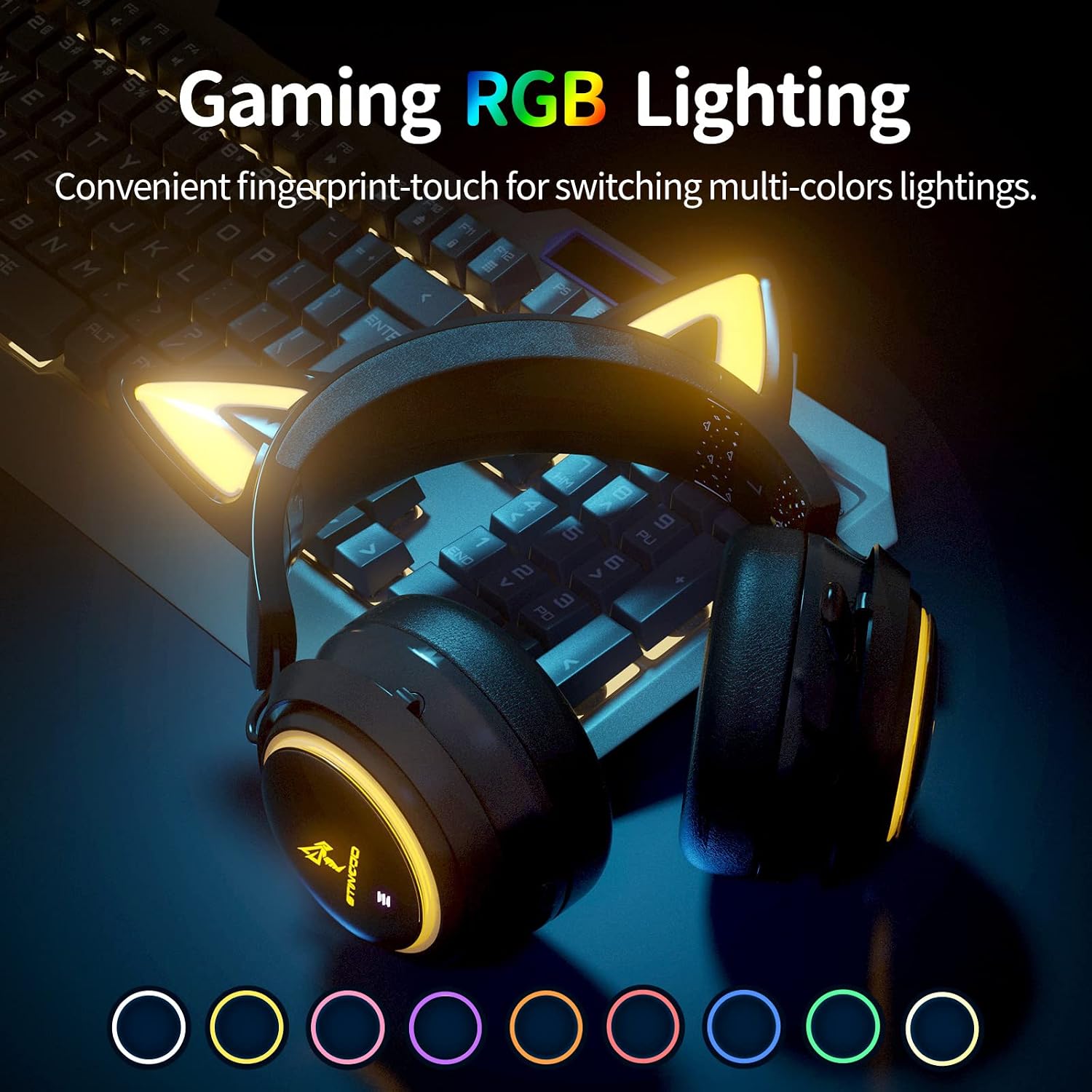
Image: The SOMIC GS510 headset showcasing its vibrant RGB lighting on the earcups and cat ears, with a row of colored circles indicating the available lighting options.
Control de volume
- Adjust the volume using the 'Volume Wheel' located on the earcup.
Compatibilidade
The SOMIC GS510 headset offers wide compatibility:
- Wireless (2.4GHz USB Transmitter): PC, Laptop, PS4, PS5.
- Wired (3.5mm Audio Cable): PS5 Controller, PS4 Controller, Xbox Series X Controller, Xbox One Controller, Nintendo Switch, MAC, and other mobile devices with a 3.5mm jack.
Note: This headset does not have Bluetooth functionality. Xbox consoles only support wired mode.

Image: The SOMIC GS510 headset displayed alongside icons representing its wide compatibility with devices such as Nintendo Switch, PS4/PS5, Laptops, PCs, Mobile devices, and Xbox One/S/X.
Mantemento
Para garantir a lonxevidade e o rendemento óptimo dos seus auriculares, siga estas pautas de mantemento:
- Limpeza: Usa un pano suave e seco para limpar os auriculares. Para as almofadas, un pano lixeiramente secoamp Pódese usar un pano, pero evite a humidade excesiva. Non empregue produtos químicos agresivos nin produtos de limpeza abrasivos.
- Almacenamento: Garde os auriculares nun lugar fresco e seco, lonxe da luz solar directa e de temperaturas extremas.
- Coidado do cable: Avoid sharp bends or kinks in the charging and audio cables. Disconnect cables by pulling the plug, not the cord.
- Evita gotas: While durable, repeated drops can damage internal components.
Resolución de problemas
If you encounter issues with your SOMIC GS510 headset, refer to the following common problems and solutions:
| Problema | Causa posible | Solución |
|---|---|---|
| Sen son nin baixo volume | Headset not powered on; Volume too low; Incorrect audio output selected; Loose connection. | Ensure headset is powered on and charged. Increase volume on headset and device. Check system audio settings to ensure SOMIC GS510 is selected. Reconnect USB transmitter or 3.5mm cable. |
| O micrófono non funciona | Microphone muted; Incorrect audio input selected; Microphone not fully extended. | Press the mic mute button to unmute. Check system audio settings to ensure SOMIC GS510 is selected as input. Ensure microphone is fully extended. |
| Wireless connection unstable or disconnected | Fóra de alcance; Interferencia; Batería baixa. | Move closer to the USB transmitter. Avoid strong electromagnetic interference. Recharge the headset. Re-pair the headset with the USB transmitter if necessary. |
| A iluminación RGB non funciona ou está atascada | Software glitch; Low battery; Wired mode (RGB may not work in wired mode). | Ensure headset is sufficiently charged. Try cycling through lighting modes. If in wired mode, RGB functionality may be limited or unavailable. |
| Batería de curta duración | RGB lighting enabled; High volume usage; Battery degradation over time. | Disable or reduce RGB lighting effects. Lower volume if possible. Ensure full charge before use. |
Especificacións
Key technical specifications for the SOMIC GS510 Cat Ear Wireless Gaming Headset:
| Característica | Detalle |
|---|---|
| Nome do modelo | GS510-2.4G-BlACK |
| Tecnoloxía de conectividade | Wireless (2.4GHz USB Transmitter), Wired (3.5mm Jack) |
| Tamaño do controlador de audio | 50 milímetros |
| Resposta en frecuencia | 20 Hz - 20,000 Hz |
| Sensibilidade do micrófono | 36 dB |
| Duración da batería | Ata 10 horas (sen fíos) |
| Tempo de carga | 2 horas |
| Material | Coiro, plástico |
| Peso do elemento | 630 gramos (1.39 libras) |
| Dimensións do produto | 8.66 x 4.33 x 10.24 polgadas |
| Tipo de control | On-ear audio controls (Touch) |
| Colocación do oído | Sobre orella |
Garantía e Soporte
SOMIC provides a warranty for its products. For specific warranty terms, duration, and to register your product, please refer to the warranty card included in your product packaging or visit the official SOMIC website. If you require technical support or have questions not covered in this manual, please contact SOMIC customer service through their official channels.
Para obter recursos adicionais, pode visitar o SOMIC Store on Amazon.