
BTMETER BT-570T-APP
BTMETER BT-570T-APP Clamp Manual do usuario do multímetro
Guía completa de operación e mantemento
1. Introdución
The BTMETER BT-570T-APP is a versatile AC/DC 1000A Clamp Multimeter designed for accurate electrical measurements. It features 4000 counts digital display, data logging capabilities, and Bluetooth connectivity for remote monitoring via a smartphone or tablet application. This manual provides detailed instructions for the safe and effective use of your device.
Key functionalities include measuring AC/DC current, AC/DC voltage, resistance, capacitance, frequency, temperature, and continuity. It is suitable for various applications including HVAC, household electrical work, and commercial troubleshooting.
2. Información de seguridade
Siga sempre as seguintes precaucións de seguridade para evitar lesións persoais ou danos no medidor:
- Non exceda os límites máximos de entrada para ningún rango de medición.
- Extreme as precaucións ao traballar con circuítos con tensión.
- Asegúrese de que o medidor estea axustado na función e no rango correctos antes de realizar medicións.
- Inspeccione os cables de proba para ver se están danados antes de cada uso. Substitúaos se o illamento está danado.
- Non poña en funcionamento o medidor se parece estar danado ou non funciona correctamente.
- Adhere to IEC 61010-1, CAT IV 600V, CAT III 1000V safety standards.
- When measuring current, ensure only the LIVE conductor is clamped for accurate readings. Clamping both hot and neutral conductors will result in a zero reading.
3. Produto rematadoview
The BTMETER BT-570T-APP is designed for ease of use and durability. Familiarize yourself with its components:

Figure 3.1: Key Components of the BT-570T-APP
- AC / DC Clamp: For non-contact current measurement. Jaw caliber size is 1.77 inches (45mm).
- Disparador: Abre e pecha o clamp mandíbula.
- Dial de función: Selects measurement modes (Voltage, corrente, resistencia, etc.).
- Pantalla LCD retroiluminada: Shows measurement readings clearly, even in low light.
- Tomas de entrada: For connecting test leads and temperature probe.
- Botóns: HOLD, SELECT RANGE, REL/Duty, Max/Min/Average.
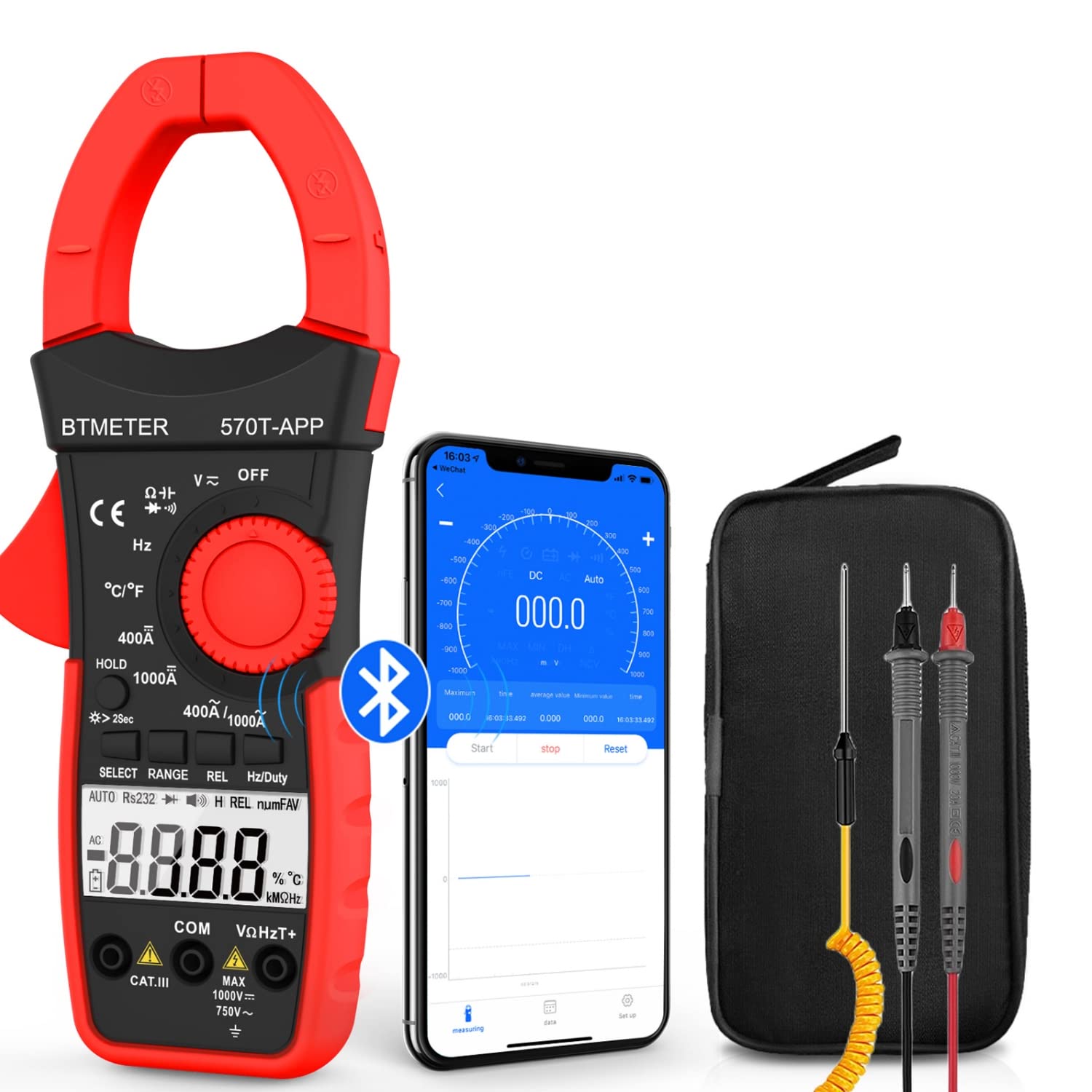
Figure 3.2: Product Contents and Bluetooth Connectivity
The package includes the BT-570T-APP clamp multimeter, test leads, a thermocouple probe, and a carrying case for convenient storage and transport.
4. Configuración
4.1 Instalación da batería
The meter requires batteries for operation. Open the battery compartment on the back of the device, insert the batteries according to the polarity indicators, and secure the cover.
4.2 Instalación da aplicación e conexión Bluetooth
The BT-570T-APP supports remote control and data logging via a mobile application. Follow these steps to connect:
- Download the "Intelligent Clamp Meter" app from the App Store (iOS) or Google Play (Android).
- Asegúrate de que o Bluetooth estea activado no teu teléfono intelixente ou tableta.
- Turn on the BT-570T-APP multimeter.
- Open the app on your device. It should automatically detect and connect to the multimeter.
- Unha vez conectado, podes view measurements, graph data, and save readings in Excel or TXT format.
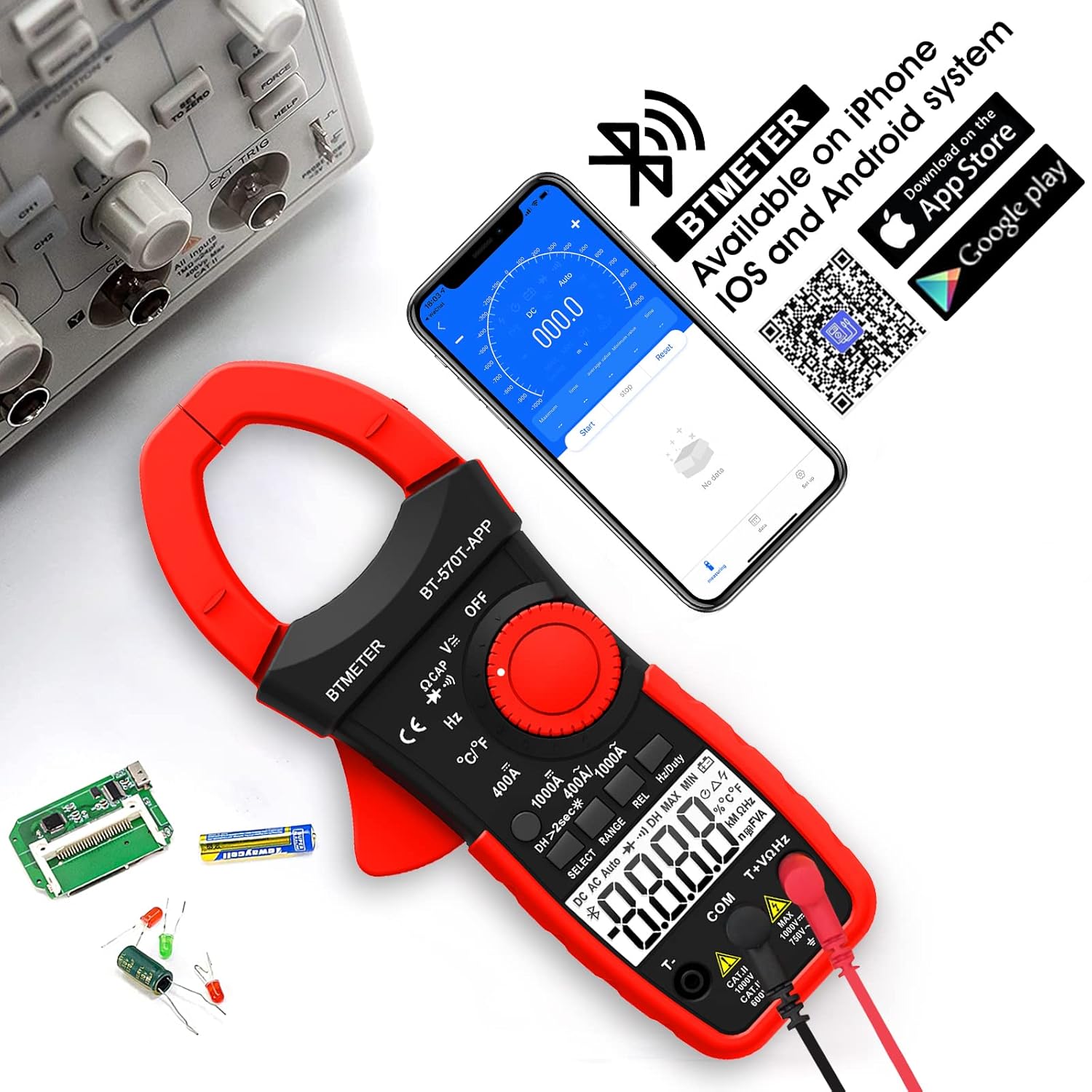
Figure 4.1: App Download and Bluetooth Pairing
5. Instrucións de funcionamento
5.1 Medición de corrente CA/CC (Clamp)
To measure AC or DC current up to 1000A:
- Turn the function dial to the "400A" or "1000A" AC/DC current range.
- Press the SELECT button to toggle between AC and DC current if necessary.
- Abre o clamp jaw using the trigger.
- Enclose only one conductor (e.g., the live wire) within the clamp. Non clamp multiple wires as this will result in inaccurate readings.
- Le o valor actual na pantalla LCD.

Figure 5.1: Measuring AC/DC Current with the Clamp
5.2 voltagMedición (CA/CC)
Para medir AC o DC voltage up to 1000V:
- Insert the red test lead into the VΩHzT+ jack and the black test lead into the COM jack.
- Xire o dial de función á posición "V~" (Volumen da CAtage) ou "V-" (Volumen de CCtage) alcance.
- Conecte os cables de proba en paralelo ao circuíto ou compoñente que se está a probar.
- Le o voltago valor da pantalla LCD.
5.3 Medición de resistencia
To measure resistance up to 60M ohms:
- Insert the red test lead into the VΩHzT+ jack and the black test lead into the COM jack.
- Turn the function dial to the "Ω" (Resistance) range.
- Ensure the circuit is de-energized before connecting the test leads across the component.
- Lea o valor da resistencia na pantalla LCD.
5.4 Medición de capacitancia
To measure capacitance up to 200µF:
- Insert the red test lead into the VΩHzT+ jack and the black test lead into the COM jack.
- Turn the function dial to the "CAP" (Capacitance) range.
- Descargue completamente o condensador antes de conectar os cables de proba.
- Conecte os cables de proba aos terminais do condensador.
- Le o valor da capacidade na pantalla LCD.
5.5 Medición de frecuencia
To measure frequency up to 9.999MHz:
- Insert the red test lead into the VΩHzT+ jack and the black test lead into the COM jack.
- Turn the function dial to the "Hz" (Frequency) range.
- Conecte os cables de proba á fonte de sinal.
- Lea o valor da frecuencia na pantalla LCD.
5.6 Medición da temperatura
To measure temperature from -4°F to 1832°F (-20°C to 1000°C):
- Insert the thermocouple probe into the T+ and COM jacks, observing polarity.
- Turn the function dial to the "°C/°F" (Temperature) range.
- Press the SELECT button to switch between Celsius and Fahrenheit.
- Place the tip of the thermocouple probe on or in the object whose temperature is to be measured.
- Lea o valor da temperatura na pantalla LCD.

Figura 5.2: Medición da temperatura
5.7 Proba de continuidade
To test for circuit continuity:
- Insert the red test lead into the VΩHzT+ jack and the black test lead into the COM jack.
- Turn the function dial to the "Diode/Continuity" range.
- Conecte os cables de proba a través do circuíto ou compoñente.
- The buzzer will sound if the resistance is less than 50Ω, indicating continuity.

Figure 5.3: Auditory Continuity Test
5.8 Data Logging and Bluetooth Features
The BT-570T-APP offers advanced data logging capabilities via its mobile application:
- Monitorización remota: View real-time measurements on your phone or tablet from a distance.
- Trend Chart: The app automatically graphs measurement trends over time.
- Exportación de datos: Export logged data in Excel (.xlsx) or TXT (.txt) formats for analysis.
- Retención de datos: Prema o botón "HOLD" para conxelar a lectura actual na pantalla.
- REL (Medición Relativa): Press "REL" to zero out the current reading, useful for measuring changes relative to a reference point.
- Máx./Min/Media: Record the maximum, minimum, and average values during a measurement session.

Figura 5.4: Control remoto e descarga de datos a través da aplicación
6. Mantemento
- Limpeza: Wipe the meter with a dry, clean cloth. Do not use abrasive cleaners or solvents.
- Substitución da batería: Replace batteries when the low battery indicator appears on the display. Ensure proper polarity.
- Almacenamento: If storing for extended periods, remove the batteries to prevent leakage. Store in a cool, dry place away from direct sunlight.
- Calibración: Para uso profesional, recoméndase unha calibración periódica por parte dun técnico cualificado para manter a precisión.
7 Solución de problemas
| Problema | Causa posible | Solución |
|---|---|---|
| O medidor non se acende. | Baterías gastadas ou instaladas incorrectamente. | Substitúa as pilas, asegurándose de que a polaridade sexa correcta. |
| Inaccurate current reading (e.g., zero reading). | Clamping multiple conductors (hot and neutral). | Ensure only a single live conductor is clamped. |
| A conexión Bluetooth falla. | Bluetooth disabled on phone/tablet; app issue; meter too far. | Ensure Bluetooth is on, restart app/meter, move closer, check app permissions. |
| Data not saving/exporting from app. | App bug; insufficient storage; incorrect save location. | Ensure app is updated. Check phone storage. Refer to app's help section for data export paths. Some users report issues with iOS data saving, try Android if available. |
| A pantalla mostra "OL" (sobrecarga). | A medición supera o rango seleccionado. | Select a higher range or ensure the input is within the meter's capabilities. |
8. Especificacións
| Parámetro | Valor |
|---|---|
| Número de modelo | BT-570T-APP |
| Rango de corrente CA/CC | 400A / 1000A (100mA / 1A resolution) |
| AC / DC Voltage Alcance | Ata 1000V |
| Rango de resistencia | Ata 60 MΩ |
| Rango de capacitancias | Up to 200µF |
| Rango de frecuencias | Ata 9.999 MHz |
| Rango de temperatura | -4 °F a 1832 °F (-20 °C a 1000 °C) |
| Mostrar contas | 4000 contas |
| Jaw Caliber Size | 1.77 polgadas (45 mm) |
| Valoración de seguridade | IEC 61010-1, CAT IV 600V, CAT III 1000V, Class 2, Double insulation |
| Fonte de enerxía | Alimentado por batería |
| Peso do elemento | 11.68 onzas |
| Dimensións do paquete | 10.2 x 5 x 2.28 polgadas |
9. Garantía e soporte
BTMETER provides a 12-month quality warranty for the BT-570T-APP Clamp Multimeter. Life-time technical support is also available.
For technical assistance, warranty claims, or any inquiries, please contact BTMETER customer support through their official websitio ou a información de contacto proporcionada coa súa compra.
Hai plans de protección opcionais dispoñibles para unha cobertura ampliada:
- Plan de protección a 3 anos
- Plan de protección a 4 anos
- Complete Protect Plan (monthly billing)
Please refer to the specific terms and conditions of these protection plans for full details.