
Introdución
Thank you for choosing the MageGee GT860 96-Key Wired RGB Backlit Gaming Keyboard. This keyboard is designed for both gaming and daily use, featuring a compact layout, ergonomic design, and customizable RGB backlighting. This manual will guide you through the setup, operation, and maintenance of your new keyboard to ensure optimal performance and user experience.
Contido do paquete
- MageGee GT860 96-Key Wired RGB Backlit Gaming Keyboard
- Manual de usuario
Produto rematadoview
Disposición do teclado
The MageGee GT860 features a 92% compact layout, retaining essential keys while offering a space-saving design. It includes a full numeric keypad and function keys.

Image: The MageGee GT860 keyboard showcasing its 96-key layout with RGB backlighting and black and yellow keycaps.

Imaxe: Unha detallada view of the standard 96-key layout with full RGB backlighting, highlighting the compact yet functional design.
Características clave
- Deseño compacto ao 92 %: Offers a balance between full functionality and a space-saving design.
- Membrana con sensación mecánica: Utilizes advanced imitation mechanical technology for a tactile typing experience.
- Deseño ergonómico: Key layout is engineered for comfortable use during extended periods, reducing fatigue.
- Retroiluminación RGB: Features multiple lighting modes and colors, with adjustable brightness and breathing speed.
- Plug and Play: No drivers required for basic functionality.
- Ampla compatibilidade: Supports Windows 10, 8, 7, XP, VISTA, and Mac OS.
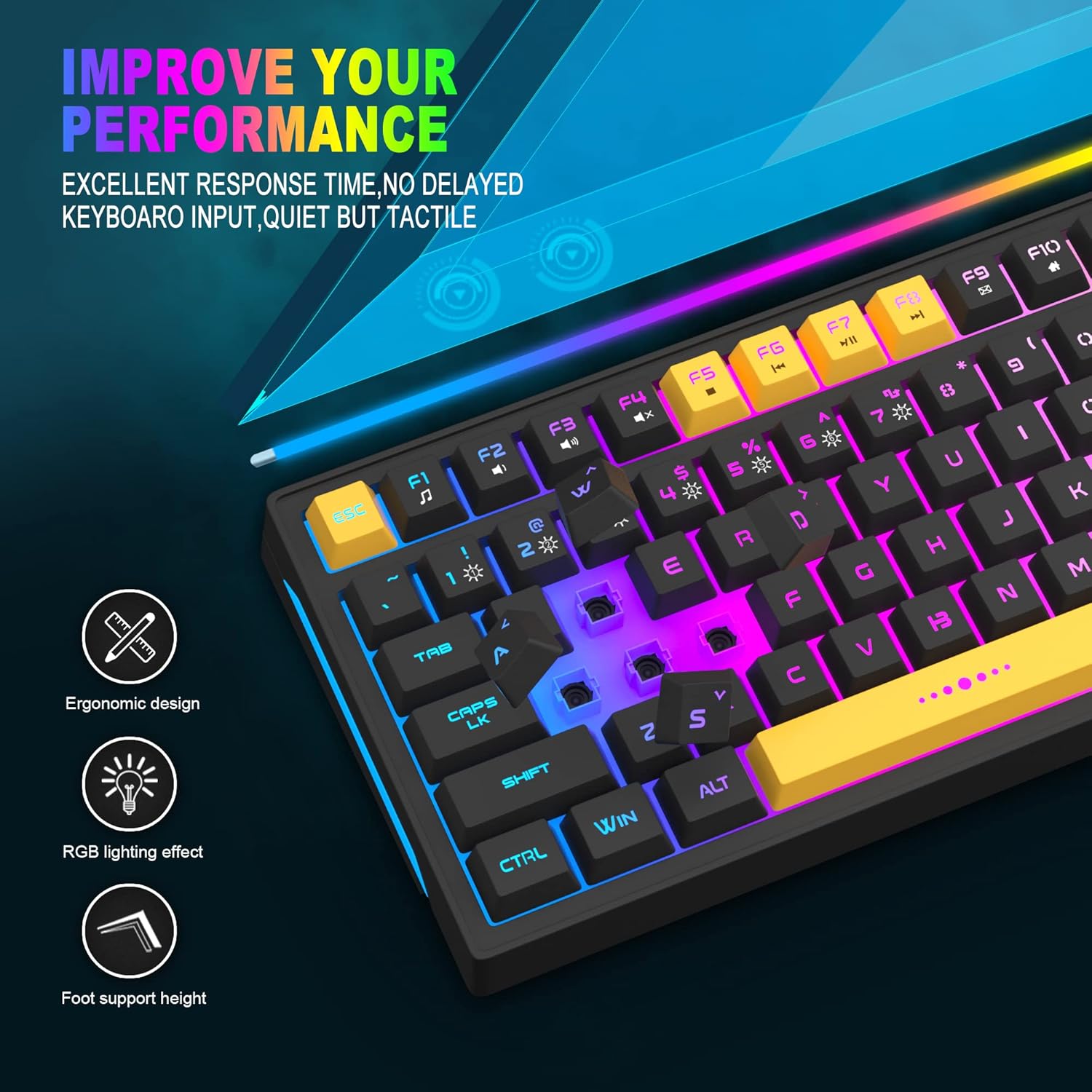
Image: Close-up showing the ergonomic design and RGB lighting effect of the keyboard, emphasizing comfort and visual appeal.

Imaxe: Un lado view of the keyboard illustrating its thoughtful ergonomic design with a 7-degree tilt for improved typing posture.
Instrucións de configuración
- Unpack the keyboard and ensure all package contents are present.
- Conecta o cable USB do teclado a un porto USB dispoñible do teu ordenador.
- The keyboard is plug-and-play and should be automatically recognized by your operating system (Windows, Mac OS). No additional drivers are typically required for basic functionality.
- Once connected, the RGB backlighting will illuminate, indicating the keyboard is powered on and ready for use.
Instrucións de funcionamento
Control de retroiluminación RGB
The MageGee GT860 keyboard features customizable RGB backlighting with various modes and effects.
- Cambio de modos de iluminación: Preme o FN key combined with keys 1 a través de 6 to cycle through different RGB lighting effects and colors.
- Axuste do brillo: Use specific key combinations (refer to keyboard legends or experiment with FN + Arrow keys if not explicitly labeled) to increase or decrease backlight brightness.
- Axuste da velocidade respiratoria: Some modes allow adjustment of the breathing or animation speed.

Image: The keyboard displaying various RGB backlit lighting modes, illustrating the range of color options available.

Image: A dynamic view da presentación do tecladoasing its 18 RGB LED light effects, highlighting the vibrant backlighting.
Teclas multimedia e de función
The keyboard includes dedicated function keys (F1-F12) that can be accessed by pressing the FN simultaneamente coa tecla F desexada.
| Combinación de teclas | Función |
|---|---|
| FN + F1 | Reproductor multimedia |
| FN + F2 | Baixar o volume |
| FN + F3 | Subir volume |
| FN + F4 | Silenciar |
| FN + F5 | Pista anterior |
| FN + F6 | Próxima pista |
| FN + F7 | Reproducir/Pausa |
| FN + F8 | Pare |
| FN + F9 | Correo electrónico |
| FN + F10 | Páxina de inicio |
| FN + F11 | Bloqueo de desprazamento |
| FN + F12 | Calculadora |

Image: Diagram illustrating the various multimedia and function key combinations using the FN key (FN + F1-F12).
Mantemento
To ensure the longevity and optimal performance of your MageGee GT860 keyboard, follow these maintenance guidelines:
- Limpeza: Regularly clean the keyboard with a soft, dry cloth. For deeper cleaning, use compressed air to remove dust and debris from between the keys. A slightly damp cloth (not wet) can be used for keycap surfaces.
- Evitar líquidos: Non derrames líquidos sobre o teclado. Se se produce un derramo, desconecta inmediatamente o teclado do ordenador e déixao secar completamente antes de volver conectalo.
- Almacenamento: Garde o teclado nun lugar fresco e seco, lonxe da luz solar directa e de temperaturas extremas, cando non o use durante períodos prolongados.
- Coidado do cable: Evite dobrar ou retorcer o cable USB excesivamente para evitar danos internos.

Imaxe: Primeiro plano view of the keyboard with some keycaps removed, showing the underlying switches. This illustrates the internal structure for cleaning purposes.
Resolución de problemas
If you encounter issues with your MageGee GT860 keyboard, please refer to the following common troubleshooting steps:
- O teclado non responde:
- Ensure the USB cable is securely connected to both the keyboard and your computer's USB port.
- Tenta conectar o teclado a un porto USB diferente do teu ordenador.
- Proba o teclado noutro ordenador para determinar se o problema é co teclado ou co sistema.
- A retroiluminación non funciona ou é incorrecta:
- Comprobe que o teclado estea conectado correctamente e que reciba alimentación.
- Cycle through the RGB lighting modes using FN + 1-6 to ensure a mode is selected.
- Adjust the brightness settings.
- Chaves sen rexistro:
- Limpa as teclas afectadas para eliminar calquera residuo que poida estar obstruíndo o interruptor.
- Ensure no software conflicts are present (e.g., other keyboard drivers or gaming software).
- Comportamento inesperado:
- Reinicia o teu ordenador.
- If the issue persists, contact MageGee customer support for further assistance.
Especificacións
| Característica | Detalle |
|---|---|
| Marca | MageGee |
| Modelo | GT860 |
| Maquetación | 96 Keys (92% Compact) |
| Conectividade | USB con cable |
| Retroiluminación | RGB Backlit (Multiple modes) |
| Tipo de chave | Membrane with Mechanical Feeling |
| Ergonomía | Deseño Ergonómico |
| OS compatible | Windows 10, 8, 7, XP, VISTA, Mac OS |
| Dimensións do produto | 35.56 x 10.16 x 5.08 cm (14 x 4 x 2 polgadas) |
| Peso | 744 g (1.64 lb) |
| Voltage | 5 voltios |
| Cor | Negro Amarelo |
Garantía e Soporte
For warranty information or technical support, please refer to the documentation provided with your purchase or contact MageGee customer service directly. Contact details can typically be found on the manufacturer's official websitio web ou na embalaxe do produto.
Conserve o comprobante de compra para calquera reclamación de garantía.