
Introdución
This manual provides detailed instructions for the setup, operation, maintenance, and troubleshooting of your LEKATO Wireless MIDI Adapter (WMBT-Wireless). This device enables wireless MIDI connectivity between your musical instruments and computers or mobile devices, offering a low-latency and cable-free experience.
Información de seguridade
- Non expoñas o dispositivo á auga nin a humidade excesiva.
- Evita temperaturas extremas.
- Non intente desmontar nin modificar o dispositivo. Isto anulará a garantía.
- Manter fóra do alcance dos nenos.
- Use only the specified charging methods for the MIDI A unit.
Contido do paquete
Verifica que todos os elementos estean presentes no teu paquete:
- 1 x LEKATO Wireless MIDI Adapter (MIDI A unit with IN/OUT 5-pin DIN connectors)
- 1 x USB MIDI Dongle (MIDI B unit)
- 1 x USB Charging Cable for MIDI A

Image: Components of the LEKATO Wireless MIDI Adapter, showing the MIDI A unit with IN and OUT connectors and the separate MIDI B USB dongle.
Produto rematadoview
The LEKATO Wireless MIDI Adapter consists of two main parts:
- MIDI A Unit: This unit features both MIDI IN and MIDI OUT 5-pin DIN connectors. It is powered by a built-in rechargeable battery and connects directly to your MIDI instrument.
- MIDI B Unit (USB Dongle): This unit is a USB dongle that connects to your computer (Mac/Windows) or iOS/iPadOS device (with an appropriate adapter). It facilitates the wireless connection between your MIDI instrument and your host device.
The system provides ultra-low latency (as low as 3ms) for a responsive playing experience and is designed to be EMI resistant for stable signal transmission.
Guía de configuración
1. Connecting to Your MIDI Instrument
- Identify the MIDI OUT port on your musical instrument. Plug the MIDI A unit's FÓRA connector into your instrument's MIDI OUT port.
- If your instrument also has a MIDI IN port and you need to send MIDI data to it, plug the MIDI A unit's IN connector into your instrument's MIDI IN port.
- Turn on the MIDI A adapter using its power switch. A blue indicator light will illuminate.

Image: The MIDI A unit connected to the MIDI IN and MIDI OUT ports of a musical instrument.
2. Connecting to Your Computer or Mobile Device
The MIDI B USB dongle acts as the receiver for your computer or mobile device.
- For Computers (Mac OS/Windows): Plug the MIDI B USB dongle directly into an available USB port on your computer. No drivers are required.
- For Mobile Devices (iOS/iPadOS): Plug the MIDI B USB dongle into your iPhone or iPad using an appropriate USB adapter (e.g., Apple Lightning to USB Camera Adapter or USB-C Digital AV Multiport Adapter).
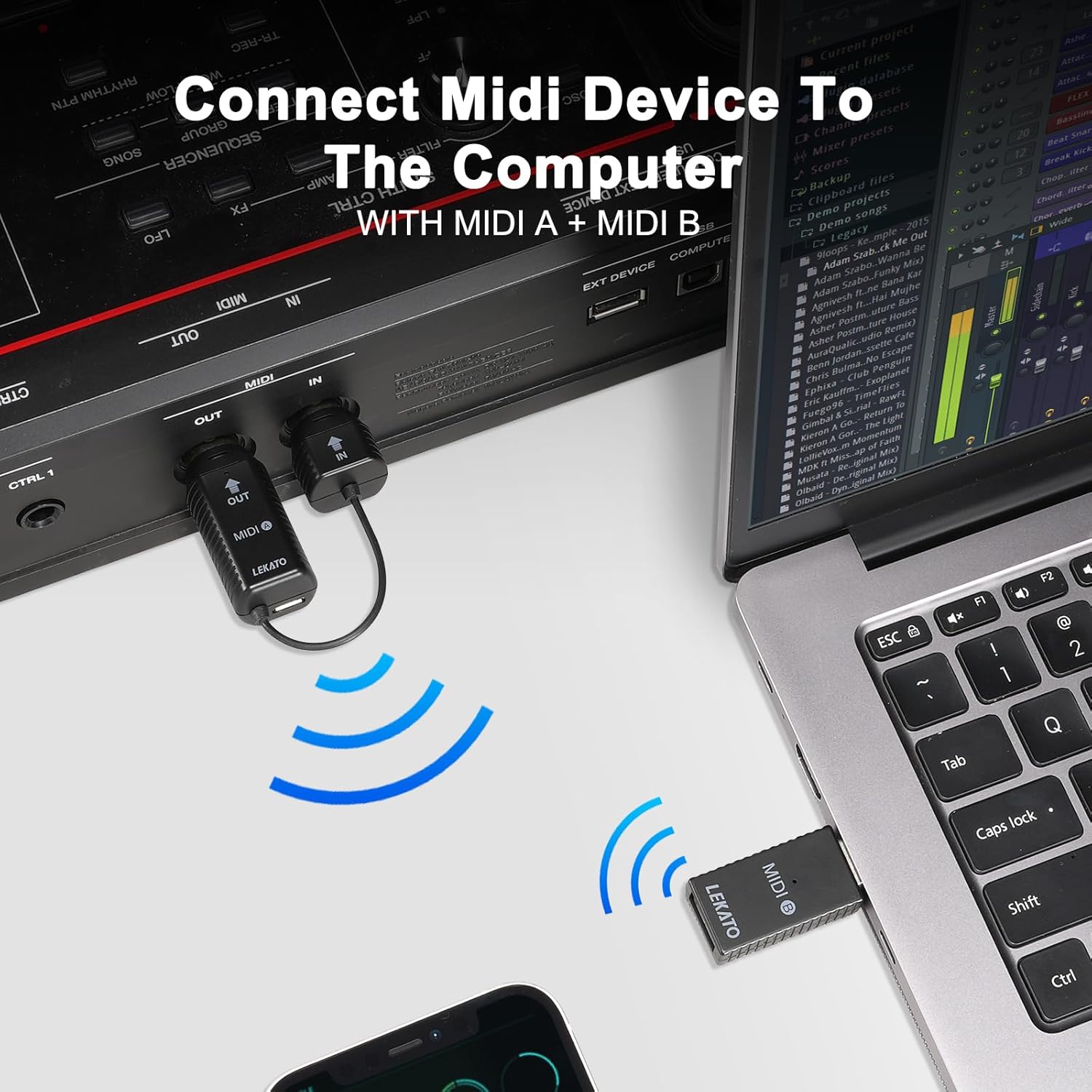
Image: The MIDI A unit connected to a MIDI device, wirelessly communicating with the MIDI B USB dongle plugged into a laptop.

Image: Connecting the MIDI B USB dongle to an iPhone/iPad using a USB adapter for wireless MIDI functionality.
3. Bluetooth Connection and Pairing
Important: Do not attempt to connect the adapter directly from your device's Bluetooth settings list. Follow the instructions below for proper pairing within your music application.
- Ensure both MIDI A and MIDI B units are powered on and connected to their respective devices.
- Open your preferred music application (e.g., GarageBand, Logic Pro, Ableton Live, etc.) on your computer or mobile device.
- Navigate to the application's settings or preferences menu. Look for sections related to MIDI, Bluetooth MIDI Devices, or Advanced settings.
- Within these settings, you should find an option to connect to Bluetooth MIDI devices. The adapter will typically appear as "MidiPortA".
- Select "MidiPortA" to establish the connection. A "Connected" status indicates successful pairing.

Image: Visual guide for connecting the adapter via Bluetooth in GarageBand on an iPad.
Video: A demonstration on how to correctly connect the LEKATO Wireless MIDI Adapter via Bluetooth, showing the process within a music application.
Instrucións de funcionamento
Uso xeral
Once successfully paired, your MIDI instrument will communicate wirelessly with your computer or mobile device. You can now use your instrument to control software synthesizers, record MIDI data, or interact with other MIDI-compatible applications without the need for physical cables.

Image: Illustrates connecting a MIDI device to Mac OS/iOS and connecting two MIDI devices wirelessly.
Rendemento de baixa latencia
The LEKATO Wireless MIDI Adapter is engineered for ultra-low latency, providing a responsive experience comparable to traditional wired MIDI connections. This ensures that your musical input is translated with minimal delay, crucial for live performance and recording.
Ampla compatibilidade
The adapter is compatible with a broad range of hardware and software:
- Hardware: Any device with a standard 5-pin MIDI port, including MIDI controllers, electric pianos, keyboards, drums, synthesizers, and digital mixers.
- Software/Operating Systems: Mac OS, iOS, Windows. Supported applications include GarageBand and other MIDI-compatible DAWs.
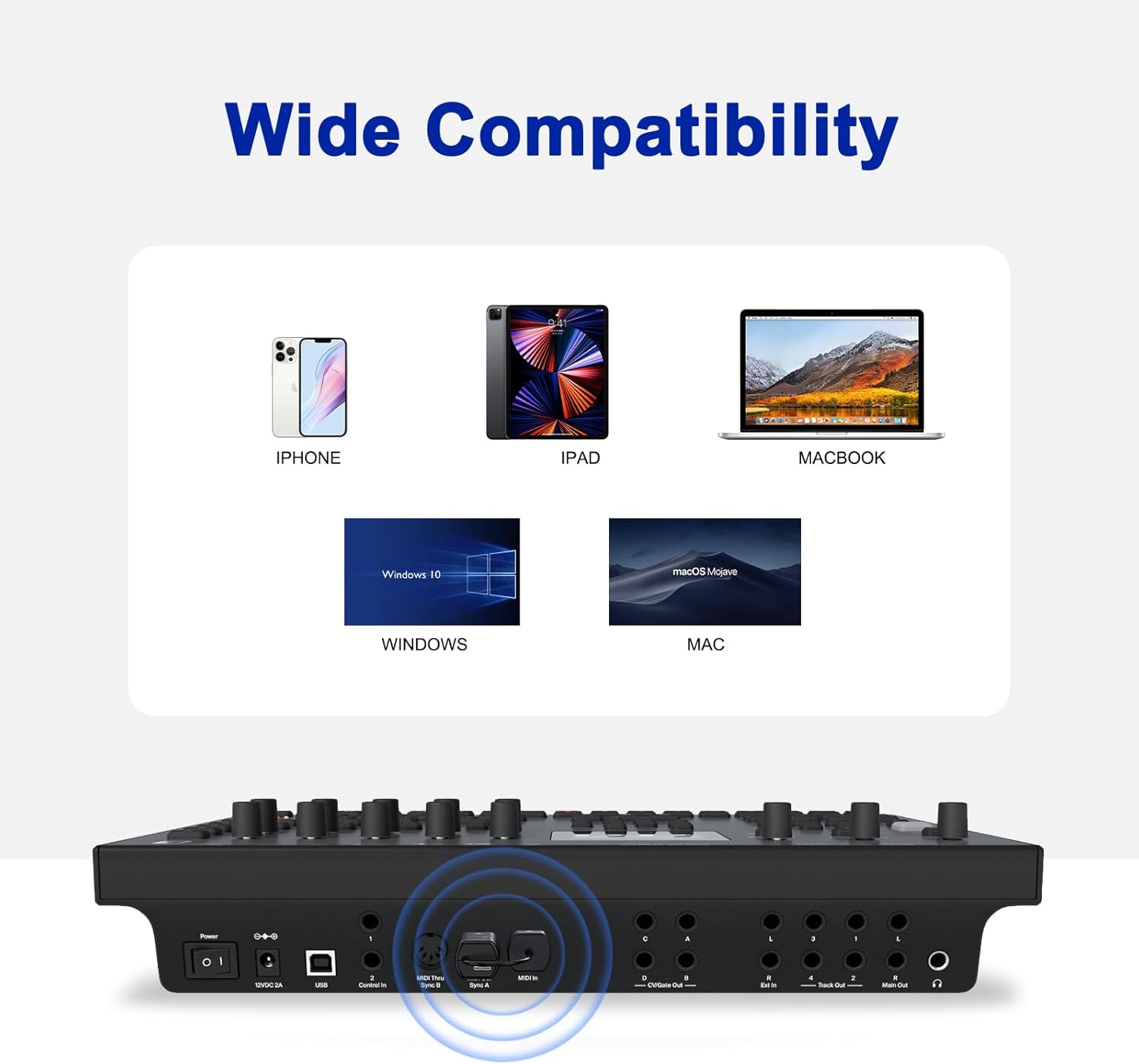
Image: Demonstrates the wide compatibility of the adapter with different operating systems and devices.
Mantemento
Charging the MIDI A Unit
The MIDI A unit contains a built-in rechargeable battery. When the battery is low, connect it to a USB power source using the provided USB charging cable. It is not recommended to use the MIDI A unit while it is charging.
Limpeza
Wipe the adapter with a soft, dry cloth. Do not use liquid cleaners or abrasive materials.
Almacenamento
Garde o adaptador nun lugar fresco e seco, lonxe da luz solar directa e de temperaturas extremas cando non o estea a usar.
Resolución de problemas
| Problema | Causa posible | Solución |
|---|---|---|
| Sen sinal MIDI / Dispositivo non recoñecido | Incorrect connection of MIDI A unit. MIDI A not powered on. Incorrect Bluetooth pairing procedure. | Ensure MIDI A's OUT is in instrument's MIDI OUT, and IN is in instrument's MIDI IN. Verify MIDI A is powered on. Follow the specific Bluetooth pairing steps within your music application, not your device's general Bluetooth settings. Refer to the "How to Connect Bluetooth Correctly" section. |
| High latency or unstable connection | Interference from other wireless devices. Distance between MIDI A and MIDI B is too great. Low battery on MIDI A. | Move the adapter away from other wireless devices. Reduce the distance between your MIDI instrument and the computer/mobile device. Charge the MIDI A unit fully. |
| MIDI A unit does not power on | A batería está esgotada. | Connect MIDI A to a USB power source using the provided charging cable and allow it to charge. |
| MIDI B USB dongle not recognized by computer | Faulty USB port. Operating system issue. | Try a different USB port on your computer. Ensure your operating system (Windows, macOS) is up to date. Restart your computer. |
Video: A comprehensive guide to setting up and troubleshooting the LEKATO Wireless MIDI Adapter, including Bluetooth connection tips.
Video: Detailed instructions on connecting and using the LEKATO Wireless MIDI Adapter (A+B units) with various setups.
Especificacións
- Marca: LEKATO
- Número de modelo: M02045N (WMBT-Wireless)
- Tecnoloxía de conectividade: Bluetooth 5.0, USB
- Interface MIDI: 5-PIN DIN (MIDI IN, MIDI OUT)
- Latencia: Ultra-low (as low as 3ms)
- Power (MIDI A): Batería recargable incorporada
- Power (MIDI B): Alimentado por USB
- Dispositivos compatibles: Personal Computer, Synthesizer, Digital Piano, Keyboard, Drum, Digital Mixer
- Sistemas operativos compatibles: Windows, iOS, macOS
- Software compatible: GarageBand and other MIDI-compatible applications
Información da garantía
LEKATO products are designed for reliability and performance. This product comes with a standard manufacturer's warranty. Please retain your proof of purchase for any warranty claims. For specific warranty terms and conditions, refer to the documentation included with your purchase or contact LEKATO customer support.
Apoio
If you encounter any issues or have questions regarding your LEKATO Wireless MIDI Adapter that are not covered in this manual, please contact LEKATO customer support through the retailer where you purchased the product or visit the official LEKATO websitio de asistencia.