
Perixx PERIBOARD-332
Perixx PERIBOARD-332 Wired Backlit USB Keyboard User Manual
Introdución
This manual provides detailed instructions for the setup, operation, maintenance, and troubleshooting of your Perixx PERIBOARD-332 Wired Backlit USB Keyboard. Please read this manual thoroughly before using the product to ensure optimal performance and longevity.

Image: The Perixx PERIBOARD-332 Wired Backlit USB Keyboard, showcasing o seu deseño compacto.
Contido do paquete
Verifica que todos os elementos estean presentes no paquete:
- Perixx PERIBOARD-332 Wired Backlit USB Keyboard
- Cable USB integrado
- Manual de usuario (este documento)

Image: The Perixx PERIBOARD-332 keyboard, its integrated USB cable, the user manual, and the product packaging.
Instrucións de configuración
Conecta o teclado: Locate an available USB port on your computer (PC, laptop, tablet, or smartphone with appropriate adapter). Insert the USB cable from the PERIBOARD-332 into the USB port.
Instalación de controladores: The keyboard is plug-and-play and typically does not require additional drivers for basic functionality on Windows, macOS, Linux, or Chrome OS. Your operating system should automatically detect and configure the device.
Colocación: Place the keyboard on a stable, flat surface. The compact design is ideal for small workspaces.

Image: A user typing on the Perixx PERIBOARD-332 keyboard, demonstrating its compact size and wired connection on a desk.
Instrucións de funcionamento
Uso xeral
The Perixx PERIBOARD-332 features a standard US English QWERTY layout with 84 keys. Its low-profile scissor keys provide a quiet and comfortable typing experience, similar to laptop keyboards. The compact design helps optimize desk space.

Image: A user typing on the Perixx PERIBOARD-332 keyboard, highlighting its compact size and ergonomic placement in a workspace.

Imaxe: Primeiro plano view of the sculpted, low-profile scissor keys of the Perixx PERIBOARD-332, highlighting their design.
Function Keys (Fn Hotkeys)
The keyboard includes integrated Fn hotkeys for quick access to multimedia and system functions. These functions are primarily designed for Windows operating systems. For other operating systems (macOS, Linux, Chrome OS), their functionality may vary or require specific system settings/configurations.
- Fn+F1: Fn bloqueo
- Fn+F2: Backlight Brightness Adjustment (Cycle through levels)
- Fn+F3: Silenciar
- Fn+F4: Baixar o volume
- Fn+F5: Subir volume
- Fn+F6: Pista anterior
- Fn+F7: Reproducir/Pausa
- Fn+F8: Próxima pista
- Fn+F9: Pausa
- Fn+F10: Bloqueo de desprazamento
- Fn+F11: Inserir
- Fn+F12: Imprimir pantalla

Image: Diagram illustrating the integrated Fn hotkeys on the Perixx PERIBOARD-332, showing the function of each F-key when pressed with the Fn key.
Control de retroiluminación
The PERIBOARD-332 features white LED backlighting with adjustable brightness. To adjust the backlight brightness, press the Fn + F2 keys simultaneously. Repeatedly pressing this combination will cycle through different brightness levels (including off).
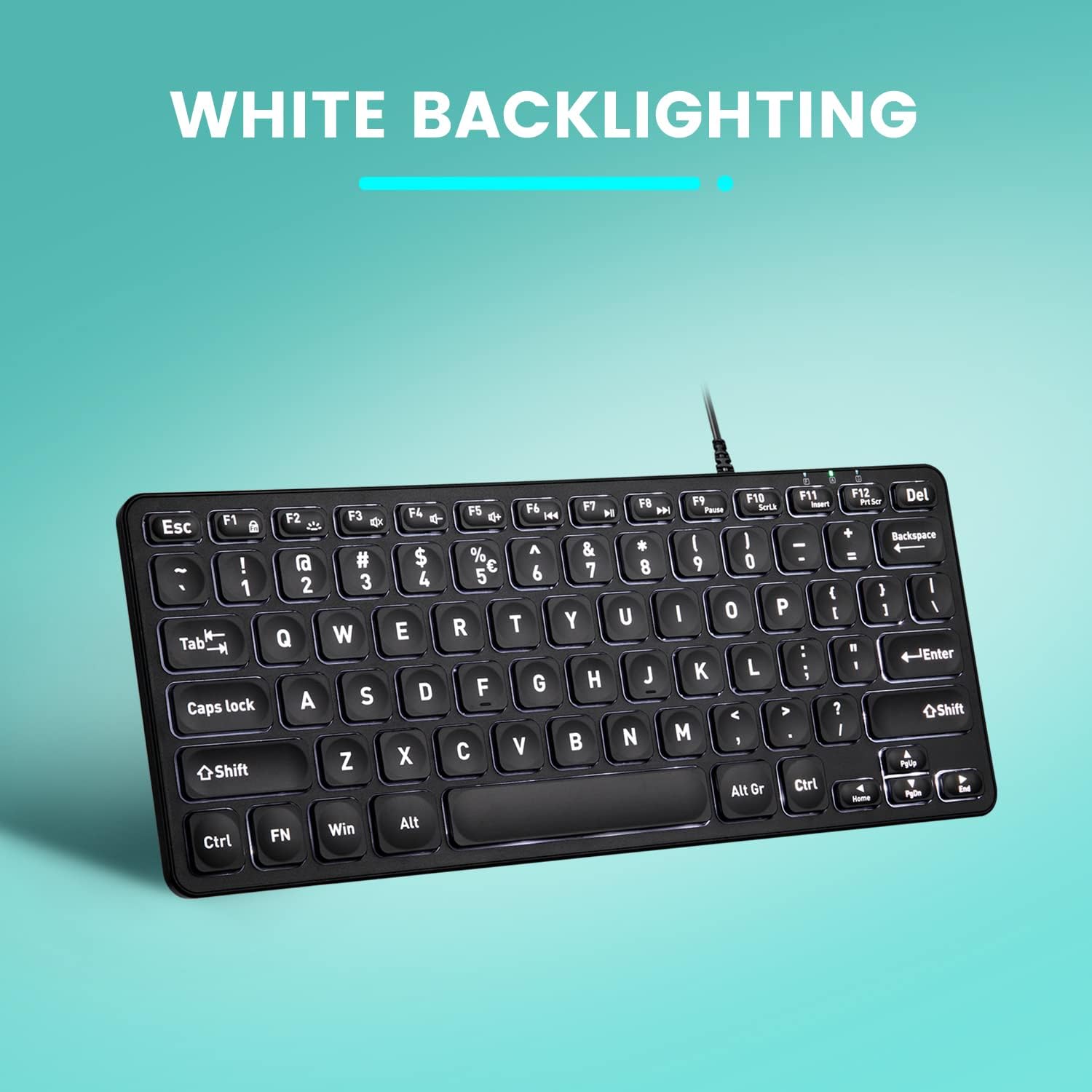
Imaxe: De arriba abaixo view of the Perixx PERIBOARD-332 keyboard with its white LED backlighting illuminated, showcasing the clear, large font on the keys.
Mantemento
Para garantir a lonxevidade e o correcto funcionamento do teclado, siga estas pautas de mantemento:
- Limpeza: Use un pano suave e sen pelusa lixeiramente dampened with water or a mild cleaning solution to wipe the surface of the keyboard. Avoid excessive moisture. Do not spray cleaners directly onto the keyboard.
- Eliminación de po: Usa aire comprimido para eliminar o po e os residuos que hai entre as teclas.
- Evitar verteduras: Keep liquids away from the keyboard to prevent damage. The keyboard is not water-resistant.
- Almacenamento: Cando non o use, garde o teclado nun lugar limpo e seco, lonxe de temperaturas extremas.
Resolución de problemas
If you encounter issues with your Perixx PERIBOARD-332, refer to the following common solutions:
O teclado non responde
- Comprobar a conexión USB: Ensure the USB cable is securely plugged into both the keyboard and the computer's USB port. Try a different USB port.
- Reiniciar o ordenador: Ás veces, un simple reinicio do ordenador pode resolver os problemas de conectividade.
- Proba noutro dispositivo: Connect the keyboard to another computer or device to determine if the issue is with the keyboard or the original computer.
Backlight Not Working or Adjusting
- Check Brightness Setting: Preme Fn + F2 repeatedly to cycle through all brightness levels, including off. Ensure it's not set to the lowest or off setting.
- Fonte de enerxía: Ensure the keyboard is properly connected to a powered USB port.
As teclas non funcionan correctamente
- Limpar as teclas: Comprobe se hai algún residuo ou obstrución debaixo das teclas afectadas. Use aire comprimido para limpalos.
- Conflitos de software: If specific keys are not working, check for any software or driver conflicts on your computer.
Multimedia Keys Not Working on macOS/Linux/Chrome OS
- Compatibilidade do sistema operativo: The multimedia shortcut keys are primarily designed for Windows. On other operating systems, their functionality may vary or require specific system settings/configurations.
Especificacións
| Característica | Detalle |
|---|---|
| Marca | Perixx |
| Número de modelo | PERIBORDO-332 |
| Tecnoloxía de conectividade | USB (con cable) |
| Descrición do teclado | US English QWERTY |
| Característica especial | Retroiluminación (LED branco) |
| Tipo de cambio | Scissor Switches |
| Número de chaves | 84 |
| Dimensións do produto (L x W x H) | 11.22" x 4.57" x 0.83" (28.5 cm x 11.6 cm x 2.1 cm) |
| Peso do elemento | 0.79 lbs (12.3 Ounces / 350 grams approx.) |
| Dispositivos compatibles | PC, Laptop, Tablet, Smartphone (with compatible USB port/adapter) |
| Compatibilidade do sistema operativo | Windows 7, 8, 10, 11; macOS; Linux; Chrome OS |
| Material | Plástico |
Garantía e Soporte
Información da garantía
Your Perixx PERIBOARD-332 keyboard comes with a Garantía limitada de 12 meses from the date of purchase. This warranty covers manufacturing defects and workmanship under normal use. It does not cover damage caused by misuse, accidents, unauthorized modifications, or external factors.
Conserve o comprobante de compra para reclamacións de garantía.
Atención ao cliente
For technical assistance, warranty claims, or any questions regarding your Perixx product, please visit the official Perixx website or contact their customer support team. Contact information can typically be found on the Perixx websitio ou na embalaxe do produto.
Tamén podes visitar o Perixx Store on Amazon para obter máis información e recursos de apoio.
Ask a question about this manual
Ask about setup, troubleshooting, compatibility, parts, safety, or missing instructions. Manuals+ will review the question and use this page’s manual context to help answer it.