
Produto rematadoview
The DIZO Watch 2 Sports Smart Watch (Model DW2121) is a versatile fitness tracker designed for Android and iOS phones. It features a 1.69-inch HD full touchscreen, comprehensive health monitoring capabilities including heart rate and blood oxygen, sleep tracking, and support for over 110 sports modes. The watch is 5ATM waterproof and offers extended battery life.
Configuración e uso inicial
Unboxing and First Charge
Upon unboxing your DIZO Watch 2 Sports, it is recommended to fully charge the device before its first use. Connect the magnetic charging cable to the charging points on the back of the watch and plug the USB end into a compatible power adapter (not included).

Image: The DIZO Watch 2 Sports Smart Watch connected to its magnetic charging cable, displaying a 100% charge indicator. The watch is pink with a rose gold frame.
The watch typically takes approximately 2 hours to fully charge. A full charge provides up to 10 days of working time with automatic heart rate monitoring and up to 30 days of standby time.
Instalación e emparejamento de aplicacións
To unlock the full potential of your DIZO Watch 2 Sports, download and install the official "DIZO" application on your smartphone. The app is available on both the App Store (for iOS devices) and Google Play (for Android devices).
- Descarga a aplicación: Busca "DIZO" in your phone's app store and install it. Alternatively, you can scan the QR code provided in the physical user manual to directly access the app download page.
- Activar Bluetooth: Asegúrate de que o Bluetooth estea activado no teu smartphone.
- Vincular o dispositivo: Open the DIZO app and follow the on-screen instructions to pair your DIZO Watch 2 Sports with your phone. The app will guide you through the pairing process.
Video: Guide to downloading the DIZO app and pairing the smartwatch with a smartphone.
Instrucións de funcionamento
Navegación por pantalla
The DIZO Watch 2 Sports features a 1.69-inch HD full touchscreen for intuitive navigation.
- Pase o dedo cara abaixo: From the home screen, swipe down to access the notification list interface.
- Pasa o dedo cara arriba: From the home screen, swipe up to enter the main menu, which includes various features like activity data, heart rate, SpO2, sleep, workout, alarm, and weather.
- Pase o dedo cara á esquerda: Desde a pantalla de inicio, pasa o dedo cara á esquerda ata view quick access data such as steps, sleep, and heart rate.
- Pase o dedo cara á dereita: From the home screen, swipe right to enter the shortcut interface, providing quick access to common settings and functions.
- Prema o botón lateral: Press the physical button on the side to return to the home screen or wake the display.
Video: Demonstrating screen navigation and power off function on the DIZO Watch 2 Sports.
Vixilancia da Saúde
The DIZO Watch 2 Sports is equipped with advanced sensors for continuous health tracking.
- Monitor de frecuencia cardíaca: The watch features a real-time heart rate monitor. You can enable 24-hour heart rate detection through the DIZO app for continuous tracking.
- Monitor de osíxeno no sangue (SpO2): Monitor your blood oxygen levels directly from your wrist.
- Monitor de sono: Automatic sleep tracking analyzes your sleep data, including deep sleep, light sleep, and awake times, to help you understand your sleep patterns.
- Seguimento da actividade: Tracks steps, distance, and calories burned throughout the day.

Image: The DIZO Watch 2 Sports displaying heart rate data (75 bpm average) and a graph, alongside a visual representation of sleep tracking showing deep, light, and awake sleep durations.
Sports Modes and GPS Tracking
The watch supports over 110 sports modes to accurately track your workouts. Connect to your phone's GPS via the DIZO app to record activity routes and get detailed workout statistics.

Image: The DIZO Watch 2 Sports showing various sports mode icons, including running, cycling, and yoga, with a smartphone screen displaying GPS tracking for an outdoor run.
Notificacións e funcións intelixentes
Stay connected with call and message notifications directly on your wrist.
- Notificacións de chamadas e mensaxes: After connecting to Bluetooth, the watch will vibrate to alert you of incoming calls and messages from various apps like Facebook, LinkedIn, Instagram, Twitter, WhatsApp, and Line. Note: You cannot reply to messages directly from the watch.
- Control de música: Control your smartphone's music player directly from the watch.
- Control da cámara: Usa o reloxo como obturador remoto para a cámara do teu teléfono.
- Pronóstico do tempo: View local weather information.
- Recordatorios: Set up alarm clocks, drinking water reminders, sedentary reminders, and menstrual cycle reminders.
- Buscar teléfono: Locate your paired smartphone using the watch.
- Axuste de brillo: Five levels of brightness options ensure readability in various lighting conditions.

Image: A DIZO Watch 2 Sports on a wrist, displaying a notification icon, with various social media and messaging app logos floating around it, indicating smart notification capabilities.
Personalización
Personalize your watch with a wide range of watch faces and interchangeable bands.
- Ver caras: Choose from over 150 stylish watch faces available through the DIZO app. You can also customize the dial with your favorite pictures.
- Detachable Bands: The watch features detachable bands, allowing you to easily switch them to match your style.
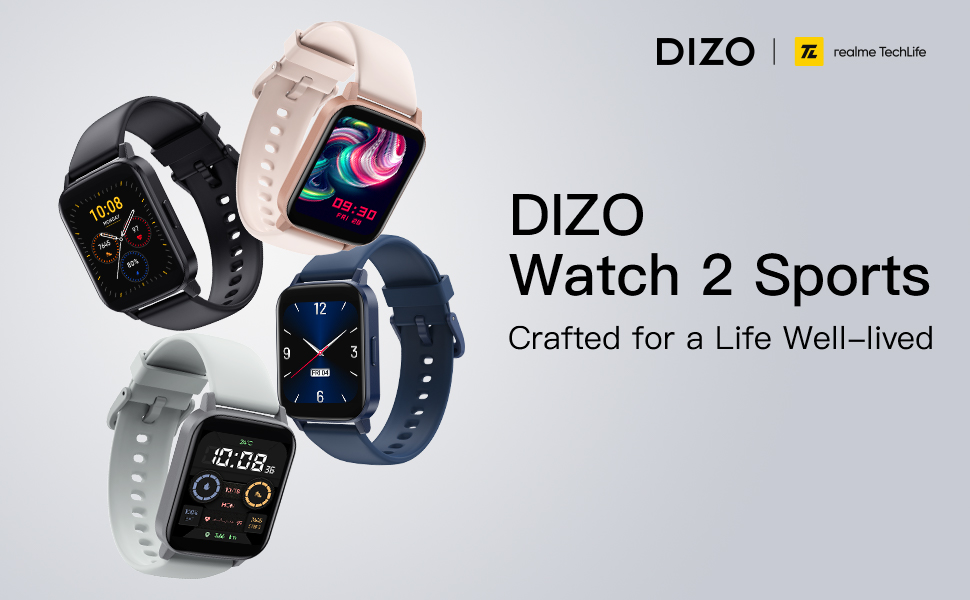
Image: A DIZO Watch 2 Sports displaying a custom watch face with a yellow cat-like character, alongside a smartphone screen showing options for customizing the watch dial, including text color, background picture, and time location.
Mantemento e coidados
Resistencia á auga
The DIZO Watch 2 Sports has a 5ATM waterproof rating, meaning it can withstand pressures equivalent to a depth of 50 meters. This makes it suitable for swimming and showering. However, it is not recommended for diving or high-pressure water activities.
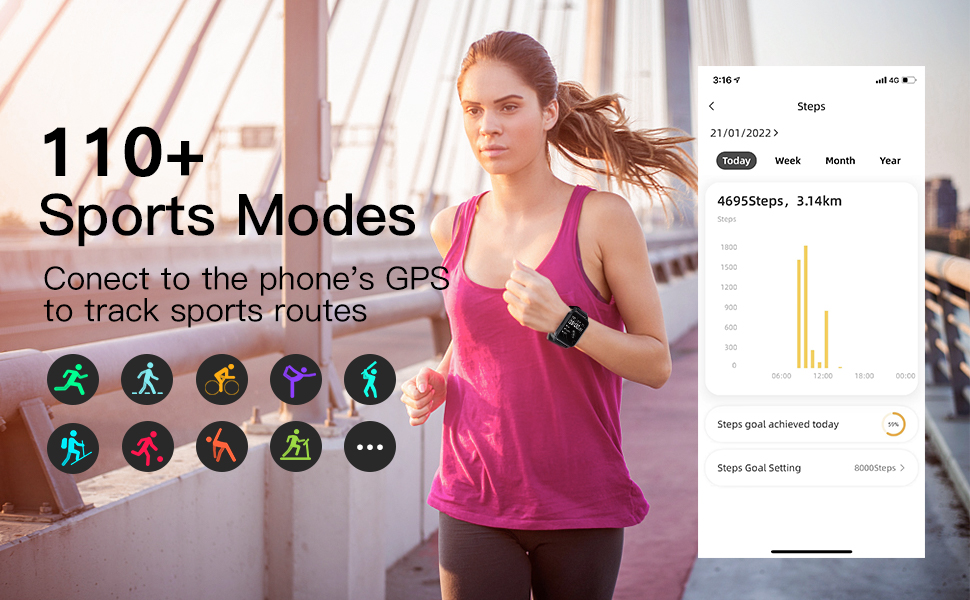
Image: A DIZO Watch 2 Sports being worn on a wrist underwater, with text indicating "5ATM (164 ft./50 meters) Waterproof".
Limpeza
To maintain the watch's performance and appearance, regularly clean the device and its strap. Use a soft, damp cloth to wipe the screen and strap. Avoid using harsh chemicals or abrasive materials.
Especificacións
| Característica | Detalle |
|---|---|
| Número de modelo | DW2121 |
| Tamaño da pantalla | 1.69 polgadas |
| Tipo de visualización | TFT HD Full Touch Screen |
| Resolución | 240*280 |
| Clasificación impermeable | 5ATM (50 metros) |
| Capacidade da batería | 280 mAh |
| Tempo de carga | Aproximadamente 2 horas |
| Duración da batería (uso típico) | Ata 10 días |
| Tempo de espera | Ata 30 días |
| Conectividade | Bluetooth 5.0, GPS (via phone) |
| Compatibilidade | Android 5.0 e superior, iOS 9.0 e superior |
| Vixilancia da Saúde | Frecuencia cardíaca, osíxeno no sangue, seguimento do sono |
| Modos deportivos | 110+ |
| Peso do elemento | 4.2 onzas |
| Dimensións do paquete | 6.26 x 3.86 x 1.26 polgadas |
Resolución de problemas
- O reloxo non se acende: Asegúrate de que o reloxo estea completamente cargado. Conéctao ao cargador durante polo menos 10 minutos antes de tentar acendelo.
- Non se pode emparellar co teléfono:
- Asegúrate de que o Bluetooth estea activado no teu teléfono.
- Make sure the DIZO app is installed and open.
- Bring the watch close to your phone during the pairing process.
- Reinicia tanto o teléfono como o reloxo.
- Comproba se o reloxo xa está emparellado con outro dispositivo. Se é así, primeiro desemparellao.
- Non aparecen as notificacións:
- Verify that the watch is successfully paired with your phone via Bluetooth.
- Check notification settings within the DIZO app to ensure app notifications are enabled.
- Ensure your phone's notification settings allow the DIZO app to send notifications.
- Disable "Do Not Disturb" mode on both your watch and phone.
- Datos sanitarios inexactos:
- Asegúrate de levar o reloxo ben axustado ao pulso, nin demasiado axustado nin demasiado solto.
- Limpa o sensor da parte traseira do reloxo con regularidade.
- Evite movementos excesivos durante as medicións para obter lecturas máis precisas.
- Autonomía curta da batería:
- Reduce o brillo da pantalla.
- Limita o número de aplicacións que envían notificacións ao reloxo.
- Disable continuous heart rate monitoring if not needed 24/7.
- Asegúrate de que o reloxo estea completamente cargado cada vez.
Garantía e Soporte
For warranty information and customer support, please refer to the official DIZO websitio web ou póñase en contacto directamente co servizo de atención ao cliente. Garde o recibo da compra como proba de compra para reclamacións de garantía.


