
Introdución
Thank you for choosing the Edifier Hecate GT4 Gaming Earbuds. These true wireless earbuds are designed to provide a low-latency audio experience for gaming across multiple platforms, including PS5, PS4, Nintendo Switch, mobile phones, and PCs. Featuring Bluetooth 5.2 connectivity, an IP55 rating for dust and splash resistance, and customizable RGB lighting, the GT4 earbuds offer both performance and convenience. Please read this manual thoroughly to ensure proper use and optimal performance of your new earbuds.
Contido do paquete
Verifique que todos os elementos que se indican a continuación estean presentes no seu paquete:
- Edifier Hecate GT4 Gaming Earbuds (Left and Right)
- Estuche de carga
- Cable de carga USB-C
- Multiple Sizes of Eartips (Small, Medium, Large)
- Manual de usuario

Image: The Edifier Hecate GT4 earbuds, charging case, USB-C cable, and extra eartips are shown, representing the package contents.
Configuración
1. Carga dos auriculares e da funda
Before first use, fully charge the earbuds and charging case. Place the earbuds into the charging case. Connect the USB-C charging cable to the charging port on the case and the other end to a USB power adapter (not included) or a computer's USB port. The indicator lights on the case will show charging status.
- Tempo de carga: Aproximadamente 1.5 horas para unha carga completa.
- Duración da batería: Up to 7 hours of playback on a single charge, with an additional 21 hours provided by the charging case.
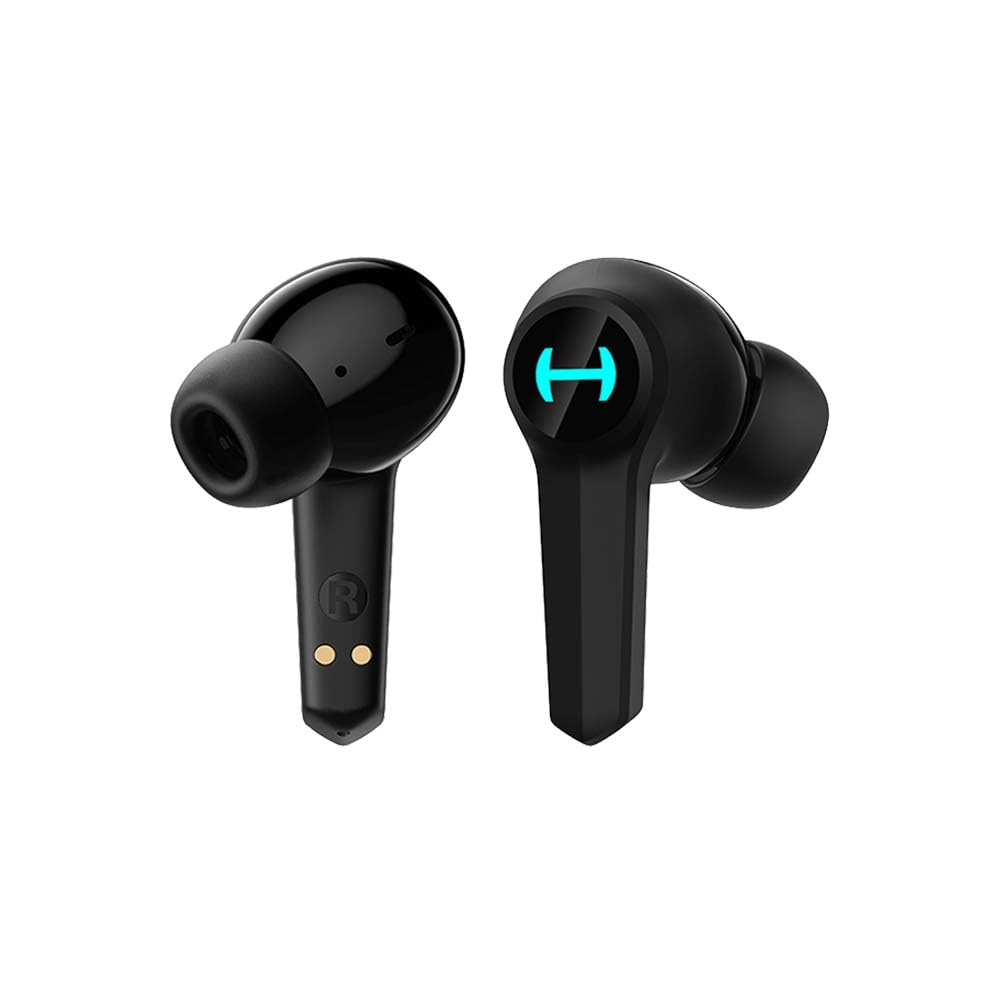
Image: The Edifier Hecate GT4 earbuds are shown inside their open charging case, with the case's RGB lights illuminated.
2. Emparellamento Bluetooth
- Asegúrate de que os auriculares estean cargados.
- Open the charging case. The earbuds will automatically enter pairing mode, indicated by flashing lights.
- On your device (phone, PC, console), enable Bluetooth and search for new devices.
- Select "EDIFIER HECATE GT4" from the list of available devices to connect.
- Once connected, the earbud lights will stop flashing or show a steady light.
The earbuds support Bluetooth 5.2 for a stable and efficient connection.
Instrucións de funcionamento
1. Acendido/apagado
- Encendido: Abre a caixa de carga ou saca os auriculares da caixa. Acenderanse automaticamente.
- Apagado: Volve colocar os auriculares na caixa de carga e pecha a tapa. Apagaranse automaticamente.
2. Toca Controis
The Edifier Hecate GT4 earbuds feature touch-sensitive controls on each earbud. Refer to the diagram below for touch panel location.

Image: A finger is shown touching the outer surface of an earbud, indicating the smart touch control area.
| Acción | Auricular esquerdo (L) | Auricular dereito (R) |
|---|---|---|
| Reproducir/Pausa | Toca dúas veces | Toca dúas veces |
| Próxima pista | Toca tres veces | Toca tres veces |
| Responder/Finalizar chamada | Toca dúas veces | Toca dúas veces |
| Rexeitar a chamada | Presión longa (2s) | Presión longa (2s) |
| Activa o modo de xogo | Presión longa (2s) | Presión longa (2s) |
| Deactivate Game Mode | Presión longa (2s) | Presión longa (2s) |
Note: Volume control may need to be adjusted directly on your connected device.
3. Game Mode (45ms Low-Latency)
The Edifier Hecate GT4 features a dedicated Game Mode to reduce audio latency to as low as 45ms, providing a synchronized audio-visual experience crucial for gaming. To activate or deactivate Game Mode, long press either earbud for 2 seconds. You will hear an audio prompt indicating the mode change.

Image: An illustration depicting the low latency feature of the earbuds, highlighting the 45ms response time.
Vídeo: Presentación oficial dun produto en vídeoasing the features of the EDIFIER HECATE GT4 Gaming Earbuds, including low latency and ergonomic design.
4. Iluminación RGB
The charging case and earbuds feature RGB lighting. The lighting indicates various statuses such as charging, pairing, and game mode activation. The specific patterns and colors are pre-set and provide visual feedback on the earbuds' operational status.

Image: The Edifier Hecate GT4 charging case is shown with its red RGB lighting illuminated, indicating its gaming aesthetic.
Mantemento
- Limpeza: Use a soft, dry cloth to clean the earbuds and charging case. Do not use liquid cleaners or abrasive materials.
- Resistencia á auga: The earbuds have an IP55 rating, meaning they are protected against dust and low-pressure water jets. Avoid submerging them in water or exposing them to heavy rain. Dry them thoroughly if they get wet.
- Almacenamento: Cando non estean en uso, garde os auriculares no seu estoxo de carga para protexelos e mantelos cargados. Garde nun lugar fresco e seco, lonxe de temperaturas extremas.

Image: An Edifier Hecate GT4 earbud is shown with water splashing around it, illustrating its water-resistant feature.
Resolución de problemas
| Problema | Causa posible | Solución |
|---|---|---|
| Os auriculares non se acenderon. | Batería baixa. | Cargue completamente os auriculares e a caixa de carga. |
| Non se pode emparellar co dispositivo. | Bluetooth not enabled, earbuds not in pairing mode, or device too far. | Ensure Bluetooth is enabled on your device. Place earbuds in case, close, then open to re-enter pairing mode. Keep devices within 10 meters. |
| Sen son ou son intermitente. | Earbuds not properly connected, low battery, or interference. | Check Bluetooth connection. Recharge earbuds. Move away from sources of interference (e.g., Wi-Fi routers). |
| Un auricular non ten son. | Individual earbud connection issue. | Place both earbuds back into the charging case, close the lid, then open it again to reset the connection. Re-pair if necessary. |
| Low latency mode not working. | Game Mode not activated. | Long press either earbud for 2 seconds to activate Game Mode. Listen for the audio prompt. |
| Cannot connect to PS4/PS5/Switch. | Console limitations or specific pairing requirements. | Some consoles may require a separate Bluetooth adapter for full compatibility or specific pairing steps. Refer to your console's manual for Bluetooth audio device connection instructions. |
Especificacións
| Característica | Detalle |
|---|---|
| Número de modelo | GT4-BK |
| Marca | Edificador |
| Tecnoloxía de conectividade | Sen fíos (Bluetooth) |
| Versión Bluetooth | 5.2 |
| Colocación do oído | En Orella |
| Tipo de controlador de audio | Dynamic Driver (10mm Composite Diaphragm Unit) |
| Rango de frecuencias | 20 Hz-20 kHz |
| Baixa latencia | 45 ms (Modo de xogo) |
| Duración da batería (auriculares) | Ata 7 horas |
| Duración total da batería (con funda) | Ata 28 horas (7 + 21 horas) |
| Tempo de carga da batería | Aprox. 1.5 horas |
| Método de control | Toca |
| Nivel de resistencia á auga | IP55 (resistente ao po e ás salpicaduras) |
| Dispositivos compatibles | PS5, PS4, Nintendo Switch, Phone (Android, iOS), PC |
| Material | Plástico |
| Peso do elemento | 0.12 quilogramos |
Garantía e Soporte
Edifier products are designed and manufactured to the highest quality standards. For information regarding warranty coverage, please refer to the warranty card included in your product packaging or visit the official Edifier website. If you encounter any issues or have questions about your Edifier Hecate GT4 Gaming Earbuds, please contact Edifier customer support through their official channels for assistance.
Editorial oficial Websitio: www.edifier.com