
1. Produto rematadoview
The Elgato Stream Deck MK.2 is a studio controller designed to streamline your workflow for content creation, streaming, and general productivity. It features 15 customizable LCD keys that allow for instant control over applications, tools, and platforms.
Características principais:
- 15 teclas LCD personalizables: Instantly control your apps, tools and platforms.
- Operación dun toque: Trigger single or multiple actions, launch social posts, adjust audio, mute mic, turn on lights, and much more.
- Poderoso Plugins: Integrates with Elgato 4KCU, OBS, Streamlabs, Twitch, YouTube, Twitter, Spotify, Philips Hue, and many other applications.
- Hotkey Actions: Streamline film editing, music production, and photography workflows.

Image: The Elgato Stream Deck MK.2 White, showcasing its 15 programmable LCD keys.
2. Configuración
2.1 Contido da caixa:
- Elgato Stream Deck MK.2 White
- Soporte desmontable
- Cable USB-C a USB-A
- Guía de inicio rápido
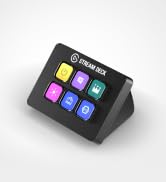
Image: Contents of the Elgato Stream Deck MK.2 packaging, including the device, stand, and USB cable.
2.2 Physical Connection:
- Attach the detachable stand to the back of your Stream Deck MK.2. The stand allows for adjustable viewángulos de inflexión.
- Connect the USB-C end of the provided cable to the port on the back of the Stream Deck.
- Connect the USB-A end of the cable to an available USB 2.0 port on your computer (Mac or PC).
Video: Demonstrates unboxing and connecting the Elgato Stream Deck MK.2 White to a computer.
2.3 Instalación de software:
- Visit the official Elgato website (elgato.com/s/downloads) to download the Stream Deck software for your operating system (macOS 10.13 or newer / Windows 10 (64-bit)).
- Instale o software seguindo as instrucións que aparecen na pantalla.
- Launch the Stream Deck application. The software will automatically detect your connected Stream Deck device.

Image: The Stream Deck software interface, illustrating how to customize buttons and actions.
3. Operating the Stream Deck
3.1 Customizing Keys:
- In the Stream Deck software, drag and drop actions from the right-hand panel onto any of the 15 LCD keys.
- Each key can be assigned a single action, a multi-action (a sequence of actions), or a folder to organize more actions.
- Customize the icon and title for each key to easily identify its function.
Video: A quick look at the Elgato Stream Deck MK.2 in action, demonstrating key customization and functionality.
3.2 Profiles and Pages:
- Crea varios profesionaisfiles for different applications or workflows. The Stream Deck can automatically switch profiles when you open a specific application.
- Dentro de cada profile, you can create multiple pages of actions, allowing for an extensive number of commands. Navigate between pages using dedicated navigation actions.

Image: The Stream Deck software displaying various application profiles and their associated customizable actions.
4. Mantemento
- Keep the device clean by gently wiping it with a soft, dry cloth.
- Avoid using harsh chemicals or abrasive materials, as these may damage the LCD keys or the device's finish.
- Ensure the USB cable is securely connected and free from kinks or damage.
5 Solución de problemas
5.1 Device Not Detected:
- Ensure the USB cable is firmly connected to both the Stream Deck and your computer.
- Try connecting the Stream Deck to a different USB port on your computer.
- Restart the Stream Deck software and/or your computer.
5.2 Keys Not Responding:
- Verify that the Stream Deck software is running and the correct profile está activo.
- Check for any software updates for the Stream Deck application.
- Ensure the application you are trying to control is open and in focus.
6. Especificacións
| Característica | Detalle |
|---|---|
| Marca | Elgato |
| Nome do modelo | MK.2 |
| Número de modelo | 10GBA9911 |
| Cor | Branco |
| Número de chaves | 15 |
| Interface | USB 2.0 |
| Dimensións (sen soporte) | 118 x 84 x 25 mm / 4.6 x 3.3 x 1.0 polgadas |
| Peso (sen soporte) | 145 g |
| Requisitos do sistema | macOS 10.13 or newer / Windows 10 (64-bit) |
7. Garantía e soporte
7.1 Información sobre a garantía:
The Elgato Stream Deck MK.2 comes with a 2 anos de garantía do fabricanteConserva o comprobante de compra para reclamacións de garantía.
7.2 Atención ao cliente:
For technical assistance, software updates, or additional resources, please visit the official Elgato support website or refer to the Quick Start Guide included in your product packaging.
Os recursos en liña inclúen:
- Elgato Support Portal: https://help.elgato.com/
- Stream Deck Software Downloads: https://www.elgato.com/s/downloads


