
Lloyd's LC-1330
Lloyd's Advanced Video Doorbell Camera
Modelo: LC-1330
Introdución
This manual provides detailed instructions for the installation, operation, and maintenance of your Lloyd's Advanced Video Doorbell Camera LC-1330. This wireless outdoor security device features Full HD 1080P video, two-way audio, night vision, and motion detection to enhance your home security.
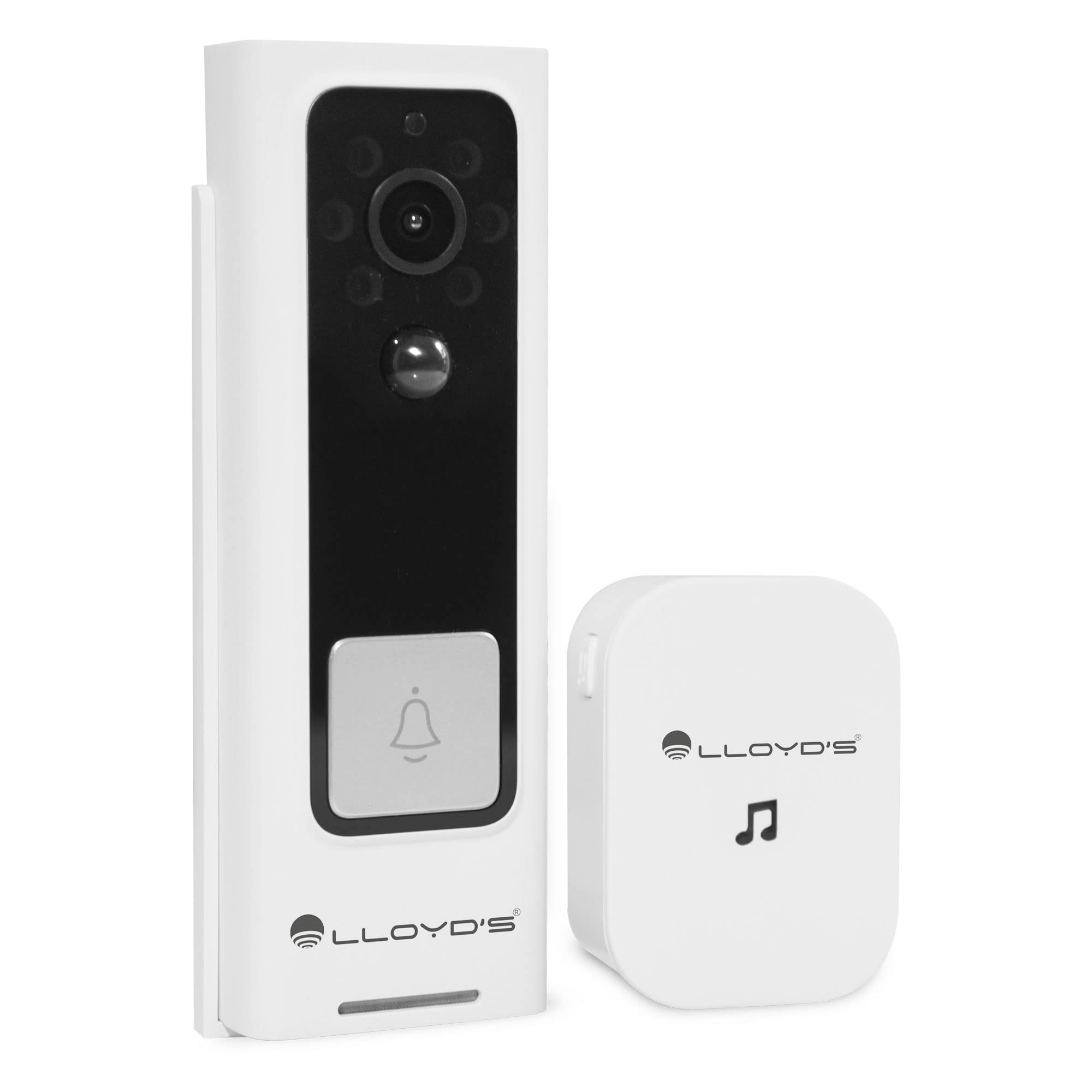
Figure 1: Lloyd's Advanced Video Doorbell Camera LC-1330 and Chime in packaging.
Contido do paquete
Verifique que todos os elementos que se indican a continuación estean incluídos no seu paquete:
- 1 x Lloyd's Wi-Fi Video Doorbell Camera (LC-1330)
- 1 x Wireless Chime
- 2 x 18650 Rechargeable Batteries (pre-installed in doorbell)
- 1 x cable de carga USB
- 1 x soporte de montaxe
- 1 x Mounting Screw Kit (screws, wall anchors)
- 1 x Reset Pin / Ejector Tool
- 1 x Manual de usuario
Se falta algún elemento ou está danado, póñase en contacto co servizo de atención ao cliente.
Produto rematadoview
Familiarize yourself with the components of your video doorbell and chime:
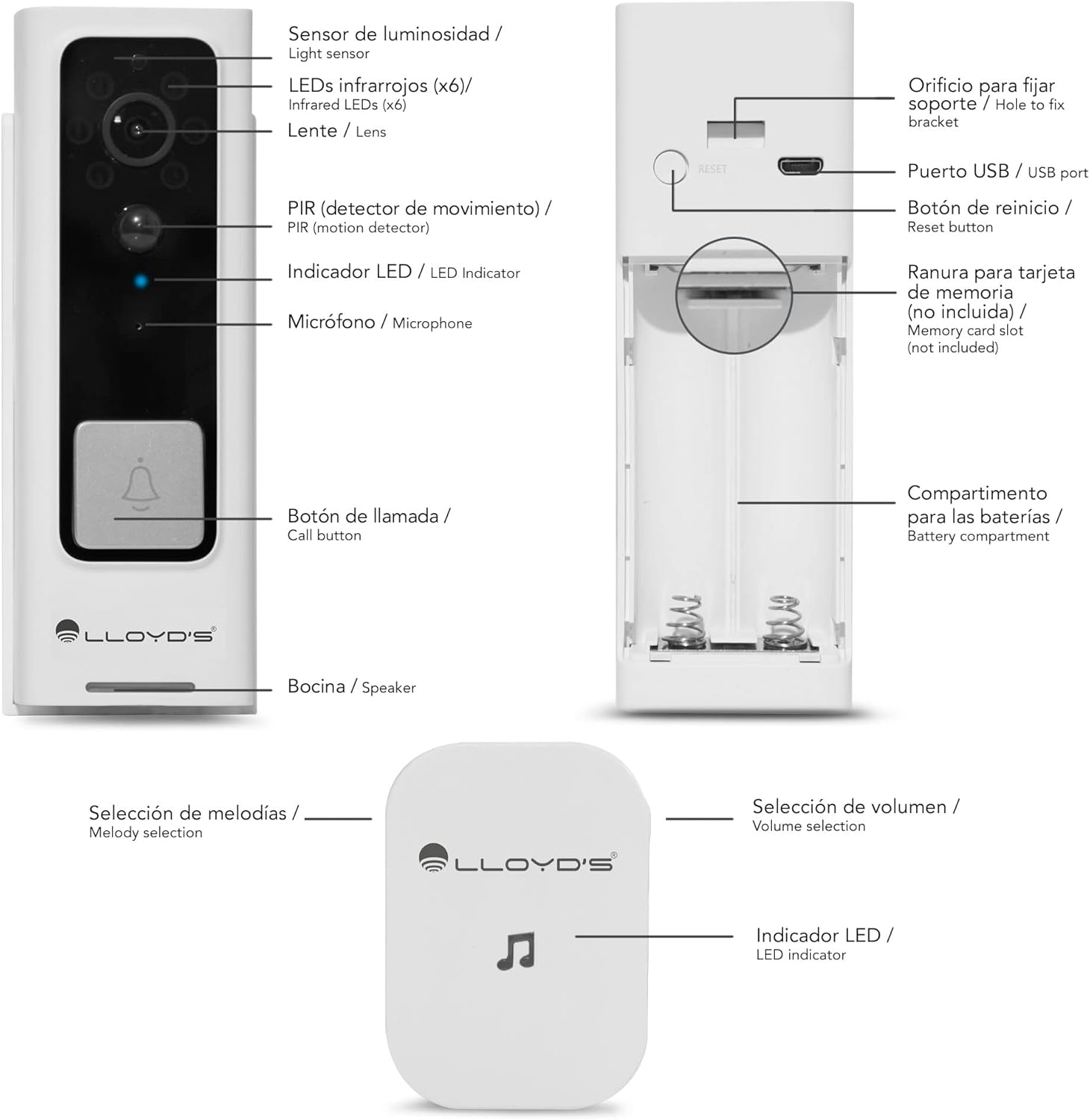
Figure 2: Doorbell Camera and Chime Components.
- Sensor de luz: Detecta a luz ambiental para a activación automática da visión nocturna.
- Infrared LEDs (x6): Provides illumination for night vision.
- Lente: Captures Full HD 1080P video with a 140° viewángulo de ing.
- PIR (Motion Detector): Detects human motion to trigger alerts.
- Indicador LED: Shows device status (e.g., charging, recording, network).
- Micrófono: Captura audio para a comunicación bidireccional.
- Botón de chamada: Pressed by visitors to alert you.
- Relator: Outputs audio for two-way communication.
- Porto USB: For charging the doorbell's internal battery.
- Botón de reinicio: Utilízase para restablecer o dispositivo á configuración de fábrica.
- Ranura para tarxetas de memoria: Supports Micro SD cards up to 128GB for local storage.
- Compartimento de batería: Houses the two 18650 rechargeable batteries.
- Melody Selection (Chime): Button to change the chime melody.
- Volume Selection (Chime): Button to adjust the chime volume (5 levels, max 100dB).
- LED Indicator (Chime): Shows chime status.
Configuración
1. Carga inicial
Before first use, fully charge the doorbell camera. Open the rubber cover on the side to access the USB port. Connect the doorbell to a 5V DC power source using the provided USB cable. The LED indicator will show charging status.
2. App Download & Account Creation
Download the 'Lloyd's Smart' app from the App Store (iOS) or Google Play Store (Android). Create an account and log in.
3. Emparejamento de dispositivos
- Open the 'Lloyd's Smart' app and tap '+' to add a new device.
- Select 'Video Doorbell' from the device list.
- Follow the in-app instructions to connect the doorbell to your 2.4GHz Wi-Fi network. This typically involves pressing the reset/sync button on the doorbell and scanning a QR code generated by the app.
4. Configuración do timbre
The wireless chime operates on 3 AAA batteries (not included). Insert the batteries into the chime. The chime will automatically pair with the doorbell once the doorbell is successfully connected to the app. You can select melodies and adjust volume using the buttons on the chime.
5. Instalación
The doorbell can be installed using screws or adhesive tape. For secure installation, screw mounting is recommended.
- Remove the back cover from the doorbell using the provided ejector tool.
- Position the back cover on your desired mounting surface (door frame or wall) and mark the screw holes.
- Perfore buratos guía e insira ancoraxes de parede se é necesario.
- Secure the back cover to the surface with screws.
- Attach the doorbell camera to the secured back cover. Ensure it clicks into place securely.
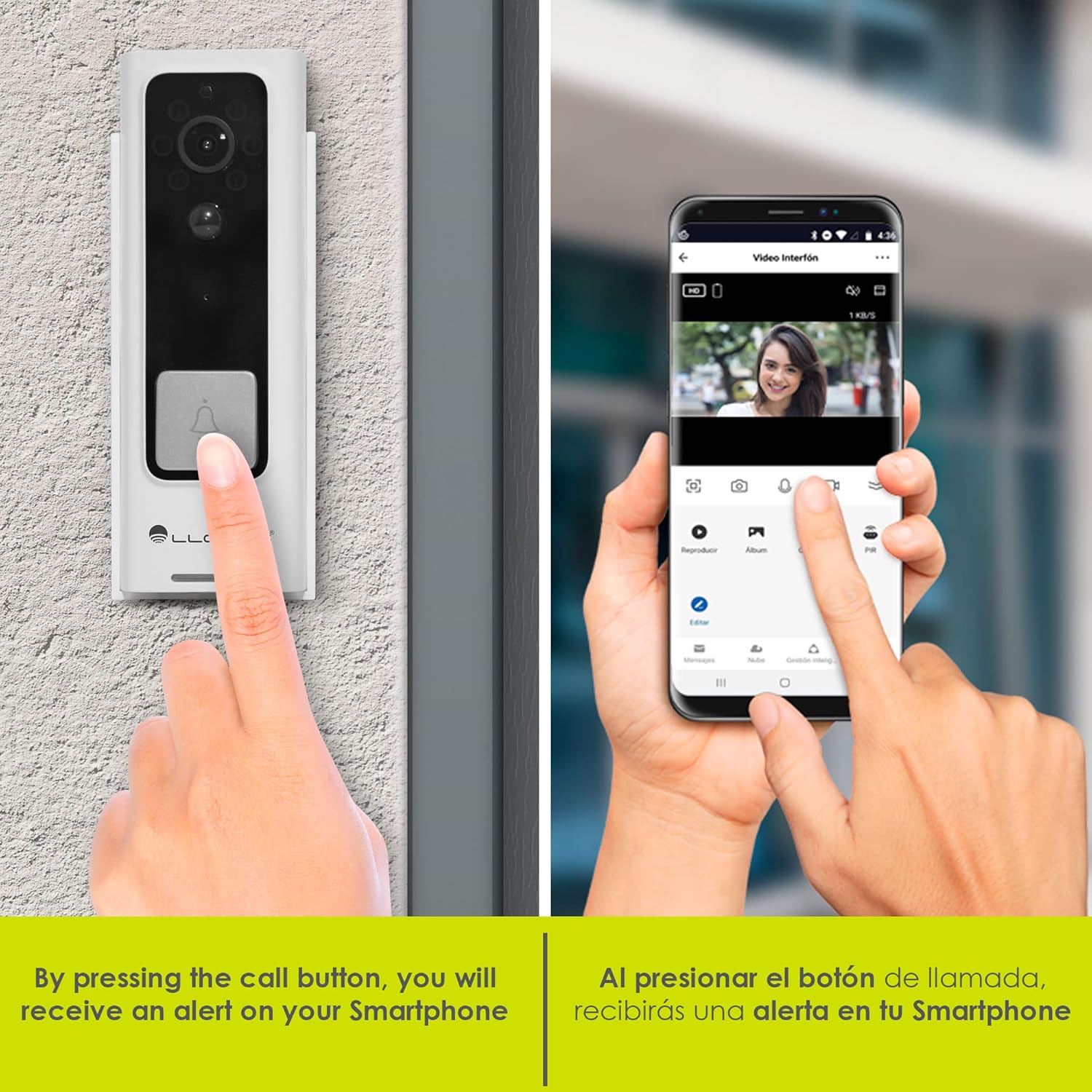
Figure 3: Doorbell mounting options.
Video 1: Installation guide for a similar doorbell model.
Instrucións de funcionamento
1. En directo View e audio bidireccional
Access the 'Lloyd's Smart' app to view the live video feed from your doorbell. Use the microphone and speaker icons in the app to engage in two-way communication with visitors at your door.

Figure 4: Two-way audio communication via the app.
2. Motion Detection Alerts
The doorbell's PIR sensor detects motion and sends instant notifications to your smartphone. You can customize motion detection sensitivity and activity zones within the app to reduce false alerts.

Figure 5: Instant alerts on your smartphone when the doorbell is pressed.
3. Visión nocturna
The doorbell automatically switches to night vision mode in low-light conditions, providing clear black-and-white video footage.
4. Local & Cloud Storage
Recordings can be stored locally on a Micro SD card (up to 128GB, not included) inserted into the doorbell's slot, or via optional cloud storage services (subscription may be required).
5. Cambiador de voz
Utilize the voice changer feature in the app during two-way communication to alter your voice for added privacy or security.
Características
- Vídeo Full HD 1080p: Captura un vídeo claro e detalladotage (1920*1080P).
- Gran angular de 140° View: Ofrece un amplo campo de view to monitor your entryway.
- Compresión H.264: Efficient video compression for optimized storage and streaming.
- Batería recargable: Powered by two 18650 batteries, offering up to 2 months of use on a single charge.
- Alertas intelixentes: Receive instant notifications for motion detection and low battery status.
- Compatibilidade co asistente virtual: Compatible with Siri, Google Assistant, and Amazon Alexa for voice control and integration into smart home routines.

Figure 6: Monitor and control your doorbell from your smartphone.

Figure 7: Automate your home with Lloyd's smart products.
Video 2: A closer look at the doorbell camera and chime.
Mantemento
1. Carga da batería
The doorbell's battery can be charged while installed or by removing the doorbell from its mount. Connect the USB charging cable to the doorbell's USB port and a power source. A full charge can last up to 2 months, depending on usage.
2. Limpeza
Wipe the doorbell's lens and body with a soft, damp cloth to remove dust and debris. Avoid using harsh chemicals or abrasive materials that could damage the device.
Resolución de problemas
- Sen enerxía: Ensure the batteries are correctly inserted and fully charged.
- Sen conexión wifi: Check your Wi-Fi router and ensure the doorbell is within range. Try resetting the doorbell using the reset button and re-pairing it with the app.
- Alertas sen movemento: Verify that motion detection is enabled in the app and sensitivity settings are appropriate. Check activity zones.
- Baixa calidade do vídeo: Ensure the lens is clean and free from obstructions. Check your Wi-Fi signal strength.
- Chime Not Ringing: Check the chime's batteries. Ensure the chime is paired with the doorbell.
Especificacións
| Fabricante | Lloyd's |
| Número de peza | LC-1330 |
| Dimensións do produto | 3.48 x 4.98 x 13.39 cm |
| Peso do elemento | 450 g |
| Cor | Branco/Negro |
| Voltage | 7.4 voltios (DC) |
| Wattage | 170 milamp_horas |
| Baterías | 2 x 18650 Lithium (included) |
| Resolución de vídeo | Full HD 1920*1080P |
| Viewángulo ing | FOV 140° |
| Almacenamento | Tarxeta Micro SD (ata 128 GB), almacenamento na nube (opcional) |
| Conectividade | Wi-Fi (2.4 GHz) |
| Resistencia á intemperie | IP66 Weatherproof (from video) |
Garantía e soporte
This product comes with a 2-year manufacturer warranty. For technical support, troubleshooting, or warranty claims, please refer to the 'Lloyd's Smart' app or visit the official Lloyd's websitio.