
1. Introdución
The MageGee V650 Wireless Keyboard and Mouse Combo is designed for efficient and comfortable use with your computer. This combo features a full-size 104-key keyboard with a number pad and multimedia shortcuts, paired with a sensitive and quiet mouse. Both devices connect wirelessly via a single 2.4G USB receiver, offering a stable connection within a 10-meter range.

Image 1.1: MageGee V650 Wireless Keyboard and Mouse Combo.

Image 1.2: Key features of the MageGee V650 combo.
2. Contido do paquete
Comprobe se o paquete contén os seguintes elementos:
- 1 x teclado sen fíos
- 1 x rato sen fíos
- 1 x USB Receiver (stored inside the keyboard)
- 1 pila AA (para o rato)
- 2 pilas AAA (para o teclado)
- 1 x Manual de usuario
3. Instrucións de configuración
3.1. Instalación da batería
- Para o teclado: Locate the battery compartment on the underside of the keyboard. Insert two AAA batteries, ensuring correct polarity (+/-).
- Para o rato: Locate the battery compartment on the underside of the mouse. Insert one AA battery, ensuring correct polarity (+/-).

Image 3.1: Keyboard battery compartment and USB receiver storage.
3.2. Conexión do receptor USB
- Locate the USB receiver. It is typically stored in a dedicated slot on the underside of the keyboard for safekeeping.
- Plug the USB receiver into an available USB port on your computer (PC, desktop, laptop, or notebook).
- The system should automatically detect and install the necessary drivers. No additional software download is required.
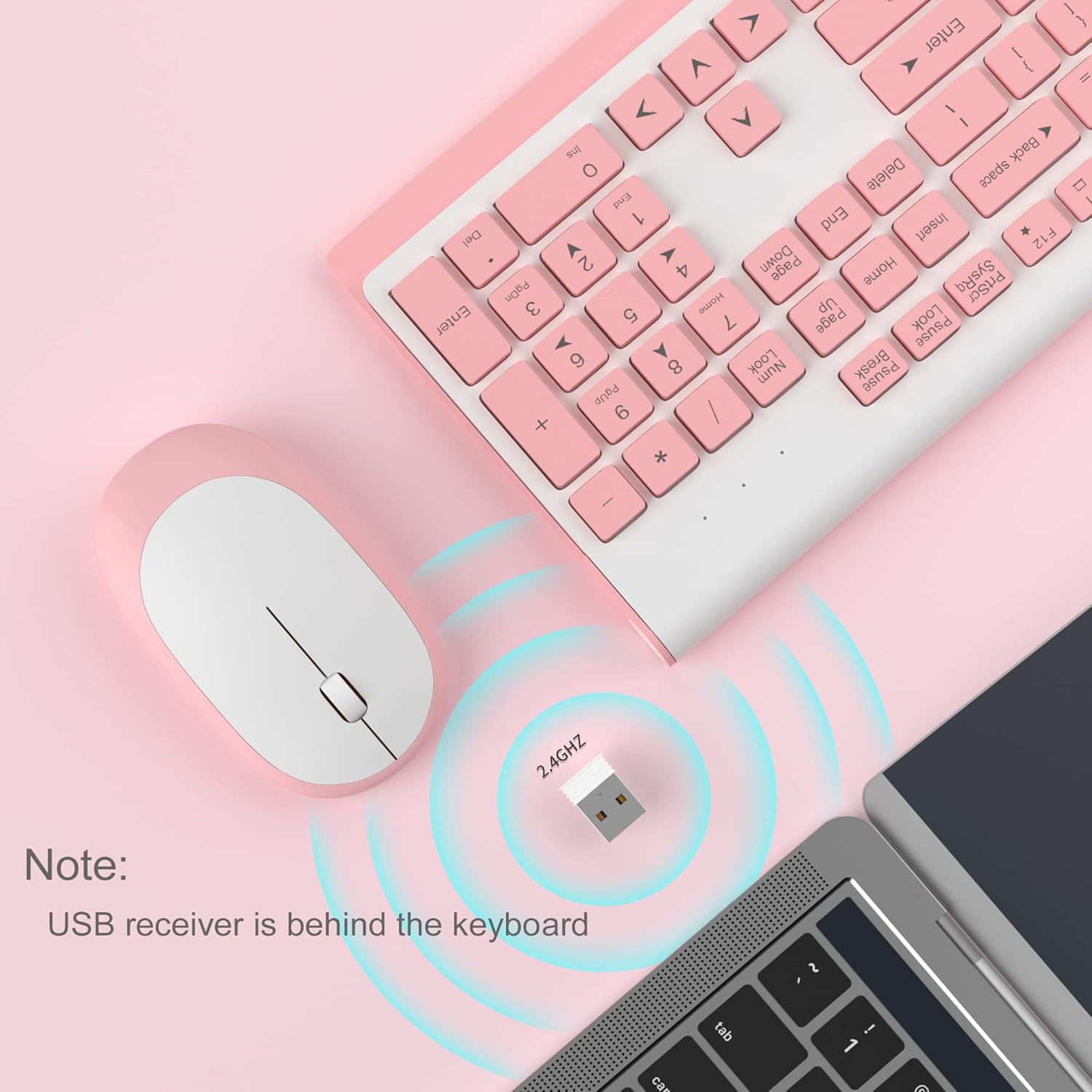
Image 3.2: USB receiver connection and storage location.

Image 3.3: 2.4G wireless connection diagram.
3.3. Acender
Ensure the power switches on both the keyboard and mouse are in the 'ON' position. The devices should now be ready for use.
4. Instrucións de funcionamento
4.1. Funcións do teclado
The V650 keyboard features a standard 104-key layout, including a full number pad for data entry and dedicated arrow keys. The keys are designed for quiet and responsive typing.
Atallos multimedia
The keyboard includes 12 multimedia shortcuts accessible by pressing the Fn key in combination with the F1-F12 function keys. These shortcuts allow quick access to common functions such as volume control, media playback, and more.

Image 4.1: Keyboard multimedia function key combinations.
| Combinación | Función |
|---|---|
| Fn + F1 | Multimedia |
| Fn + F2 | Volume - |
| Fn + F3 | Volume + |
| Fn + F4 | Silenciar |
| Fn + F5 | Pista anterior |
| Fn + F6 | Próxima pista |
| Fn + F7 | Reproducir/Pausa |
| Fn + F8 | Pare |
| Fn + F9 | Páxina de inicio |
| Fn + F10 | Correo electrónico |
| Fn + F11 | O meu ordenador |
| Fn + F12 | Favoritos |
4.2. Funcións do rato
The wireless mouse offers precise 1200 DPI tracking and quiet clicks. It features standard left and right click buttons and a scroll wheel for navigation.

Image 4.2: Mouse features: 1200 DPI and quiet operation.
4.3. Modo de repouso automático
To conserve battery life, both the keyboard and mouse will enter an automatic sleep mode after a period of inactivity. To wake them up, simply press any key on the keyboard or move the mouse.
5. Mantemento e coidados
- Limpeza: Usa un pano suave e seco para limpar as superficies do teclado e do rato. Para a sucidade persistente, usa un pano lixeiramente seco.amp cloth can be used, but ensure no liquid enters the devices. Avoid harsh chemicals or abrasive cleaners.
- Substitución da batería: Replace batteries when performance degrades or devices stop responding. Always use new batteries of the specified type (AAA for keyboard, AA for mouse) and dispose of old batteries responsibly.
- Almacenamento: When not in use for extended periods, turn off the devices to save battery life. Store the USB receiver in its dedicated slot on the keyboard to prevent loss.
- Ambiente: Avoid exposing the devices to extreme temperatures, direct sunlight, or excessive moisture.
6 Solución de problemas
If you encounter issues with your MageGee V650 combo, please refer to the following common solutions:
- No Connection / Lag:
- Asegúrate de que tanto o teclado como o rato estean acendidos e teñan pilas novas.
- Comprobe que o receptor USB estea conectado correctamente a un porto USB que funcione no seu ordenador.
- Proba a conectar o receptor USB a un porto USB diferente.
- Move the keyboard and mouse closer to the USB receiver to ensure they are within the 10-meter operating range.
- Evite colocar o receptor preto doutros dispositivos sen fíos ou obxectos metálicos grandes que poidan causar interferencias.
- Keys Not Responding / Stuck Keys:
- Comprobe os niveis da batería e substitúea se é necesario.
- Gently clean around the affected keys to remove any debris that might be causing them to stick.
- Re-establish the connection by unplugging and re-plugging the USB receiver.
- Mouse Not Working / Cursor Jumps:
- Ensure the mouse has a fresh AA battery and is powered on.
- Limpa o sensor óptico da parte inferior do rato.
- Usa o rato sobre unha superficie axeitada (que non sexa moi reflectante nin transparente).
- Re-establish the connection by unplugging and re-plugging the USB receiver.
- Letters Fading on Keys:
- This is typically a result of prolonged use and wear. While not a functional defect, it can affect visibility.
7. Especificacións do produto
| Característica | Detalle |
|---|---|
| Modelo | V650 |
| Tecnoloxía de conectividade | Receptor USB sen fíos 2.4G (radiofrecuencia) |
| Disposición do teclado | Full Size, 104 Keys with Number Pad and 12 Multimedia Shortcuts |
| Tipo de teclado | Scissor-cross low profile, Quiet Keys |
| Rato DPI | 1200 DPI |
| Dispositivos compatibles | PC, Desktop, Laptop, Notebook |
| Sistemas operativos | Windows XP / Vista / 7/8/10 |
| Dimensións do teclado | 16.06 x 6.6 x 1.3 polgadas (aprox. 40.8 x 16.8 x 3.3 cm) |
| Dimensións do rato | 4.25 x 2.4 x 1.18 polgadas (aprox. 10.8 x 6.1 x 3 cm) |
| Peso do elemento | 1.63 libras (aprox. 0.74 kg) |
| Batería de teclado | 2 x pilas AAA |
| Batería do rato | 1 x batería AA |
| Característica especial | Round Keycaps, Ultra-Thin Design, Automatic Sleep Mode |

Imaxe 7.1: Dimensións do produto.
8. Garantía e atención ao cliente
MageGee products are designed for reliability and performance. For any warranty inquiries, technical support, or assistance with your product, please contact MageGee customer support through the retailer where you purchased the item or visit the official MageGee store online.
Podes atopar máis información e datos de contacto en MageGee Store on Amazon.