
Introdución
Thank you for choosing the GKUTW 5 in 1 Wireless Portable Charger Power Bank. This versatile device is designed to provide reliable power for your electronic devices on the go, featuring multiple output and input options, including solar charging capabilities. Please read this manual carefully to ensure safe and optimal use of your power bank.
Información de seguridade
Importantes precaucións de seguridade:
- Do not expose the power bank to extreme temperatures (above 60°C/140°F) or direct sunlight for prolonged periods.
- Evite deixar caer, furar ou desmontar o dispositivo.
- Keep away from water and high humidity. The IP65 rating provides protection against water jets and dust, but it is not designed for submersion.
- Non o empregues se o banco de enerxía está danado, inchado ou ten fugas.
- Manter fóra do alcance dos nenos.
- Desfágase do banco de enerxía de forma responsable segundo a normativa local.
O que hai na caixa
- Wireless Portable Charger / USB Power Bank / Solar Charger / External Battery Pack Backup Charging (1 unit)
- Cable USB (1 unidade)
- Manual de usuario (1 unidade)

Image: The power bank, USB cable, and user manual laid out next to the product box.
Características
- 5-in-1 Portable Charger: Features 5 outputs (Wireless charging, Dual QC4.0, USB 2.1A, 25W PD/Type-C) and 3 inputs (Solar charger, Type-C 3A, Micro USB 2.1A). Supports pass-through technology and simultaneous multi-device charging.
- 36800mAh Ultra-High Capacity: Provides multiple charges for smartphones (6-10 times), ideal for travel, home, and outdoor activities.
- 15W Max Wireless Charging: Supports 5W, 7.5W, 10W, and 15W wireless fast charging. Simply place your compatible device on the charging pad.
- 25W PD & Dual QC4.0 Fast USB Charging: Delivers optimized charge up to 25W, capable of fast charging smart cell phones up to 100% in 1-1.5 hours.
- Built-in Intelligent Chip IC: Protects devices and battery packs from overcurrent, overheating, overvoltage, and short circuits. FCC, CE, ROHS certified.
- Solar Power Bank: Equipped with solar panels for emergency power sources. Note: Solar charging is supplementary and slower than wired charging.
- Deseño duradeiro: IP65 rated for water and dust resistance, and shockproof.

Imaxe: Interna view of the power bank highlighting its 36800mAh Li-Polymer battery and built-in smart chip for protection.
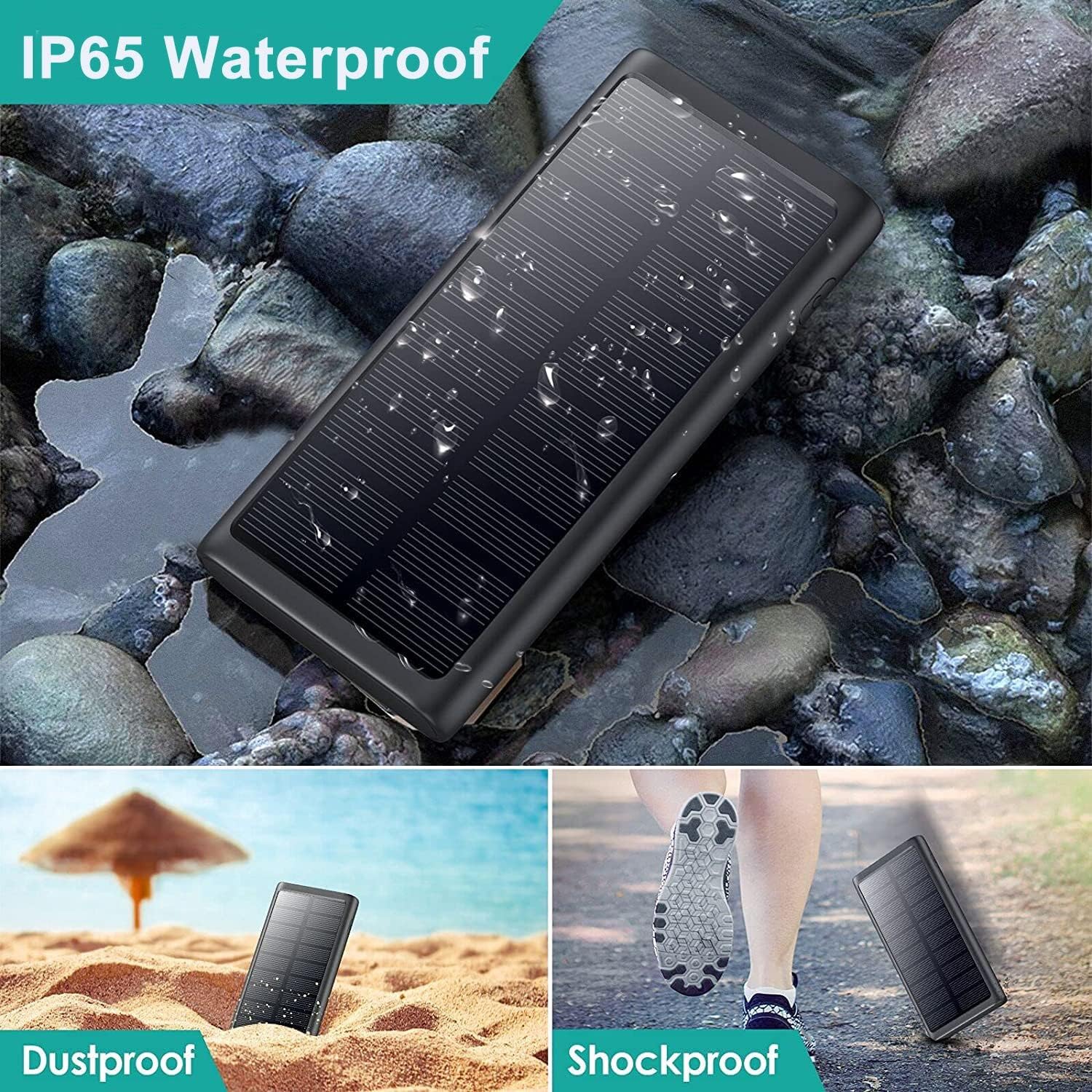
Image: The power bank demonstrating its IP65 waterproof, dustproof, and shockproof capabilities in different environments.
Configuración
Before first use, it is recommended to fully charge your power bank using a wall adapter. This ensures the battery is calibrated and ready for optimal performance.
- Connect the provided USB cable to the Type-C or Micro USB input port on the power bank.
- Plug the other end of the USB cable into a compatible USB wall adapter (not included).
- Os indicadores LED da batería externa acenderanse para mostrar o progreso da carga. Todos os LED estarán acesos de forma fixa cando estean completamente cargados.

Image: The power bank being charged via a wall outlet and also showing its solar charging capability.
Instrucións de funcionamento
The power bank offers multiple ways to charge your devices.
Carga por cable
- Identify the appropriate output port for your device (USB 2.1A, Dual QC4.0, or 25W PD/Type-C).
- Connect your device's charging cable to the power bank's output port.
- Connect the other end of the cable to your device. The power bank will automatically begin charging.
Carga sen fíos
- Asegúrate de que o teu dispositivo sexa compatible coa carga sen fíos.
- Place your device centrally on the wireless charging pad located on the power bank.
- The power bank will automatically detect and begin wireless charging.
Carga solar
The solar panel is designed for emergency use and supplementary charging. For primary charging, use a wall adapter.
- Place the power bank with the solar panel facing direct sunlight.
- The solar charging indicator will light up when receiving sufficient sunlight.

Image: The power bank demonstrating its ability to charge multiple devices via QC 4.0, USB 2.1, PD Fast Charging, and Wireless Charging.

Image: The power bank providing PD 25W Quick Charge to a smartphone.

Image: The power bank being used outdoors, emphasizing its solar charging feature.
Mantemento
- Limpa a batería externa cun pano suave e seco. Non empregues produtos químicos agresivos nin materiais abrasivos.
- Almacenar nun lugar fresco e seco lonxe da luz solar directa e de temperaturas extremas.
- Se non a usa durante períodos prolongados, cárguea polo menos unha vez cada tres meses para manter a batería en bo estado.
Resolución de problemas
- O dispositivo non se carga: Ensure the power bank is charged. Check cable connections. Try a different cable or port. For wireless charging, ensure the device is properly aligned on the pad and is compatible.
- Carga lenta: Ensure you are using a fast-charging compatible cable and wall adapter for optimal input charging. For output, ensure your device supports fast charging and you are using the correct port (QC4.0 or PD/Type-C).
- Solar charging is slow: Solar charging is supplementary. Ensure the solar panel is in direct, unobstructed sunlight. It is not intended as the primary charging method.
- O banco de enerxía non se acende: Press the power button to check battery level. If no lights appear, the power bank may be fully discharged and needs to be charged.
Especificacións
| Característica | Detalle |
|---|---|
| Número de modelo | HX200Q5 |
| Capacidade da batería | 36800 mAh |
| Dimensións do produto | 5.91 x 2.95 x 0.6 polgadas |
| Peso do elemento | 1.06 libras |
| Entradas | Type-C (5V=3A), Micro USB (5V=2.1A), Solar Charger |
| Saídas | Wireless Charging (15W Max), Dual QC4.0, USB 2.1A, 25W PD/Type-C (5V=3A) |
| Conectividade | USB, sen fíos |
| Cor | Negro |
| Características especiais | 5 Outputs, 3 Inputs, Wireless charging, QC 4.0, PD Fast USB C charging, Solar charger, Durable, IP65 Waterproof, Dustproof, Shockproof |

Imaxe: Detallada view of the power bank with dimensions and port labels.
Garantía e Soporte
This product comes with a 45-Day Money Back Guarantee and a 3 Years Warranty. Lifetime technical support is also provided. If you have any questions or encounter issues with your power bank, please contact us for assistance.
Nota: The external backup phone battery is not suitable for wireless charging of Bluetooth headphones.