
ELAMOR M22 Bluetooth Smart Lock
Manual do usuario do peche intelixente Bluetooth ELAMOR M22
Comprehensive guide for installation, operation, maintenance, and troubleshooting of your ELAMOR M22 Smart Lock.
1. Produto rematadoview
The ELAMOR M22 Bluetooth Smart Lock offers convenient keyless entry with multiple unlocking options, including app control, touchscreen keypad, and mechanical keys. Designed for durability and security, it integrates seamlessly into modern homes and offices.

Image: ELAMOR M22 Bluetooth Smart Lock with its accompanying smartphone application interface.
Características principais:
- Múltiples métodos de desbloqueo: App Unlock, Touchscreen Keypad, Mechanical Keys.
- Construción duradeira: Sturdy zinc alloy and stainless steel frame with IP54 waterproof rating.
- Control da aplicación Smart Life: Manage user codes, view visitor logs, and unlock remotely via Bluetooth.
- Función de bloqueo automático: Customizable 3-30 second auto-lock for enhanced security.
- Fácil instalación: Designed for simple installation with minimal tools.
2. Guía de configuración
2.1 Que está incluído
Antes de comezar a instalación, comproba que todos os compoñentes estean presentes no paquete:
- Touch Keypad Assembly (Exterior)
- Montaxe Interior
- Pestillo de pestillo
- Placa de golpe de cerrojo
- Caixa de fibela
- Placa de montaxe
- Chaves mecánicas (2)
- Various Screws (1-5/32" (33mm) x 2, 3/4" (19mm) x 2, 3/4" (19mm) x 4)

Image: All components included in the ELAMOR M22 Smart Lock package, laid out for verification.
2.2 Preparación da porta
Asegúrate de que a túa porta cumpra as seguintes especificacións para unha instalación correcta:
- Retroceso: 2-3/8" or 2-3/4" (60mm-70mm)
- Hole in Door Edge: 1 polgadas (25 mm)
- Espesor da porta: Between 1-3/8" and 2" (35mm and 50mm)

Image: A diagram illustrating the required door dimensions (backset, edge hole, thickness) for installing the smart lock.
2.3 Pasos da instalación
Follow these steps carefully to install your ELAMOR M22 Smart Lock. A Philips screwdriver is the only tool required.
Video: M22 Bluetooth Smart Lock Installation Guide. This video provides a step-by-step visual walkthrough of the entire installation process.
- Insert Latch Bolt: Insert the latch bolt into the door. Ensure the T-shaped hole is in the bottom position. Twist the latch to adjust the bolt length if necessary, making sure the latch bolt is retracted.
- Instalar Strike: Install the strike plate on the door frame using the provided 3/4" (19mm) screws (2ea) to fix the latch.
- Instalación do conxunto exterior: Route the cable through the door. Ensure the tail of the exterior assembly passes through the T-shaped hole and the stud passes through the latch. The key must be pulled out when installing. Push the keypad onto the door.
- Instalación da placa de montaxe: Install the mounting plate using the 1-5/32" (33mm) screws (2ea). If the keypad and mounting plate are not placed correctly, loosen the mounting plate screws and make adjustments.
- Instalación do conxunto interior: Ensure a tight cable connection. Insert the tail of the exterior assembly into the T-shaped hole of the interior assembly. Secure with the 3/4" (19mm) screws (2ea).
- Instalar baterías: Install 4 AA batteries into the interior assembly.
- Proba de funcionamento: Test the door lock/unlock process normally. Press the lock key; the latch bolt should extend by itself. Unlock by entering the default user code (123456).
- Conectar coa aplicación: Connect the lock to the Smart Life App via Bluetooth. Follow the in-app instructions to add the device.

Image: A person using a Philips screwdriver to install the ELAMOR M22 Smart Lock, demonstrating the ease of installation.
3. Instrucións de funcionamento
3.1 Métodos de desbloqueo
- Teclado táctil: Enter your programmed user code on the illuminated keypad to unlock the door.
- Aplicación Smart Life: Open the Smart Life App on your smartphone. Within Bluetooth range (less than 32.8 ft/10 m), tap the unlock icon to open the door.
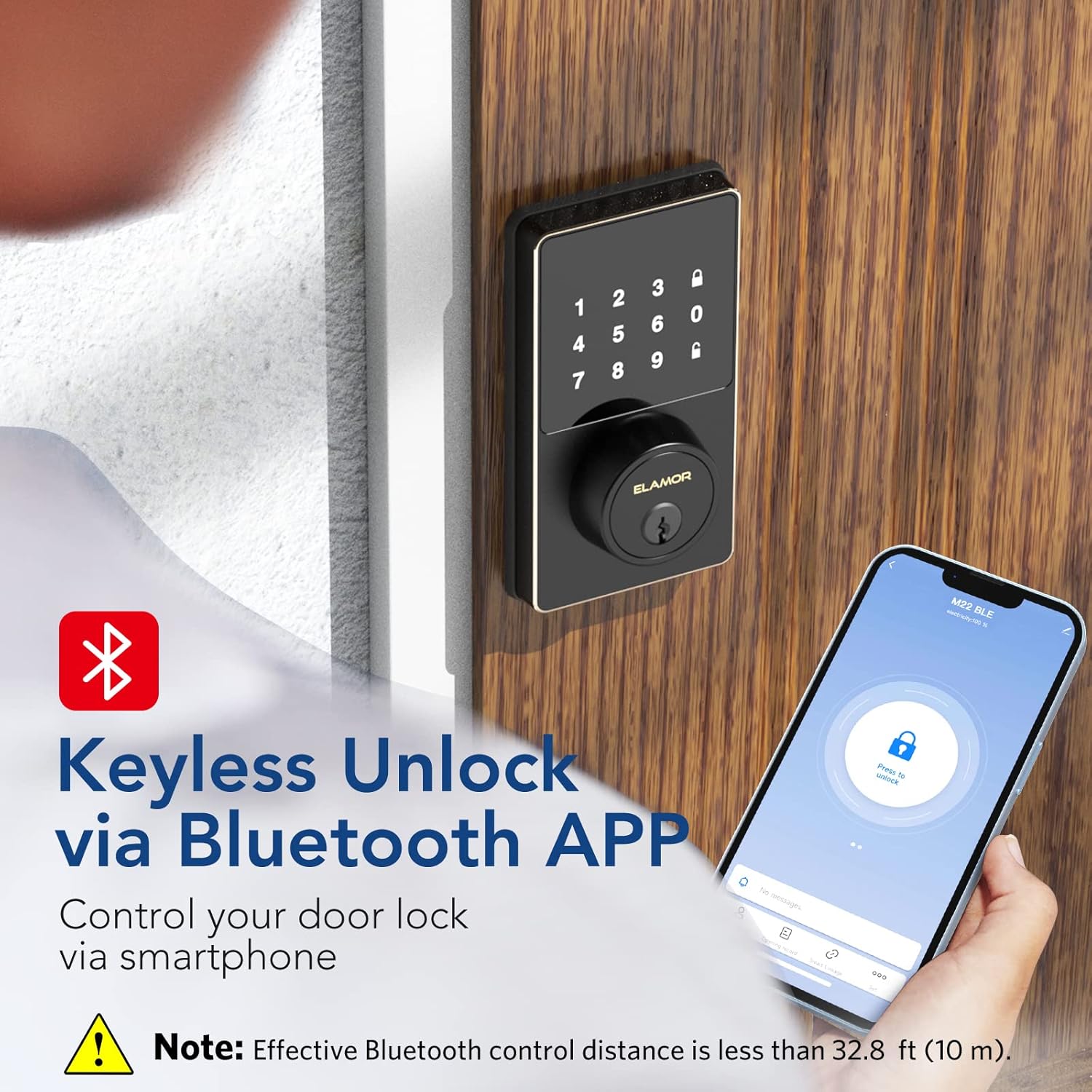
Image: A smartphone screen showing the Smart Life App interface with a prominent "Press to unlock" button for the ELAMOR M22 Smart Lock.
- Chave mecánica: Use the provided mechanical keys as a backup for manual unlocking.
3.2 Setting User Codes
The ELAMOR M22 Smart Lock supports up to 50 individual user codes. User codes can be managed and set visually through the Smart Life App. Refer to the app's specific instructions for adding, modifying, or deleting user codes.

Image: A visual representation of the smart lock's capability to store up to 50 individual user codes, suitable for multiple users.
You can also share permanent, temporary, or scheduled password access with friends and family directly from the app.

Image: A user interacting with the Smart Life App to share door access, illustrating the convenience of remote code management.
3.3 Función de bloqueo automático
The auto-lock feature can be customized to automatically lock the door after a set period (3-30 seconds). This provides peace of mind, ensuring your door is secured even if you forget to lock it manually.
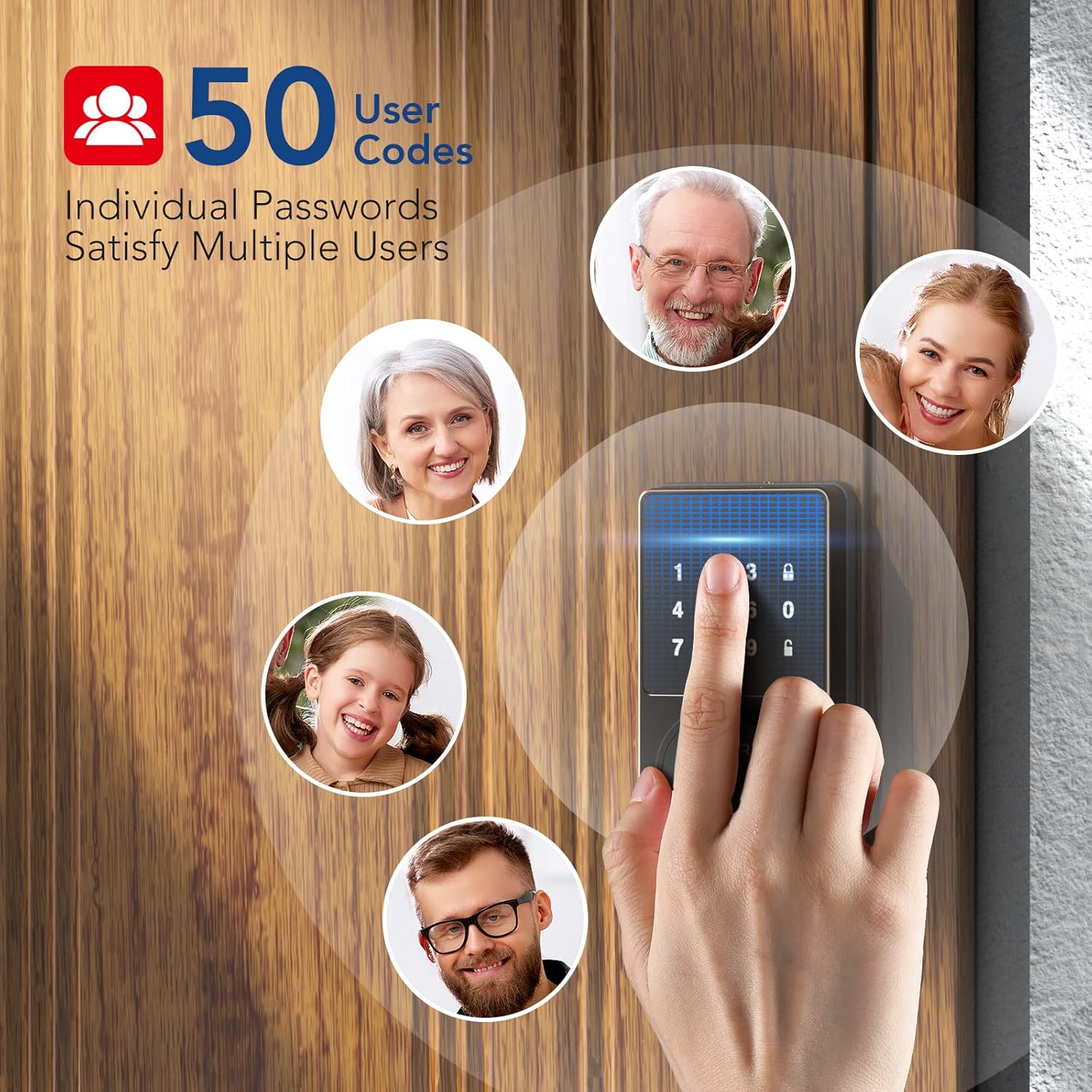
Image: A woman carrying packages, demonstrating the convenience of the auto-lock feature when hands are full.
4. Mantemento
4.1 Limpeza
To maintain the appearance and functionality of your smart lock, wipe the touchscreen and exterior surfaces with a soft, damp pano. Evite o uso de produtos de limpeza abrasivos ou solventes, xa que poden danar o acabado e os compoñentes electrónicos.
4.2 Substitución da batería
The lock is powered by 4 AA batteries. When the battery level is low, the lock will provide a reminder. Replace all four batteries simultaneously with new, high-quality AA alkaline batteries to ensure optimal performance.

Image: The smart lock's keypad showing a visual indicator for low battery, prompting replacement.
5 Solución de problemas
- Keypad Not Responding or Code Not Working:
- Asegúrate de que as baterías estean instaladas correctamente e teñan a carga suficiente. Substitúeas se é necesario.
- Verify the code entered is correct.
- If the issue persists, try resetting the lock (refer to app instructions for reset procedure).
- Problemas de conectividade da aplicación:
- Ensure Bluetooth is enabled on your smartphone and you are within the effective range (less than 32.8 ft/10 m).
- Reinicia a aplicación Smart Life.
- Comproba se hai actualizacións da aplicación.
- If the lock was previously connected to Wi-Fi (for M19 models), ensure your Wi-Fi network is stable.
- Esgotamento excesivo da batería:
- Ensure the door and frame are properly aligned and the deadbolt operates smoothly without resistance. Friction can cause increased motor usage and battery drain.
- Use pilas alcalinas de alta calidade.
- Frequent use of the auto-lock feature or repeated locking/unlocking can consume more power.
- Lock Not Responding After Working for a Period:
- Comprobe e cambie as pilas.
- Perform a factory reset if other troubleshooting steps fail. Note that this will erase all user codes and settings.
6. Especificacións
| Característica | Detalle |
|---|---|
| Marca | ELAMOR |
| Nome do modelo | M22 Bluetooth Smart Lock |
| Tipo de bloqueo | Bluetooth Programmable Keypad Door Lock Deadbolt with Key |
| Material | Zinc |
| Cor | Negro |
| Dimensións do artigo (L x W x H) | 7.51 x 5.62 x 4.44 polgadas |
| Peso do elemento | 2.38 libras |
| Fonte de enerxía | Funciona con pilas (4 pilas AA, non incluídas) |
| Protocolo de conectividade | Bluetooth |
| Método de control | App, Keypad |
| Características especiais | Smart Lock, Waterproof (IP54 rating) |
| Usos recomendados | Front Door, Home Use, Apartment, Office, Hotel, Garage, Wine Cellar, Flats |
| Número de identificación comercial global (GTIN) | 06975082590098 |
7. Garantía e soporte
ELAMOR provides a 12 meses de garantía for the M22 Bluetooth Smart Lock. In case of any issues or inquiries, a 24-hour service team is available to assist you.
For technical support or warranty claims, please refer to the contact information provided with your product packaging or visit the official ELAMOR websitio.