
YOWHICK DQ1
YOWHICK Mini Projector Instruction Manual
Modelo: DQ1
1. Introdución
Grazas pola compraasing the YOWHICK Mini Projector. This manual provides essential information for setting up, operating, and maintaining your projector to ensure optimal performance and longevity. Please read this manual thoroughly before use and keep it for future reference.

Fronte view of the YOWHICK Mini Projector, showcasina súa lente e ventilación.
2. Información de seguridade
- Non mire directamente á lente do proxector cando estea aceso.amp está activado.
- Asegure unha ventilación adecuada ao redor do proxector para evitar o sobreenriquecido.
- Non expoñas o proxector á choiva nin á humidade.
- Empregue só o adaptador de corrente que se inclúe co proxector.
- When connecting the power cable, firmly insert it into the power port while holding the projector with one hand.
- Evite colocar o proxector en superficies inestables.
3. Contido do paquete
Comprobe que todos os elementos estean incluídos no paquete:
- YOWHICK Mini Projector
- Control remoto
- Cable HDMI
- Cabo AV
- Cable de alimentación
- Manual de usuario
4. Produto rematadoview
4.1 Compoñentes

Lado view of the projector, showing various input ports.
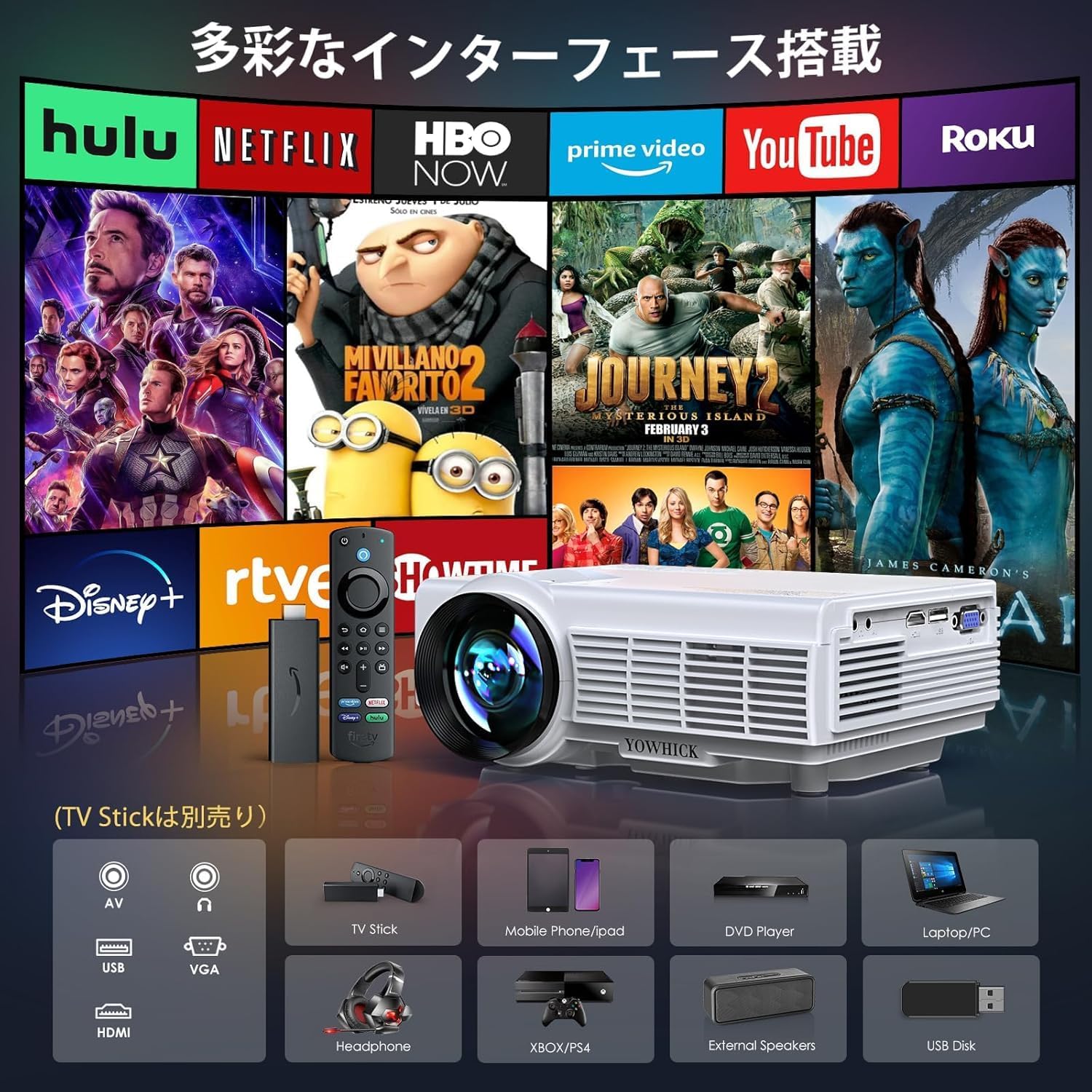
The projector features a compact design with a prominent lens, control buttons on the top panel, and various input/output ports on the side and rear. These include HDMI, USB, AV, and VGA ports for diverse connectivity options.

Illustration of the projector's diverse interface options, including HDMI, USB, AV, and VGA, connecting to devices like TV sticks, mobile phones, DVD players, and laptops.
5. Configuración
5.1. Conexión de alimentación
Connect the power cable to the projector's power input and then to a power outlet. Ensure the connection is secure.
5.2. Colocación e proxección
Place the projector on a stable surface. The optimal projection distance is between 1.5m and 3m. The projector supports a maximum screen size of 300 inches and a minimum of 33 inches, making it suitable for various room sizes.
The projector displaying various screen sizes (33, 60, 300 inches) at different projection distances (1.1m, 1.9m, 5m).
The projector also supports ceiling projection. Simply place the projector vertically to project images onto the ceiling, creating an immersive viewexperiencia ing.
5.3. Enfoque e corrección Keystone
Adjust the focus ring on the projector lens until the image is clear. Use the keystone correction dial to adjust the image shape until it is rectangular. Ensure the projector is horizontal to the screen for best results before fine-tuning focus.

Diagram illustrating the focus and keystone adjustment mechanisms on the projector, showing how to correct image blur and trapezoidal distortion.
5.4. Conectividade
O proxector admite varias conexións con fíos e sen fíos.
5.4.1. Conexión sen fíos (Wi-Fi)
The projector supports both 2.4G and 5G Wi-Fi for high-speed wireless mirroring.

Image showing a smartphone wirelessly connected to the projector, demonstrating 5G and 2.4G high-speed Wi-Fi capabilities for smooth streaming.
Connecting with iOS Devices:
- Connect the projector to your home Wi-Fi router.
- From the signal source menu, select "Screen Mirroring" and then enter the "iOS Screen Mirroring" interface.
- Conecta o teu dispositivo iOS ao mesmo enrutador wifi.
- On your iOS device, enable Screen Mirroring and select "YOWHICK-XXXXXX" from the search results to connect.
Connecting with Android Devices:
- Connect the projector to your home Wi-Fi router.
- From the signal source menu, select "Screen Mirroring" and then enter the "Android Screen Mirroring" interface.
- Connect your Android device to the same Wi-Fi router.
- On your Android device, activate the "Multi-screen" function and select "YOWHICK-XXXXXX" from the search results to connect.
Connecting with PC (Windows):
- From the main menu, select "Screen Mirroring" and then enter the "Android Screen Mirroring" interface.
- Power on your computer and connect it to your home Wi-Fi router. Then press "Win + P".
- Select "Connect to a wireless display".
- Click on the projector name "YOWHICK-XXXXXX" to connect.
5.4.2. Conexión Bluetooth
The projector is equipped with Bluetooth 5.3, allowing instant connection to your favorite Bluetooth headphones, speakers, or wireless earphones for an immersive audio experience.

The projector wirelessly connected to an external Bluetooth speaker and headphones, highlighting its Bluetooth 5.3 capability for enhanced audio.
5.4.3. Conexións por cable
Connect devices such as PCs, laptops, TV boxes, smartphones (with adapter), DVD players, USB memory sticks, Amazon Google Chromecast, X-Box, PS3/PS4, etc., via the HDMI, USB, or AV input terminals.
6. Instrucións de funcionamento
6.1. Funcionamento básico
Use the power button on the projector or the remote control to turn the unit on or off. Navigate menus using the directional buttons and confirm selections with the OK button.
6.2. Selección da fonte
Press the 'Source' button on the remote or projector to cycle through available input sources (HDMI, USB, AV, Screen Mirroring).
6.3. Función de zoom
The projector features a zoom function that allows you to adjust the projection screen size from 100% down to 50% without moving the projector. This function is available when playing videos or displaying images from a signal source.

Illustration demonstrating the projector's zoom function, allowing adjustment of screen size from 100% to 50%.
6.4. Saída de audio
The projector has built-in dual speakers for clear and powerful sound. For an enhanced audio experience, connect external speakers or headphones via Bluetooth or the audio output port.

Diagram showing the internal dual speaker structure of the projector, designed for high-quality audio reproduction.
7. Mantemento
7.1. Limpeza
Regularly clean the projector lens with a soft, lint-free cloth. For the projector body, use a dry cloth. Periodically check and clean the air filter (located on the underside) to ensure optimal airflow and prevent dust buildup.
7.2. Sistema de refrixeración
The projector features an advanced cooling system to dissipate heat efficiently, extending the lifespan of the device. Ensure the ventilation openings are not blocked during operation.

Illustration of the projector's efficient cooling system, showing airflow paths for heat dissipation.
8 Solución de problemas
Esta sección aborda problemas comúns cos que podes atoparte.
| Problema | Causa posible | Solución |
|---|---|---|
| Imaxe borrosa | Incorrect focus or keystone adjustment. | Adjust the focus ring and keystone correction dial until the image is clear and rectangular. Ensure the projector is perpendicular to the screen. |
| Sen son | Volume too low, incorrect audio output setting, or external device issue. | Increase volume. Check audio settings on the projector and connected device. Ensure external speakers/headphones are properly connected or paired via Bluetooth. |
| Wi-Fi Mirroring Lag/Delay | Network speed issues or wireless interference. | Ensure a strong Wi-Fi signal. Try connecting via a wired connection (HDMI) if the issue persists. |
| Smartphone Mirroring Fails | Too much data on the phone, or phone needs a refresh. | Restart your smartphone and try mirroring again. |
| Copyrighted Content Playback | DRM restrictions on streaming services (e.g., Amazon Prime Video, Netflix). | Connect an Amazon Fire TV Stick or similar streaming device, or connect your PC via HDMI to play such content. |
9. Especificacións
| Característica | Especificación |
|---|---|
| Marca | YOWICK |
| Número de modelo | DQ1 |
| Brillo | 20000 lúmenes |
| Resolución nativa | 1920 x 1080P (Full HD) |
| Resolución admitida | Ata 4K (3840 x 2160) |
| Conectividade Wi-Fi | Wi-Fi 2.4G e 5G |
| Bluetooth | Bluetooth 5.3 |
| Función de zoom | 50% de redución |
| Tamaño de proxección | 33 - 300 polgadas |
| Interfaces de entrada | HDMI, USB, AV, VGA |
| Audio | Built-in Dual HiFi Speakers |
| Factor de forma | Portátil |
| Peso do produto | 804 g |
| Dimensións do paquete | 30.6 x 24.1 x 13.2 cm |
10. Garantía e soporte
YOWHICK provides comprehensive customer support for your product:
- Soporte do fabricante: 3 anos desde a data de compra.
- Cambio gratuíto: 24 months for initial defects or natural failures under normal use.
- Money-back Guarantee: Política de devolución de 30 días.
- Soporte técnico: Dedicated technical support is available.
For any inquiries, exchanges, or returns, please contact us via the contact information provided on the warranty card or in the user manual (often via a QR code). We aim to provide the most reassuring customer service.