
1. Introdución
This manual provides detailed instructions for the safe and effective operation of your Aputure LS 600D Professional 600W Daylight 5600K LED Video Light. Please read this manual thoroughly before use and retain it for future reference.
2. Instrucións de seguridade
- Non mire directamente á fonte de luz cando a luz estea acesa.
- Do not place the light near flammable liquids or gases.
- Ensure proper ventilation to prevent overheating. The unit uses natural heat dissipation.
- Use only the specified power cables and accessories.
- Manteña o dispositivo seco. Non o expoña á choiva nin á humidade.
- Handle with care. The unit weighs 33 pounds. Ensure stable mounting.
3. Contido do paquete
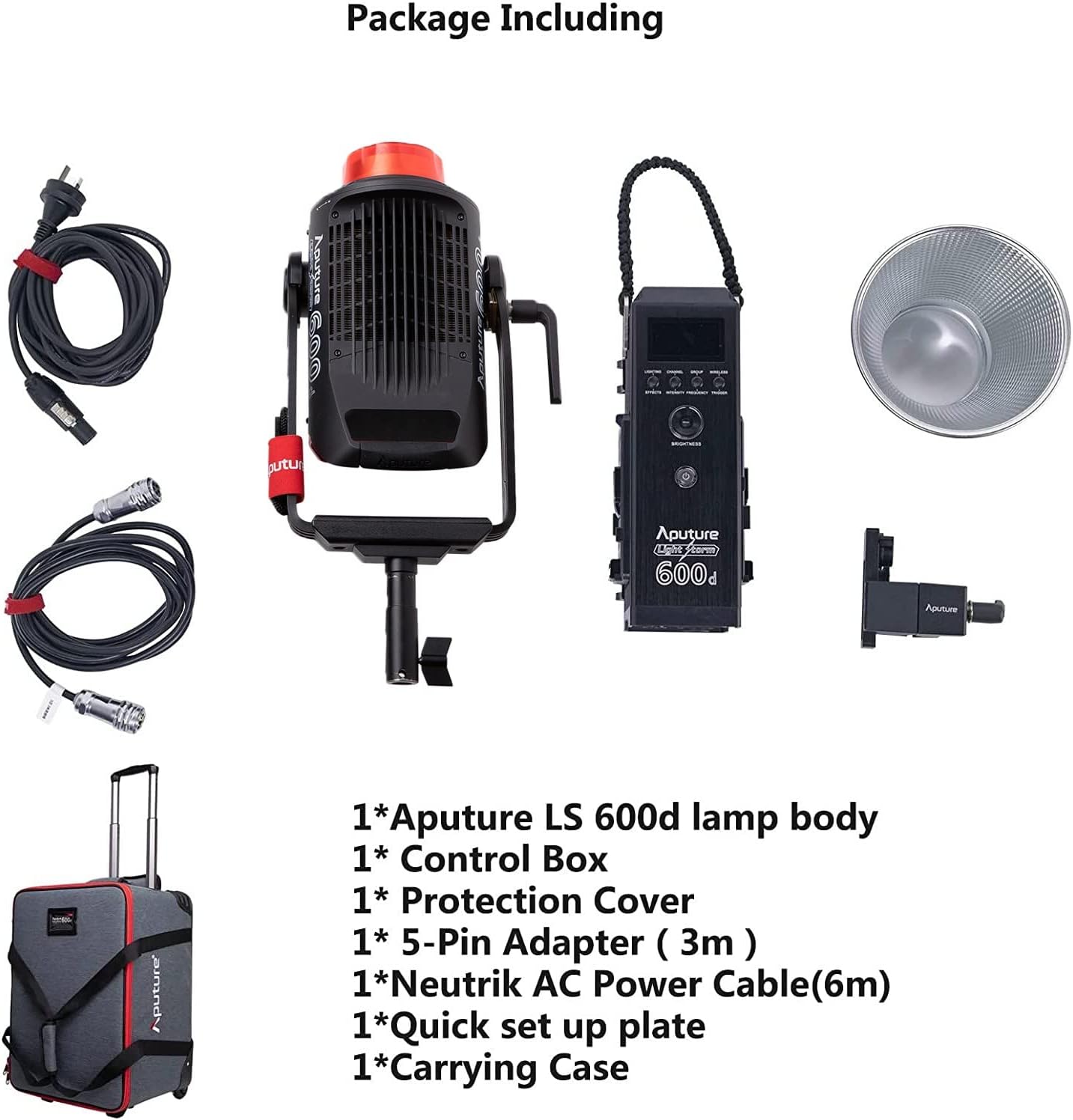
Verifique que todos os elementos que se indican a continuación estean incluídos no seu paquete:
- Aputure LS 600d lamp corpo
- Caixa de control
- Funda protectora
- 5-Pin Adapter (3m)
- Neutrik AC Power Cable (6m)
- Quick set up plate
- Maletín de transporte
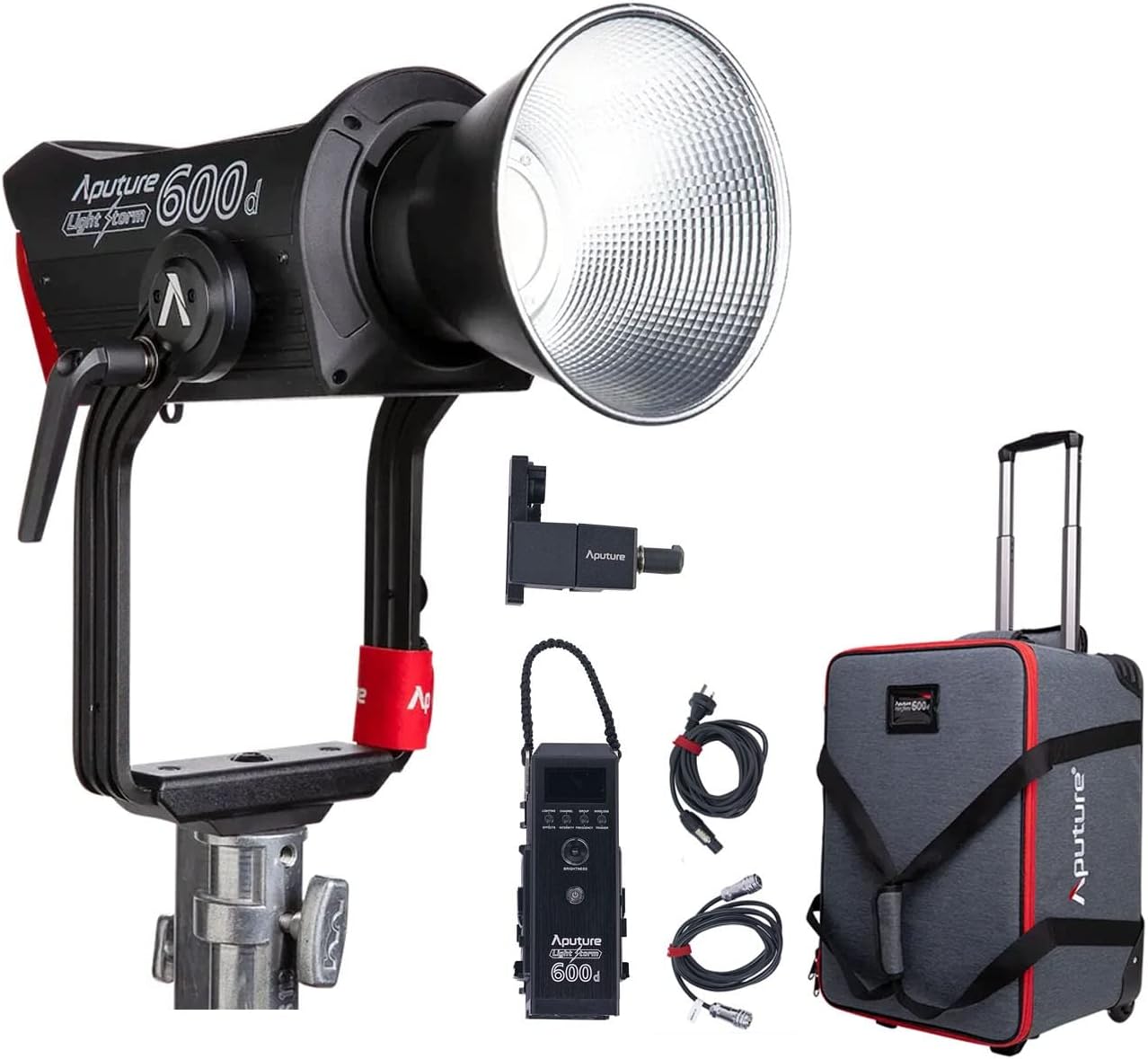
The image above displays the main light unit, control box, cables, reflector, and the wheeled carrying case.
4. Produto rematadoview
The Aputure LS 600D is a high-output 600W COB LED light designed for professional video and photography. It features a daylight-balanced 5600K color temperature, high CRI/TLCI ratings, and multiple control methods.

As características principais inclúen:
- Potencia máxima de saída: ≤ 600 W
- CCT: 5600 mil
- CRI: ≥96
- TLCI: ≥96
- Método de arrefriamento: Disipación natural da calor
- Métodos de control: Manual, Sidus Link APP, DMX512
- Rango de funcionamento Bluetooth: ≤ 80m / 262.5ft
- Built-in Lighting FX: Paparazzi, Fireworks, Faulty Bulb, TV, Pulsing, Strobe, Explosion

5. Configuración
5.1 Assembling the Light Unit
- Montaxe de Lamp Corpo: Attach the Aputure LS 600d lamp body to a sturdy light stand using its curved yoke and mounting bracket. Ensure it is securely tightened.
- Conexión da caixa de control: Connect the control box to the lamp body using the provided 5-pin adapter cable.
- Conexión de alimentación: Connect the Neutrik AC Power Cable to the control box and then to a suitable power outlet.
- Attaching the Hyper-Reflector: Align the Hyper-Reflector with the Bowens Mount on the front of the lamp body. Twist clockwise until it locks into place.
5.2 Using the Universal Bowens Mount
The LS 600D features a universal Bowens Mount, allowing compatibility with a wide range of light modifiers such as the F10 Fresnel for intense brightness or the Light Dome 150 for softer light.

To attach a Bowens mount accessory, align the accessory's mount with the light's mount, insert, and twist until it clicks securely.
6. Instrucións de funcionamento
6.1 Control manual
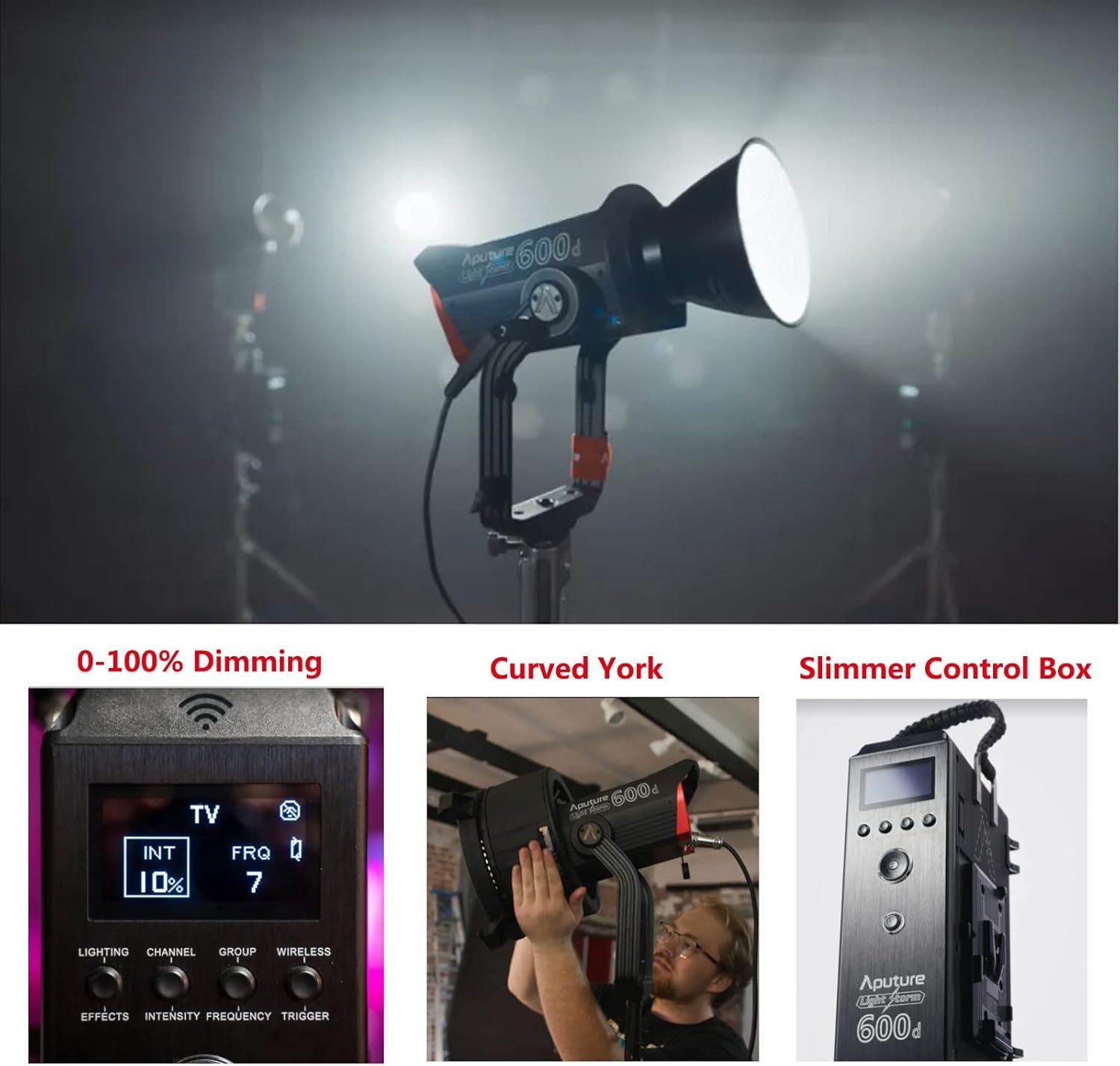
The control box allows for direct adjustment of light intensity, color temperature, and special effects.
- Botón de encendido: Prema para acender/apagar a unidade.
- Dial de brillo: Rotate to adjust light intensity from 0-100%.
- Marcador CCT: Adjusts the color temperature (fixed at 5600K for this model).
- Effects Button: Cycle through 8 built-in lighting effects (Paparazzi, Fireworks, Faulty Bulb, TV, Pulsing, Strobe, Explosion).
6.2 Sidus Link App Control
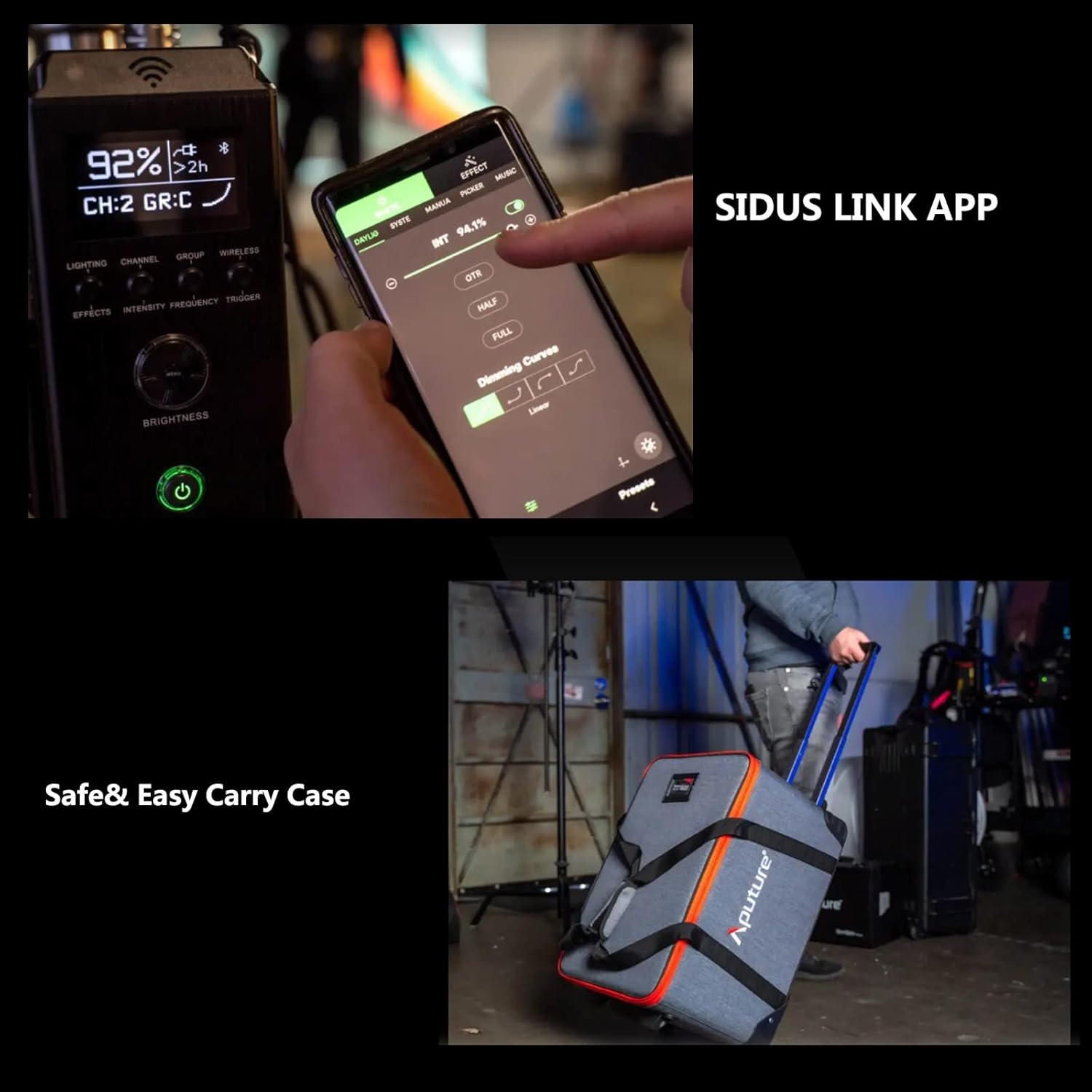
For advanced control and remote operation, download the Sidus Link App on your smartphone or tablet. The light supports Bluetooth control up to 80m (262.5ft).

The app allows for precise adjustments, custom effects, and multi-light control.
7. Mantemento
- Limpeza: Use a soft, dry cloth to clean the light body and accessories. Do not use abrasive cleaners or solvents.
- Almacenamento: Store the light and its accessories in the provided carrying case in a cool, dry place when not in use.
- Inspección: Regularly inspect cables and connections for any signs of damage.
8 Solución de problemas
| Problema | Causa posible | Solución |
|---|---|---|
| A luz non acende. | Sen electricidade, conexión solta. | Check power cable, ensure secure connections. |
| A aplicación non se pode conectar á luz. | Bluetooth off, out of range, app issue. | Ensure Bluetooth is enabled, move closer to the light, restart app/light. |
| Luz parpadea. | Unstable power, faulty cable. | Try a different power outlet, replace power cable. |
9. Especificacións
| Característica | Detalle |
|---|---|
| Dimensións do produto | 16.25 cm de longo x 16.25 cm de ancho x 9.59 cm de alto |
| Peso do elemento | 33 libras |
| Número de modelo do artigo | FP-AP-10056 |
| Tecnoloxía de conectividade | Bluetooth |
| Fabricante | Aputura |
| Data de primeira dispoñibilidade | 11 de abril de 2022 |

10. Garantía e soporte
Para obter información sobre a garantía e asistencia técnica, consulte a páxina oficial de Aputure website or contact your local distributor. Protection plans are available for extended coverage.
Visita o Aputure Store para obter máis produtos e recursos de asistencia.