
Ctronics CTIPC-600C-P4
Ctronics CTIPC-600C-P4 Outdoor Security Camera System
Manual de usuario
1. Introdución
This manual provides detailed instructions for the installation, operation, and maintenance of your Ctronics CTIPC-600C-P4 Outdoor Security Camera System. Please read this manual thoroughly before using the product to ensure proper functionality and safety. Keep this manual for future reference.
2. Información de seguridade
Para evitar danos no produto ou lesións a vostede ou a outras persoas, observe as seguintes precaucións de seguridade:
- Asegúrese de que a fonte de alimentación voltage is compatible with the camera's requirements.
- Non expoña a cámara a temperaturas extremas, humidade nin ambientes corrosivos.
- Avoid direct exposure of the camera lens to strong light sources, as this may damage the sensor.
- Non intente desmontar nin modificar a cámara. Encargue calquera mantemento a persoal cualificado.
- Manteña a cámara e os seus accesorios fóra do alcance dos nenos.
- Instale a cámara de forma segura para evitar que caia.
3. Contido do paquete
Verify that all items are present in your package. If any items are missing or damaged, please contact customer support.
Vídeo: This video demonstrates the unboxing and shows the package contents for the Ctronics 600C 4-pack dome WiFi camera system.
- 4 x Ctronics CTIPC-600C-P4 Security Cameras
- 4 x adaptadores de alimentación
- 4 x placas de montaxe
- 4 x Mounting Screw Kits (screws and wall plugs)
- 1 x Manual de usuario
- 1 x Guía de instalación
4. Produto rematadoview
The Ctronics CTIPC-600C-P4 is a 1080P WiFi outdoor security camera designed for comprehensive surveillance. It features pan and tilt capabilities, color night vision, human detection with auto-tracking, and two-way audio.
Características principais:
- Resolución 1080P Full HD: Ofrece un vídeo claro e detalladotage.
- Panorámica de 350° e inclinación de 90°: Allows for wide area coverage and remote adjustment of the viewángulo de ing.
- 65FT Color Night Vision: Offers clear, full-color surveillance even in low-light conditions up to 20 meters.
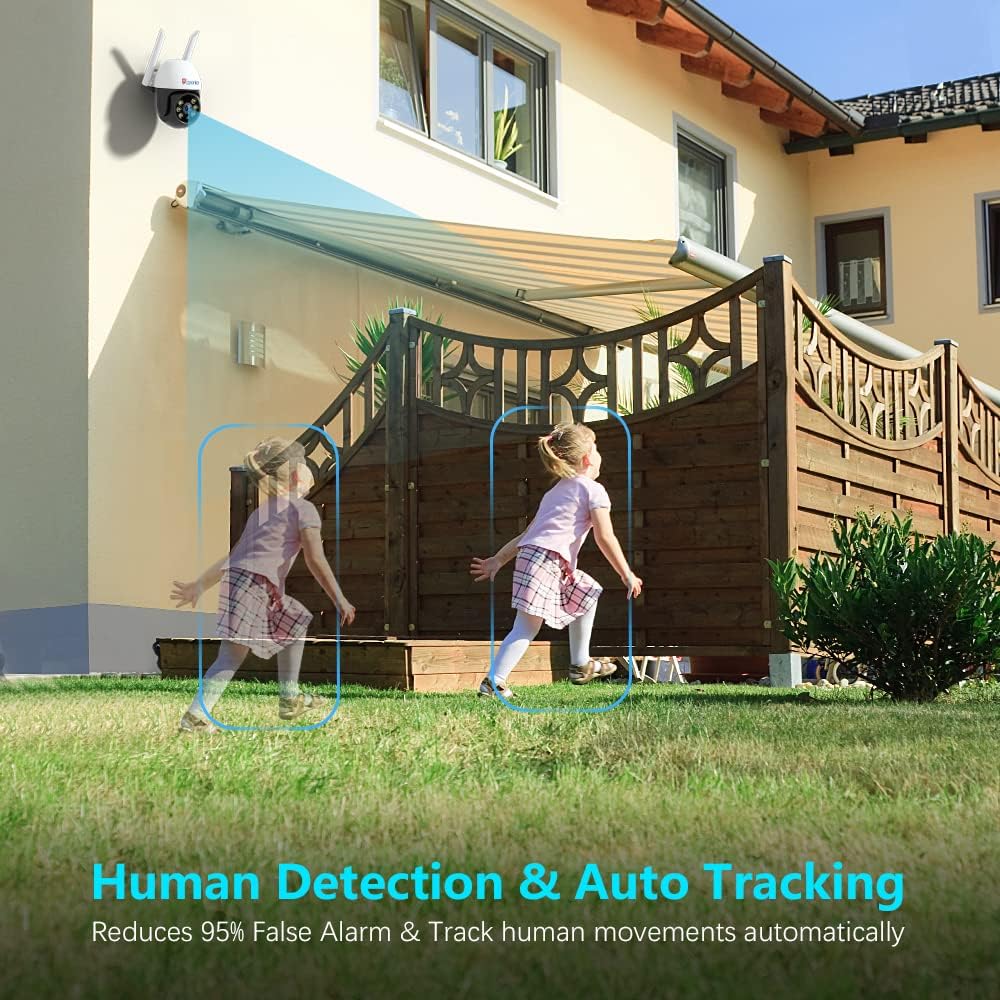
- Detección humana e seguimento automático: Intelligently identifies human shapes and automatically tracks their movement, reducing false alarms.
- Audio bidireccional: O micrófono e o altofalante integrados permiten a comunicación en tempo real.
- Impermeable IP66: Deseñado para soportar diversas condicións meteorolóxicas no exterior.
- Almacenamento da tarxeta SD: Supports local storage of recordings (SD card not included).
- Compatibilidade ampla: Works with iOS, Android, Mac OS, and Windows via dedicated applications.
Compoñentes da cámara:


5. Configuración
Follow these steps to set up your Ctronics security camera:
5.1 Initial Power-On and SD Card Installation
- Connect the camera to the power adapter and plug it into an electrical outlet. The camera will perform a self-test, indicated by movement and a voice prompt.
- If you plan to use local storage, insert a Micro SD card (up to 128GB, Class 10 or higher recommended) into the SD card slot. The slot is typically located under a protective cover on the camera body. Ensure the camera is powered off before inserting or removing the SD card.
5.2 Instalación da aplicación e conexión wifi
The camera connects to your home Wi-Fi network (2.4 GHz only) via the Ctronics app. Ensure your mobile device is connected to a 2.4 GHz Wi-Fi network during setup.
Vídeo: This video provides step-by-step instructions for connecting your Ctronics 600C camera to your WiFi network using the mobile application.
- Download the 'Ctronics' app from your mobile device's app store (iOS or Android).
- Rexistra unha conta e inicia sesión.
- Tap 'Add Camera' or the '+' icon in the app.
- Select 'Wireless Installation' or 'Add Camera by QR Code Scan' based on the app's prompts.
- Follow the on-screen instructions to connect the camera to your Wi-Fi network. This typically involves connecting your phone to the camera's temporary Wi-Fi hotspot, then selecting your home Wi-Fi network and entering its password.
- Once connected, the camera will confirm with a voice prompt, and its status in the app will change to 'Online'.
5.3 Montaxe da cámara
- Choose a suitable outdoor location for mounting, ensuring good Wi-Fi signal strength and a clear view da zona que desexa controlar.
- Use the provided mounting plate as a template to mark drill holes on the wall or ceiling.
- Fai buratos e coloca os tacos de parede.
- Secure the mounting plate using the provided screws.
- Attach the camera to the mounting plate, ensuring it is firmly locked in place.
6. Funcionamento
After successful setup, you can access and control your camera via the Ctronics app.
6.1 En directo View e control de panorámica/inclinación
- Open the Ctronics app and select your camera from the device list.
- The live video feed will appear. Use the on-screen joystick or swipe gestures to pan (rotate horizontally up to 350°) and tilt (rotate vertically up to 90°) the camera.
6.2 Audio bidireccional
- No directo view interface, tap the microphone icon to speak through the camera's speaker.
- Tap the speaker icon to listen to audio from the camera's microphone.
6.3 Modos de visión nocturna
The camera offers different night vision modes:
- Normal (Infrared): Black and white video using infrared LEDs.
- Cor: Full-color video using built-in spotlights.
- Automático: Automatically switches between Normal and Color based on ambient light and detected motion.
You can switch between these modes in the app's video settings or directly from the live view interface.
6.4 Human Detection and Auto Tracking
- Enable Human Detection and Auto Tracking in the camera's settings within the app.
- When a human shape is detected, the camera will automatically track its movement and send real-time notifications to your mobile device.
- You can configure alarm settings, including audio and light alarms, to deter intruders.
Vídeo: This video highlights the key features of the Ctronics 600C outdoor IP camera, including 1080P resolution, pan/tilt, night vision, human detection, auto tracking, and two-way audio.
7. Mantemento
Regular maintenance ensures optimal performance and longevity of your camera system.
7.1 Limpeza
- Gently wipe the camera lens with a soft, clean cloth to remove dust or smudges. Do not use harsh chemicals or abrasive materials.
- Clean the camera body with a damp pano segundo sexa necesario.
7.2 Actualizacións de firmware
Periodically check the Ctronics app for available firmware updates. Keeping your camera's firmware up-to-date ensures improved performance, new features, and security enhancements.
7.3 Consideracións ambientais
While the camera is IP66 waterproof, avoid prolonged exposure to extreme weather conditions if possible. Ensure proper drainage around the camera's mounting location.
8 Solución de problemas
Se tes problemas coa túa cámara, consulta os seguintes problemas e solucións comúns:
| Problema | Causa posible | Solución |
|---|---|---|
| Cámara sen conexión na aplicación | No power, weak Wi-Fi signal, incorrect Wi-Fi password. | Check power connection. Move camera closer to router or use a Wi-Fi extender. Re-enter Wi-Fi password in app settings. Reset camera and reconfigure. |
| Sen gravación na tarxeta SD | SD card full, faulty, or not formatted. Recording schedule not set. | Check SD card status in app. Format or replace SD card. Ensure recording schedule is enabled. |
| Poca calidade de vídeo | Sinal wifi débil, lente sucia. | Improve Wi-Fi signal. Clean the camera lens. |
| Falsas alarmas | Motion sensitivity too high, environmental factors (e.g., moving branches). | Adjust motion detection sensitivity in app settings. Configure detection zones to exclude irrelevant areas. |
| O audio bidireccional non funciona | Microphone/speaker disabled, volume too low. | Check audio settings in the app. Ensure microphone and speaker icons are enabled and volume is adjusted. |
If the problem persists, please contact Ctronics customer support for further assistance.
9. Especificacións
Below are the technical specifications for the Ctronics CTIPC-600C-P4 Outdoor Security Camera System:
| Característica | Detalle |
|---|---|
| Número de modelo | CTIPC-600C-P4 |
| Resolución de captura de vídeo | 1080p (1920 x 1080 píxeles) |
| Protocolo de conectividade | Wi-Fi (só 2.4 GHz) |
| Rango de panorámica/inclinación | Panorama de 350°, inclinación de 90° |
| Visión Nocturna | 65FT Color Night Vision (Infrared and Spotlight) |
| Detección humana | Yes, with Auto Tracking |
| Audio | Audio bidireccional |
| Clasificación impermeable | IP66 |
| Almacenamento | Tarxeta Micro SD (ata 128 GB, non incluída) |
| Fonte de alimentación | 5V DC, 1A (via USB power cable and adapter) |
| Temperatura de funcionamento | -10 °C a 60 °C (14 °F a 131 °F) |
| Dispositivos compatibles | Desktop, Smartphone (iOS, Android, Mac OS, Windows) |
| Dimensións do elemento | 6.69 x 8.27 x 9.06 inches (per camera) |
10. Garantía e soporte
Ctronics products are designed for reliability and performance. For information regarding warranty coverage, please refer to the warranty card included in your package or visit the official Ctronics websitio.
If you require technical assistance, troubleshooting, or have any questions about your product, please contact Ctronics customer support. Contact details can typically be found on the Ctronics websitio ou na embalaxe do produto.
Please have your model number (CTIPC-600C-P4) and purchase information ready when contacting support.
Ask a question about this manual
Ask about setup, troubleshooting, compatibility, parts, safety, or missing instructions. Manuals+ will review the question and use this page’s manual context to help answer it.