
1. Introdución
Thank you for choosing the ASHATA 95 Keys Wired Mechanical Gaming Keyboard. This compact and versatile keyboard is designed for both gaming and office use, offering a comfortable typing experience with its durable mechanical switches and plug-and-play functionality. This manual provides essential information for setting up, operating, and maintaining your new keyboard.
2. Características do produto
- Disposición de 95 teclas: Compact design with a full set of essential keys, available with English and Arabic keycaps.
- Conectividade por cable: Reliable USB-A connection for stable performance.
- Interruptores mecánicos: Provides tactile feedback and durability for an enhanced typing and gaming experience.
- Plug and Play: No complex driver installation required; simply connect and use.
- Deseño duradeiro: Features legible, fade-resistant key printing for long-lasting use.
- Escritura cómoda: Ergonomically designed for extended use in office or home environments.
- Deseño ultracompacto: Approximately 60% size of a standard keyboard, saving desk space.
- Alta durabilidade: Rated for over 10 million keystrokes life.
- Delgado e portátil: With a thickness of approximately 1 cm, it is easy to transport.
- Deseño silencioso: Equipped with quality silicone keys for a quiet typing environment.
- Independent Multimedia Buttons: Dedicated buttons for quick access to media controls.

Imaxe: Máis deview of the ASHATA Wired Keyboard highlighting its features.

Imaxe: Primeiro plano view of the comfortable 95-key layout.

Imaxe: Side profile illustrating the thin and portable design.

Image: Detail of a keycap, demonstrating the silent design feature.
3. Contido do paquete
Asegúrate de que todos os elementos estean presentes no paquete:
- 1 x teclado con cable
4. Instrucións de configuración
The ASHATA 95 Keys Wired Mechanical Gaming Keyboard is designed for simple plug-and-play operation.
- Descomprimir o teclado: Retire con coidado o teclado da súa embalaxe.
- Conéctate ao teu dispositivo: Locate an available USB-A port on your computer (desktop, laptop, etc.). Insert the USB connector of the keyboard cable into the USB-A port.
- Recoñecemento automático: Your operating system (e.g., Windows) will automatically detect and install the necessary drivers. This process usually takes a few seconds.
- Comezar a usar: Once recognized, the keyboard is ready for immediate use.

Image: The keyboard with its integrated USB cable, approximately 1.5m long.

Image: USB interface for plug and play functionality, with cable length of 1.5m.

Image: Keyboard connected and ready for use with a desktop computer.
5. Instrucións de funcionamento
This keyboard functions like a standard QWERTY keyboard with additional multimedia controls.
5.1 Mecanografía básica
Simply press the desired keys to input characters. The keyboard supports both English and Arabic characters, depending on the specific model and your operating system's language settings.
5.2 Teclas multimedia
The keyboard features dedicated multimedia buttons located above the function keys (F1-F12) for quick access to media controls. These buttons allow you to:
- Adjust Volume (Volume Up, Volume Down, Mute)
- Control Media Playback (Play/Pause, Previous Track, Next Track)
- Open Default Media Player
- Open Default Web Navegador
- Abre o cliente de correo electrónico
- Función de busca

Image: Detail of the independent multimedia buttons for quick access to functions.
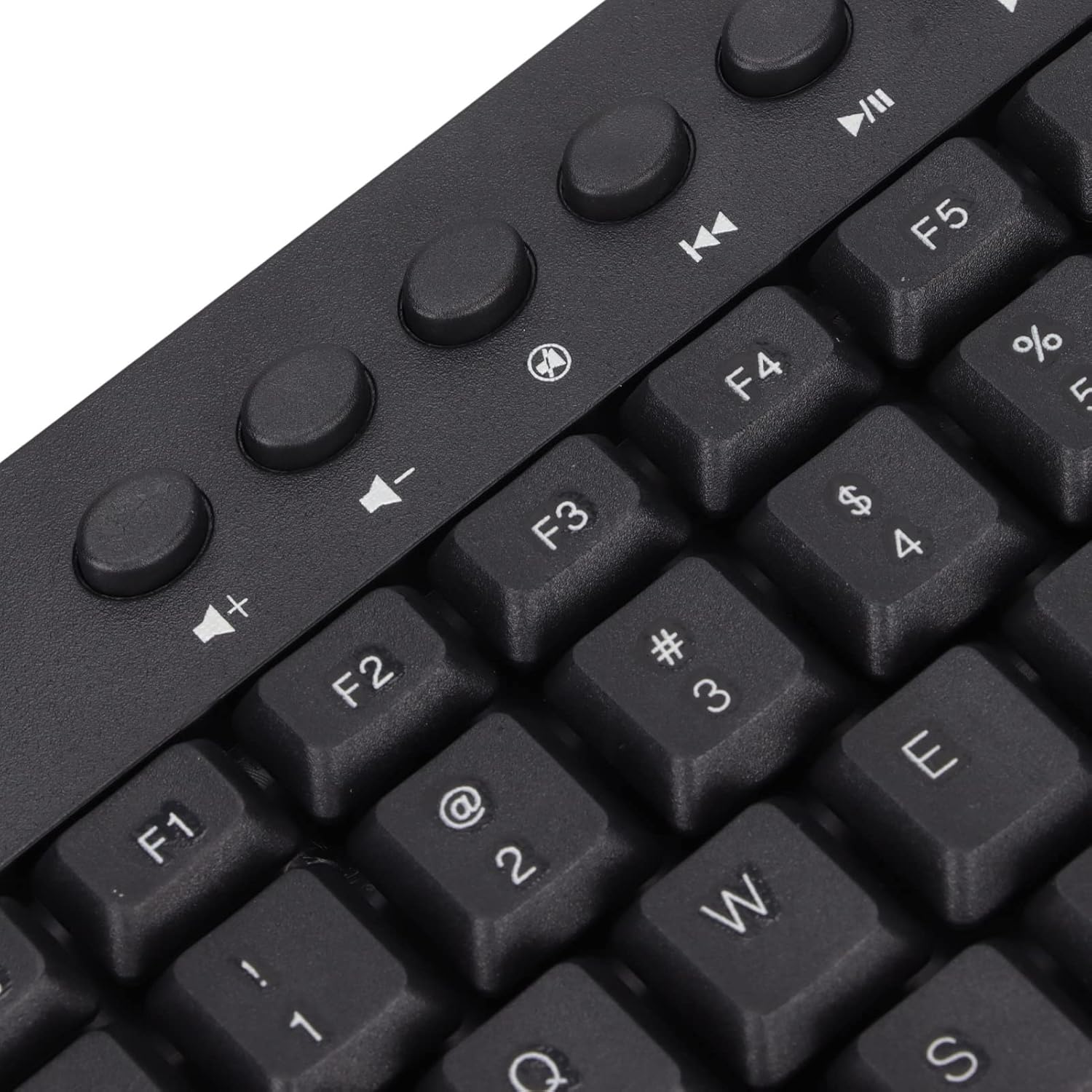
Imaxe: Primeiro plano view of the dedicated multimedia control keys.

Image: Detail of the right-side keys, including navigation and control keys.
6. Mantemento
To ensure the longevity and optimal performance of your ASHATA keyboard, follow these maintenance guidelines:
- Limpeza: Use a soft, dry cloth to wipe the surface of the keyboard. For deeper cleaning, you may use a slightly damp cloth with a mild cleaning solution, ensuring no liquid enters the key switches or internal components.
- Eliminación de po: Usa aire comprimido para eliminar o po e os residuos que hai entre as tapas das teclas.
- Evitar líquidos: Non derrames líquidos sobre o teclado. Se se produce un derramo, desconecta inmediatamente o teclado do ordenador e déixao secar completamente antes de volver conectalo.
- Almacenamento: Garda o teclado nun lugar fresco e seco, lonxe da luz solar directa e de temperaturas extremas.
7 Solución de problemas
Se tes problemas co teclado, consulta os seguintes problemas e solucións comúns:
7.1 O teclado non responde
- Comprobar a conexión USB: Ensure the USB cable is securely plugged into a working USB-A port on your computer. Try a different USB port.
- Reiniciar o ordenador: Ás veces, un simple reinicio do ordenador pode resolver os problemas de conectividade.
- Proba noutro dispositivo: Connect the keyboard to another computer to determine if the issue is with the keyboard or your original device.
7.2 As teclas non funcionan correctamente
- Limpar as teclas: Comprobe se hai algún residuo ou obxecto estraño aloxado debaixo das teclas que non funcionan. Use aire comprimido para limpalos.
- Conflito de software: Asegúrate de que non haxa instalado software ou controladores contraditorios que poidan interferir coa entrada do teclado.
7.3 Multimedia Keys Not Working
- Operating System Settings: Verify that your operating system's media key settings are configured correctly.
- Compatibilidade de aplicacións: Some applications may not fully support universal multimedia keys.
Se estes pasos non resolven o problema, ponte en contacto co servizo de atención ao cliente para obter máis axuda.
8. Especificacións
| Característica | Detalle |
|---|---|
| Marca | ASHATA |
| Número de modelo | ASHATA8x4ni917wp552-12 |
| Tecnoloxía de conectividade | USB-A (con cable) |
| Número de chaves | 95 |
| Tipo de cambio | Mecánica |
| Material | Plástico |
| Cor | Black (Arabic layout) |
| Dispositivos compatibles | PC (Desktop, Laptop) |
| Familia de sistemas operativos compatibles | Windows |
| Lonxitude do cable | Approx. 1.5m / 1.6yd |
| Característica especial | Botóns multimedia independentes |

Imaxe: Parte inferior view of the keyboard, displaying regulatory information and adjustable feet.
9. Garantía e soporte
Para obter información sobre a garantía e a atención ao cliente, consulte a documentación incluída coa súa compra ou póñase en contacto directamente co vendedor/fabricante. Garde o comprobante de compra para calquera reclamación de garantía.


