
1. Produto rematadoview
The KEiiD KD-C01 Bluetooth Computer Speakers offer a compact stereo audio solution with versatile connectivity options. Featuring aluminum housing and a built-in DSP sound optimization chip, these speakers are designed to deliver rich, clear sound with enhanced bass for various applications including computers, music players, and smartphones.

Image 1: KEiiD KD-C01 Bluetooth Computer Speakers (Front View)
2. Configuración
2.1 Desembalaxe e contido da embalaxe
Desembala con coidado todos os compoñentes da caixa. Asegúrate de que estean presentes todos os elementos que se indican a continuación:
- Stereo Speaker L+R (Left and Right Speakers)
- 12V2A DC Power adapter
- DC to DC Speaker cord (59 inch)
- 3.5mm Audio Cable (59 inch)
- Manual de usuario (este documento)

Image 2: Package Contents including speakers, power adapter, speaker cord, and audio cable.
2.2 Colocación de altofalantes
Place the left and right speakers on a stable, flat surface, ensuring they are positioned for optimal stereo sound. The main speaker (with controls) typically serves as the right channel.
2.3 Conexión de alimentación
- Connect the DC to DC Speaker cord between the Left and Right speakers.
- Plug the 12V2A DC Power adapter into the main speaker's power input.
- Enchufe o adaptador de alimentación a unha toma de corrente.
2.4 Encendido inicial
Press and hold the power button on the main speaker for 3 seconds to power on the device. An audible prompt will indicate the current input mode.
Vídeo 1: Rematadoview of KEiiD Bluetooth Computer Speakers KD-C02 Gray Aluminum, demonstrating physical features and basic operation.
3. Instrucións de funcionamento
3.1 Botóns de control
The main speaker features three control buttons for easy operation:
- Encendido/apagado: Manteña durante 3 segundos.
- Mode Switch (BT/AUX): Double-click the main control button.
- Volume +/-: Usa os botóns de volume específicos.
- Mute (AUX mode) / Pause/Play (BT mode): Single-click the main control button.
- Switch EQ (Music, Movie, Game): Hold the main control button for 1 second.

Image 3: Close-up of the control buttons on the main speaker, showing power, volume, and mode/EQ controls.
3.2 Modos de conectividade
The speakers support both wired (AUX) and wireless (Bluetooth) connections.
3.2.1 Modo Bluetooth
- Double-click the main control button to switch to Bluetooth mode. The LED indicator will flash blue.
- On your device (computer, phone, tablet), enable Bluetooth and search for 'KEiiD KD-C01'.
- Select the speaker to pair. A confirmation tone will sound upon successful connection.
- Once paired, you can stream audio wirelessly.
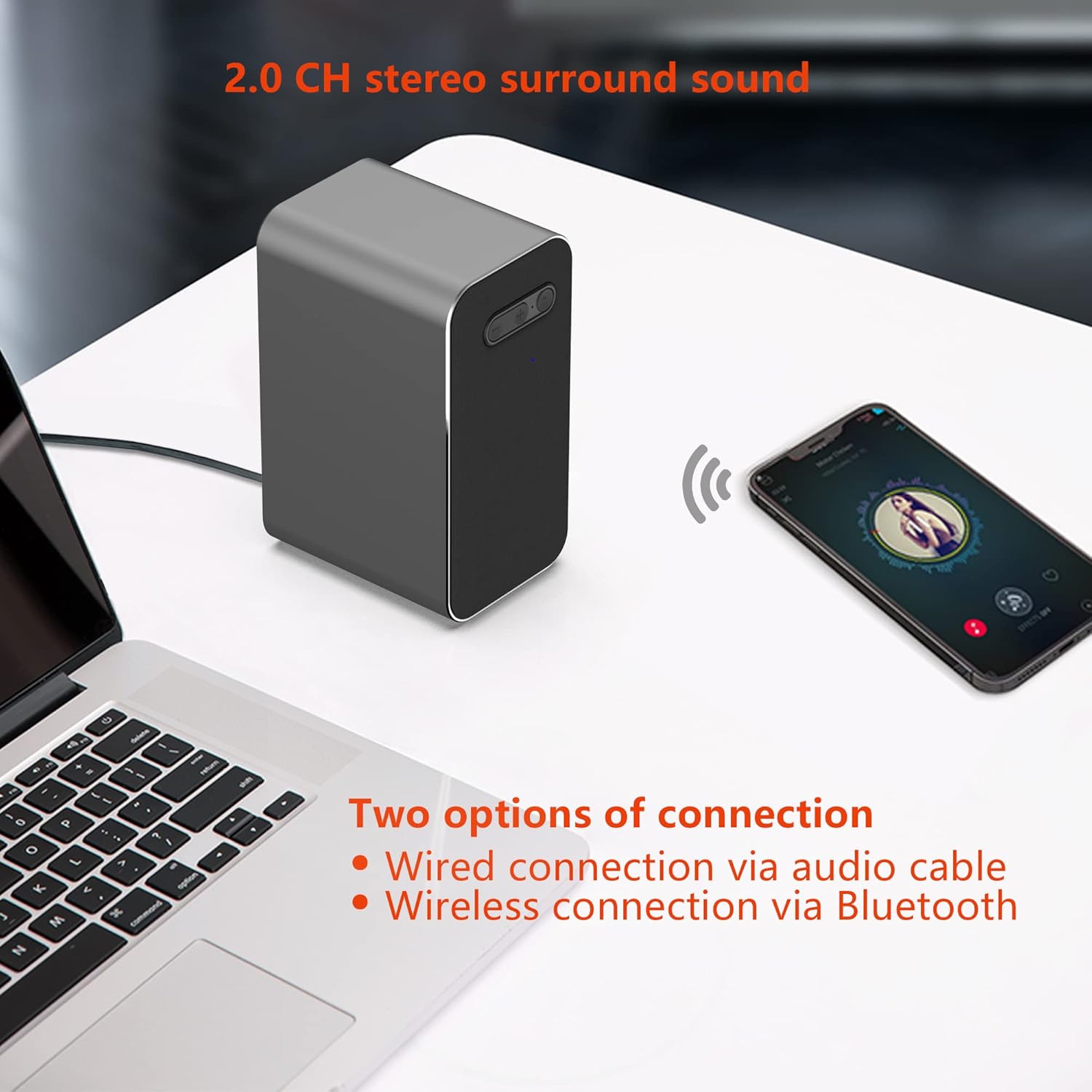
Image 4: KEiiD KD-C01 speakers wirelessly connected to a smartphone via Bluetooth.
3.2.2 Modo AUX
- Double-click the main control button to switch to AUX mode. The LED indicator will turn green.
- Connect one end of the provided 3.5mm Audio Cable to the AUX input on the main speaker.
- Connect the other end of the 3.5mm Audio Cable to the audio output jack of your device (e.g., computer, MP3 player).
- Audio will now play through the speakers via the wired connection.
3.3 EQ Options
The speakers offer three equalizer (EQ) modes to optimize audio for different content:
- Modo de música: Audio equilibrado para escoitar música en xeral.
- Modo de película: Enhanced dialogue and sound effects for films.
- Modo de xogo: Features 3D surround sound for an immersive gaming experience.
To switch between EQ modes, hold the main control button for 1 second. The speaker will announce the selected mode.

Image 5: Visual representation of the three EQ modes: Music, Movie, and Game.
4. Mantemento
4.1 Limpeza
To maintain the appearance and performance of your speakers, wipe them with a soft, dry cloth. Avoid using abrasive cleaners, solvents, or harsh chemicals, as these can damage the aluminum housing and fabric covers.
4.2 Almacenamento
When not in use for extended periods, store the speakers in a cool, dry place away from direct sunlight and extreme temperatures. Disconnect the power adapter to conserve energy.
5 Solución de problemas
If you encounter issues with your KEiiD KD-C01 speakers, please refer to the following common problems and solutions:
| Problema | Causa posible | Solución |
|---|---|---|
| Sen son | Speakers not powered on, incorrect input mode, volume too low, loose cable connection. | Ensure speakers are powered on. Double-click to cycle through input modes (Bluetooth/AUX). Increase volume. Check all cable connections. |
| O Bluetooth desconecta con frecuencia | Device out of range, interference, previous pairing issues. | Ensure your device is within 10 meters (33 feet) of the speakers. Reduce interference from other wireless devices. Forget the device in your Bluetooth settings and re-pair. |
| Static or Hissing sound (AUX mode) | Poor quality audio cable, electrical interference, faulty audio source. | Try using a different 3.5mm audio cable. Ensure the cable is securely connected. Test with a different audio source to rule out source issues. |
| Speakers do not turn on | Sen corrente, adaptador de corrente defectuoso. | Check if the power adapter is securely plugged into both the speaker and the wall outlet. Try a different power outlet. |
6. Especificacións
| Característica | Detalle |
|---|---|
| Nome do modelo | KD-C01 |
| Tipo de montaxe | Soporte de mesa |
| Material | Acrilonitrilo butadieno estireno (ABS), aluminio |
| Tipo de altofalante | Estéreo |
| Características especiais | 3 EQ options, Aluminum housing, DSP sound optimization, Wireless connection via Bluetooth |
| Usos recomendados | For Computers, For Music Players, For Smartphones or Tablets |
| Dispositivos compatibles | Computers, Music Players |
| Configuración da canle de son envolvente | 2.0 |
| Cor | Gris |
| Dimensións do produto | 3.5" D x 2.5" W x 5.1" H |
| Peso do elemento | 1000 gramos (2.2 libras) |
| Método de control | Toca |
| Tecnoloxía de comunicación sen fíos | Bluetooth |
| Tamaño do altofalante | 3.5 polgadas |
| Fonte de enerxía | Corded Electric via DC 12V power adapter |
| Tipo de controlador de audio | Driver dinámico |
| Potencia de saída máxima do altofalante | 25 vatios |
| Tecnoloxía de conectividade | Auxiliar, Bluetooth |
| Modo de saída de audio | Estéreo |
| Vol. De entradatage | 240 voltios |
7. Garantía e soporte
The KEiiD KD-C01 Bluetooth Computer Speakers come with a 1-year limited warranty. For any product inquiries, technical assistance, or after-sales support, please contact KEiiD customer service. We offer 24-hour support to ensure your satisfaction.
For further assistance, please visit the official KEiiD websitio web ou póñase en contacto cos seus canais de atención ao cliente.