
HOCO EW15
Hoco EW15 Clear Explore Edition TWS Wireless Headset User Manual
Modelo: EW15
Introdución
Thank you for choosing the Hoco EW15 Clear Explore Edition TWS Wireless Headset. This manual provides detailed instructions on how to set up, operate, and maintain your new headset. Please read this manual carefully before use to ensure optimal performance and longevity of your device.
The Hoco EW15 features Bluetooth v5.1 for stable connectivity, a 30mAh headset battery providing up to 4 hours of call and music time, and a 300mAh charging case for extended use. Its translucent design offers a unique aesthetic, showcasing the internal components.
Contido do paquete
- Hoco EW15 Clear Explore Edition True Wireless BT Headset (Left and Right Earbuds)
- Estuche de carga
- Cable de carga USB
- Manual de usuario
Produto rematadoview




Configuración
Charging the Headset and Case
Before first use, fully charge the Hoco EW15 headset and its charging case.
- Coloca os dous auriculares na caixa de carga. Asegúrate de que estean ben asentados.
- Connect the USB charging cable to the charging port on the case and to a compatible USB power source (e.g., computer USB port, wall adapter).
- The indicator light on the charging case will show charging status. It takes approximately 1.5 hours to fully charge the case and 1 hour for the headset.
- Unha vez cargado por completo, desconecte o cable de carga.
Emparejamento cun dispositivo
The Hoco EW15 supports automatic pairing and master-slave switching.
- Abre a caixa de carga. Os auriculares acenderanse automaticamente e entrarán no modo de emparellamento.
- No teu dispositivo (teléfono intelixente, tableta, etc.), activa o Bluetooth.
- Busca dispositivos Bluetooth dispoñibles e selecciona "Hoco EW15" da lista.
- Unha vez conectado, escoitarás un ton de confirmación e a luz indicadora dos auriculares cambiará.
- Despois do emparellamento inicial, os auriculares conectaranse automaticamente co último dispositivo emparellado ao sacalos da funda, sempre que o Bluetooth estea activado no dispositivo.
Instrucións de funcionamento
Controis táctiles
The Hoco EW15 earbuds feature touch-sensitive controls for easy operation.
| Acción | Función |
|---|---|
| Toque único (auricular esquerdo/dereito) | Reproducir/Pausar música, Responder/Finalizar chamada |
| Toca dúas veces (auricular esquerdo) | Pista anterior |
| Toca dúas veces (auricular dereito) | Próxima pista |
| Triplo toque (auricular esquerdo/dereito) | Activar o Asistente de voz (Siri, Asistente de Google) |
| Prema longa (2 segundos) | Rexeitar a chamada |
| Prema longa (5 segundos) | Acendido/apagado (cando non estea dispoñible) |
Xestión de chamadas
- Atender / finalizar chamadas: Toque unha vez en calquera dos auriculares.
- Rexeitando chamadas: Mantén presionado calquera dos auriculares durante 2 segundos.
Asistente de voz
Triple tap either earbud to activate your device's voice assistant (e.g., Siri for iOS, Google Assistant for Android).
Mantemento
Proper maintenance ensures the longevity and performance of your Hoco EW15 headset.
- Limpeza: Usa un pano suave, seco e sen pelusa para limpar os auriculares e a caixa de carga. Non uses produtos de limpeza abrasivos nin disolventes.
- Almacenamento: Cando non estean en uso, garde os auriculares no seu estoxo de carga para protexelos e mantelos cargados.
- Evitar auga: Os auriculares non son impermeables. Evita a exposición á auga, á humidade ou a temperaturas extremas.
- Cargando: Use the provided charging cable and a certified power adapter. Avoid overcharging.
Resolución de problemas
If you encounter issues with your Hoco EW15 headset, refer to the following common solutions:
- Earbuds not pairing with each other or with device:
- Asegúrate de que os dous auriculares estean cargados.
- Place both earbuds back into the charging case, close the lid, wait a few seconds, then open the lid again. This often resets the connection.
- On your device, forget or delete "Hoco EW15" from the Bluetooth device list, then try pairing again.
- Ensure your device's Bluetooth is enabled and within 10 meters of the earbuds.
- Sen son ou volume baixo:
- Comproba o nivel de volume tanto no dispositivo como nos auriculares.
- Asegúrate de que os auriculares estean conectados correctamente ao dispositivo.
- Limpa calquera residuo dos altofalantes dos auriculares.
- Estuche de carga que non se carga:
- Comproba o cable de carga e o adaptador de corrente. Proba cun cable ou adaptador diferente.
- Asegúrate de que o porto de carga da carcasa estea limpo e libre de residuos.
- Microphone quality is poor:
- Ensure the microphone opening on the earbuds is not obstructed.
- Try using the earbuds in a quieter environment.
Especificacións

| Característica | Detalle |
|---|---|
| Nome do produto | EW15 Clear Explore Edition true wireless BT headset |
| Versión Bluetooth | Bluetooth 5.1 (Chip: JL AC6973) |
| Battery Capacity (Headset) | 30 mAh (cada auricular) |
| Capacidade da batería (caso de carga) | 300 mAh |
| Tempo de conversa/música | Ata 4 horas |
| Tempo de espera | 120 horas |
| Tempo de carga (auriculares) | Aproximadamente 1 hora |
| Tempo de carga (caso) | Aproximadamente 1.5 horas |
| Alcance de transmisión | Ata 10 metros (sen barreiras) |
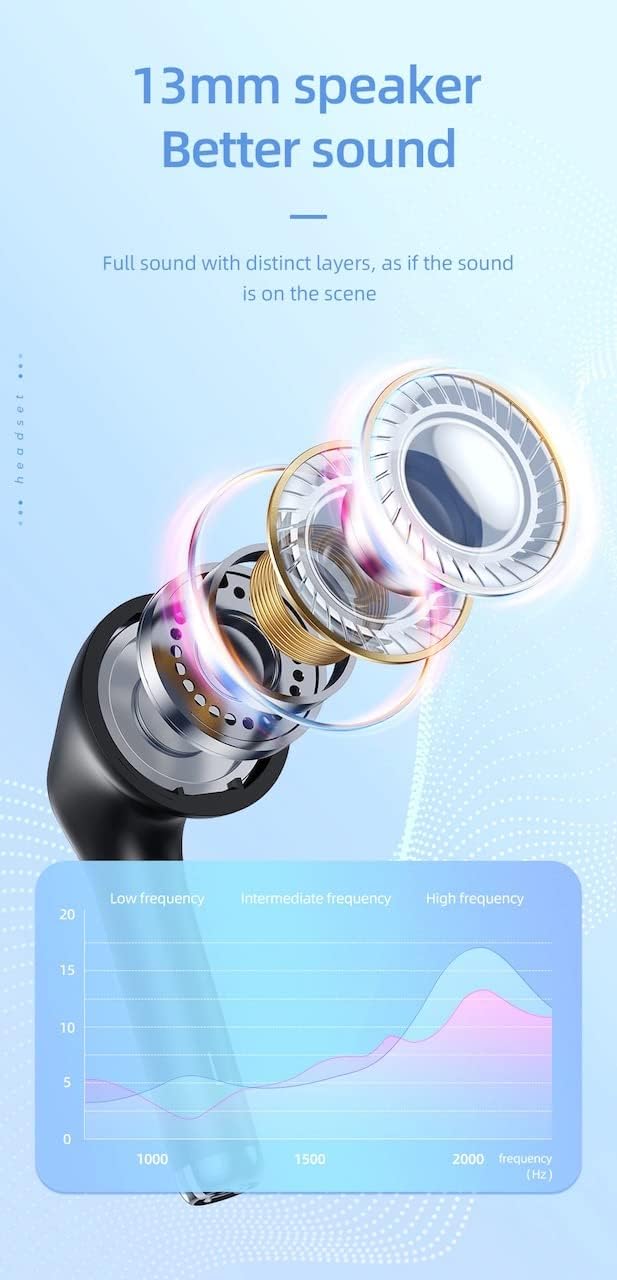
| Tamaño do altofalante | 13 mm |
| Resposta en frecuencia | 20-20000 Hz |
| Dimensións do produto | 5.45 x 4.7 x 2.5 cm (Caixa) |
| Peso | Whole device 40g, single headset 3g |
| Material | Plástico |
Garantía e Soporte
For warranty information and technical support, please refer to the official HOCO websitio web ou póñase en contacto co seu distribuidor local.
Oficial Websitio: www.hocotech.com
Conserve o comprobante de compra para calquera reclamación de garantía.
Ask a question about this manual
Ask about setup, troubleshooting, compatibility, parts, safety, or missing instructions. Manuals+ will review the question and use this page’s manual context to help answer it.