
Instrucións de seguridade importantes
Please read all instructions carefully before using the projector and retain this manual for future reference. Improper use may result in electric shock, fire, or other hazards.
- Non abra o proxector casing. Encomende todo o mantemento a persoal cualificado.
- Non expoña o proxector á choiva nin á humidade para evitar incendios ou descargas eléctricas.
- Asegúrese de que haxa unha ventilación axeitada. Non bloquee as aberturas de ventilación.
- Empregue só o adaptador de corrente subministrado co proxector.
- Evite a exposición directa dos ollos á lente do proxector cando estea aamp está activado.
- Coloque o proxector nunha superficie estable e nivelada.
- Desconecte o proxector durante tormentas eléctricas ou cando non o use durante períodos prolongados.
Contido do paquete
Verifique que todos os elementos que se indican a continuación estean incluídos no seu paquete:
- YOWHICK Projector (Model GDP1W)
- Cable de alimentación
- Control remoto
- Cable HDMI
- Cabo AV
- Manual de usuario
- 100-inch Projection Screen

The projector features 28000 lumens brightness and supports 4K resolution. A 100-inch screen is included. The compact design (under 1.4kg) allows for easy portability and ceiling projection. Suitable for home use and small business presentations (up to 15 people).
Produto rematadoview
The YOWHICK GDP1W projector is designed for versatile use, offering high-quality visuals and flexible connectivity in a compact form factor.
Características clave
- Alto brillo e resolución: 28000 Lumens, Native 1080P, 4K Supported.
- Compacto e portátil: Weighs under 1.4kg, dimensions 18 x 8.9 x 22.9 cm.
- Audio inmersivo: Built-in HIFI speaker and Bluetooth 5.3 for external audio devices.
- Conectividade avanzada: Dual-band 2.4G/5G WiFi for stable streaming and screen mirroring.
- Proxección flexible: Up to 300-inch screen size, 50-100% zoom function, vertical keystone correction.
- Refrixeración eficiente: Advanced cooling system for effective heat dissipation and low noise (approx. 40dB).
- Múltiples entradas: AV, USB (x2), HDMI (x2) for wide device compatibility.

Configuración
Opcións de colocación
The projector offers various placement options to suit your viewambiente de traballo:
- Proxección frontal: Place the projector on a table or stand in front of the screen.
- Rear Projection: Coloca o proxector detrás dunha pantalla translúcida.
- Proxección no teito: Mount the projector to the ceiling (requires a compatible ceiling mount, not included).

Encendido inicial
- Conecta o cable de alimentación ao proxector e a unha toma de corrente.
- Prema o botón de acendido do proxector ou do mando a distancia para acendelo.
- The projector will display the home screen.
Enfoque e corrección trapezoidal
Adjust the image clarity and shape:
- Foco: Xire o anel de enfoque da lente do proxector ata que a imaxe sexa nítida e clara.
- Corrección Keystone: Use the manual vertical keystone adjustment to correct distorted images (trapezoid effect) if the projector is not perfectly perpendicular to the screen. The projector supports vertical keystone correction of ±15 degrees.

Instrucións de funcionamento
Screen Size Adjustment (Zoom)
The projector features a zoom function that allows you to adjust the screen display size from 100% to 50% without moving the projector. Access this function through the projector's menu settings.
Saída de audio
You can use the projector's built-in HIFI speaker or connect external audio devices via Bluetooth 5.3 for a more powerful sound experience. Adjust the volume using the remote control.
Modo temporizador
Set a sleep timer for the projector to automatically turn off after a specified period. This is useful for watching content before sleeping.

Conectividade
Conexión sen fíos (Wi-Fi)
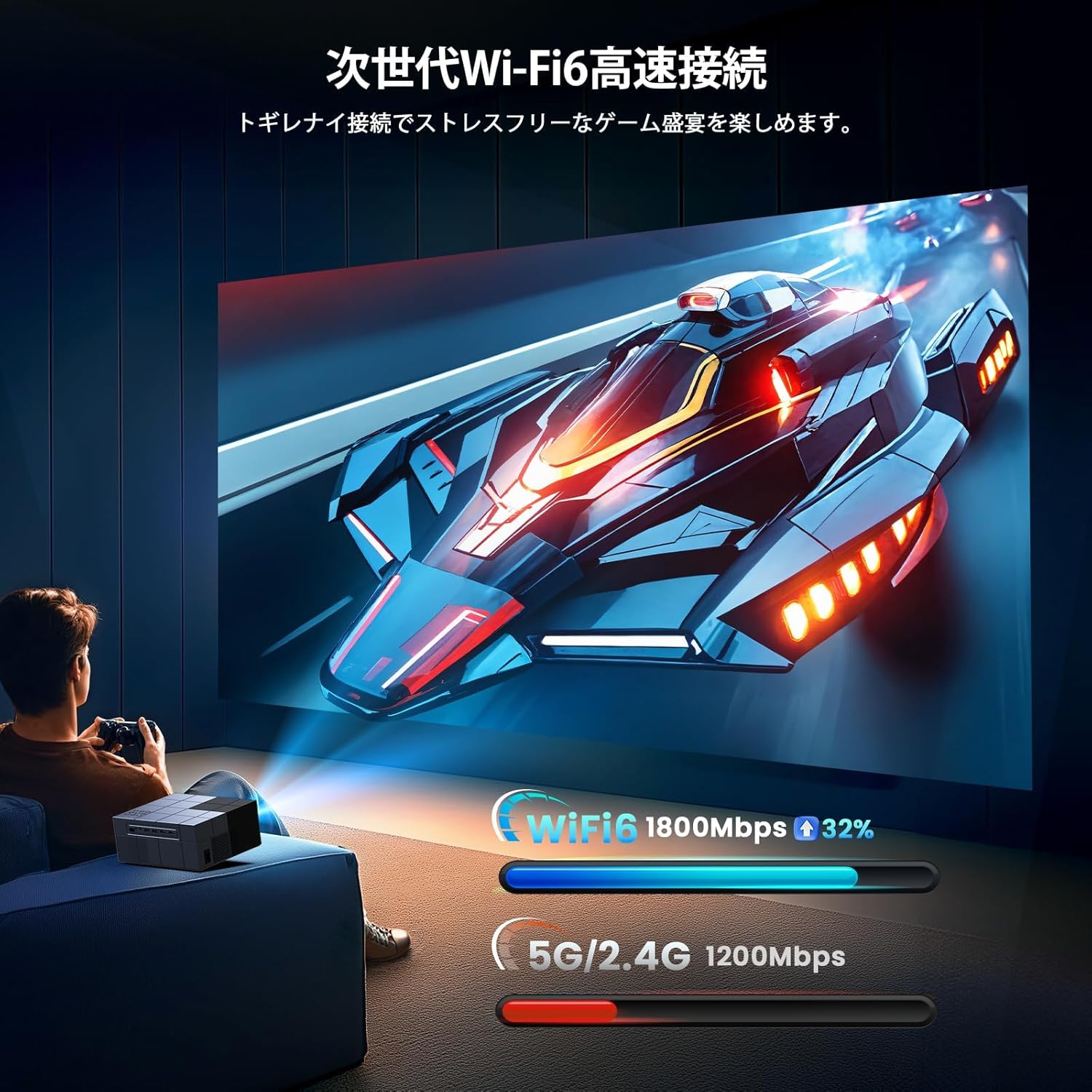
The projector supports dual-band 2.4G/5G WiFi for stable and fast wireless screen mirroring from your smartphones, tablets, and PCs. This allows you to project content without physical cables.
Conexión Bluetooth
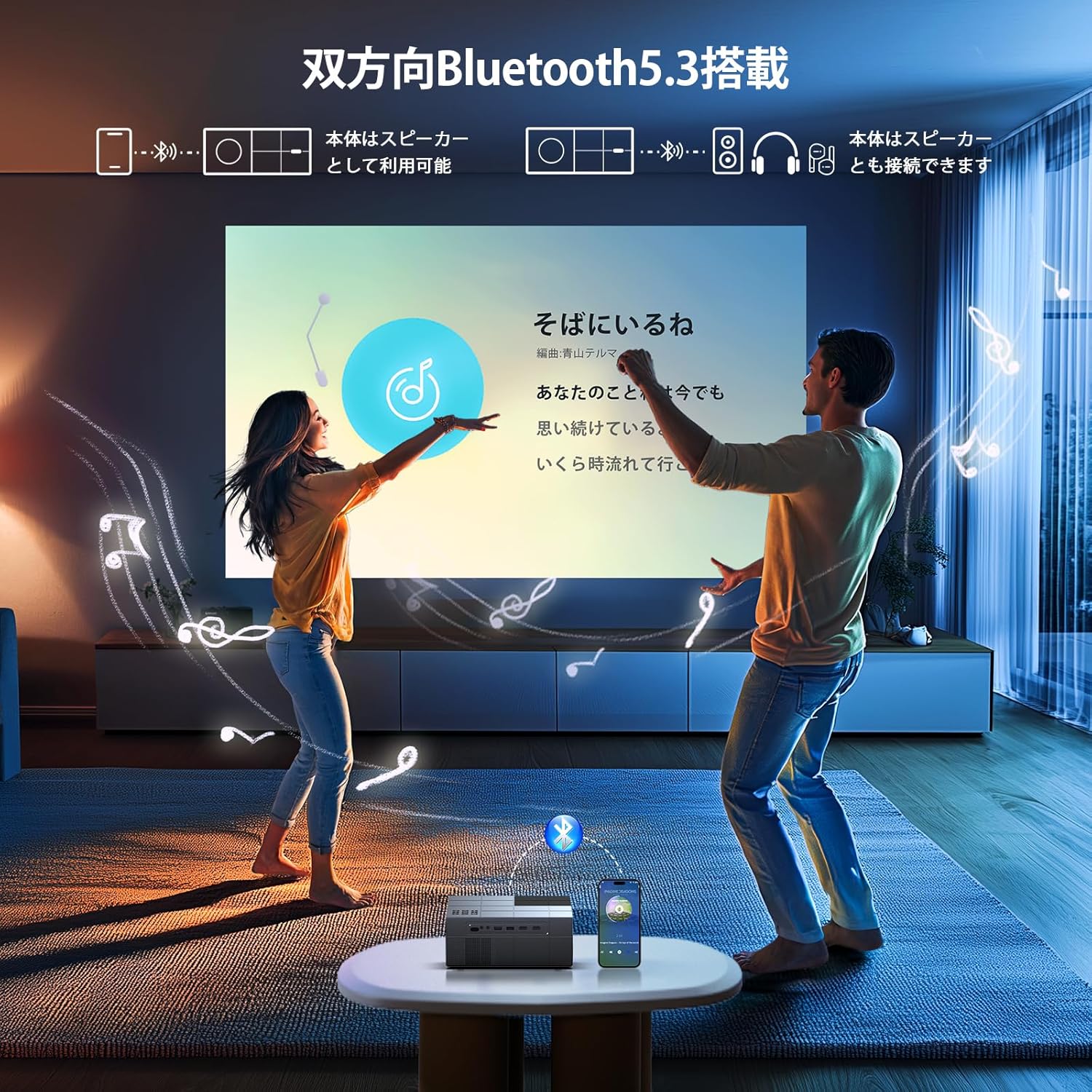
Equipped with Bluetooth 5.3, the projector can connect to your favorite Bluetooth speakers or wireless headphones. This provides flexibility for audio output, whether you prefer a powerful sound system or private listening.
Conexións por cable
The projector offers a variety of wired input terminals for broad compatibility:
- HDMI (x2): Connect to PCs, laptops, game consoles (PS4/PS5), TV boxes, and other HDMI-enabled devices.
- USB (x2): Connect USB memory drives for direct media playback.
- DE: Connect to DVD players or older devices using the included AV cable.

Connecting to Streaming Devices
The projector is compatible with various streaming devices such as Amazon Fire TV Stick, Google Chromecast, Roku, and more. Simply connect the streaming device to an HDMI port on the projector.

Mantemento
Un mantemento regular garante un rendemento óptimo e prolonga a vida útil do proxector.
- Limpeza da lente: Usa un pano suave e sen fiapos deseñado especificamente para lentes ópticas. Non empregues produtos de limpeza abrasivos nin disolventes.
- Cleaning the Vents: Periodically clean the air vents with a soft brush or compressed air to prevent dust buildup, which can affect cooling performance.
- Almacenamento: When not in use, store the projector in a cool, dry, and dust-free environment. Use the original packaging or a protective case if available.
Resolución de problemas
Se tes problemas co teu proxector, consulta os seguintes problemas e solucións comúns:
| Problema | Causa posible | Solución |
|---|---|---|
| Sen Poder | Cable de alimentación desconectado; problema coa toma de corrente | Check power cable connection; Try a different power outlet |
| Sen Imaxe | Fonte de entrada incorrecta; Cable HDMI/AV solto | Select correct input source; Reconnect cables securely |
| Imaxe borrosa | Focus not adjusted; Incorrect keystone | Adjust focus ring; Adjust keystone correction |
| Sen son | Volume too low; Incorrect audio output; Fire TV Stick audio setting | Increase volume; Check audio output settings; For Fire TV Stick, set audio to PCM in its settings menu |
| O control remoto non funciona | Dead batteries; Obstruction | Replace batteries; Ensure clear line of sight to projector's IR receiver |
| Problemas de conexión Wi-Fi | Incorrect password; Weak signal | Verify Wi-Fi password; Move projector closer to router |
Note for Amazon Fire TV Stick Users: If you experience no sound from the projector when using an Amazon Fire TV Stick, please open the Fire TV Stick's settings menu and change the sound output to [PCM].
Especificacións
| Característica | Especificación |
|---|---|
| Marca | YOWICK |
| Número de modelo | PIB1W |
| Dimensións do produto | 22.9 x 18 x 8.9 cm |
| Peso do elemento | 1.4 quilogramos |
| Cor | Gris |
| Brillo | 28000 lúmenes |
| Resolución nativa | 1920 x 1080 (1080p Full HD) |
| Resolución admitida | Up to 3840 x 2160 (4K) |
| Tamaño de proxección | 40 - 300 polgadas |
| Tecnoloxía de conectividade | Bluetooth 5.3, HDMI, IR, USB, Wi-Fi (2.4G/5G) |
| Portos HDMI | 2 |
| Portos USB | 2 |
| Corrección Keystone | Vertical manual ±15 graos |
| Función de zoom | 50% - 100% |
| Nivel de ruído | Aprox. 40 dB |
| Consumo de enerxía | Potencia máxima 84 W |
| Uso recomendado | Gaming, Business, Home Cinema, Education |
Garantía e Soporte
YOWHICK is committed to providing excellent customer service and product support.
- Período de garantía: This product comes with a 2-year manufacturer's warranty from the date of purchase.
- Servizo de reparación: A 3-year repair service is provided.
- Soporte técnico: Lifetime technical support is available for all users.
- Información de contacto: For initial defects, natural failures, exchanges, returns, or any technical inquiries, please contact our customer service team.
Correo electrónico: support@yowhick.jp
ID DE LIÑA: @286hjalm

Vídeos de produtos
Watch these videos for additional information and demonstrations of the YOWHICK Projector.
Vídeo: Produto rematadoview (0:16)
Video: Feature Highlight (0:14)
Video: Detailed Demonstration (0:52)
Video: Extended Usage Guide (2:51)
Video: Setup and Configuration (1:31)
Video: Connectivity Options (0:40)
Video: Quick Start Guide (0:23)
Video: Advanced Features (1:22)
Video: Troubleshooting Tips (1:19)