
EXWAY A12WD
Manual do usuario do monopatín eléctrico todoterreo Exway Atlas
Model: A12WD
1. Introdución
Welcome to the world of electric skateboarding with the Exway Atlas All-Terrain Electric Skateboard. This manual provides essential information for the safe and optimal use of your A12WD model. The Exway Atlas is engineered for high performance across various terrains, offering a powerful and versatile riding experience. Its modular design allows for customization, ensuring an exhilarating adventure whether on smooth pavement or challenging off-road trails.
Please read this manual thoroughly before your first ride to understand all features, safety precautions, and maintenance requirements.
2. Información de seguridade
Riding an electric skateboard can be dangerous. Failure to follow safety guidelines may result in serious injury or death. Always prioritize safety.
2.1 Precaucións xerais de seguridade
- Usa sempre casco e equipamento de protección axeitado (rodilleras, cóbadas, protectores de pulso) cando conduzas.
- Ride within your skill level and always be aware of your surroundings.
- Do not ride in traffic, on wet surfaces, or in low visibility conditions. The IP55 water resistance rating protects against splashes, but the board is not designed for submersion or heavy rain.
- Check all components, including wheels, trucks, and battery connections, before each ride.
- Ensure the remote control is fully charged and properly paired with the skateboard.
- Non intentes acrobacias ou manobras que superen as túas capacidades.
- Adhere to local laws and regulations regarding electric skateboard use.
- Keep fingers, hair, and clothing away from moving parts.
2.2 Seguridade da batería
- Use only the original charger provided by Exway.
- Non sobrecargue nin descargue completamente a batería.
- Almacene a batería nun lugar fresco e seco lonxe da luz solar directa e de temperaturas extremas.
- If the battery is damaged or shows signs of overheating, discontinue use immediately and contact customer support.
3. Contido do paquete
Upon opening your Exway Atlas package, please verify that all components are present and in good condition:
- Exway Atlas Electric Skateboard (A12WD model)
- Mando a distancia Rexus
- Standard Charger (167W GaN charger)
- Cable de carga
- Manual de usuario (este documento)
- Tool Kit for basic maintenance
- Optional: AUXPack Battery (if purchased separately)
4. Produto rematadoview & Compoñentes
The Exway Atlas A12WD is designed with high-quality materials and advanced technology for superior performance.

Figura 4.1: Arriba e abaixo view of the Exway Atlas electric skateboard, showcasing the carbon fiber deck and motor housing.

Figure 4.2: Exway Atlas V2 models, highlighting the carbon fiber all-terrain design and options for 2WD (entry-level) or 4WD (off-road) configurations.

Figura 4.3: Máisview of Exway Atlas performance, including 2520W (2WD) and 5040W (4WD) power, 4-hour charging time with 167W GaN charger, 1987Wh battery capacity (with AUXPack), 22 miles range, and 34 mph top speed.
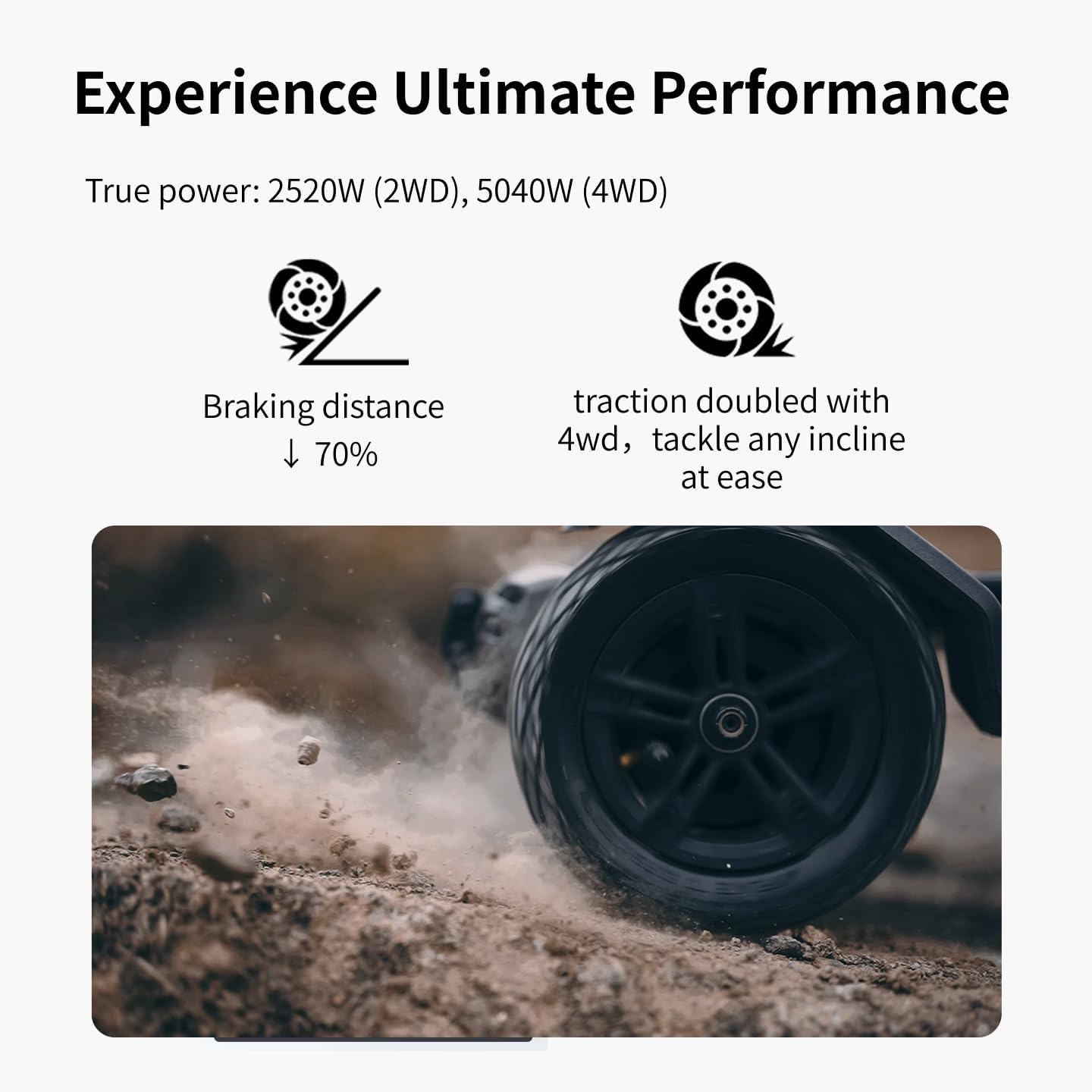
Figure 4.4: Close-up of the Exway Atlas wheel on a dirt surface, illustrating its ultimate performance with 70% reduced braking distance and doubled traction for inclines with 4WD.
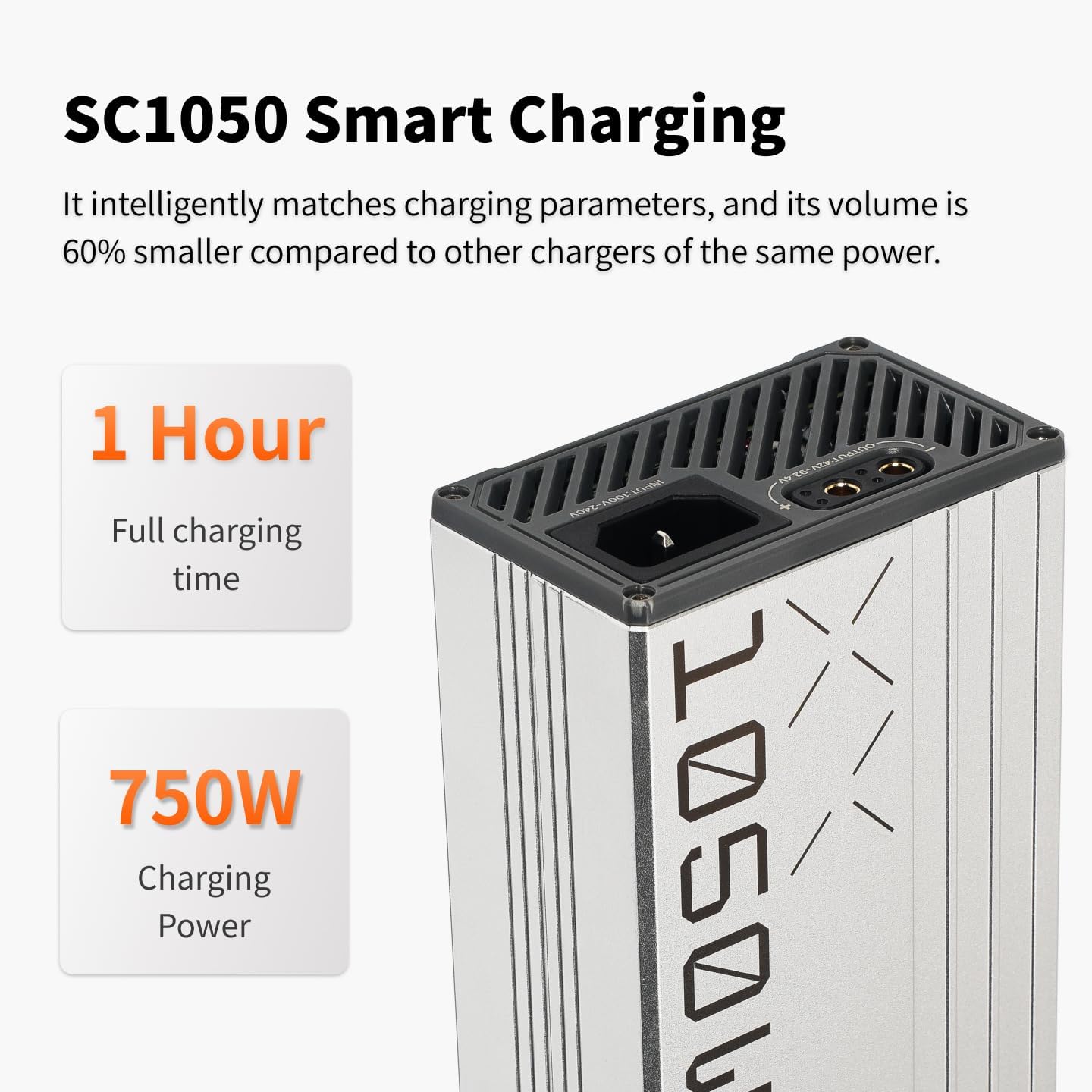
Figure 4.5: The SC1050 Smart Charger, capable of fully charging the board in 1 hour with 750W charging power.
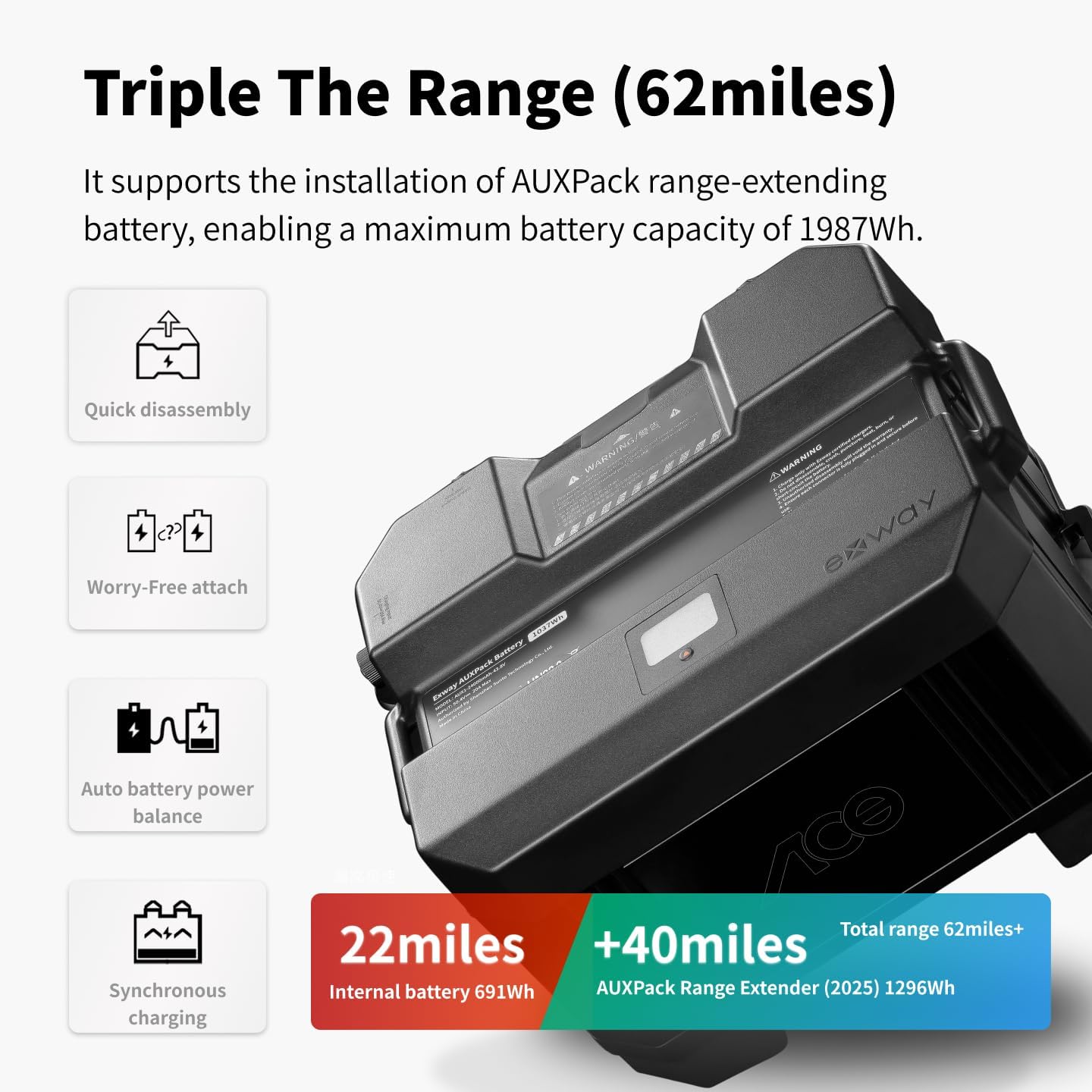
Figure 4.6: The AUXPack range-extending battery, which can triple the board's range to 62 miles, featuring quick disassembly, worry-free attachment, auto battery power balance, and synchronous charging.

Figure 4.7: The Rexus Remote Next-Generation, featuring a 1.32-inch high-brightness touchscreen, gesture-controlled turn-signal interaction, anti-misoperation handbrake, built-in brake warning light, and OTA updates.

Figure 4.8: A rider standing with the Exway Atlas in a natural, mountainous setting, demonstrating its all-terrain capability.

Figure 4.9: A close-up of a rider's hand holding the Exway remote control, ready for operation.
5. Configuración
5.1 Carga inicial
Before your first ride, fully charge your Exway Atlas skateboard and the Rexus remote control. Connect the charger to the board's charging port and then to a power outlet. The charging indicator will show the status. A full charge takes approximately 3.5 hours with the standard charger, or 1 hour with the optional 750W EC+ smart charger.
5.2 Emparejamento remoto
To pair the Rexus remote with your board:
- Ensure both the board and remote are powered off.
- Acenda o monopatín.
- Acende o mando a distancia.
- Follow the on-screen instructions on the Rexus remote to initiate pairing. The remote will typically search for nearby Exway boards.
- Once connected, the remote display will show board status information.
5.3 Wheel and Truck Adjustment
The Exway Atlas comes with ULTRA-STABLE TRIST 9.5" DKP TRUCKS. You can adjust the tightness of the truck kingpins to customize turning responsiveness. Loosen for more agile turns, tighten for more stability at higher speeds. Ensure all wheel nuts are secure before riding.
6. Instrucións de funcionamento
6.1 Basic Riding
- Place the board on a flat, clear surface.
- Step onto the board with one foot, then push off with the other to gain initial momentum.
- Gently use the remote's throttle to accelerate. Be mindful of the powerful torque, especially in 4WD mode.
- To brake, gently pull back on the remote's brake lever. The EBS regenerative brakes capture energy during braking.
- Steer by leaning your body in the desired direction.
6.2 Riding Modes & Drivetrain Swapping
The Exway Atlas supports both dual motor and quad motor drivetrain configurations. Refer to the ExSkate App for detailed instructions on switching between 2WD and 4WD modes, and for adjusting power settings.
- 2WD Mode: Ideal for entry-level riders and general cruising on smoother surfaces.
- 4WD Mode: Provides maximum power and traction for off-road adventures, steep inclines, and challenging terrains.
- Tank Mode: A feature for enhanced maneuverability, allowing for tighter turns.
6.3 Using the ExSkate App
Download the ExSkate App from your device's app store. The app allows you to:
- Customize riding parameters (speed, acceleration, braking).
- Monitor battery status and ride statistics.
- Perform OTA (Over-The-Air) firmware updates for the board and remote.
- Access diagnostic information.
7. Cargando
To charge your Exway Atlas:
- Ensure the board is powered off.
- Connect the charger to the board's charging port.
- Conecte o cargador a unha toma de parede estándar.
- The charging indicator on the board and/or charger will illuminate to show charging status.
- Desconecte o cargador unha vez que se complete a carga.
The board features a user-replaceable battery and supports the optional AUXPack for extended range. The AUXPack integrates seamlessly and charges synchronously with the main battery.
8. Mantemento
Regular maintenance ensures the longevity and performance of your Exway Atlas.
8.1 Limpeza
- Wipe down the board with a damp cloth after each ride, especially if riding on dirty or dusty surfaces.
- Evite usar chorros de auga a alta presión directamente sobre os compoñentes electrónicos.
- Clean the wheels and bearings regularly to remove debris.
8.2 Coidado coa batería
- Do not store the battery fully charged or fully depleted for extended periods. Aim for a 50-70% charge for long-term storage.
- Charge the battery at least once every three months if not in regular use.
8.3 Comprobacións de compoñentes
- Inspect the carbon fiber deck for any cracks or damage.
- Check the tightness of all screws and bolts, especially on the trucks and motor mounts.
- Examine the pneumatic tires for wear, punctures, or proper inflation. Replace worn tires as needed.
- Lubricate bearings if they become noisy or stiff.
- The Atlas V2 supports a wide accessory ecosystem, including mudguards, handles, and various wearable parts like off-road sandpaper and belts. These can be replaced as needed.
9 Solución de problemas
This section addresses common issues you might encounter. For more complex problems, refer to the ExSkate App or contact customer support.
| Problema | Causa posible | Solución |
|---|---|---|
| Board not turning on | Batería baixa; o botón de acendido non se premeu correctamente | Charge the board; Press and hold the power button until it illuminates. |
| O control remoto non se conecta | Remote battery low; Not paired; Interference | Charge remote; Re-pair remote (see Section 5.2); Move away from sources of interference. |
| Perda de potencia durante a condución | Battery depleted; Overheating; Loose connection | Charge battery; Allow board to cool down; Check all cable connections. |
| Unusual noises from wheels/motors | Debris in bearings; Worn belts; Loose motor mounts | Clean bearings; Inspect and replace belts if worn; Tighten motor mount screws. |
| Rango reducido | Tire pressure low; Riding conditions (hills, heavy acceleration); Battery degradation | Check and inflate tires; Adjust riding style; Consider battery replacement if significant degradation. |
10. Especificacións
| Característica | Detalle |
|---|---|
| Marca | VÍA EXP |
| Nome do modelo | Atlas (A12WD) |
| Velocidade máxima | Ata 55 km/h (35 mph) |
| Rango | 22 Miles (35 km) standard; Up to 62 Miles (100 km) with AUXPack |
| Potencia do motor | 2520 W (2WD), 5040 W (4WD) |
| Capacidade da batería | 691Wh (Built-in); 1296Wh (AUXPack) |
| Tempo de carga | 3.5 Hours (Standard Charger); 1 Hour (750W EC+ Smart Charger) |
| Material de cuberta | Fibra de carbono, madeira de arce |
| Lonxitude da cuberta | 46.6 polgadas (100 cm) |
| Ancho da plataforma | 12.2 polgadas (25.5 cm) |
| Peso do elemento | 12 quilogramos |
| Capacidade de carga | 780 libras |
| Tamaño da roda | 160mm x 50mm (Pneumatic) |
| Resistencia á auga | IP55 |
| Rango de idade | 14+ |
11. Garantía e atención ao cliente
11.1 Información da garantía
The Exway Atlas Electric Skateboard comes with a 12 meses de garantía starting from the date the board is received. To claim warranty service, the customer must provide valid proof of purchase. This warranty covers manufacturing defects and issues arising from normal use. It does not cover damage caused by misuse, accidents, unauthorized modifications, or normal wear and tear of consumable parts (e.g., tires, belts, bearings).
Replacement parts are available for purchase after the warranty period has expired.
11.2 Atención ao cliente
For any questions, concerns, or technical assistance, please contact Exway customer support. Your feedback on product improvement or dissatisfaction is valuable to us.

Figure 11.1: Exway Customer Service details, including email contact.
Correo electrónico: amazon@exwayboard.com
Response within 24 hours.
Ask a question about this manual
Ask about setup, troubleshooting, compatibility, parts, safety, or missing instructions. Manuals+ will review the question and use this page’s manual context to help answer it.