
Introdución
This manual provides detailed instructions for the setup, operation, and maintenance of your Wiszodet Kids Smart Game Watch S16. Please read this manual thoroughly to ensure proper use and to maximize the watch's features.

Imaxe: Fronte view of the Wiszodet Kids Smart Game Watch S16 in blue, showing the digital time and date.
O que hai na caixa
Ao abrir o paquete, comproba que inclúa todos os seguintes elementos:
- Wiszodet Kids Smart Watch (S16)
- Protector de vidro de pantalla
- Cable de carga USB
Produto rematadoview
Familiarize yourself with the physical components of your smart watch.

Image: Diagram illustrating the watch's features including the camera, soft band, flashlight (torch), home button, USB charging port, and aluminum casing.
- Cámara: Located at the top of the watch face for photos and videos.
- Soft Band: Comfortable and adjustable strap.
- Lanterna (lanterna): Luz integrada para iluminación.
- Botón de inicio: Used to return to the main screen or activate certain functions.
- Toma USB: For charging the watch and transferring data.
- Carcasa de aluminio: C exterior duradeiroasing.
- Pantalla táctil: 1.54-inch display for interactive control.
Configuración
1. Cargando o reloxo
Before first use, fully charge the watch.
- Connect the provided USB charging cable to the USB socket on the watch.
- Conecta o outro extremo do cable USB a un adaptador de corrente USB compatible (non incluído) ou a un porto USB dun ordenador.
- A pantalla do reloxo indicará o estado da carga. Agarde aproximadamente de 2 a 3 horas para unha carga completa.
2. Acendido/apagado
- Para acender: Press and hold the Home button until the screen lights up.
- Para apagar: Press and hold the Home button, then follow the on-screen prompts to confirm power off.
3. Initial Settings (Time and Date)
Upon first power-on or after a factory reset, you may need to set the correct time and date.
- From the main screen, swipe to find and tap the "Settings" icon.
- Navigate to "Time & Date" or a similar option.
- Adjust the hour, minute, year, month, and day as needed.
- Select 12-hour or 24-hour format.
- Confirma a túa configuración.
Instrucións de funcionamento
The Wiszodet S16 Smart Watch offers a variety of functions accessible via its touch screen.

Image: The watch interface showing various application icons, including Camera, Games, Music, and more.
1. Gravación de cámara e vídeo
Capture photos and record videos directly from your watch.
- From the main menu, tap the "Camera" icon to open the camera application.
- Toca a pantalla para sacar unha foto.
- To switch to video recording, look for a video camera icon within the camera app and tap it.
- Tap again to start recording, and tap once more to stop.
- Photos and videos are saved to the watch's internal storage.

Image: The watch demonstrating its selfie camera function, with options for video recording and playback.
2. Xogos
The watch includes 24 built-in puzzle games designed to engage and entertain.
- Tap the "Game" icon from the main menu.
- Select from the list of available games.
- Segue as instrucións en pantalla para xogar.

Image: A visual representation of the 24 puzzle games available on the watch, such as 'Fruit Weighing' and 'Time Teaching'.
3. Reproductor de música
Escoitar música files stored on the watch.
- Tap the "Music" icon.
- Browse and select the desired audio file.
- Use the on-screen controls for playback (play, pause, skip).
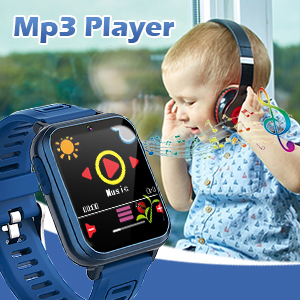
Image: The watch displaying its MP3 player interface, with a child listening to music in the background.
4 Podómetro
Track daily steps and estimated calories burned.
- Tap the "Pedometer" icon.
- O reloxo comezará a rexistrar os pasos automaticamente cando se leve posto.
- View your daily step count and calorie estimates on the screen.

Image: The watch highlighting its fitness tracking features, including pedometer, stopwatch, and timer, with children engaged in physical activity.
5. Reloxo espertador
Configura alarmas para recordatorios ou rutinas diarias.
- Toca a icona "Alarma".
- Tap "+" or "Add Alarm" to set a new alarm.
- Adjust the time and select repeat days if desired.
- Garda a alarma.
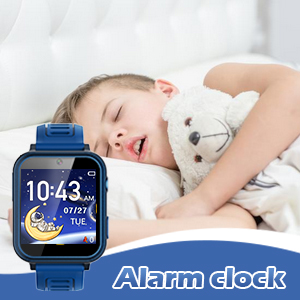
Image: The watch displaying the alarm clock feature, with a child sleeping, suggesting its use for morning routines.
6. Lanterna
Activate the built-in flashlight for quick illumination.
- Tap the "Torch" or "Flashlight" icon.
- Tap again to turn it off.
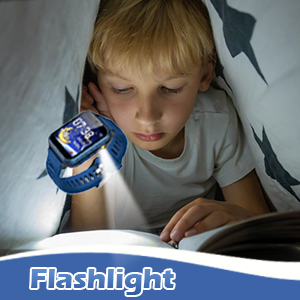
Image: The watch's flashlight feature in use, providing light for a child reading under a blanket.
7. Gravadora de voz
Record short audio messages or notes.
- Toca a icona "Gravadora de voz".
- Toca o botón de gravación para comezar a gravación.
- Tap again to stop and save the recording.
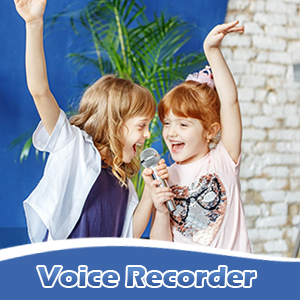
Image: The watch displaying the voice recorder function, with children singing, indicating its use for capturing audio.
8. Calculadora
Realizar cálculos aritméticos básicos.
- Tap the "Calculator" icon.
- Use the on-screen keypad to input numbers and operations.
9. Outras características
- Tema: Customize the watch face and interface theme.
- Protector de pantalla: Select different screensaver options.
- Cronómetro: Medir intervalos de tempo.
- Temporizador: Set countdown timers.
- Calendario: View the current date and navigate through months.
- Axuste de volume: Control the watch's audio output level.
- Tempo de retroiluminación: Adjust how long the screen stays lit.

Imaxe: Unha exposición de colaxeasing various watch functions including alarm, recorder, music, calculator, flashlight, and calendar, with children demonstrating their use.
Mantemento
Proper care will extend the life of your Wiszodet S16 Smart Watch.
- Limpeza: Wipe the watch screen and band with a soft, dry cloth. Avoid harsh chemicals or abrasive materials.
- Resistencia á auga: The watch is designed for daily use and splash resistance, but it is not suitable for swimming or showering. Avoid submerging the watch in water.
- Almacenamento: Garda o reloxo nun lugar fresco e seco, lonxe da luz solar directa e de temperaturas extremas.
- Protector de pantalla: Apply the included screen glass protector to prevent scratches.
Resolución de problemas
| Problema | Causa posible | Solución |
|---|---|---|
| O reloxo non se acende. | Batería baixa. | Cargue o reloxo durante polo menos 30 minutos. |
| A pantalla non responde. | Fallo temporal do software. | Restart the watch by holding the Home button. |
| Non se poden gardar fotos/vídeos. | Espazo de almacenamento insuficiente. | Eliminar antigo files ou transferilos a un ordenador. |
| A hora/data é incorrecta. | Settings need adjustment. | Go to Settings > Time & Date to adjust. |
Especificacións
| Característica | Detalle |
|---|---|
| Nome do modelo | S16 |
| Marca | Wiszodet |
| Tamaño da pantalla | 1.54 polgadas |
| Tipo de visualización | Pantalla táctil |
| Tipo de batería | 1 polímero de litio (incluído) |
| Conectividade | USB |
| GPS | Sen GPS |
| Resolución da cámara | HD (not full HD) |
| Dimensións do produto | 9.4 x 2.4 x 0.71 polgadas |
| Peso do elemento | 0.353 onzas (10 gramos) |
Garantía e Soporte
For warranty information or technical support, please refer to the contact details provided with your purchase or visit the official Wiszodet websitio. Garda o comprobante de compra para calquera reclamación de garantía.