
1. Introdución
This manual provides essential instructions for the installation, operation, and maintenance of your PowMr MPPT 60A Solar Charge Controller. This controller is designed to efficiently manage power flow from your solar panels to your battery bank, ensuring optimal charging and system protection. Please read this manual thoroughly before installation and use to ensure safe and correct operation.
Contido do paquete:
- 1 x PowMr MPPT 60A Solar Charge Controller
- 1 Manual de usuario (inglés)
2. Instrucións de seguridade
Observe sempre as seguintes precaucións de seguridade para evitar lesións persoais e danos no controlador ou noutros compoñentes:
- Asegúrese de que todas as conexións estean correctas e seguras antes de aplicar a alimentación.
- The correct connection sequence for the solar controller is to connect the battery first, then the solar panel. Always adhere to this specific order. When disconnecting, follow the reverse order: disconnect solar panel, then battery.
- Non desmonte nin intente reparar o controlador vostede mesmo. Póñase en contacto con persoal cualificado para o servizo técnico.
- Instale o controlador nunha zona ben ventilada, lonxe de materiais inflamables e da luz solar directa.
- The solar charge controller is equipped with electronic protections against overcharge, over-discharge, overload, and short circuit. It also features battery temperature compensation, enhancing overall operational safety.
- Use appropriate circuit breakers or fuses for all connections to prevent damage from overcurrent.
3. Características do produto
- Tecnoloxía MPPT avanzada: The 60A MPPT solar charge controller features automatic battery voltage detection for 12V, 24V, 36V, and 48V systems. It utilizes advanced Maximum Power Point Tracking (MPPT) technology, ensuring a tracking efficiency of no less than 99.5% and a maximum conversion efficiency of up to 97%.
- Compatibilidade universal da batería: Supports various battery types for charging, including sealed, gel, flooded, LiFePO4, and Li(NiCoMn)O2 cells. User-defined battery parameters are available for custom battery types.
- Proteccións completas: Equipped with electronic protections against overcharge, over-discharge, overload, and short circuit. Includes battery temperature compensation for enhanced safety and battery longevity.
- Multifunctional LCD Display: Provides real-time system information, including solar panel voltage/power, charging current, battery voltage, and load status.
- Refrixeración eficiente: Features forced air cooling with an aluminum alloy construction for effective heat dissipation, maintaining optimal performance even under high temperatures.
- Dual PV and Battery Connection: Designed for straightforward connection of both photovoltaic arrays and battery banks.
- Multiple Load Working Modes: Offers various load control options, including Load OFF, Load always ON, and Time Control.
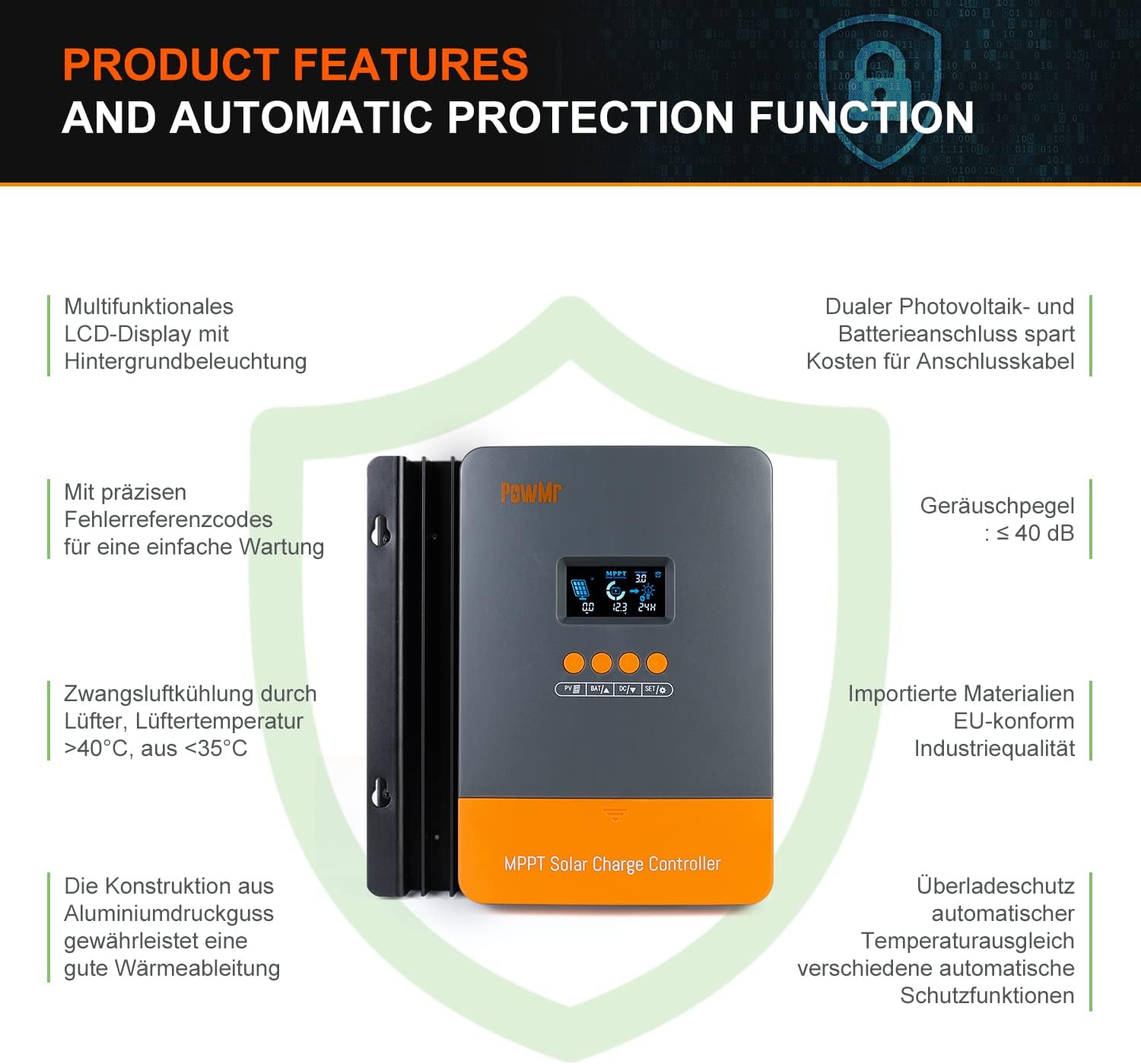
Image: Product features and automatic protection functions. Highlights include a multifunctional LCD display, dual PV and battery connection, precise error codes, forced air cooling, aluminum alloy construction for heat dissipation, and electronic protections.
4. Produto rematadoview

Image: PowMr MPPT 60A Solar Charge Controller dimensions (165mm x 230mm x 72mm) and its LCD display interface. The display shows solar panel voltage/power, charging current, battery voltage, and load information. Key buttons for PV, Battery, DC Load, and Settings are also visible.
The controller features an intuitive LCD display and control buttons for easy monitoring and configuration. The display provides real-time data on solar input, battery status, and load output.
- Icona que indica día ou noite
- Battery icon and SOC (State of Charge)
- Modo de traballo
- State and Warning indication
- Panel solar voltage/power/current
- Charging power/charging current/battery voltage
- Load working Mode / Load power / Load current / Load voltage
5. Instalación e configuración
5.1 Montaxe do controlador
- Choose a dry, well-ventilated location, protected from direct sunlight, high temperatures, and water.
- Ensure there is sufficient airflow around the controller for proper cooling.
- Mount the controller vertically on a wall or suitable surface using appropriate fasteners.
5.2 Conexións de cableado
Importante: Conecta sempre primeiro a batería, despois o panel solar e, finalmente, a carga. Desconecta en orde inversa.
- Conecte a batería: Connect the positive and negative terminals of your battery bank to the corresponding battery terminals on the controller. Ensure correct polarity. The controller will automatically detect the battery voltage (12 V/24 V/36 V/48 V).
- Conecta o panel solar: Connect the positive and negative terminals of your solar panel array to the corresponding PV input terminals on the controller. Ensure correct polarity. The maximum open circuit voltage (Voc) from the PV array should not exceed 160V.
- Conectar a carga de CC (opcional): If using a DC load directly from the controller, connect its positive and negative terminals to the load terminals on the controller.

Image: Diagram illustrating recommended wiring configurations for 12V, 24V, 36V, and 48V battery systems, including corresponding input solar power and voltage ranges. Also shows the three load working modes (Load OFF, Load always ON, Time control).
5.3 Selección do tipo de batería
The controller supports various battery types. You can select the appropriate type through the controller's settings menu. For lithium batteries (LiFePO4, Li(NiCoMn)O2), it is essential to set the specific start and end charging voltages according to the battery manufacturer's specifications. Refer to the detailed instructions in the user manual for proper configuration.

Image: Illustration detailing the supported battery types (Sealed, GEL, Flooded, AGM, Lithium, User Custom Battery) and a graph depicting the four-stage battery charging process: Bulk Charge, Constant Charging (Boost/Equalize), and Float Charge.
6. Instrucións de funcionamento
6.1 Pantalla LCD e botóns
The LCD display provides real-time system status. Use the buttons (PV, BAT, DC, SET) to navigate through menus and adjust parameters. Refer to the detailed manual for specific button functions and menu navigation.
6.2 Cargando Stages
O controlador emprega un sistema multi-stagalgoritmo de carga para optimizar a duración e o rendemento da batería:
- Carga masiva: Carga a batería á máxima corrente ata que voltage rises to the absorption level.
- Constant Charging (Boost/Equalize): Mantén un volume constantetage, allowing the current to gradually decrease. Equalization is a controlled overcharge for flooded batteries to balance cell voltages.
- Carga flotante: Reduces the voltage to a lower level once the battery is fully charged, maintaining it at a safe level to prevent self-discharge.
6.3 Modos de traballo da carga
The DC load output can be configured with different working modes:
- Load OFF: A saída de carga está sempre desactivada.
- Load Always ON: A saída de carga está activada continuamente.
- Control de tempo: The load output operates for a specified duration after sunset.
7. Mantemento
Un mantemento regular garante un rendemento óptimo e unha maior lonxevidade do seu controlador de carga solar:
- Inspeccione periodicamente todas as conexións do cableado para comprobar se están ben apertadas e corroídas.
- Clean the controller's exterior with a dry cloth. Do not use liquids or solvents.
- Asegúrate de que as aberturas de ventilación estean libres de po e residuos para permitir unha disipación axeitada da calor.
- Supervise a pantalla LCD para detectar calquera código de erro ou lecturas pouco comúns.
8 Solución de problemas
If you encounter issues, refer to the following common problems and solutions. For more complex issues, contact customer support.
| Problema | Causa posible | Solución |
|---|---|---|
| Sen pantalla/Sen alimentación | Batería non conectada ou de baixo volumetage; reversed polarity. | Comprobe as conexións da batería e o voltage. Asegúrese de que a polaridade sexa correcta. |
| A batería non se está cargando | Solar panel not connected; low solar input; PV reversed polarity; battery type misconfigured. | Check solar panel connections and polarity. Verify sufficient sunlight. Confirm correct battery type settings. |
| A carga non funciona | Load mode set to OFF; overload; short circuit; low battery voltage. | Check load mode settings. Reduce load. Inspect for short circuits. Charge battery. |
| Amosouse o código de erro | Fallo específico do sistema. | Consulta o manual de usuario completo para obter unha lista dos códigos de erro e as súas solucións correspondentes. |
9. Especificacións
| Parámetro | Valor |
|---|---|
| Número de modelo | POW-M60-PRO |
| Marca | Pow Sr |
| Corrente de carga nominal | 60A |
| Sistema Voltage | 12V/24V/36V/48V Auto-Identify |
| Máx. Entrada PV Voltage (Voc) | 160V DC |
| Max. Solar Panel Power (for 48V system) | 2880W (12V: 720W, 24V: 1440W, 36V: 2160W) |
| Eficiencia de seguimento | ≥99.5 % |
| Eficiencia de conversión | Ata o 97% |
| Tipos de batería compatibles | Sealed, Gel, Flooded, LiFePO4, Li(NiCoMn)O2, User-defined |
| Tipo de visualización | LCD con retroiluminación |
| Dimensións do produto (L x W x H) | 16.5 cm x 7.1 cm x 23.1 cm |
| Peso do produto | 1.3 kg |
| Temperatura de funcionamento | -20°C to +50°C (Max. 60°C ambient) |

Image: Universal compatibility of the PowMr 60A MPPT controller compared to other controllers. It highlights higher maximum input solar power and voltage for 12V, 24V, 36V, and 48V systems, supporting SLA, SLD, GEL, AGM, and LiFePO4 battery types.
10. Garantía e soporte
For warranty information, technical support, or any questions regarding your PowMr MPPT 60A Solar Charge Controller, please contact PowMr customer service. Refer to the product packaging or the official PowMr websitio para os detalles de contacto.