
Samsung SM-S908U
Samsung Galaxy S22 Ultra 5G SM-S908U User Manual
Model: SM-S908U
Introdución
Welcome to the user manual for your Samsung Galaxy S22 Ultra 5G. This guide provides essential information on setting up, operating, maintaining, and troubleshooting your device. Please read this manual carefully to ensure optimal performance and longevity of your smartphone.

Imaxe: Fronte view of the Samsung Galaxy S22 Ultra 5G in Burgundy, showcasing the display and the integrated S-Pen.
Configuración
1. Inserir a tarxeta SIM
- Localiza a bandexa da tarxeta SIM no lateral do teu dispositivo.
- Use the SIM ejector tool (usually included in the box) to open the tray.
- Coloque a(s) tarxeta(s) nano-SIM na bandexa cos contactos dourados cara abaixo. Este dispositivo admite a funcionalidade de dual SIM.
- Volva inserir a bandexa no teléfono con coidado.
2. Acendido e configuración iniciais
- Manteña premida a tecla de acendido/lateral ata que apareza o logotipo de Samsung.
- Segue as instrucións na pantalla para seleccionar o idioma, conectarte a unha rede wifi e configurar a túa conta de Google.
- You will be guided through setting up security features like facial recognition.
3. S-Pen Integration
The S-Pen is integrated directly into your Galaxy S22 Ultra 5G. To use it, gently press the end of the S-Pen to release it from its slot at the bottom of the device. Reinsert it firmly until it clicks into place when not in use.

Imaxe: Lateral view of the Samsung Galaxy S22 Ultra 5G with the S-Pen partially extended from its slot.
Operando o seu dispositivo
Características da cámara
- Vídeo súper estable en 8K: Record videos at an impressive 8K resolution with automatic focus stabilization. Access this mode within the Camera app's video settings.
- Modo nocturno: Capture clear and bright photos and videos in low-light conditions. The camera automatically adjusts for optimal results.
- Modo retrato: Automatically detects and focuses on subjects, blurring the background for professional-looking portraits.
- Resolución de 108 MP: Utilize the 108-megapixel rear camera for capturing highly detailed images.
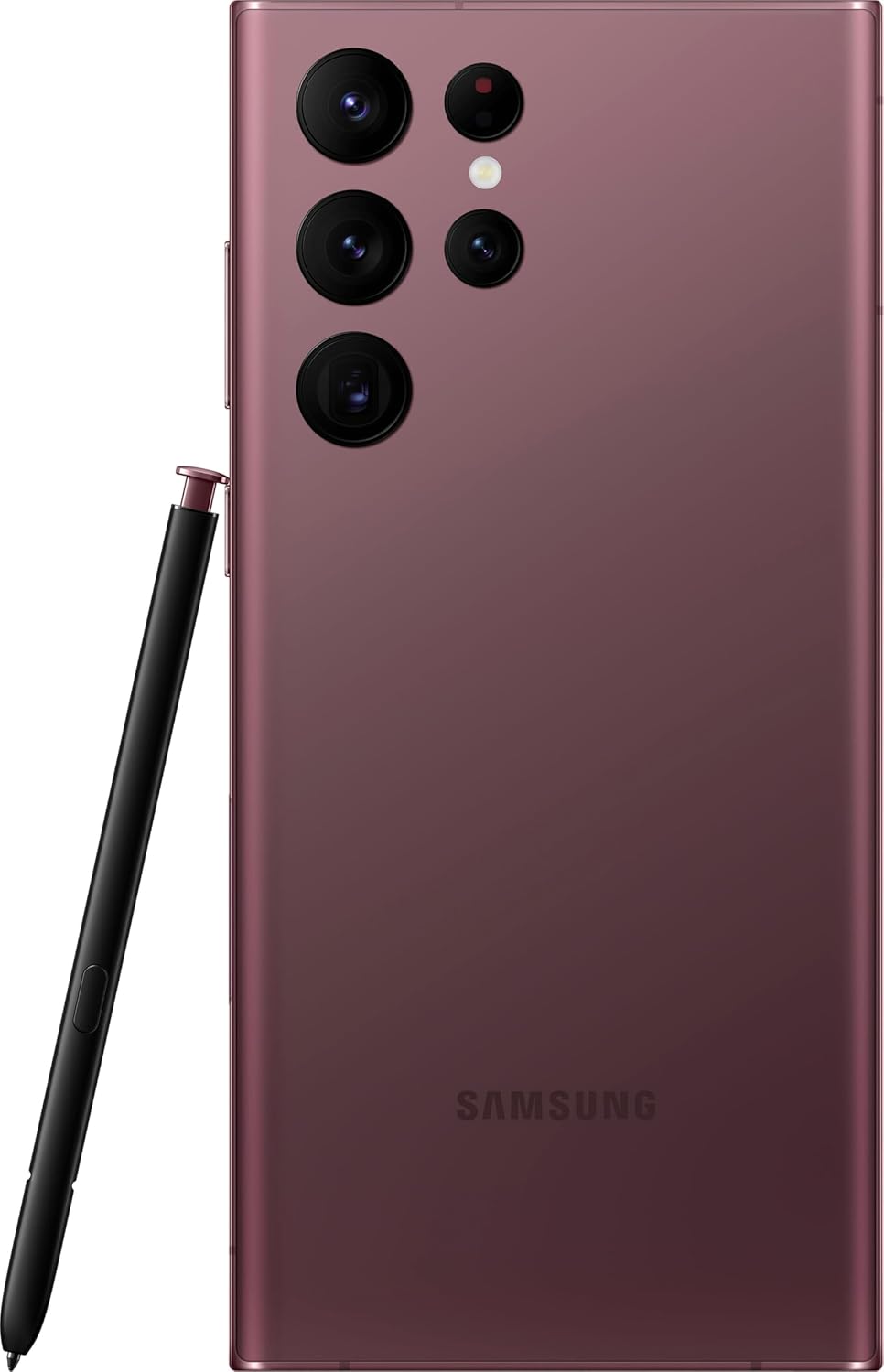
Imaxe: Traseira view of the Samsung Galaxy S22 Ultra 5G, highlighting the multi-lens camera system and the S-Pen.
Pantalla e elementos visuais
- Contraste de cor adaptativo: The Galaxy S22 Ultra's display automatically optimizes color and brightness for both indoor and outdoor viewing, ensuring clarity in various lighting conditions.
- Potenciador da visión: Enhances screen visibility, making your content appear vibrant and clear even in bright environments.

Imaxe: Fronte view of the Samsung Galaxy S22 Ultra 5G with the screen displaying colorful, dynamic content.
S-Pen Usage
The integrated S-Pen allows for precise interaction with your device. Use it for:
- Taking quick notes directly on the screen.
- Editing photos and videos with enhanced precision.
- Drawing and sketching with a natural pen-on-paper feel.
- Navigating the user interface and selecting text.
Mantemento
Limpeza do dispositivo
To clean your phone, use a soft, lint-free cloth. Avoid abrasive materials or harsh chemicals. For stubborn smudges, slightly dampen the cloth with water. Ensure no liquid enters openings like the charging port or speaker grilles.
Coidado da batería
Your device is equipped with a 5000 mAh Li-Ion battery. To maximize battery life:
- Evita temperaturas extremas.
- Non deixes que a batería se descargue completamente con frecuencia.
- Use os accesorios de carga orixinais ou certificados.
Actualizacións de software
Regularly check for and install software updates to ensure your device has the latest features, security patches, and performance improvements. You can usually find this option in the device settings under "Software update".
Resistencia á auga
The Galaxy S22 Ultra 5G is rated as water-resistant. This means it can withstand splashes and brief immersion in shallow water. It is not fully waterproof. Avoid exposing it to high-pressure water, saltwater, or other liquids. If the device gets wet, dry it thoroughly before charging or using accessories.
Resolución de problemas
Problemas comúns e solucións
- O dispositivo non se acende: Asegúrate de que a batería estea cargada. Conecta o dispositivo a un cargador e agarda uns minutos antes de tentar acendelo de novo.
- A pantalla non responde: Try restarting the device by holding the Power/Side key and Volume Down key simultaneously for about 7 seconds.
- Escasa duración da batería: Check background app usage, reduce screen brightness, disable unnecessary features like GPS or Bluetooth when not in use. Consider a factory reset if the issue persists after trying other solutions.
- Problemas de conectividade de rede: Ensure your SIM card is properly inserted. Try toggling Airplane Mode on and off. If issues persist, contact your wireless carrier (T-Mobile for this model).
Restablecemento de fábrica
A factory reset will erase all data from your device and restore it to its original factory settings. Back up all important data before proceeding. To perform a factory reset, navigate to Configuración > Xestión xeral > Restablecer > Restablecemento de datos de fábrica.
Especificacións
| Característica | Detalle |
|---|---|
| Marca | Samsung |
| Nome do modelo | Galaxy S22 Ultra 5G |
| Número de modelo | SM-S908U |
| Sistema Operativo | Android |
| Modelo CPU | Serie A de dobre núcleo A4-3420 |
| Capacidade de almacenamento | 512 GB |
| Tamaño da pantalla | 6.8 polgadas |
| Resolución de visualización | 1440 x 3200 |
| Taxa de actualización | 60 Hz |
| Portador sen fíos | T-Mobile |
| Ranuras para tarxetas SIM | SIM dual |
| Tecnoloxía de conectividade | 5G, Wi-Fi, CDMA, GSM, LTE |
| Seguridade biométrica | Recoñecemento facial |
| Nivel de resistencia á auga | Resistente á auga |
| Jack de audio | Sen toma de auriculares |
| Resolución da cámara traseira | 108 MP (3 cameras) |
| Front Camera Count | 1 |
| Tipo de batería | Li-Ion |
| Capacidade da batería | 5000 mAh |
| Resolución de gravación de vídeo | 8K |
| Cor | Borgoña |
Garantía e Soporte
Información da garantía
This product is a refurbished device. It typically comes with a 90-day return policy for refund or replacement. For specific warranty details, please refer to the documentation provided at the time of purchase or contact your retailer. Manufacturer warranties for new devices may not apply to refurbished products.
Atención ao cliente
Para obter máis axuda, soporte técnico ou consultas sobre o servizo, visite o sitio web oficial de soporte de Samsung. website or contact their customer service. You can find contact information and FAQs on their websitio.
For issues related to your T-Mobile service, please contact T-Mobile customer support directly.
Ask a question about this manual
Ask about setup, troubleshooting, compatibility, parts, safety, or missing instructions. Manuals+ will review the question and use this page’s manual context to help answer it.