
Andoer 2.7K Digital Camera Compact Video Camcorder
Andoer 2.7K Digital Camera 48MP User Manual
Model: 2.7K Digital Camera Compact Video Camcorder
Introdución
This manual provides essential instructions for the safe and effective operation of your Andoer 2.7K Digital Camera. Please read this manual thoroughly before using the camera and retain it for future reference.
The Andoer 2.7K Digital Camera is a compact device designed for capturing high-resolution photos and videos. It features a 48MP image sensor, 2.7K video recording capabilities, a 2.88-inch IPS screen, 16X digital zoom, and various functions such as anti-shake, face detection, and a built-in LED fill light.
Contido do paquete
Verifique que todos os elementos que se indican a continuación estean incluídos no seu paquete:
- 1 x Andoer 2.7K Digital Camera
- 2 x Lithium Batteries (3.7V 700mAh)
- 1 x cable de carga USB
- 1 x Correa de boneca
- 1 x bolsa de transporte
- 1 Manual de usuario (inglés)

Figure 1: Contents of the camera package.
Cámara rematadaview

Figura 2: Parte dianteira e traseira view of the camera with included batteries.
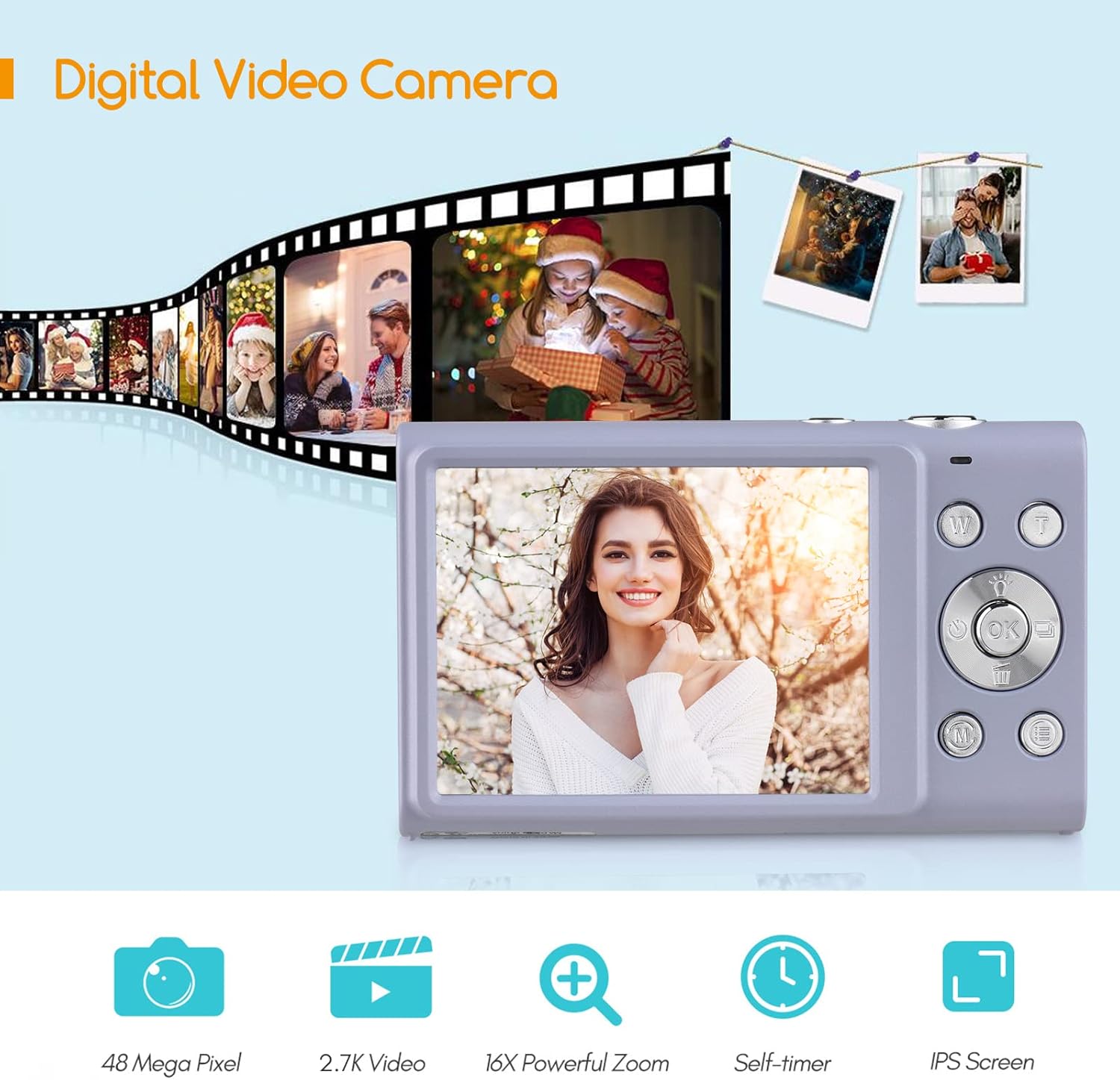
Figure 3: Camera features highlighted.
Configuración
1. Instalación da batería
- Abra a tapa do compartimento da batería situada na parte inferior da cámara.
- Insert a fully charged lithium battery (3.7V 700mAh) into the compartment, ensuring correct polarity.
- Pecha a tapa do compartimento da batería de forma segura.
2. Cargando a batería
- Connect the camera to a power source (e.g., computer USB port or USB wall adapter) using the provided USB charge cable.
- A luz indicadora de carga acenderase. Apagarase ou cambiará de cor unha vez completada a carga.
- Unha carga completa adoita tardar aproximadamente de 2 a 3 horas.
3. Instalación da tarxeta de memoria
The camera requires an external Class-10 memory card (up to 128GB, not included) for storing photos and videos.
- Localice a ranura da tarxeta de memoria no lateral da cámara.
- Insert the memory card with the metal contacts facing the front of the camera until it clicks into place.
- Para retirala, prema suavemente a tarxeta ata que salte.
4. Colocación da correa de pulso
Thread the wrist strap through the strap eyelet on the side of the camera to prevent accidental drops.
5. Montaxe de trípode
The camera features a universal 1/4" screw hole on the bottom, allowing it to be mounted on a tripod for stable shots.

Figure 4: Universal 1/4" screw hole for tripod attachment.
Instrucións de funcionamento
1. Acendido/apagado
- Press and hold the Power button (usually marked with a circle and a line) to turn the camera on or off.
- The camera has an auto power-off feature (1min/3min/5min) to conserve battery life. This can be adjusted in the settings.
2. Facendo fotos
- Turn on the camera. The screen will display the live view.
- Frame your shot using the 2.88-inch IPS screen.
- Press the Shutter button (typically on top of the camera) halfway down to focus. The camera features auto-focus.
- Prema o botón do obturador ata o fondo para capturar a foto.
Photo Modes and Features:
- Resolución: Supports up to 48MP. Adjust in settings.
- Zoom dixital: Use the W/T (Wide/Telephoto) buttons to zoom in or out (up to 16X digital zoom).
- Antivibración: A estabilización dixital da imaxe axuda a reducir o desenfoque causado polo movemento da cámara.
- Face Detection & Smile Capture: The camera can detect faces and automatically capture a photo when a smile is detected.
- Temporizador automático: Options for Off, 2 sec, 5 sec, 10 sec delays.
- Disparo continuo: Capturar unha secuencia rápida de fotos.
- Built-in LED Fill Light: Activate for additional illumination in low-light conditions.

Figure 5: Demonstrations of Self-Timer, Continuous Shooting, LED Fill Light, and Face Detection.

Figura 6: Example of 16X Digital Zoom in use.

Figure 7: Face Detection and Smile Capture in action.
3. Gravación de vídeos
- Switch the camera to video mode (if applicable, usually via a mode button or menu option).
- Preme o botón Gravar (a miúdo marcado cun punto vermello) para comezar a gravación.
- Preme de novo o botón Gravar para deixar de gravar.
Características do vídeo:
- Resolución: Supports 2.7K (2688x1520), 1080P (1920x1080), 720P (1280x720), VGA (640x480).
- Zoom dixital: Available during video recording.

Figure 8: Camera's 2.7K video and 48MP photo capabilities.
4. Reprodución
- Press the Playback button (often marked with a triangle icon) to enter playback mode.
- Use the navigation buttons to browse through your photos and videos.
- Prema de novo o botón de Reprodución ou o botón do Obturador para saír do modo de reprodución.
5. Conectando a un ordenador
- Apague a cámara.
- Conecte a cámara ao seu ordenador mediante o cable USB proporcionado.
- The camera will appear as a removable disk drive on your computer.
- You can then transfer photos and videos to your computer.
- Supported Operating Systems: Windows XP/ Vista/ 7/ 8/ 10, Mac 10.2 and above.
Mantemento
- Limpeza: Use a soft, dry cloth to clean the camera body. For the lens and screen, use a specialized lens cleaning cloth and solution. Avoid harsh chemicals.
- Coidado da batería: Garde as baterías nun lugar fresco e seco. Non as expoña a temperaturas extremas. Se non usa a cámara durante un período prolongado, retire a batería.
- Almacenamento: When not in use, store the camera in its carry bag in a dry, dust-free environment.
- Resistencia á auga: Esta cámara é non resistente á auga. Evitar a exposición á auga ou á humidade elevada.
Resolución de problemas
| Problema | Causa posible | Solución |
|---|---|---|
| A cámara non se acende. | A batería está esgotada ou inserida incorrectamente. | Charge the battery or re-insert it correctly. Ensure the battery compartment is closed. |
| Non se poden facer fotos/vídeos. | A tarxeta de memoria está chea, non está inserida ou está danada. | Insert a memory card, delete unnecessary files ou formate a tarxeta (isto borrará todos os datos). |
| As imaxes son borrosas. | Camera shake, dirty lens, or out of focus. | Hold the camera steady, clean the lens, ensure auto-focus is engaged (half-press shutter). Use anti-shake feature. |
| O flash non funciona. | Flash is disabled or battery is low. | Comproba a configuración do flash. Asegúrate de que a batería estea suficientemente cargada. |
| A cámara conxélase. | Fallo de software. | Remove and re-insert the battery to reset the camera. |
Especificacións
| Característica | Detalle |
|---|---|
| Sensor de imaxe | Sensor CMOS |
| Resolución de imaxe | 48MP, 44MP, 36MP, 24MP, 20MP, 16MP, 12MP, 10MP |
| Resolución de vídeo | 2.7K (2688x1520), 1080P (1920x1080), 720P (1280x720), VGA (640x480) |
| Mostrar | Pantalla IPS de 2.88 polgadas |
| Zoom dixital | 16X |
| Apertura | F/3.2 |
| Distancia focal | f = 7.36 mm |
| File Formato | JPG / AVI |
| Exposición | EV-3 to EV+3 |
| Temporizador automático | Apagado / 2 seg / 5 seg / 10 seg |
| Apagado automático | 1 min / 3 min / 5 min |
| Características especiais | Anti-Shake, Face Detect, Smile Capture, Built-in LED Fill Light, Continuous Photography |
| Almacenamento | Supports Class-10 external memory card up to 128GB (not included) |
| Fonte de alimentación | 1 x Lithium battery (3.7V 700mAh) |
| Tamaño do elemento | 9.4 * 5.6 * 1.9 cm / 3.7 * 2.2 * 0.7 polgadas |
| Peso do elemento | 115g / 4.1oz (with battery) |
| Requisitos do sistema operativo | Windows XP/ Vista/ 7/ 8/ 10, Mac 10.2 |
Garantía e Soporte
For warranty information, please refer to the documentation provided at the time of purchase or contact your retailer. Andoer products typically come with a standard manufacturer's warranty covering defects in materials and workmanship.
If you encounter any issues not covered in the troubleshooting section, or require further assistance, please contact Andoer customer support through their official websitio web ou a información de contacto proporcionada co produto.
Ask a question about this manual
Ask about setup, troubleshooting, compatibility, parts, safety, or missing instructions. Manuals+ will review the question and use this page’s manual context to help answer it.