
Produto rematadoview
The Kwikset 92640-001 Contemporary Electronic Keypad Single Cylinder Deadbolt offers advanced keyless entry with a motorized 1-touch locking mechanism. This system provides convenience and enhanced security for your home. It allows for up to six individual customized user codes, making it ideal for active lifestyles by eliminating the need to carry physical keys. Temporary or one-time use codes can also be easily generated for visitors or service personnel.
Complementing the deadbolt is the Kwikset Halifax Passage Door Lever, designed for interior hall and closet applications where no locking is required. Its reversible design ensures compatibility with both left and right-handed doors, and the Microban antimicrobial protection helps keep the handle cleaner. Both components feature a crisp, clean Satin Nickel finish, adding a modern aesthetic to any home.
Características principais:
- Keyless entry deadbolt (92640-001) with motorized 1-touch locking and low battery indication.
- Passage door handle (Halifax) with reversible non-locking lever for closet and hallway doors.
- Deadbolt operates by keypad or key outside and thumb turn inside, fitting 1-3/8 in. to 1-3/4 in. thick doors.
- Handle with never-sag lever utilizes dual compression springs for durability.
- Deadbolt includes 6 customizable user codes and temporary codes.
- Handle with Grade 1 BHMA certified security, durability, and finish.
- Both components are available in Satin Nickel finish.
Compoñentes do produto
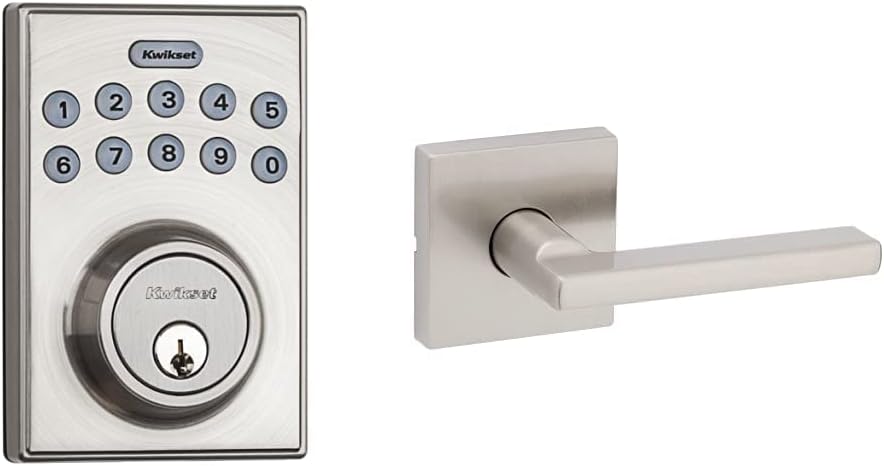
En xeral view of the Kwikset Electronic Keypad Deadbolt and the Halifax Passage Door Handle, both in a Satin Nickel finish.

Detallado view of the Kwikset Electronic Keypad Deadbolt, showing the numeric keypad and keyhole.

The Kwikset Halifax Interior Passage Door Handle, featuring a contemporary square rosette and lever design.
Configuración e instalación
Proper installation is crucial for the optimal performance and security of your Kwikset lockset. This product is designed for standard door preparations and fits door thicknesses from 1-3/8 inches to 1-3/4 inches.
Pasos xerais de instalación:
- Prepara a porta: Ensure your door has the correct bore holes and backset for the deadbolt and passage handle.
- Instalar o pestillo: Insert the deadbolt latch and passage latch into the door edge.
- Instalar o conxunto exterior: Mount the exterior keypad deadbolt assembly and the exterior passage handle assembly.
- Instalación do conxunto interior: Secure the interior deadbolt assembly and interior passage handle assembly, connecting any necessary cables for the electronic deadbolt.
- Instalar baterías: Insert the required batteries into the electronic deadbolt's interior assembly.
- Proba de funcionamento: Verify that both the deadbolt and passage handle operate smoothly and correctly.
For detailed, step-by-step installation instructions, including specific diagrams and troubleshooting tips during installation, please refer to the official Kwikset User Manual PDF available via the support section below or on the Kwikset websitio.
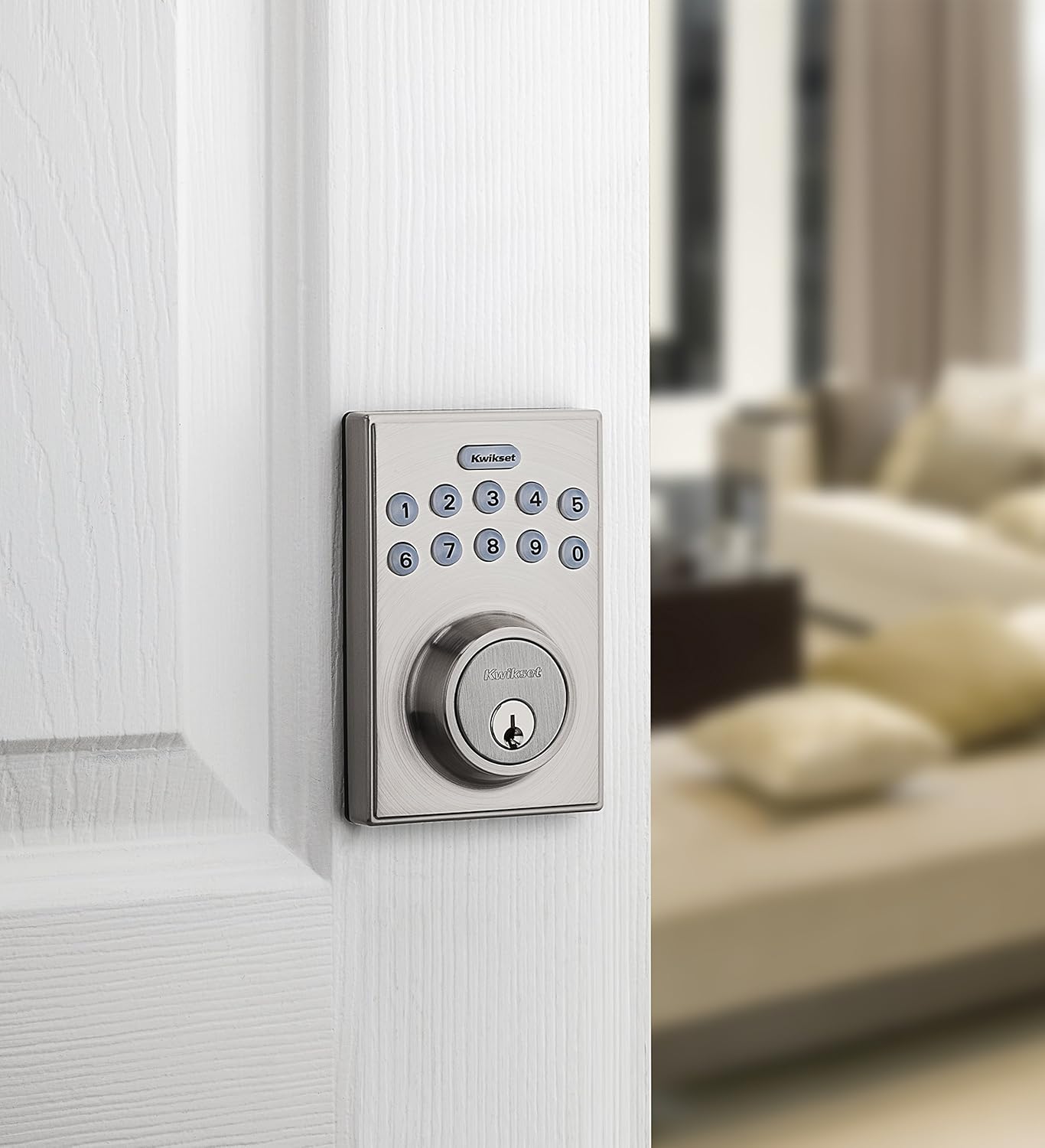
The electronic deadbolt installed on a door, showcasing é un profesional elegantefile.

Lado profile of the installed deadbolt, illustrating how it sits flush with the door.
Instrucións de funcionamento
Electronic Keypad Deadbolt:
- Pechando a porta:
- From outside: Press the Bloqueo button (Kwikset logo) once. The deadbolt will extend automatically.
- From inside: Turn the thumb turn to the vertical (locked) position.
- Desbloqueo da porta:
- From outside: Enter a valid 4-8 digit user code on the keypad. The deadbolt will retract automatically.
- From inside: Turn the thumb turn to the horizontal (unlocked) position.
- Using a key: Insert the physical key into the keyhole and turn to unlock.
- Programación de códigos de usuario: Refer to the full user manual for detailed steps on adding, deleting, or changing user codes. The deadbolt supports up to 6 unique user codes.
- Temporary One-Time Codes: The system allows for the creation of temporary codes that can be used once and then automatically deleted. Consult the manual for programming these codes.
- Indicación de batería baixa: The deadbolt will provide a visual or audible alert when the batteries are low. Replace batteries promptly to ensure continuous operation.
Halifax Passage Door Handle:
- This handle is designed for passage applications and does not feature a locking mechanism.
- Simply push or pull the lever to open the door. The lever is always free to turn.
Mantemento
To ensure the longevity and proper functioning of your Kwikset lockset, follow these maintenance guidelines:
- Limpeza: Clean the lock and handle surfaces with a soft, damp pano. Evite o uso de produtos de limpeza abrasivos, solventes ou produtos químicos agresivos, xa que poden danar o acabado.
- Substitución da batería: When the low battery indicator activates, replace all batteries in the electronic deadbolt with new, high-quality alkaline batteries (typically AA batteries, refer to manual for exact type and quantity). Do not mix old and new batteries or different battery types.
- Lubricación: Periodically, a small amount of graphite lubricant can be applied to the keyway if the key feels stiff. Do not use oil-based lubricants.
- Comprobar os elementos de fixación: Occasionally check that all mounting screws are secure. Do not overtighten.
Resolución de problemas
If you encounter issues with your Kwikset Electronic Keypad Deadbolt, consider the following common solutions:
| Problema | Posible causa/solución |
|---|---|
| Deadbolt does not lock/unlock electronically. |
|
| O teclado non responde. |
|
| Door handle is loose or wobbly. |
|
If these steps do not resolve the issue, please consult the comprehensive troubleshooting section in the official Kwikset User Manual or contact Kwikset customer support.
Especificacións
| Característica | Detalle |
|---|---|
| Marca | Kwikset |
| Número de modelo | 92640-001 |
| Estilo | Deadbolt + Passage Door Lever |
| Cor | Níquel satinado |
| Tipo de bloqueo | Bloqueo de teclas, teclado |
| Usos recomendados | Seguridade |
| Compatibilidade do grosor da porta | 1-3/8 polgadas a 1-3/4 polgadas |
| Número de códigos de usuario | Ata 6 códigos personalizables |
| Características especiais | Motorized 1-touch locking, Low battery indication, Microban antimicrobial protection (on handle) |
| Tipo de acabado | Acabado níquel |
| Protocolo de conectividade | Wi-Fi |
Garantía e Soporte
Kwikset products are backed by a comprehensive warranty. For specific warranty details, including coverage and duration, please visit the official Kwikset website or refer to the warranty information included with your product packaging.
For further assistance, technical support, or to download the complete user manual, please visit the Kwikset support page or contact their customer service. A PDF version of the user manual is available here: Kwikset User Manual (PDF).