
Produto rematadoview
The OnePlus SUPERVOOC 80W Car Charger is designed to provide rapid and efficient charging for your devices while on the go. Featuring dual USB-A and USB-C ports, it supports various fast-charging protocols to ensure compatibility and optimal performance for mobile phones, laptops, and tablets.

Imaxe: Fronte view of the OnePlus SUPERVOOC 80W Car Charger, showcasing its compact design and the OnePlus logo.
Características principais:
- Carga de dobre porto: USB-A and USB-C ports allow simultaneous charging for two devices.
- Saída de alta velocidade: USB-A port supports 80W MAX output for SUPERVOOC compatible devices (e.g., OnePlus 10 Pro to 100% in approximately 37 minutes). USB-C port supports 30W MAX output via PD protocol.
- Ampla compatibilidade: Intelligent chip adjusts current for devices supporting SUPERVOOC/VOOC, PD, QC, and other protocols.
- Seguridade mellorada: Built-in protections against short-circuit, over-current, over-voltage, baixo voltage, and static.
- Deseño duradeiro: Compact and robust construction for reliable use in vehicles.
Configuración e instalación
- Localizar a toma de corrente do vehículo: Identify the 12V or 24V auxiliary power outlet (cigarette lighter socket) in your vehicle.
- Insert Car Charger: Firmly insert the OnePlus SUPERVOOC 80W Car Charger into the vehicle's power outlet. Ensure it is securely seated.
- Conectar o cable de carga: Plug a compatible USB-A or USB-C charging cable (not included) into the corresponding port on the car charger. For optimal SUPERVOOC charging, use a genuine OnePlus SUPERVOOC compatible cable.
- Conectar dispositivo: Connect the other end of the charging cable to your mobile phone, tablet, or other compatible device.

Image: The car charger plugged into a vehicle's power outlet, with charging cables connected to devices.

Imaxe: Arriba view of the car charger showing the USB-A and USB-C charging ports.
Instrucións de funcionamento
Once installed, the car charger operates automatically. It will detect the connected device and deliver the appropriate charging current based on the device's capabilities and supported protocols.
- Carga simultánea: You can charge one device via the USB-A port and another via the USB-C port concurrently.
- Carga rápida: For devices supporting SUPERVOOC (USB-A) or Power Delivery (USB-C), the charger will automatically engage fast charging modes. Ensure your device and cable are compatible with these protocols for maximum speed.
- Luz indicadora: The charger may feature an indicator light (e.g., a ring light) to confirm it is powered and ready for use. This light also aids in locating the charger in low-light conditions.

Image: The car charger illuminated by its ring light, visible in a car's interior at night.
Información de seguridade
The OnePlus SUPERVOOC 80W Car Charger incorporates multiple safety features to protect your devices and vehicle. Adhere to the following guidelines for safe operation:
- Non desmonte nin modifique o cargador.
- Evite expoñer o cargador a temperaturas extremas, á luz solar directa ou á humidade.
- Ensure the charger is securely plugged into the power outlet to prevent intermittent connections.
- Use only compatible and certified charging cables.
- The charger is equipped with:
- Protección contra curtocircuítos
- Protección contra sobrecorriente
- Sobrevoltage protección
- Sub-voltage protección
- Static protection
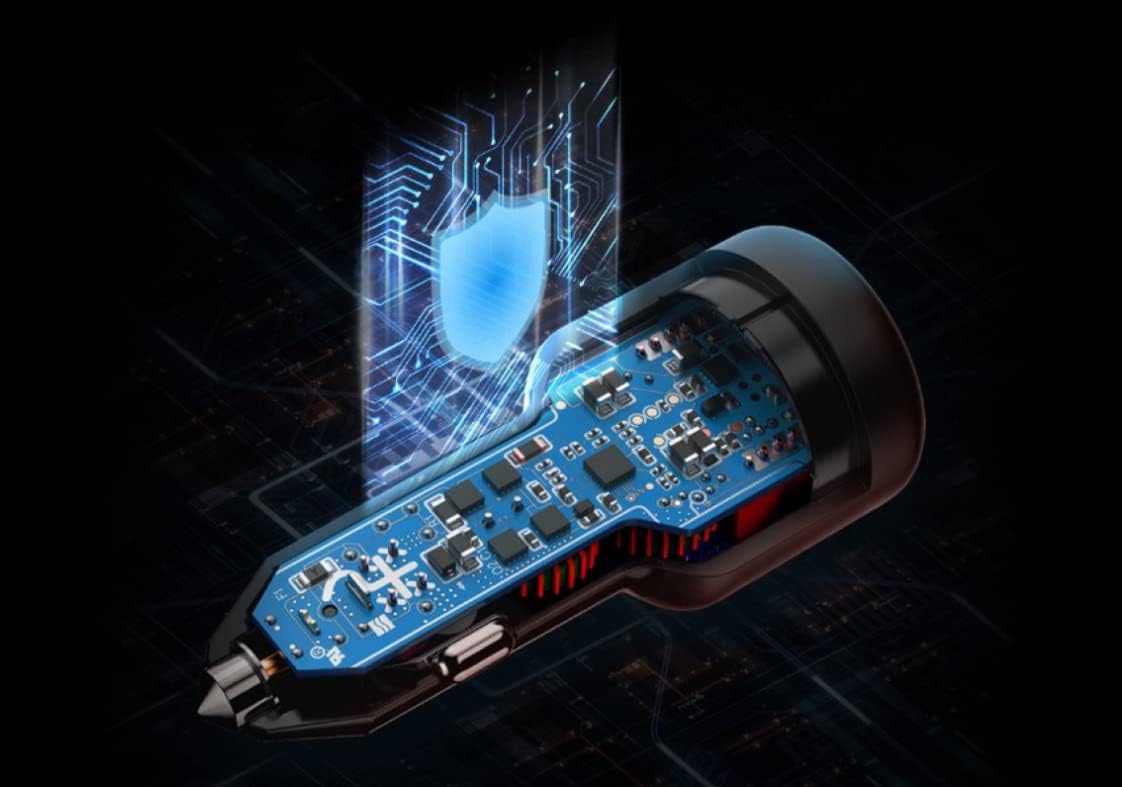
Image: Diagram illustrating the internal smart processing chip and safety features of the car charger.
Resolución de problemas
Issue: Device not charging or charging slowly.
- Comprobar a conexión: Ensure the car charger is firmly seated in the vehicle's power outlet and the charging cable is securely connected to both the charger and your device.
- Verificar o cable: Confirm that the charging cable is not damaged and is compatible with your device and the charger's fast-charging protocols (e.g., SUPERVOOC cable for SUPERVOOC charging).
- Potencia do vehículo: Ensure your vehicle's engine is running or the power outlet is active. Some vehicle outlets only provide power when the ignition is on.
- Compatibilidade do dispositivo: Confirm your device supports the fast-charging protocols offered by the charger (SUPERVOOC/VOOC, PD, QC).
- Proba con outro porto/cable: Test with a different port on the charger or a different known-good cable to isolate the issue.
Issue: Charger feels warm during use.
- It is normal for the charger to become warm during high-power charging. If it becomes excessively hot or emits smoke/odor, immediately disconnect it from the power outlet and discontinue use.
Especificacións
| Característica | Detalle |
|---|---|
| Marca | OnePlus |
| Número de modelo | CCB7JACH |
| Tipo de conector | USB-A, USB-C |
| Saída USB-A | 80W MAX (SUPERVOOC) |
| Saída USB-C | 30W MAX (PD) |
| Vol. De entradatage | 12 voltios (DC) |
| Total de portos USB | 2 |
| Dispositivos compatibles | Laptops, Tablets, Mobile Phones (OnePlus 10 Pro, OnePlus series supporting SUPERVOOC/VOOC, and other devices supporting PD, QC) |
| Peso do elemento | 0.11 quilogramos |
| Material | Plástico |
Garantía e Soporte
This OnePlus SUPERVOOC 80W Car Charger comes with a 1 anos de garantía do fabricante.
For warranty claims, technical support, or further assistance, please contact OnePlus customer service through their official websitio web ou o vendedor onde se comprou o produto.
Keep your purchase receipt or proof of purchase for warranty validation.