
1. Introdución
This manual provides essential information for the safe and efficient operation, installation, and maintenance of your Panasonic 8 Kg Wi-Fi Fully-Automatic Top Load Washing Machine, Model NA-F80V10SRB. Please read these instructions thoroughly before using the appliance and retain them for future reference.
Your washing machine features smart connectivity, an 8 kg capacity suitable for medium-sized families, and a built-in heater for enhanced cleaning. It operates with a fully automatic system and offers 15 wash programs.

Imaxe 1.1: Fronte view of the Panasonic NA-F80V10SRB washing machine.
2. Información de seguridade
Siga sempre as precaucións de seguridade básicas ao usar electrodomésticos para reducir o risco de incendio, descarga eléctrica ou lesións ás persoas.
- Ensure the power supply matches the rating label on the appliance.
- Non faga funcionar a máquina cun cable de alimentación ou enchufe danados.
- Manteña os nenos e as mascotas lonxe do aparello durante o seu funcionamento.
- Non laves artigos que estean sucios con substancias inflamables.
- Desconecte sempre a máquina antes de limpala ou realizar calquera mantemento.
3. Instalación e configuración
3.1 Desembalaxe
Carefully remove all packaging materials. Inspect the machine for any damage. Keep packaging materials away from children.
3.2 Localización
Coloque a lavadora sobre unha superficie firme e nivelada. Asegúrese de que haxa espazo suficiente arredor da máquina para a ventilación e o acceso. Evite a luz solar directa ou as temperaturas extremas.
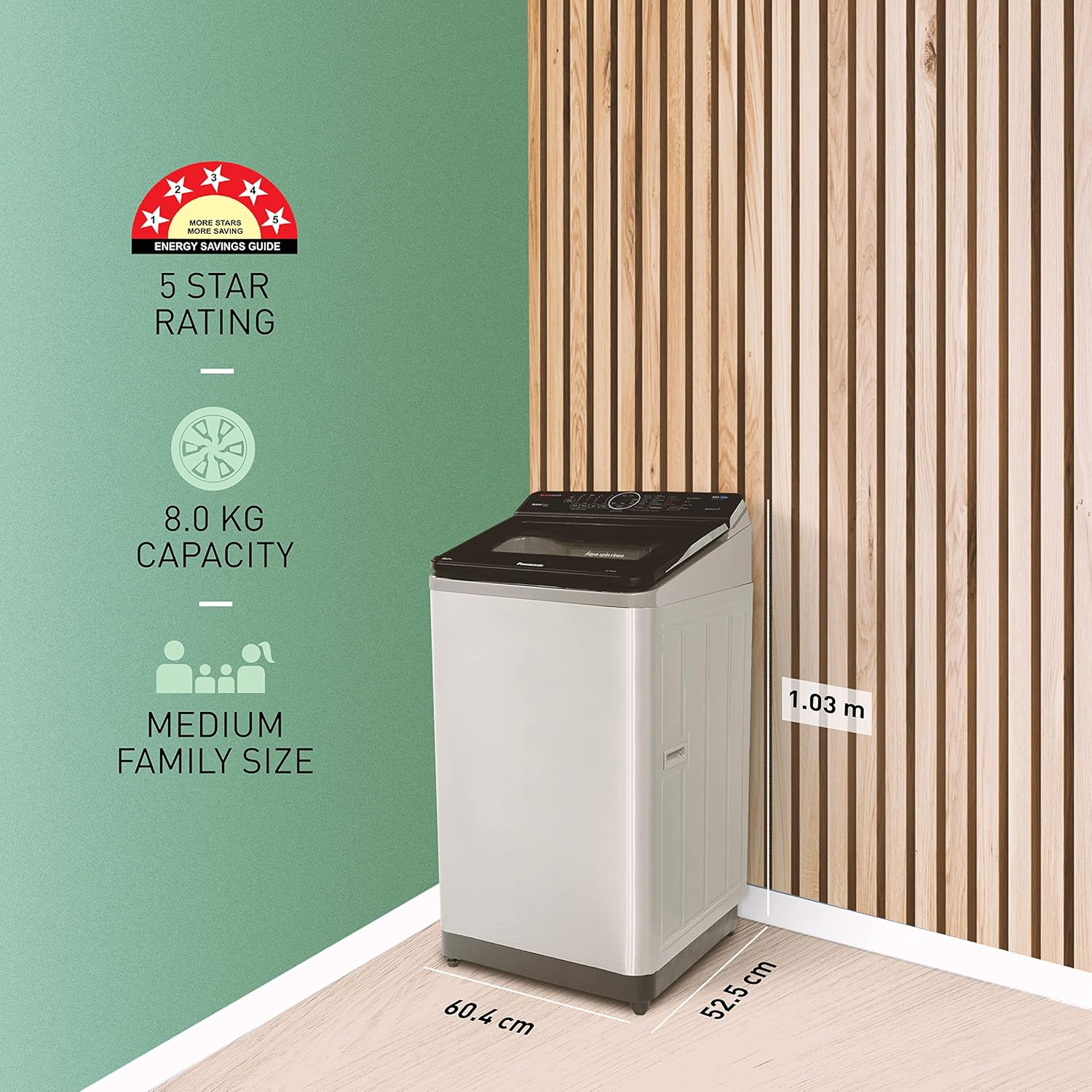
Image 3.1: Dimensions of the Panasonic NA-F80V10SRB washing machine (52.5D x 60.4W x 103H Centimeters).
3.3 Conexión de auga
Connect the inlet hose to a cold water tap with a 3/4-inch thread. Ensure all connections are tight to prevent leaks. The drain hose should be securely placed into a standpipe or laundry tub, ensuring it is not kinked.
3.4 Conexión de alimentación
Plug the power cord into a grounded electrical outlet. The machine operates on 230 Volts.
3.5 Configuración Wi-Fi
Download the Panasonic MirAie app on your smartphone. Follow the in-app instructions to connect your washing machine to your home Wi-Fi network. This enables smart features and remote control.
4. Instrucións de funcionamento
Your washing machine is designed for ease of use with a touch control panel and LED display.
4.1 Carga da roupa
Open the top lid and load clothes into the drum. Do not overload the machine. For optimal results, ensure clothes are evenly distributed.
4.2 Engadir deterxente e suavizante
Add the appropriate amount of detergent and fabric softener to their respective dispensers. Refer to detergent packaging for dosage recommendations.
4.3 Selección dun programa de lavado
The machine offers 15 programs. Use the touch controls to select the desired wash cycle. Common cycles include:
- amable: Para tecidos delicados.
- Lavado diario: Para a roupa diaria.
- Pesado: Para artigos moi sucios.
- Lavado rápido: Para prendas lixeiramente sucias que precisan un ciclo rápido.
O Wash Wizard feature in the MirAie app can help you choose the most suitable wash cycle from over 600 programs based on your clothes and soil level.
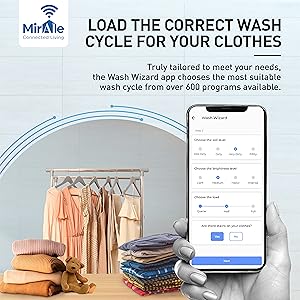
Image 4.1: The MirAie app's Wash Wizard feature guiding cycle selection.
4.4 Smart Features (MirAie App)
Leverage the MirAie app for enhanced control and convenience:
- Control remoto: Start, pause, or end wash cycles from anywhere.
- Stain Genius: Get pre-treatment guides and recommendations for over 50 types of stains.
- Programación intelixente: Schedule wash cycles to run at your convenience.
- Energy & Water Tracking: Monitor your machine's real-time consumption.
- Alertas meteorolóxicas: Receive recommendations to plan your laundry based on weather forecasts.
- Comandos de voz: Control your washing machine using voice commands (compatible with Alexa).

Imaxe 4.2: Acabadoview of smart features available through the MirAie app.
4.5 Built-in Heater and EcoNavi Sensors
The built-in heater assists in better stain dissolution, providing a cleaner and more hygienic wash. EcoNavi sensors intelligently detect the load and water temperature, optimizing water and energy usage.

Image 4.3: Illustration of the built-in heater for enhanced cleaning.

Image 4.4: Visual representation of EcoNavi sensors at work.
5. Mantemento
Un mantemento regular garante a lonxevidade e o rendemento óptimo da túa lavadora.
5.1 Limpeza do filtro de pelusa
The machine is equipped with a big lint filter. Regularly clean the lint filter to prevent lint buildup and ensure efficient drainage. Refer to the diagram below for location and removal instructions.
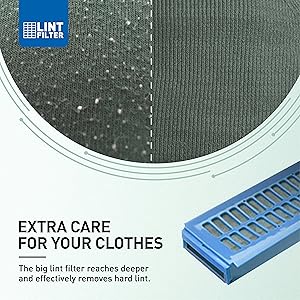
Image 5.1: The large lint filter designed for effective lint removal.
5.2 Limpeza do exterior
Limpe o exterior da máquina cun suave, damp pano. Non use produtos de limpeza ou disolventes abrasivos.
5.3 Limpeza do tambor
Periodically run a drum clean cycle (if available) or a hot wash with a washing machine cleaner to remove detergent residue and odors.
5.4 Maintenance Alerts
The MirAie app provides timely maintenance alerts and allows you to schedule service visits with ease.
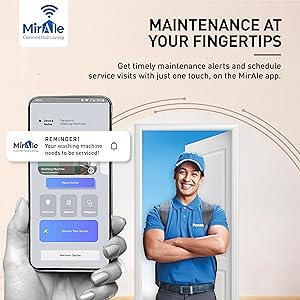
Image 5.2: MirAie app interface showing maintenance alerts and service scheduling.
6 Solución de problemas
Antes de contactar co servizo de atención ao cliente, consulte os seguintes problemas e solucións comúns:
| Problema | Causa posible | Solución |
|---|---|---|
| A máquina non arranca | Cable de alimentación desconectado; Tapa non pechada correctamente; Corta a correntetage. | Check power connection; Ensure lid is fully closed; Check household power. |
| Sen recheo de auga | Billa de auga pechada; mangueira de entrada de auga dobrada; problema co subministro de auga. | Abrir a billa da auga; Endereitar a mangueira; Comprobar o subministro de auga da casa. |
| Vibración / ruído excesivos | Máquina non nivelada; carga desequilibrada; parafusos de transporte non retirados. | Adjust leveling feet; Redistribute laundry; Ensure all shipping bolts are removed. |
| Malos resultados de lavado | Overloading; Incorrect detergent dosage; Wrong wash program. | Reducir o tamaño da carga; usar a cantidade correcta de deterxente; seleccionar o programa axeitado. |
Se o problema persiste despois de intentar estas solucións, póñase en contacto co servizo de atención ao cliente de Panasonic.
7. Especificacións
| Característica | Especificación |
|---|---|
| Nome do modelo | NA-F80V10SRB |
| Marca | Panasonic |
| Capacidade | 8 kg |
| Modo de operación | Totalmente automático |
| Localización de acceso | Carga superior |
| Dimensións do produto (P x A x A) | 52.5P x 60.4L x 103H centímetros |
| Peso do elemento | 32 quilogramos |
| Tipo de material | Aceiro inoxidable (tambor) |
| Característica especial | Smart Connectivity, Built-in Heater |
| Tipo de controis | Táctil, botóns |
| Número de programas | 15 |
| Velocidade máxima de rotación | 702 RPM |
| Voltage | 230 voltios |
| Mostrar | LED |
8. Garantía e soporte
8.1 Información da garantía
Your Panasonic washing machine comes with a 2 ano de garantía no produto e a 12 anos de garantía no motor from the date of purchase. Please refer to the warranty card included with your product for detailed terms and conditions.
8.2 Compoñentes incluídos
The product package includes the Washing Machine and a Warranty Card.
8.3 Atención ao cliente
For any service requests, technical assistance, or warranty claims, please contact Panasonic customer support. Contact information can be found on your warranty card or the official Panasonic websitio.