
1. Introdución
Thank you for choosing the UONI S1 P1 Robot Vacuum Cleaner. This device is designed to provide efficient and convenient cleaning for your home, featuring strong suction, Wi-Fi connectivity, and a 2-in-1 vacuum and mop function. This manual provides essential information for safe operation, setup, maintenance, and troubleshooting to ensure optimal performance of your robot vacuum.

The UONI P1 Robot Vacuum Cleaner offers a mini body, durable battery, schedule cleaning, 400ML dust box, 100 minutes runtime, and app control for a comprehensive cleaning experience.
2. Instrucións de seguridade importantes
Please read all safety instructions carefully before using this product and keep this manual for future reference. Failure to follow these instructions may result in electric shock, fire, or serious injury.
- Este aparello pode ser usado por nenos a partir de 8 anos e persoas con capacidades físicas, sensoriais ou mentais reducidas ou con falta de experiencia e coñecementos se recibiron supervisión ou instrucións sobre o uso do aparello de forma segura e comprenden os perigos que implica. .
- Os nenos deben ser supervisados para asegurarse de que non xogan co aparello.
- A limpeza e o mantemento do usuario non deben ser feitos por nenos sen supervisión.
- Use só o adaptador de corrente orixinal subministrado polo fabricante.
- Do not use the robot vacuum in wet environments or near water.
- Remove any loose cables, small objects, or fragile items from the cleaning path before operation.
- Do not operate the robot vacuum on elevated surfaces without protective barriers.
- Ensure the charging dock is placed against a wall on a level surface, away from heat sources.
3. Contido do paquete
Verificar que todos os compoñentes estean presentes e en bo estado:
- UONI S1 P1 Robot Vacuum Cleaner
- Base de carga
- Adaptador de alimentación
- Cepillos laterais (2 pares)
- Detachable Mopping Plate
- Mopping Cloth (reusable)
- Ferramenta de limpeza
- Manual de usuario
4. Produto rematadoview
Familiarize yourself with the main components of your UONI S1 P1 Robot Vacuum Cleaner.
Arriba View
The top panel features the power/clean button and Wi-Fi indicator.
Abaixo View
The underside includes the driving wheels, side brushes, charging contacts, and drop sensors.
Dustbin and Mopping Plate
The dustbin is easily accessible for emptying, and the mopping plate can be attached for wet cleaning.
5. Configuración
5.1 Colocación da base de carga
Place the charging dock against a wall in an open area, ensuring there are no obstacles within 1 meter (3 feet) to the front and 0.5 meters (1.5 feet) to the sides. Connect the power adapter to the charging dock and plug it into a wall outlet.
5.2 Carga inicial
Place the robot vacuum onto the charging dock. Ensure the charging contacts on the robot align with those on the dock. The indicator light on the robot will show charging status. For first-time use, fully charge the robot for at least 6 hours.

The robot vacuum automatically returns to its charging station when the battery is low or cleaning is complete.
5.3 Connecting to the UONI Robot App
For full control and scheduling features, download the UONI Robot App from your smartphone's app store. Follow the in-app instructions to connect your robot vacuum to your home Wi-Fi network.
This video demonstrates the UONI P1 Robot Vacuum's app remote control and automatic self-charging feature.
6. Funcionamento do robot aspirador
6.1 Iniciar/Pausar a limpeza
Press the power button on the robot or use the UONI Robot App to start or pause a cleaning cycle.
6.2 Modos de limpeza
The UONI S1 P1 offers multiple cleaning modes to suit different needs:
- Limpeza automática: O robot navega e limpa de forma intelixente toda a área do chan.
- Limpeza de puntos: Céntrase nunha zona sucia específica, limpando en espiral.
- Limpeza de bordos: Limpa ao longo de paredes e bordos de mobles.
- Programa de limpeza: Define horas específicas para que o robot limpe automaticamente a través da aplicación.

Illustrates the four distinct cleaning modes available to meet daily cleaning requirements.
6.3 2-in-1 Vacuum and Mop Function
The robot vacuum includes a detachable mopping plate and mopping cloth for wet cleaning. Attach the mopping plate with a damp cloth to the underside of the robot for mopping hard floors. Note: This model does not include a water tank; the cloth must be pre-dampengadido.

The robot features strong suction, a replaceable mopping cloth, and a 90-minute runtime for effective cleaning.
6.4 Navegación e evitación de obstáculos
The robot is equipped with sensors to detect stairs and ledges, preventing falls. Its slim design allows it to clean under furniture effectively.

Drop-sensing technology helps the robot avoid falling down stairs or off ledges.

The ultra-slim body, measuring 2.65 inches, allows for effective cleaning under beds and sofas.
7. Mantemento
Regular maintenance ensures your robot vacuum operates at peak performance.
7.1 Limpeza do colector de po e do filtro
Open the top cover, remove the dustbin, and empty its contents. Clean the filter by tapping it gently to remove dust. Replace the filter regularly for optimal suction.
7.2 Limpeza dos cepillos laterais
Remove any hair or debris tangled around the side brushes. Replace worn brushes to maintain cleaning efficiency.
7.3 Limpeza de sensores e contactos de carga
Wipe the drop sensors and charging contacts on both the robot and the charging dock with a clean, dry cloth to ensure proper function and charging.

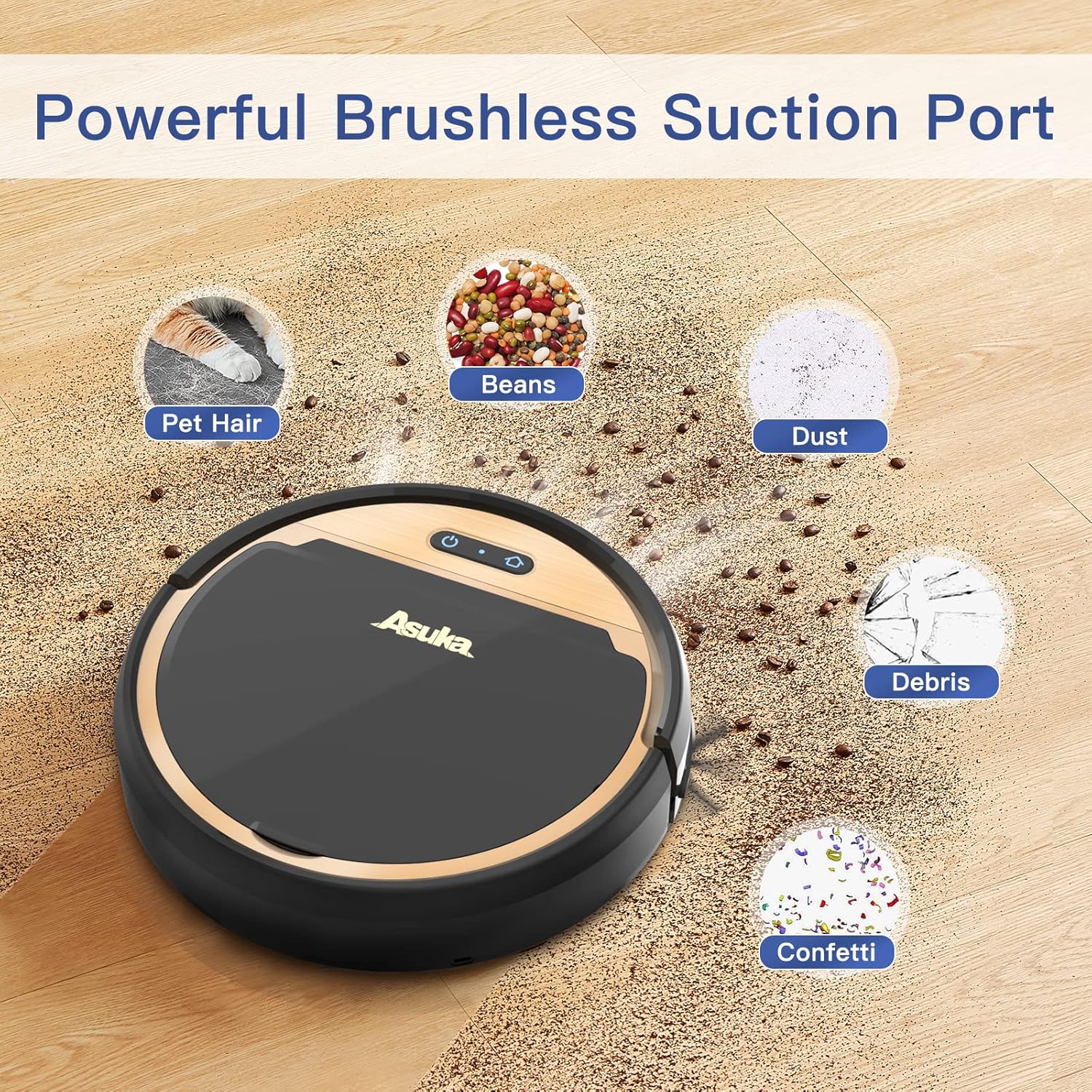
The tangle-free suction port design helps prevent hair from getting tangled, reducing maintenance compared to traditional roller brushes.
8 Solución de problemas
Se tes problemas co teu robot aspirador, consulta os seguintes problemas e solucións comúns:
| Problema | Causa posible | Solución |
|---|---|---|
| O robot non se acende | Batería baixa; interruptor de alimentación apagado | Cargue o robot; asegúrese de que o interruptor de alimentación estea acendido |
| O robot non carga | Contactos de carga sucios; Base sen alimentación | Clean contacts; Check power connection to dock |
| Mala succión | Full dustbin; Clogged filter; Obstruction in suction port | Empty dustbin; Clean/replace filter; Remove obstruction |
| O robot quédase atascado con frecuencia | Too many obstacles; Tangled side brushes | Clear cleaning area; Clean side brushes |
| Robot falls down stairs | Drop sensors dirty | Clean drop sensors thoroughly |
9. Especificacións
Technical details for the UONI S1 P1 Robot Vacuum Cleaner:
- Marca: UNI
- Número de modelo: P1
- Dimensións do produto: 12 cm de longo x 3 cm de ancho x 12 cm de alto
- Peso do artigo: 3 libras
- Fonte de enerxía: Alimentado por batería
- Duración da batería: minutos 90
- Tipo de filtro: Pano
- Características especiais: Wi-Fi Compatible, Works with Alexa, Boost Intellect Technology, Virtual Boundary Capability, 2000Pa Strong Suction Power, Ideal for Pet Hair
- Dispositivos compatibles: Amazon Echo, Google Home, teléfonos intelixentes
- Recomendación de superficie: Alfombra, chan duro
10. Garantía e soporte
For warranty information, technical support, or service inquiries, please refer to the warranty card included in your product packaging or visit the official UONI websitio. Garde o recibo da compra como xustificante da mesma.