
1. Introdución
The Smartwares FGA-13410 Gas Detector is designed to enhance safety in your home by detecting the presence of natural gas, city gas, propane, butane, and methane (LNG, LPG). These gases are commonly used for heating, cooking, and water heating. While essential, leaks can lead to explosions, fires, or asphyxiation at high concentrations. This device provides an early warning system with an 85 dB siren to alert you to potential gas leaks.
This detector does not detect carbon monoxide (CO) or carbon dioxide (CO2). For detection of these gases, please refer to other Smartwares products.

Image: Smartwares FGA-13410 Gas Detector product banner.
2. Información de seguridade
Lea atentamente todas as instrucións de seguridade antes da instalación e o uso. O incumprimento destas instrucións pode provocar danos materiais, lesións ou a morte.
- This device detects combustible gases (natural gas, propane, butane, methane). It is not a carbon monoxide (CO) or carbon dioxide (CO2) detector.
- Gas leaks can be extremely dangerous. If the alarm sounds, immediately ventilate the area, turn off gas supplies if safe to do so, and evacuate the premises. Contact emergency services or your gas provider.
- Do not paint the detector. Paint can clog the sensor openings and interfere with the detector's ability to sense gas.
- Do not install the detector in areas with high humidity, extreme temperatures, or excessive dust, as this can affect performance.
- The sensor has a lifespan of 5 years. Replace the device after this period to ensure continued protection.
3. Contido do paquete
Verifica que todos os elementos estean presentes no paquete:
- Smartwares FGA-13410 Gas Detector
- Manual de instrucións
- Soporte de montaxe
- Parafusos de montaxe
4. Características do produto

Image: Smartwares FGA-13410 Gas Detector features overview.
- Detects 3 Gases: Alerts you to leaks of methane, propane, or butane with an 85 dB siren.
- Botón de proba: Allows you to test the detector's functionality approximately every 6 months.
- Indicadores LED: Light indicators show device status, including malfunctions or end-of-life (lifespan: 5 years).
- Alimentación da rede: This gas detector is powered directly from the mains. No batteries are required.
- Instalación sinxela: Easy to install by mounting on a wall near the gas source and plugging into an electrical outlet.
5. Configuración e instalación
The Smartwares FGA-13410 Gas Detector requires no complicated installation and operates directly from a mains power supply.
- Escolla localización: Select an installation location close to the potential gas source.
- For natural gas (methane), which is lighter than air, install the detector high on the wall, at least 30 cm (12 inches) from the ceiling and 1.5 meters (5 feet) from the gas source.
- For propane or butane (LPG), which are heavier than air, install the detector low on the wall, at least 15 cm (6 inches) from the floor and 1.5 meters (5 feet) from the gas source.
- Avoid installing near windows, doors, ventilation openings, or areas with high humidity or extreme temperatures.
- Montar o soporte: Use the provided screws to fix the mounting bracket securely to the chosen wall location.
- Inserir o dispositivo: Carefully slide the gas detector onto the mounted bracket until it clicks into place.
- Conectar á enerxía: Plug the detector into a standard electrical outlet. The device will begin a preheating phase, which may take a few minutes. During this time, the LED indicator may flash or cycle through colors.
- Proba inicial: After the preheating phase, the green LED should illuminate steadily, indicating normal operation. Press the test button to confirm the alarm sounds.

Image: Gas detector with power cable for mains connection.

Imaxe: Fronte view of the gas detector showing LED and speaker.
6. Instrucións de funcionamento
Once installed and powered, the Smartwares FGA-13410 Gas Detector operates continuously to monitor for gas leaks.
6.1. Indicadores LED
- LED verde: Indicates normal operation. A steady green light means the detector is functioning correctly.
- LED vermello: Indicates a gas alarm. Accompanied by an 85 dB siren.
- LED amarelo/laranxa: May indicate a fault or end-of-life warning. Refer to the troubleshooting section for specific patterns.
6.2. Función de proba
It is recommended to test the detector's functionality every 6 months. To perform a test:
- Press and hold the test button located on the device.
- The alarm should sound (85 dB) and the red LED should flash, confirming the alarm and siren are operational.
- Release the button. The detector should return to normal operation (green LED steady).
7. Mantemento
The Smartwares FGA-13410 Gas Detector requires minimal maintenance to ensure optimal performance.
- Limpeza regular: Gently clean the exterior of the detector with a soft, damp cloth. Do not use harsh chemicals or abrasive cleaners. Ensure no dust or debris obstructs the sensor openings.
- Vida útil do sensor: The ultra-sensitive sensor has a lifespan of 5 years. After this period, the detector will become obsolete and may not provide reliable detection. It is crucial to replace the entire device after 5 years from the date of manufacture or installation, whichever comes first.
- Probas regulares: Perform the test function every 6 months as described in Section 6.2.
8 Solución de problemas
If your gas detector exhibits unusual behavior, refer to the following guide:
| Síntoma | Causa posible | Solución |
|---|---|---|
| Alarm sounds (red LED flashes) | Gas leak detected. |
|
| Yellow/Orange LED flashes or stays on | Device fault or end-of-life warning. |
|
| Sen alimentación/LED apagados | Sen fonte de alimentación. |
|
| Alarm sounds frequently without gas presence | False alarm, possibly due to strong fumes (e.g., cleaning products, aerosols) or sensor contamination. |
|
9. Especificacións
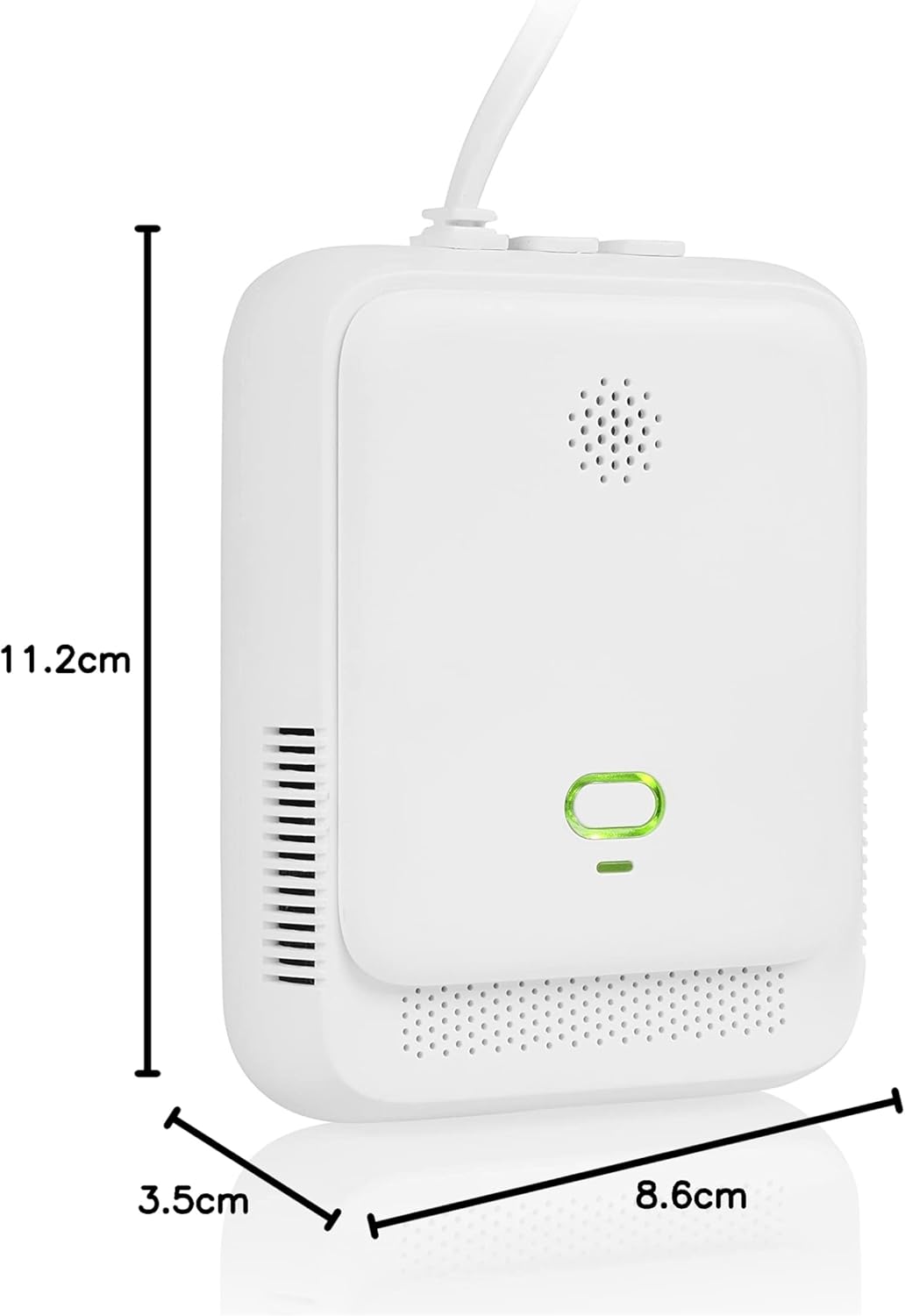
Image: Gas detector showing product dimensions.

Imaxe: Lateral view of the gas detector.
| Característica | Detalle |
|---|---|
| Número de modelo | FGA-13410 |
| Marca | Smartwares |
| Gases detectados | Natural Gas (Methane), Propane, Butane (LNG, LPG) |
| Volume de alarma | 85 dB |
| Tipo de sensor | Electroquímica |
| Vida útil do sensor | 5 anos |
| Fonte de enerxía | Mains powered (220V) |
| Material | ABS |
| Cor | Branco |
| Dimensións (L x W x H) | 3.3 x 8.6 x 11.2 cm |
| Peso | 200 gramos |
| Humidade de funcionamento | 0% - 95% |
| Temperatura de funcionamento | Ata 55 graos centígrados |
| País de Orixe | China |
10. Garantía e soporte
Smartwares products are designed for reliability and durability. For information regarding warranty terms and conditions, please refer to the documentation provided with your purchase or visit the official Smartwares websitio.
If you encounter any issues or have questions not covered in this manual, please contact Smartwares customer support. Contact details can typically be found on the product packaging or the Smartwares official websitio.


