
Introdución
Thank you for choosing the WUUK 2K Video Doorbell. This device is designed to enhance your home security by providing clear video surveillance, two-way communication, and intelligent motion detection at your doorstep. This manual provides essential information for setting up, operating, and maintaining your doorbell.
The WUUK 2K Video Doorbell features 2K HDR video quality, a long-lasting 180-day battery, 32GB of integrated local storage, and advanced triple motion detection. It supports both 2.4 GHz and 5 GHz Wi-Fi networks and is rated IP65 for outdoor use.
Important Note: Homebase Required
This WUUK 2K Video Doorbell is an add-on camera and requires a WUUK Homebase to function. The Homebase is not included with this product and must be purchased separately. The Homebase acts as the central hub for your WUUK security system, providing encrypted data storage and connectivity for multiple WUUK devices.

Image: Visual representation emphasizing that the WUUK doorbell requires an existing WUUK Homebase for operation.
Contido do paquete
Marque a caixa para os seguintes elementos:
- WUUK 2K Video Doorbell (Add-on Camera)
- Soporte de montaxe
- Tornillos de montaxe e ancoraxes de parede
- Cable de carga USB
- 3M VHB Adhesive Tape
- Manual de usuario (este documento)
Note: WUUK Homebase is sold separately.
Guía de configuración
1. Charge the Doorbell
Before initial use, fully charge the doorbell using the provided USB charging cable. Connect the cable to the doorbell's charging port and a standard USB power adapter (not included). The LED indicator will show charging status.
2. Descarga a aplicación WUUK
Busca "WUUK" in your mobile device's app store (App Store for iOS or Google Play Store for Android) and download the official WUUK app. Create an account or log in if you already have one.
3. Pair with WUUK Homebase
Ensure your WUUK Homebase is powered on and connected to your network. Open the WUUK app, navigate to "Add Device," and follow the on-screen instructions to pair your new doorbell with your Homebase. During the pairing process, ensure your mobile device is connected to a 2.4GHz Wi-Fi network for optimal compatibility.

Image: The WUUK 2K Video Doorbell, ready for setup and installation.
Instalación
Montar o timbre
The WUUK 2K Video Doorbell offers flexible installation options: battery-powered or hardwired for continuous power.
Battery-Powered Installation:
- Escolle un lugar axeitado preto da túa porta, asegurándote de que haxa espazo libre view.
- For quick installation, use the provided 3M VHB adhesive tape on a clean, flat surface.
- For a more secure attachment, use the mounting bracket and screws.
Hardwired Installation (8~24V AC):
- A seguridade primeiro: Ensure power to your existing doorbell wiring is turned off at the circuit breaker before proceeding.
- Connect the doorbell to your existing doorbell wires (8~24V AC) for continuous power supply.
- Secure the doorbell to the wall using the mounting bracket and screws.

Image: Hands connecting the doorbell wires to the mounting plate, illustrating the hardwired installation process.

Image: A hand pressing the doorbell button on a newly installed WUUK doorbell, demonstrating its readiness for use.
Operating the Doorbell
2K HDR Video Quality
The doorbell captures video in 2K HD resolution, ensuring clear and detailed images. The 4:3 head-to-toe aspect ratio provides a wider field of view compared to traditional 16:9 formats, allowing you to see more of your visitors and packages.
Triple Motion Detection
Equipped with advanced PIR, radar, and human detection sensors, the doorbell can accurately distinguish between objects near and far, effectively filtering out false alarms from passing vehicles. This system reduces false alerts by up to 99%.

Image: The doorbell's smart motion detection identifying a person approaching the door.

Image: Comparison showing the WUUK doorbell's clear surveillance capabilities without blind spots or lag.
Audio bidireccional
Communicate directly with visitors at your door using the built-in microphone and speaker through the WUUK app. This feature allows for real-time conversations, whether you're at home or away.
2K Night Vision
The doorbell provides clear 2K night vision, ensuring that you can see visitors clearly even in low-light conditions or complete darkness.
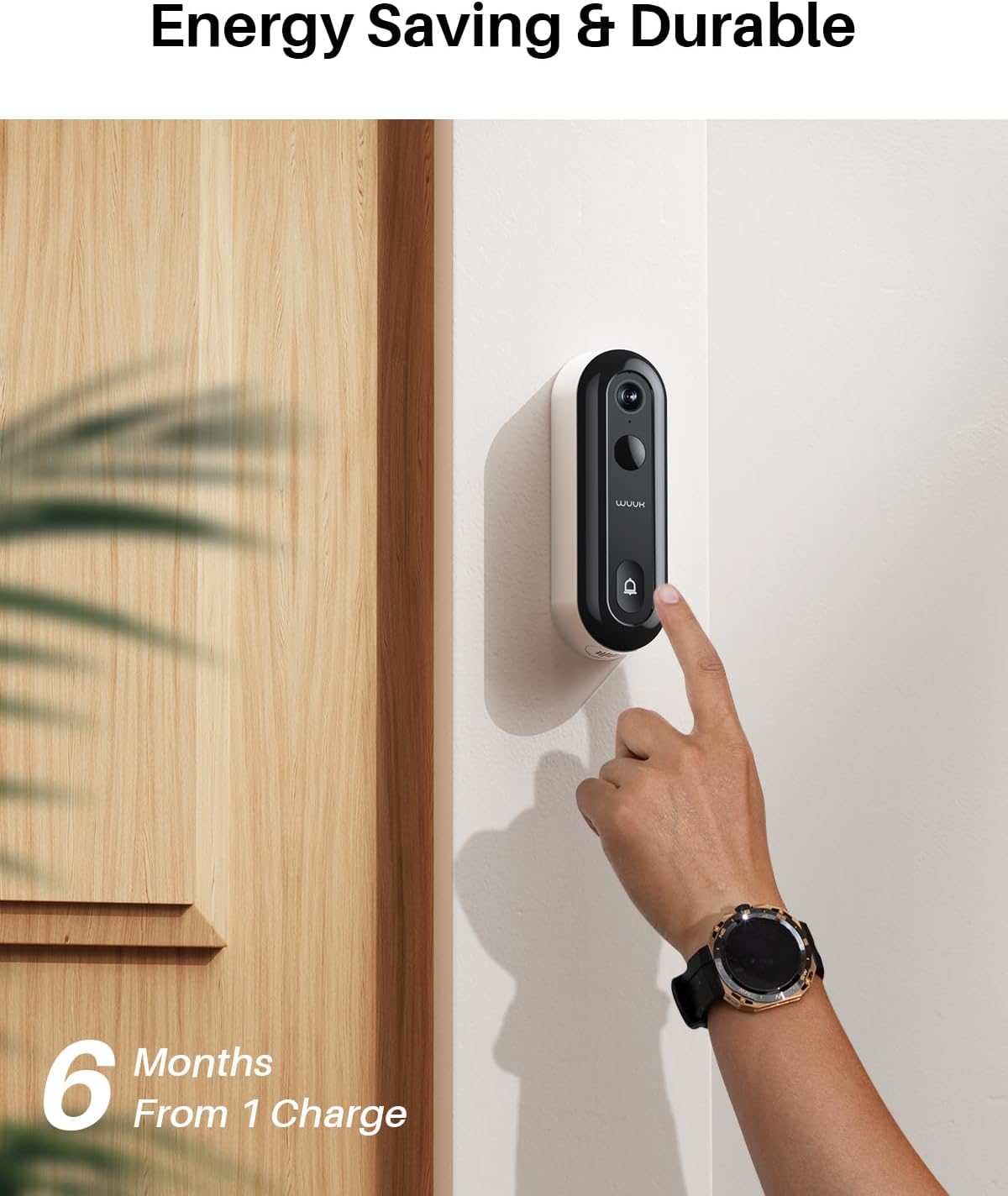
Image: A demonstration of the doorbell's 2K night vision, providing clear visibility in dark environments.
WUUK App Features
- En directo View: Access a real-time video feed from your doorbell anytime, anywhere.
- Notificacións instantáneas: Receive immediate alerts on your smartphone when motion is detected or the doorbell is pressed.
- Reprodución de vídeo: Review recorded events stored on the Homebase's 32GB local storage.
- Multicámara View: The app supports simultaneous viewing of up to 4 WUUK cameras connected to your Homebase.
Mantemento
Carga de batería
The doorbell's battery can last up to 6 months on a single charge, depending on usage and environmental factors. When the battery level is low, you will receive a notification via the WUUK app. To recharge, detach the doorbell from its mounting bracket and connect it to the USB charging cable.
Limpeza
To maintain optimal performance, periodically clean the doorbell's lens and body. Use a soft, damp cloth to wipe away dust and dirt. Avoid using harsh chemicals or abrasive materials that could damage the device.
Resolución de problemas
- Doorbell not powering on: Ensure the battery is fully charged or that the doorbell is correctly hardwired to an 8~24V AC power source.
- Doorbell not connecting to Homebase: Verify that your Homebase is powered on and connected to your network. Ensure your mobile device is on a 2.4GHz Wi-Fi network during the pairing process. Try resetting both the doorbell and Homebase.
- Frequent false motion alarms: Adjust the motion detection sensitivity settings within the WUUK app. Utilize the human detection feature to minimize alerts from non-human movements.
- Delayed notifications: Check your Wi-Fi signal strength at the doorbell's location. Ensure your Homebase has a stable internet connection.
- No video or blurry video: Clean the camera lens. Check your network connection speed.
- Doorbell not working without Homebase: As stated, this doorbell is an add-on and requires a WUUK Homebase to function. It cannot operate independently.
For more detailed troubleshooting steps, please refer to the support section within the WUUK app or visit the official WUUK support websitio.
Especificacións
| Característica | Especificación |
|---|---|
| Número de modelo | EU-Y0210 |
| Resolución de vídeo | 2K (1440p) |
| Comunicación sen fíos | Wi-Fi (2.4 GHz / 5 GHz) |
| Fonte de enerxía | Battery (1 Lithium-ion) or Hardwired (8~24V AC) |
| Consumo de enerxía | 5 vatios |
| Dimensións (L x W x H) | 5.08 x 2.54 x 12.7 cm (2 x 1 x 5 polgadas) |
| Peso | 430 gramos |
| Material | Acrilonitrilo Butadieno Estireno (ABS) |
| Características especiais | Two-way audio, Motion detector, Night vision |
| Ambiente de uso | Exterior (clasificación IP65) |
Garantía e Soporte
WUUK products come with a standard manufacturer's warranty. For specific warranty terms and conditions, please refer to the warranty information provided with your Homebase or visit the official WUUK websitio.
If you encounter any issues or have questions not covered in this manual, please contact WUUK customer support through the WUUK app or by visiting their official support channels. Provide your product model number (EU-Y0210) and a detailed description of the issue for faster assistance.