
Introdución
The IMICE T97 RGB Honeycomb Gaming Mouse is designed to provide a precise and comfortable experience for gaming and general computer use. It features a high-precision 4800 DPI sensor, a durable and ergonomic design, and is compatible with various operating systems. This manual will guide you through the setup, operation, and maintenance of your new gaming mouse.
- Marca: IMICE
- Tipo: Rato
- Compatibilidade: Computadoras e Portátiles
- Características principais: High precision 4800 DPI, comfortable and durable design, anti-sweat design, precise positioning.
- Cor: Negro
Instrucións de configuración
1. Conectando o rato
The IMICE T97 mouse uses a standard USB connection for plug-and-play functionality. No additional drivers are typically required for basic operation on supported operating systems.
- Localiza un porto USB dispoñible no teu ordenador ou portátil.
- Insert the USB connector of the IMICE T97 mouse firmly into the USB port.
- O teu sistema operativo debería detectar e instalar automaticamente os controladores necesarios. Este proceso pode tardar uns intres.
- Once installed, the mouse will be ready for use.
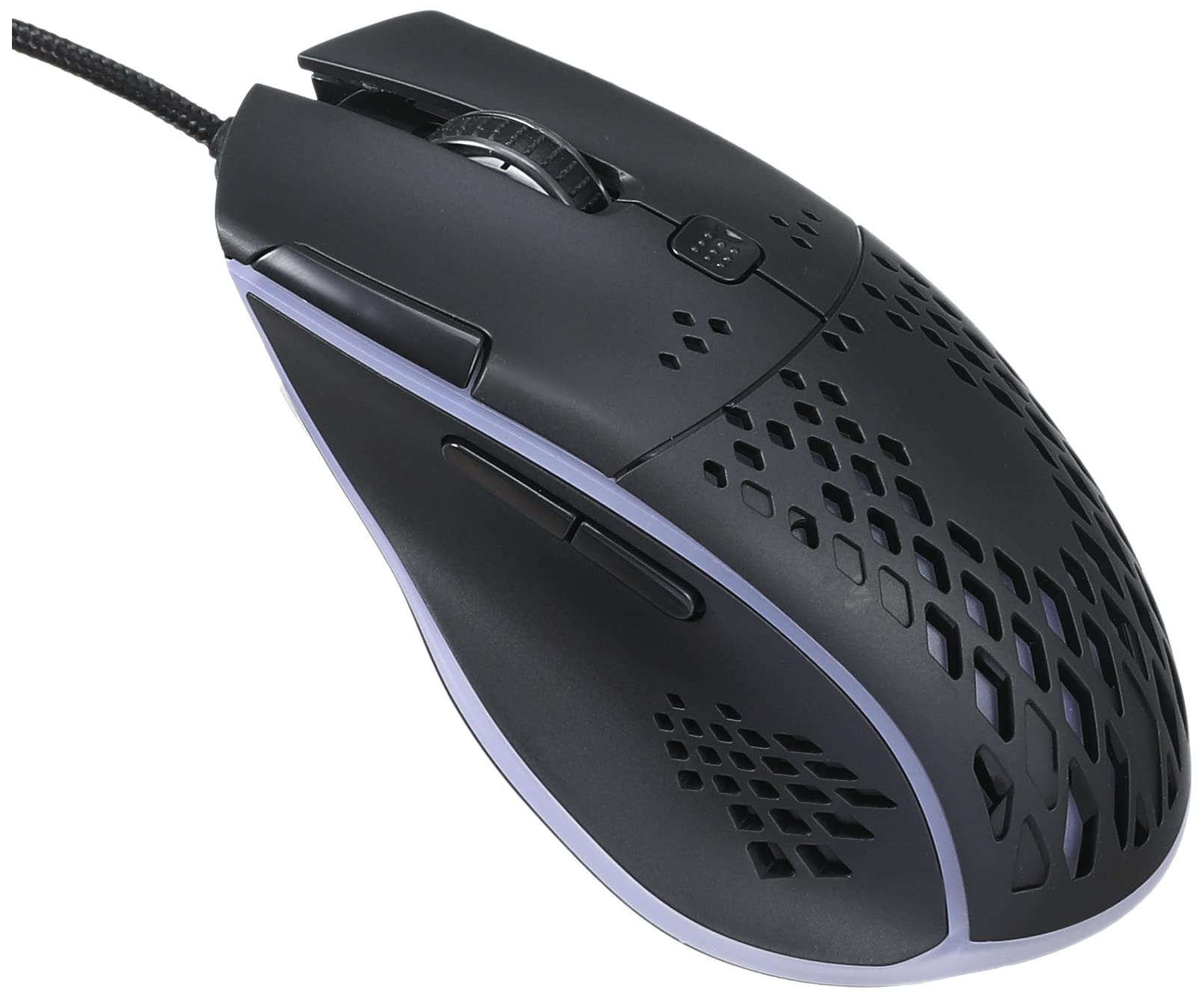
Imaxe: Parte superior frontal view of the IMICE T97 RGB Honeycomb Gaming Mouse, showing its ergonomic shape and honeycomb shell design.
Manexo do rato
Funcións básicas
- Clic esquerdo: Primary action, selection, activation.
- Clic dereito: Menú contextual, accións secundarias.
- Roda de desprazamento: Scroll up/down documents and web páxinas. Tamén se pode facer clic para a funcionalidade de clic central.
- Botóns laterais: (If present, typically for forward/back navigation in browsers or custom functions in games). The T97 model typically includes two side buttons.
Axuste de DPI
The IMICE T97 mouse features adjustable DPI (Dots Per Inch) settings, allowing you to change the cursor sensitivity. This mouse supports up to 4800 DPI. There is usually a dedicated button, often located behind the scroll wheel, to cycle through different DPI levels. Press this button to switch between sensitivity settings to find your preferred speed.
Iluminación RGB
The mouse features RGB lighting, which typically cycles through various colors automatically. There may not be user-configurable software for lighting control, and it operates as a default aesthetic feature.

Imaxe: Parte inferior view of the IMICE T97 RGB Honeycomb Gaming Mouse, showing the optical sensor, product label with model T97, and regulatory marks.
Mantemento
Limpeza
- Desconecte o rato do ordenador antes de limpalo.
- Use un pano suave, seco e sen fiapos para limpar a superficie do rato.
- Para a sucidade persistente, d lixeiramenteampEnxágüe o pano con auga ou unha solución de limpeza suave (evite produtos químicos agresivos).
- Usa un hisopo de algodón ou aire comprimido para limpar arredor dos botóns e da roda de desprazamento.
- Asegúrate de que non entre líquido nos compoñentes internos do rato.
Almacenamento
Store the mouse in a cool, dry place away from direct sunlight and extreme temperatures when not in use for extended periods.
Resolución de problemas
| Problema | Solución |
|---|---|
| O rato non responde. |
|
| O movemento do cursor é errático ou irregular. |
|
| Buttons or scroll wheel are not working. |
|
| Cannot find software for customization. | The IMICE T97 mouse is primarily designed for plug-and-play operation. Dedicated software for advanced customization (like button remapping or detailed RGB control) may not be available or easily accessible for this model. Most functions are hardware-controlled. |
Especificacións
| Marca | IMICE |
| Modelo | T97 |
| Cor | Negro |
| Tecnoloxía de conectividade | USB |
| DPI (máx.) | 4800 DPI |
| Características especiais | Comfortable design, RGB lighting, honeycomb shell |
| Orientación das mans | Ambidiestro |
| Usos recomendados | Xogos |
| Dispositivos compatibles | Computadora persoal, portátil |
| Compatibilidade do sistema operativo | Linux, Windows XP (e versións máis recentes) |
| Peso do elemento | 120 gramos |
| Dimensións de envío | 15 x 11 x 5 cm |
| Pilas incluídas | No (Wired USB mouse) |
| ASIN | B0BD2DDWNQ |
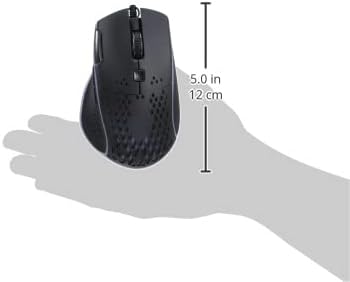
Imaxe: Lateral view of the IMICE T97 RGB Honeycomb Gaming Mouse held in a hand, illustrating its compact size (approximately 5.0 inches or 12 cm in length).
Información da garantía
Please refer to the retailer or your purchase documentation for specific warranty terms and conditions. IMICE products typically come with a limited warranty against manufacturing defects. Keep your proof of purchase for warranty claims.
Atención ao cliente
For technical assistance or further inquiries, please contact your retailer or visit the official IMICE website for support resources. Ensure you have your product model (T97) and purchase details ready when contacting support.