
1. Introdución
This manual provides comprehensive instructions for the operation, setup, and maintenance of your YOWHICK Native 1080P 5G WiFi Bluetooth Projector. Please read this manual thoroughly before using the projector to ensure proper and safe operation. Keep this manual for future reference.

Image: The YOWHICK Native 1080P 5G WiFi Bluetooth Projector, showcasing its compact design and lens. This projector supports 4K input, offers native 1080P resolution, 12000 Lux brightness, and 5G WiFi connectivity.
2. Información de seguridade
To prevent fire or electric shock, do not expose this appliance to rain or moisture. Do not open the casing to avoid electric shock. Refer all servicing to qualified personnel.
- Non bloquee as aberturas de ventilación.
- Use só accesorios/accesorios especificados polo fabricante.
- Desconecte o proxector durante tormentas eléctricas ou cando non o use durante períodos prolongados.
- Evite a exposición directa dos ollos á lente do proxector cando estea aamp está activado.
3. Contido do paquete
Verifica que todos os elementos estean incluídos no teu paquete:
- YOWHICK Native 1080P 5G WiFi Bluetooth Projector
- Cable de alimentación
- Control remoto
- Cable HDMI
- Cabo AV
- Manual de usuario
- Projection Screen (included with some models)
4. Produto rematadoview
Familiarize yourself with the main components of your projector.
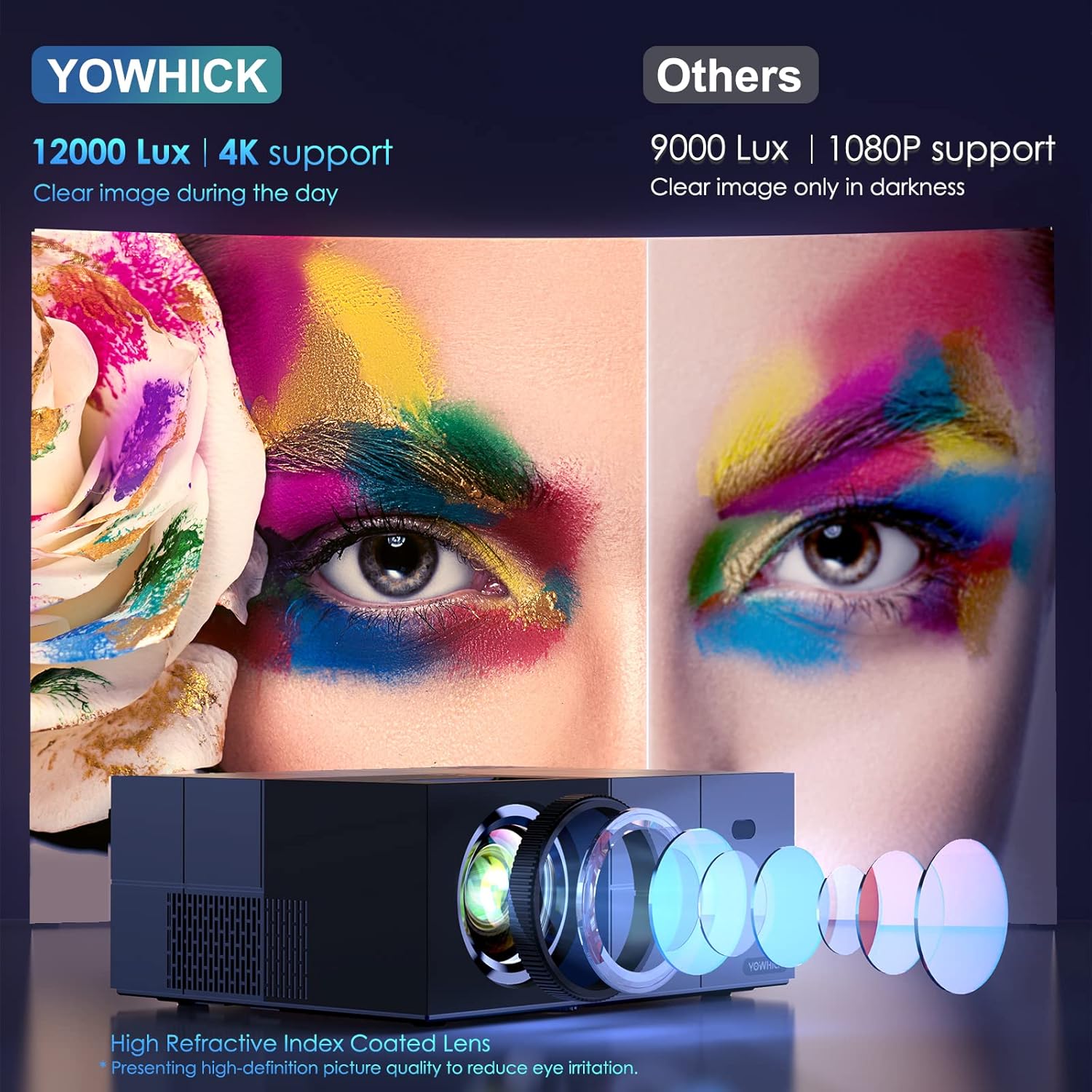
Imaxe: Unha detallada view of the projector's high refractive index coated lens and internal light path, highlighting its 12000 Lux brightness and 4K support for clear images even in ambient light, compared to other projectors.

Image: An internal diagram of the projector highlighting its Bluetooth 5.1 module and built-in speaker. This allows for connection to external Bluetooth speakers or headphones for enhanced audio, while also providing sound directly from the unit.
5. Configuración
5.1 Configuración e colocación físicas
Choose a suitable location for your projector. It can be placed on a table, mounted on a tripod, or ceiling-mounted.

Image: Demonstrates various placement options for the projector, including tripod mount, table placement, and ceiling mount. It also illustrates different screen sizes (40", 120", 300") and aspect ratios (16:9, 4:3) achievable with the projector.
5.2 Encendido inicial
- Conecta o cable de alimentación ao proxector e a unha toma de corrente.
- Prema o botón de acendido do proxector ou do mando a distancia para acendelo.
5.3 Conexión de rede (WiFi)
The projector supports both 5G and 2.4G WiFi for stable and faster video synchronization.
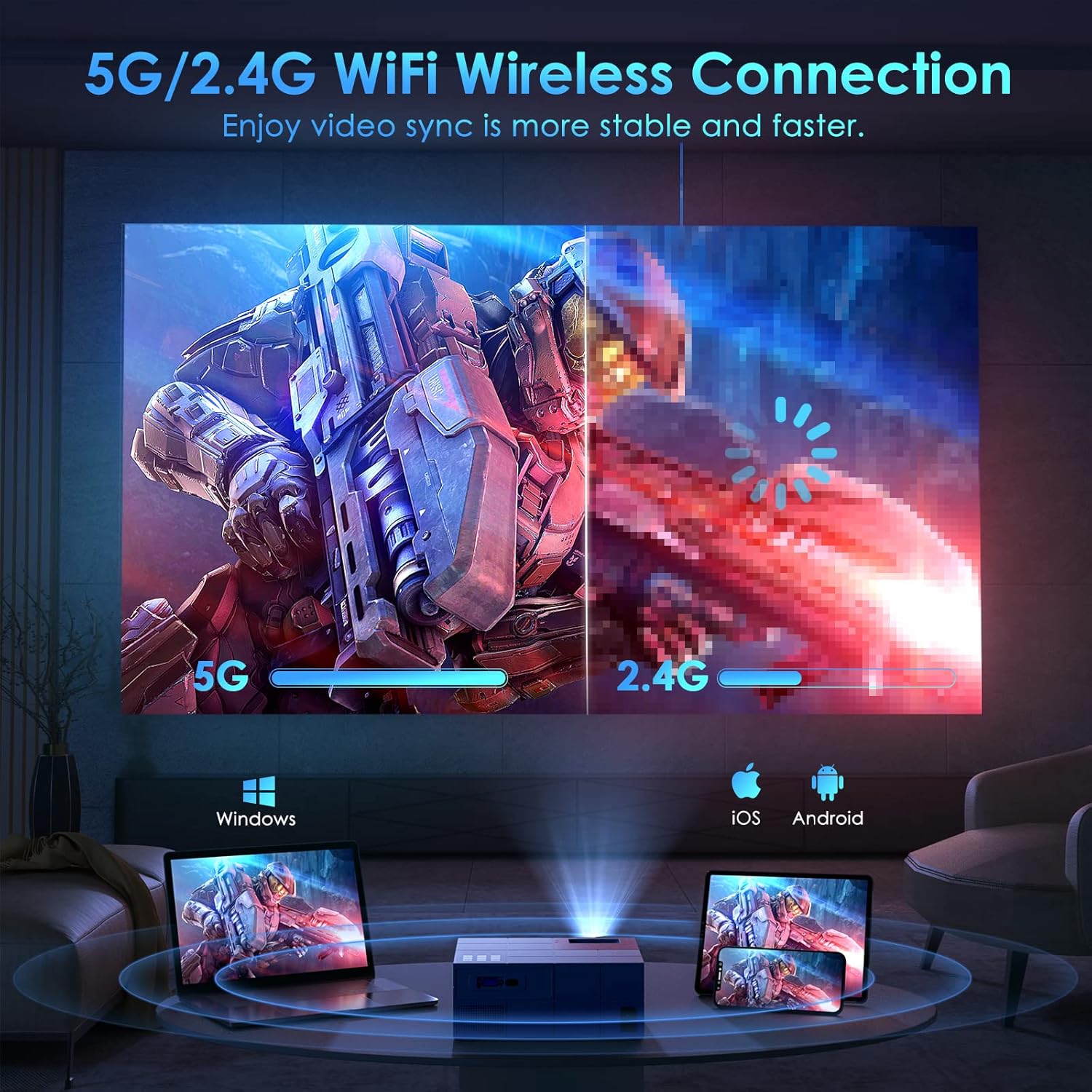
Image: Illustrates the projector's 5G/2.4G WiFi wireless connection capability, showing a split screen comparing the speed of 5G versus 2.4G. It also depicts compatibility with Windows, iOS, and Android devices for screen mirroring.

Image: A step-by-step guide on how to connect the projector to WiFi and enable screen mirroring for iOS and Android devices. It shows the system setup menu, WiFi selection, and the process for selecting Android Screen or iOS Screen mirroring.
5.4 Conexión de dispositivos
The projector offers multiple connectivity options for various devices.
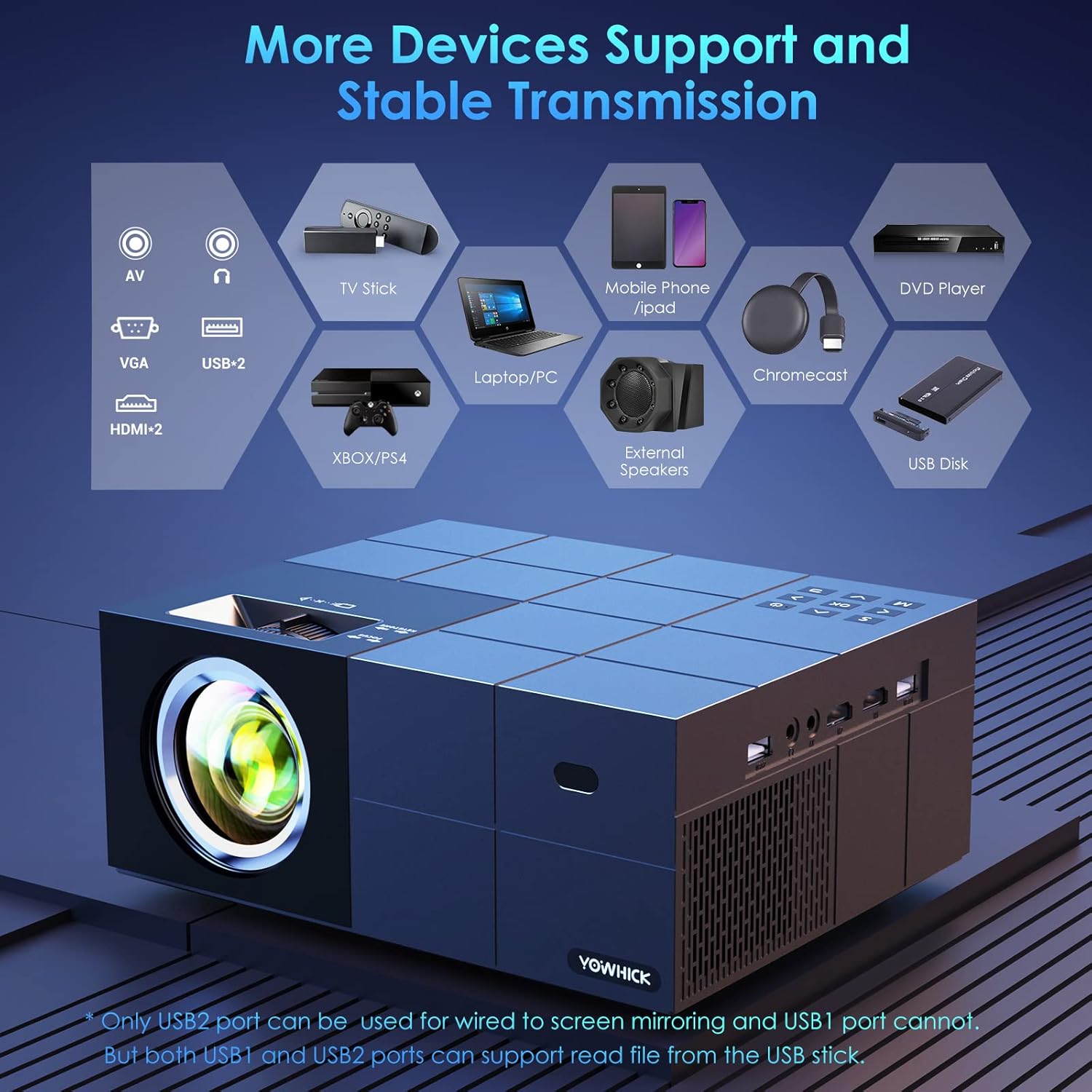
Image: A diagram showing the projector's various input ports, including AV, VGA, USB (x2), and HDMI (x2). It also lists compatible devices such as TV Stick, Laptop/PC, Mobile Phone/iPad, Chromecast, DVD Player, Xbox/PS4, External Speakers, and USB Disk. Note: Only USB2 port supports wired screen mirroring; both USB ports can read files from a USB disk.
6. Instrucións de funcionamento
6.1 Funcionamento básico
- Encendido/apagado: Preme o botón de acendido.
- Navegación do menú: Use the arrow keys on the remote or projector to navigate menus. Press OK/Enter to confirm.
- Selección da fonte: Press the 'Source' button to select input (HDMI1, HDMI2, AV, USB).
6.2 Axuste da imaxe
- Foco: Rotate the focus ring on the projector lens until the image is clear.
- Corrección Keystone: Adjust the keystone knob to correct trapezoidal distortion.
- Función de zoom: The projector features a zoom function to adjust the display size from 100% to 50% at a fixed distance.

Image: Highlights key features of the projector including the zoom function (100%-50%), a timer mode for automatic shutdown, a long lamp life of 50,000 hours (approximately 35 years if used 4 hours/day), and the capability for a 300-inch large screen display.
6.3 Espello da pantalla
The projector supports both wired and wireless screen mirroring for various devices.

Image: Compares wired and wireless connection methods for screen mirroring. Wired connection is shown with a laptop (Windows via HDMI cable) and an iPhone (iOS via original cable). Wireless connection is shown for Windows, iOS, and Android devices.
6.4 Saída de audio
The projector has a built-in speaker. For enhanced audio, connect external speakers via Bluetooth 5.1.

Image: Depicts the projector being used outdoors, connected via Bluetooth 5.1 to external speakers for high-quality sound. It shows people enjoying a movie night around a campfire, emphasizing the portability and audio capabilities. Note: An additional power supply unit may be required for outdoor use.
7. Mantemento
7.1 Limpeza
- Lente: Use a soft, lint-free cloth and lens cleaning solution. Do not touch the lens directly.
- Casing: Wipe with a soft, dry cloth. Do not use abrasive cleaners.
- Ventilación: Asegúrate de que as aberturas de ventilación estean libres de po e residuos.
7.2 Almacenamento
Cando non o use durante períodos prolongados, garde o proxector nun lugar fresco e seco, lonxe da luz solar directa e de temperaturas extremas. Use a embalaxe orixinal ou unha funda protectora.
8 Solución de problemas
Consulta a seguinte táboa para ver os problemas comúns e as súas solucións.
| Problema | Causa posible | Solución |
|---|---|---|
| Non se mostra ningunha imaxe | Power cable loose; Incorrect input source; Device not connected | Check power connection; Select correct input source (HDMI, AV, USB); Ensure device is properly connected. |
| Imaxe borrosa | Enfoque non axustado; Trapezoide non axustada | Adjust the focus ring; Adjust the keystone knob. |
| Sen son | Volume demasiado baixo; Silenciado; Altofalante externo non conectado | Increase volume; Unmute; Check Bluetooth connection to external speaker. |
| Conexión WiFi inestable | Projector too far from router; Interference | Move projector closer to router; Reduce interference from other devices. |
9. Especificacións
Key technical specifications of the YOWHICK Native 1080P 5G WiFi Bluetooth Projector.
- Marca: YOWICK
- Nome do modelo: Ao aire libre
- Tecnoloxía de visualización: LCD
- Resolución nativa: 1920 x 1080 (1080p)
- Soporte 4K: Si
- Brillo: 12000 lux
- Tecnoloxía de conectividade: Bluetooth, Wi-Fi (5G/2.4G)
- Interface de hardware: USB, HDMI
- Dispositivos compatibles: Smartphones, Tablets, Computers, TVs, Gaming Consoles
- Características especiais: Altavoz incorporado, corrección trapezoidal dixital
- Factor de forma: Escritorio
- Tipo de montaxe: Soporte de mesa
- Dimensións do paquete: 34.29 x 32.9 x 14.4 cm; 2.29 kg
10. Garantía e soporte
YOWHICK is committed to providing high-quality products and customer support.
- 24 horas: Quick response via phone or email for support inquiries.
- 30 días: 30 days no reason to return policy.
- 2 anos: 2 years free replacement for product defects.
- Vida útil: Lifetime support and satisfied solution.
For further assistance, please contact YOWHICK customer service.