
Introdución
Thank you for choosing the Panacare Smart Night Light. This device combines a night light, white noise machine, and smart alarm clock, designed to create a comfortable and soothing environment for babies, children, and adults. It features smart app control, voice control compatibility with Alexa and Google Assistant, and a baby cry detection function. Please read this manual carefully before use to ensure proper operation and to fully utilize all features.
Información de seguridade
- Manteña o dispositivo lonxe da auga e da humidade.
- Non desmonte nin intente reparar o dispositivo vostede mesmo.
- Use only the provided USB cable and a compatible DC5V/1A power adapter for charging.
- Este produto non é un xoguete. Manter fóra do alcance dos nenos pequenos.
- Asegúrese de que haxa unha ventilación axeitada arredor do dispositivo durante o seu funcionamento.
Contido do paquete
Verifica que todos os elementos estean presentes no paquete:
- 1 x Panacare Smart Night Light
- 1 cable USB (tipo C)
- 1 x Pin (for reset, if applicable)
- 1 x Manual de usuario
Produto rematadoview
The Panacare Smart Night Light offers a versatile range of features to enhance your environment:
- Control intelixente da aplicación: Manage colors, brightness, sounds, and timers via your smartphone.
- Extensive Color Options: Choose from up to 16 million colors to set the perfect mood.
- Máquina de son calmante: Features 34 types of calming sounds, including white noise, nature sounds, and lullabies.
- Control de voz: Compatible con Alexa e Google Assistant para un funcionamento mans libres.
- Baby Cry Detection: Sends notifications to your smartphone when a baby's cry is detected.
- Control táctil: Simple touch interface for basic light functions.
- Función de temporizador: Create custom light alarms and sleep schedules.
- Deseño portátil: Built-in 1800mAh battery for cordless use.
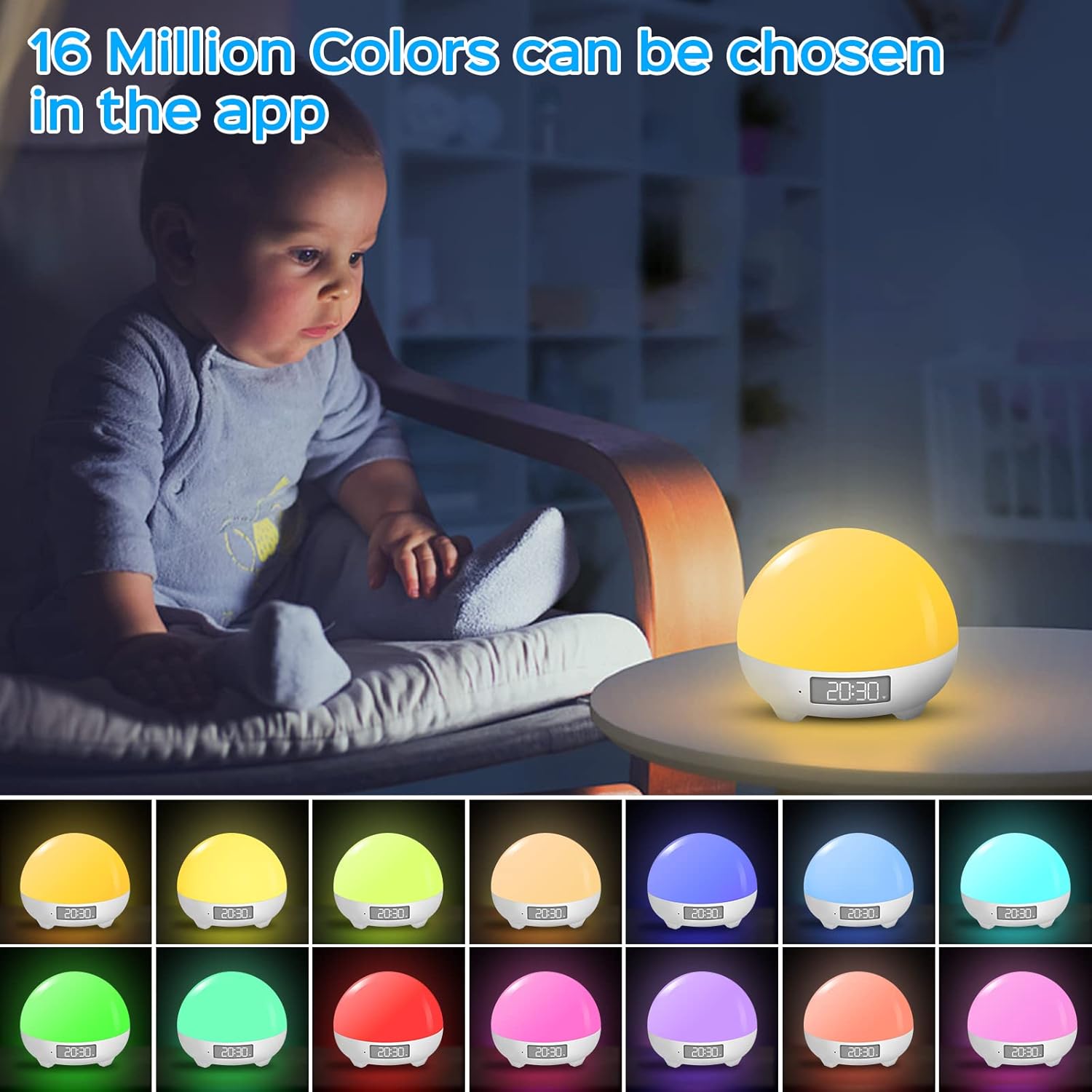
The Panacare Smart Night Light offers 16 million color options, controllable via the dedicated app. This image shows the night light in different hues, demonstrating its color-changing capabilities.

Voice control functionality allows users to manage the night light's power, colors, and brightness using Alexa or Google Assistant, as depicted by a user interacting with an Alexa device while holding a baby.

The night light includes 34 soothing sounds, such as white noise, wind, rain, water, and various nature sounds, designed to aid relaxation and sleep. This image shows a couple enjoying the calming atmosphere created by the device.
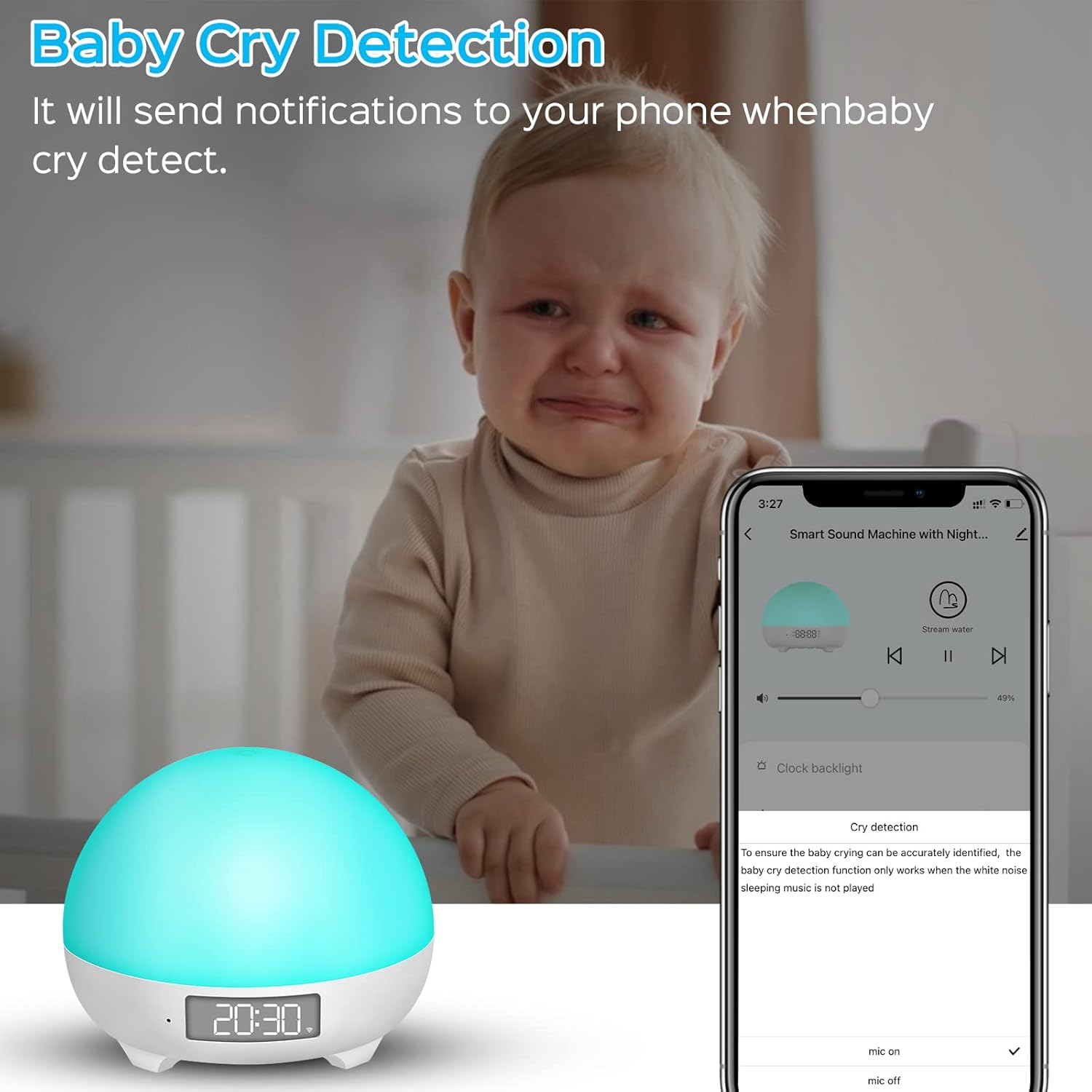
The baby cry detection feature sends notifications to your smartphone when the device detects a baby crying, providing peace of mind. Note that this feature is active only when no sleep music is playing.
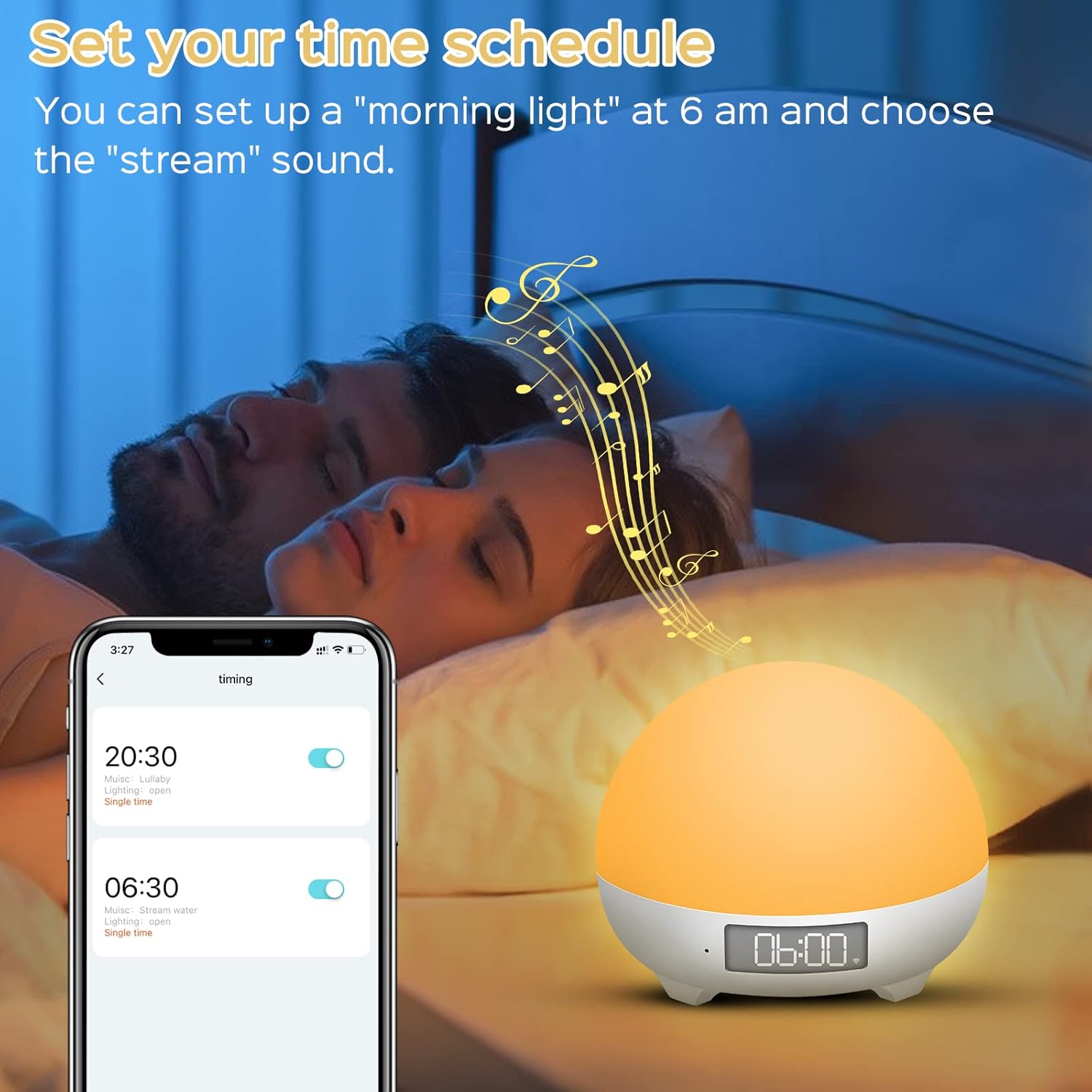
Users can set custom time schedules for the night light, such as a 'morning light' alarm at 6 AM with a preferred sound, to align with family sleep rhythms.
Especificacións
| Número de modelo | MBZ212 |
| Entrada | DC5V/1A |
| Traballo Voltage | 3.7 V |
| Potencia nominal | 3 vatios |
| Capacidade da batería | 1800 mAh de iones de litio |
| Duración da batería | 4 to 10 hours (continuous use on full charge) |
| Dimensións (L x W x H) | 8 x 10 x 10 cm |
| Peso | 450 gramos |
| Lonxitude do cable | 1 metro |
| Características especiais | Color Changing, Dimmable, Voice Control, Cry Detection |
| Conectividade | Wi-Fi (só 2.4 GHz) |
Configuración
1. Cargando o dispositivo
Before first use, fully charge the Smart Night Light using the provided USB Type-C cable and a DC5V/1A power adapter. The charging indicator will show the charging status.
2. Instalación da aplicación
Descarga o Vida intelixente app from your smartphone's app store (iOS/Android) or scan the QR code found on the product packaging. You can also visit http://e.tuya.com/smartlife.
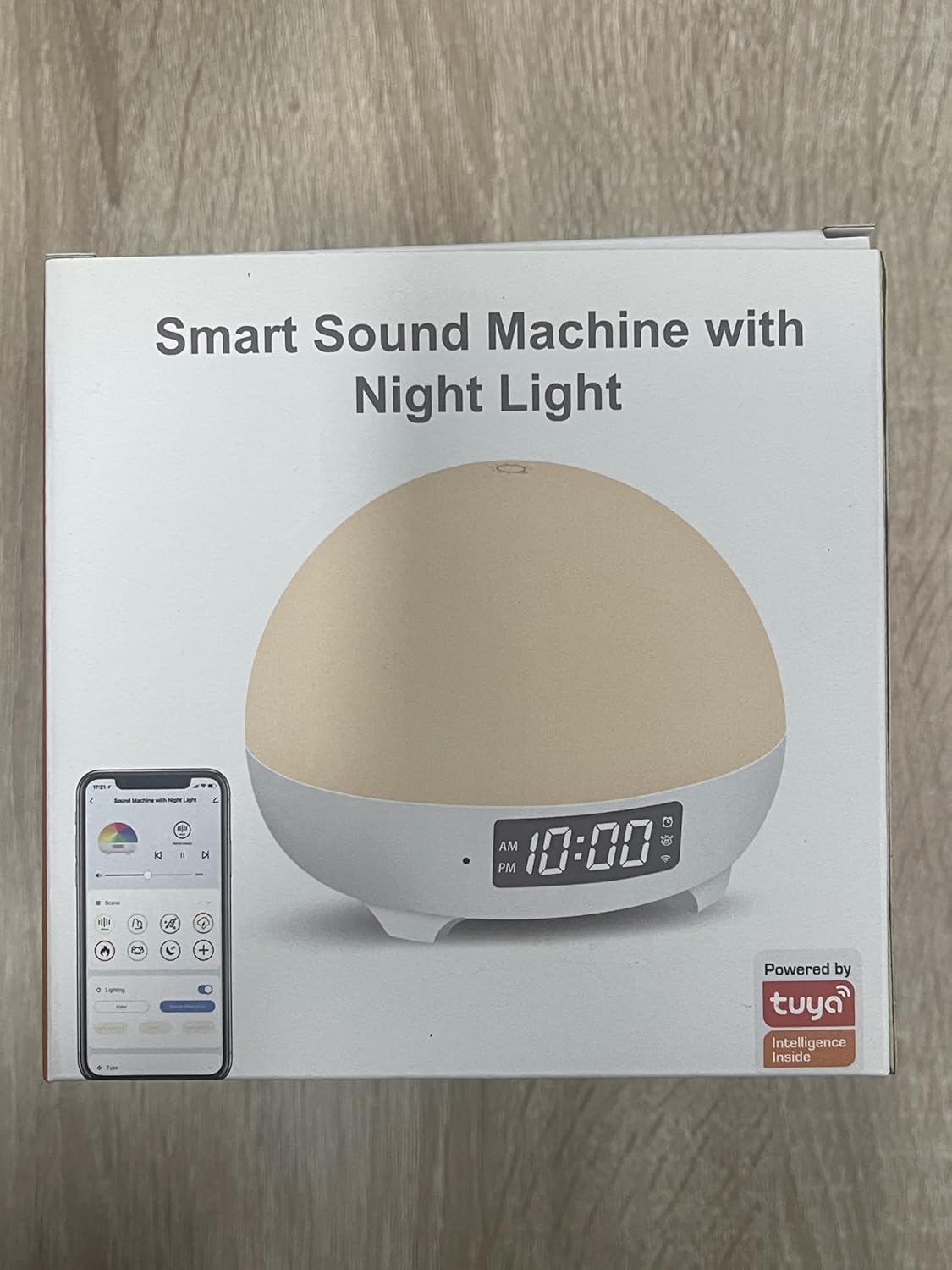
The product packaging highlights its smart features and Tuya integration, indicating app compatibility.
3. Device Pairing (Wi-Fi Connection)
- Asegúrate de que o teu teléfono intelixente estea conectado a un Rede Wi-Fi a 2.4 GHz. The device does not support 5GHz Wi-Fi.
- Open the Smart Life app and create an account or log in.
- Press and hold the 'M' button on the back of the night light for approximately 5 seconds until the indicator light starts blinking, indicating pairing mode.
- In the Smart Life app, tap 'Add Device' or the '+' icon. The app should automatically detect the night light.
- Select the night light from the detected devices.
- Introduza o contrasinal da súa rede wifi de 2.4 GHz cando se lle solicite.
- Follow the on-screen instructions to complete the pairing process. Once connected, the indicator light will stop blinking.
Instrucións de funcionamento
1. Toque Control
- Activar/Desactivar: Lightly tap the top surface of the night light to turn it on or off.
- Axustar o brillo: Press and hold the top surface to continuously adjust the brightness. Release when the desired brightness is reached.
2. Control de aplicacións
Once connected to the Smart Life app, you can access a full range of controls:
- Selección de cor: Choose from 16 million colors and various lighting modes.
- Axuste de brillo: Fine-tune the light intensity from 1% to 100%.
- Control de son: Select from 34 soothing sounds, adjust volume (0-100%), and set playback duration.
- Temporizador e horario: Set custom on/off times, light alarms, and sleep routines.
- Baby Cry Detection: Enable or disable this feature and receive notifications.
3. Control por voz (Alexa e Asistente de Google)
Integrate your Panacare Smart Night Light with Alexa or Google Assistant for convenient voice commands. Ensure your smart assistant is linked to your Smart Life account.
- Activar/Desactivar: "Alexa, turn on the Baby Night Light." / "Hey Google, turn off the night light."
- Axustar o brillo: "Alexa, dim the Baby Night Light to 50%." / "Hey Google, brighten the night light."
- Cambiar cor: "Alexa, set the Baby Night Light to blue."
- Axustar o volume: "Alexa, set the volume of the night light to 70%."
4. Sound Machine Features
The device offers 34 unique soothing sounds, including:
- 3 White Noise sounds
- 4 Wind sounds
- 4 Rain sounds
- 2 Water sounds
- 21 other sounds (e.g., fetal heart sound, crickets, lullabies, music box)
Adjust the volume via the app or voice commands to suit your preference.
5. Baby Cry Detection
When enabled in the app, the device will send a notification to your smartphone upon detecting a baby's cry. Importante: Cry detection is only active when no sleep music or white noise is playing from the device to avoid interference.
6. Función de temporizador
Use the app to set personalized schedules:
- Temporizador de sono: Automatically turn off the light and/or sound after a set duration.
- Wake-up Light: Schedule the light to gradually brighten at a specific time, optionally accompanied by a chosen sound. For example, set a 30% brightness light at 6 AM with a 'wind chimes' sound.
Mantemento
- Limpeza: Limpe o dispositivo cun pano suave e seco. Non empregue produtos de limpeza abrasivos nin o mergulle en auga.
- Coidado da batería: To prolong battery life, avoid fully discharging the device frequently. Recharge when the battery is low.
- Almacenamento: Garde o dispositivo nun lugar fresco e seco cando non o use durante períodos prolongados.
Resolución de problemas
- O dispositivo non se acende: Asegúrate de que o dispositivo estea cargado. Conéctao a unha fonte de alimentación mediante o cable USB.
- Non se pode conectar á wifi:
- Confirm your Wi-Fi network is 2.4GHz. The device does not support 5GHz networks.
- Ensure your Wi-Fi password is entered correctly.
- Achega o dispositivo ao teu enrutador Wi-Fi.
- Restart your router and the night light, then try pairing again.
- A aplicación non responde ou falla:
- Ensure your Smart Life app is updated to the latest version.
- Pecha e volve abrir a aplicación.
- Reinicia o teu smartphone.
- O control por voz non funciona:
- Verify that your Alexa or Google Assistant account is correctly linked to your Smart Life account.
- Comproba a túa conexión a internet.
- Ensure the device name used in voice commands matches the name set in the Smart Life app.
- Baby Cry Detection not working: Ensure no sleep music or white noise is playing from the device, as this feature is disabled when sounds are active.
- Autonomía curta da batería: The 1800mAh battery provides 4-10 hours of continuous use depending on brightness and sound usage. If battery life is significantly shorter, ensure it is fully charged and consider reducing brightness or sound volume.
Garantía e Soporte
Panacare provides 24/7 online customer service and a 12-month quality warranty for this product. If you encounter any quality issues or require assistance, please do not hesitate to contact our customer support team. Refer to your purchase documentation for contact details.