
Andoer d8cfa559-d5d2-443f-9ed4-a8e814a7e410
Andoer 4K Digital Camera Video Camcorder User Manual
Model: d8cfa559-d5d2-443f-9ed4-a8e814a7e410
1. Introdución
This manual provides essential information for the safe and effective operation of your Andoer 4K Digital Camera Video Camcorder. Please read this manual thoroughly before using the device and retain it for future reference.
2. Información de seguridade
Aviso:
- Non expoña a cámara á auga nin á humidade.
- Evite deixar caer a cámara ou sometela a impactos fortes.
- Manter fóra do alcance dos nenos pequenos debido ás pezas pequenas.
- Empregue só o cable de carga e a fonte de alimentación especificados.
- Dispose of packaging materials properly to avoid choking hazards.

Image: A warning graphic indicating proper disposal of packaging materials to prevent choking hazards. This emphasizes the importance of safety, especially for children.
3. Contido do paquete
Verifique que todos os elementos que se indican a continuación estean incluídos no seu paquete:
- 1 x Andoer Digital Camera
- 1 x cable de carga USB
- 1 x Correa de boneca
- 1 x bolsa de transporte
- Tarxeta de memoria 1 x 32GB
- 1 x Users' Manual (English)
4. Produto rematadoview
4.1 Compoñentes da cámara
Familiarize yourself with the main components of your digital camera.

Imaxe: Anverso e reverso views of the silver Andoer 4K Digital Camera. The front shows the lens and flash, while the back displays the screen and control buttons, including zoom (W/T), OK, menu, and mode buttons.

Imaxe: Un lado view of the Andoer 4K Digital Camera, highlighting the USB port and memory card slot, which are typically covered by a flap.
4.2 Pantalla e controis
The camera features a 2.4-inch IPS screen for clear viewe controis intuitivos.
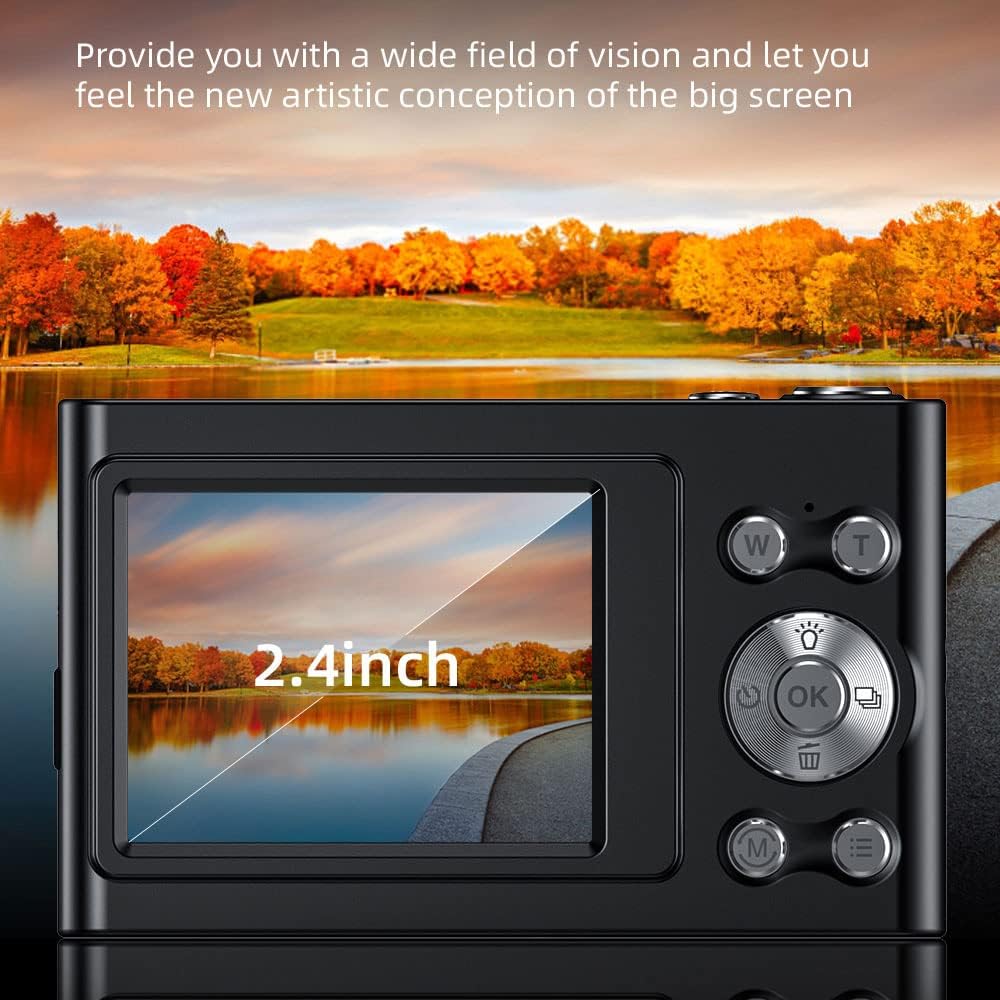
Image: A close-up of the camera's 2.4-inch IPS screen, displaying a landscape scene with a lake and autumn trees, demonstrating the screen's clarity and size.

Image: A hand holding the Andoer camera, with the screen displaying a family on a beach. The image highlights the camera's compact size and the accessibility of its rear controls, including the directional pad and function buttons.
4.3 Dimensións
The compact design of the camera makes it portable and easy to handle.

Image: A technical diagram illustrating the dimensions of the Andoer 4K Digital Camera. It shows the length (95mm), height (58mm), and thickness (25mm) of the device, along with top, front, and side views.
5. Configuración
5.1 Carga da batería
The camera has a built-in lithium battery. To charge:
- Connect the camera to a USB power adapter (not included) or a computer using the provided USB charging cable.
- A luz indicadora de carga acenderase.
- Once fully charged, the indicator light will turn off or change color.
Note: Ensure the camera is turned off during charging for optimal battery life.
5.2 Inserción da tarxeta de memoria
The camera supports Class-10 external TF memory cards up to 128GB. A 32GB memory card is included.
- Locate the memory card slot on the side of the camera (refer to Product Overview imaxe).
- Abra a tapa protectora.
- Insert the memory card with the metal contacts facing the correct direction until it clicks into place.
- Pecha a tapa protectora.
Note: Format the memory card in the camera's settings before first use.
6. Instrucións de funcionamento
6.1 Encendido/apagado
Press and hold the power button (usually located on the top or side) to turn the camera on or off.
6.2 Facer fotos
- Acende a cámara.
- Select Photo Mode using the Mode button (M).
- Frame your shot using the IPS screen.
- Use the W/T buttons for 16X digital zoom.
- Press the Shutter button (usually the large button on top) to capture the photo.

Image: A visual comparison demonstrating the camera's 16X digital zoom capability. The top image shows a wide shot (1x zoom) of a person on a beach with a hot air balloon, while the bottom image shows a zoomed-in view (16x zoom) of the same person, highlighting the magnification.
6.3 Gravación de vídeos
- Acende a cámara.
- Select Video Mode using the Mode button (M).
- Prema o botón do obturador para comezar a gravación.
- Preme de novo o botón obturador para deter a gravación.
The camera supports 4K (3840x2160) video resolution.
6.4 Reprodución
Para view fotos e vídeos capturados:
- Enter Playback Mode (often indicated by an icon like a triangle or arrow).
- Use the directional buttons to navigate through your media.
- Press the OK button to play videos.
6.5 Configuración do menú
Press the Menu button to access camera settings, including:
- Resolución da imaxe: 48M, 36M, 30M, 24M, 20M, 18M, 16M, etc.
- Resolución de vídeo: 4K(3840x2160), 2.7K(2688x1520), 1080P(1920x1080), 720P(1280x720)
- Modo: Auto, Sport, Night, Portrait, Landscape, Backlight, Party, Beach, High Sensitivity
- Balance de brancos: Automático, Luz diurna, Nubrado, Fluorescente, Tungsteno
- Temporizador automático: Apagado, 2 seg, 5 seg, 10 seg
- Apagado automático: Apagado, 1 minuto, 3 minutos, 5 minutos, 10 minutos
- Exposición: EV-3 to EV+3
- Antivibración: Digital image stabilization.
- Face Detect & Smile Capture: Features for improved portrait photography.
- Continuous Photography: For capturing multiple shots in quick succession.

Imaxe: Dous views of the Andoer camera demonstrating its ability to support both vertical and horizontal screen shooting. One camera is positioned horizontally, and another is rotated vertically, each displaying a portrait of a woman.
7. Mantemento
7.1 Limpeza da cámara
- Use un pano suave e seco para limpar o corpo da cámara.
- Para a lente e a pantalla, use un pano e unha solución de limpeza de lentes especializados.
- Non use produtos de limpeza ou disolventes abrasivos.
7.2 Almacenamento
- Garde a cámara nun lugar fresco e seco, lonxe da luz solar directa e de temperaturas extremas.
- If storing for an extended period, remove the memory card and ensure the battery is partially charged (not fully charged or fully depleted).
- Use the provided carry bag for protection during transport.
8 Solución de problemas
| Problema | Causa posible | Solución |
|---|---|---|
| A cámara non se acende. | A batería está esgotada. | Cargue a batería. |
| Non se poden facer fotos/vídeos. | Memory card is full or not inserted correctly. | Insert/reinsert memory card, delete unnecessary files, or replace with a new card. |
| As imaxes son borrosas. | Lens is dirty; camera shake; subject too close/far. | Clean the lens; use anti-shake feature; ensure proper focus distance. |
| O flash non funciona. | O modo de flash está desactivado ou a batería está baixa. | Check flash settings; charge battery. |
9. Especificacións
| Característica | Detalle |
|---|---|
| Sensor de imaxe | Sensor CMOS |
| Mostrar | Pantalla IPS de 2.4 polgadas |
| Resolución de imaxe | 48M, 36M, 30M, 24M, 20M, 18M, 16M, etc. |
| Resolución de vídeo | 4K(3840x2160), 2.7K(2688x1520), 1080P(1920x1080), 720P(1280x720) |
| Zoom dixital | 16X |
| Exposición | EV-3 to EV+3 |
| Fonte de alimentación | Batería de litio incorporada |
| Tamaño do elemento | 9.5 * 5.8 * 2.5cm (3.7 * 2.3 * 1in) |
| Peso do elemento | 115 g (4.1 onzas) |
| Soporte para tarxetas de memoria | Class-10 TF card, max. 128GB (32GB included) |
| Conectividade | USB |
| Características especiais | Anti-shake, Face Detect, Smile Capture, Continuous Photography, Self-timer, Built-in Flash |
10. Garantía e soporte
This product comes with a standard manufacturer's warranty. For specific warranty terms and conditions, please refer to the documentation provided with your purchase or contact Andoer customer support.
For technical support or service inquiries, please visit the official Andoer websitio web ou póñase en contacto co seu departamento de atención ao cliente. A información de contacto adoita atoparse na embalaxe do produto ou na presenza oficial en liña da marca.
Based on product specifications, the warranty type is listed as "No Warranty". Please refer to your purchase documentation for any applicable seller or retailer warranties.
Ask a question about this manual
Ask about setup, troubleshooting, compatibility, parts, safety, or missing instructions. Manuals+ will review the question and use this page’s manual context to help answer it.