
1. Introdución
Thank you for choosing the Voktta Battery Capacity Voltage Meter. This device is designed to accurately monitor your battery's capacity, voltage, and temperature, providing essential data for various applications. It features a clear display, alarm functions, and broad compatibility with different battery types. Please read this manual thoroughly before installation and operation to ensure correct usage and optimal performance.
2. Características do produto
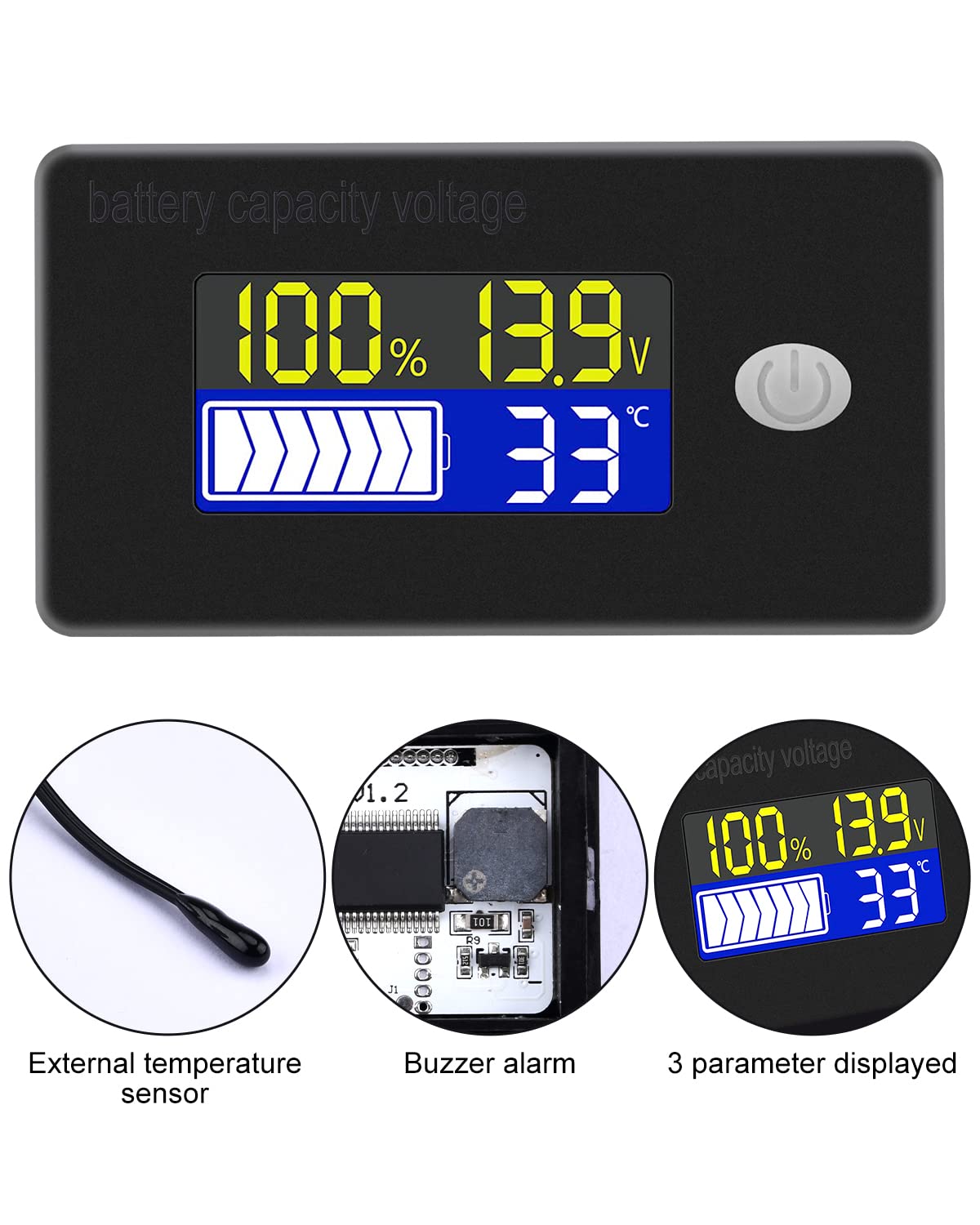
- Pantalla multifuncional: Simultaneously shows battery capacity percentage, voltage, and temperature (Celsius or Fahrenheit).
- Integrated Protection: Equipped with a protective cover, dustproof and waterproof surface, and reverse input connection protection.
- External Temperature Sensor & Buzzer: Includes an external temperature sensor for accurate readings and an internal buzzer for high/low voltage and over-temperature alarms.
- Six Programmable Modes: Allows setting battery type, delay for ultra-low power mode, adjusting battery percentage limits, activating undervoltage alarm and threshold, activating temperature alarm, and voltage calibración.
- Ampla compatibilidade de baterías: Compatible with 12V, 24V, 36V, 48V, 60V, 72V, 84V lead-acid batteries, lithium-ion batteries, polymer lithium-ion batteries, 3-15 series lithium-ion batteries, water batteries, and lithium iron phosphate batteries.
- Aplicación ampla: Suitable for use in jet skis, golf carts, RVs, lawnmowers, aquariums, DIY solar generators, and other systems requiring battery monitoring.
3. Contido do paquete
Comprobe se o paquete contén os seguintes elementos:
- Voktta Battery Capacity Voltage Medidor
- Connection Wires (Red for positive, Black for negative)
- Sensor de temperatura externo
- Manual de usuario (este documento)

4. Información de seguridade
- Desconecte sempre a alimentación antes de instalar ou realizar o mantemento do dispositivo.
- Ensure correct polarity when connecting the wires (Red to positive, Black to negative) to prevent damage to the meter and battery.
- Non exceda o volume de funcionamento especificadotagrango e (10-100V).
- Keep the device away from extreme temperatures, moisture, and corrosive environments.
- Non intente desmontar nin modificar o dispositivo. Encargue calquera mantemento a persoal cualificado.
5. Produto rematadoview
The Voktta Battery Capacity Voltage Meter features a compact design with a clear LCD display and a single control button. The external temperature sensor provides accurate ambient or battery temperature readings.

6. Instalación e cableado
Siga estes pasos para a instalación correcta:
- Montaxe: Choose a suitable location for the meter, ensuring it is protected from direct impact and excessive vibration. The meter is designed for panel mounting.
- Conexión de alimentación: Connect the red wire to the positive (+) terminal of your battery system and the black wire to the negative (-) terminal. Ensure a secure connection. The meter supports a wide voltagRango de entrada de 10-100 V.
- Conexión do sensor de temperatura: Plug the external temperature sensor into its designated port on the back of the meter. Position the sensor to measure the desired temperature (e.g., near the battery for battery temperature, or in the environment for ambient temperature).

7. Configuración inicial
After connecting the meter, you may need to configure it for your specific battery type and preferences.
7.1 Encendido/apagado
Press the power button (usually located on the front panel) to turn the device on or off.

7.2 Configuración do tipo de batería
The meter supports various battery types. Refer to the detailed programming instructions (often accessed by holding the power button or a dedicated 'SET' button) to select the correct battery chemistry and voltage configuration (e.g., 3S Lithium, 12V Lead-Acid).

8. Instrucións de funcionamento
Once powered on and configured, the meter will display real-time battery information.
8.1 Modos de visualización
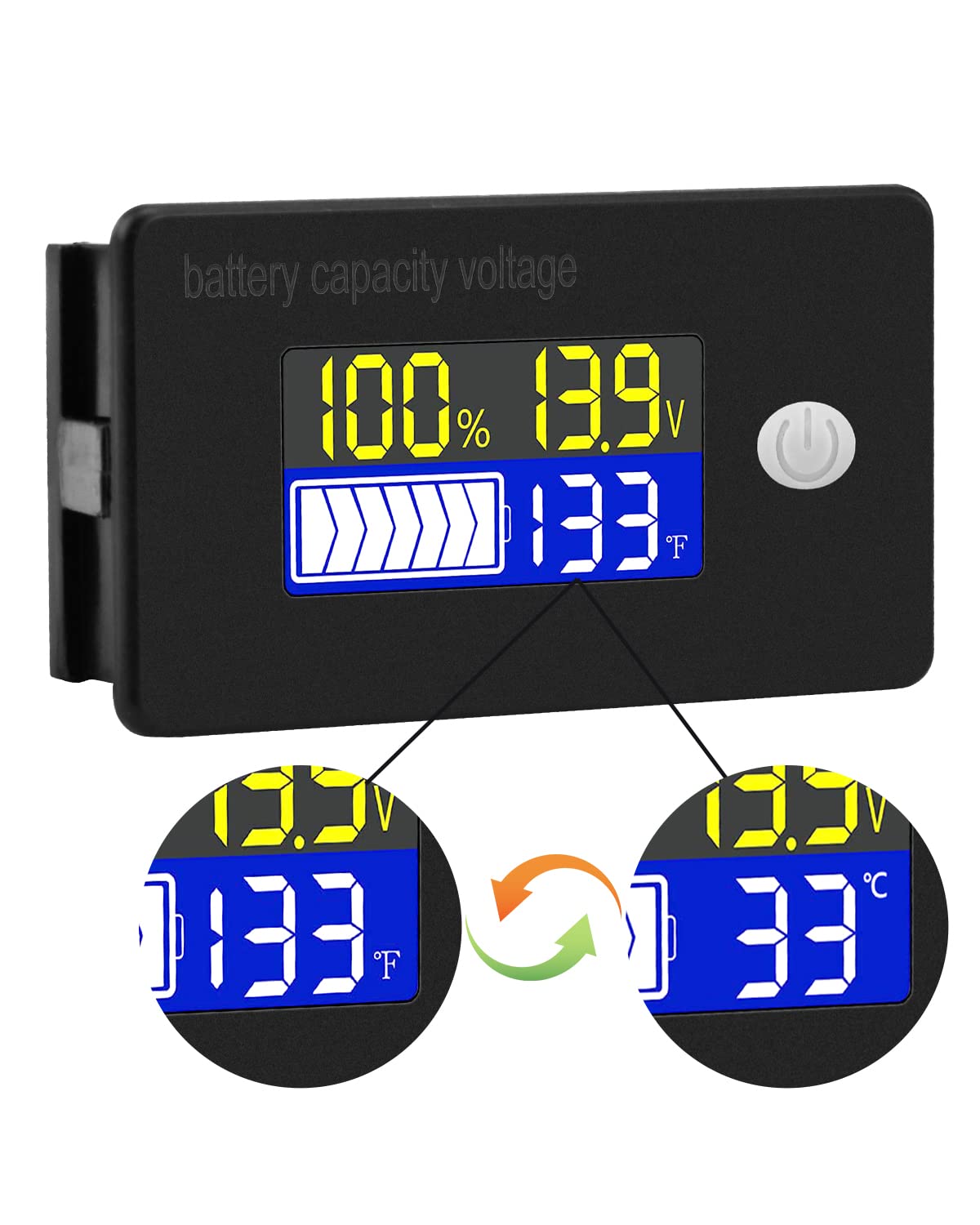
The display typically shows battery capacity percentage, actual voltage, and temperature. Some models allow switching between Celsius and Fahrenheit for temperature display.
8.2 Funcións de alarma
The internal buzzer will activate if the battery voltage falls below the set low voltage threshold, exceeds the high voltage threshold, or if the temperature goes beyond the set limits. This provides an audible warning for critical conditions.
9. Configuración avanzada
The meter offers several programmable modes for fine-tuning its operation. Access these modes by following the specific button press sequences outlined in the full product documentation (if provided separately) or by holding the main button for an extended period.
- Configuración do tipo de batería: Configure the meter for your specific battery chemistry and cell count (e.g., LiFePO4, Li-ion, Lead-Acid, 3S, 4S, etc.).
- Ultra-Low Power Mode Delay: Set a delay (10s, 20s, 30s, 60s, 120s adjustable) before the meter enters a low power consumption state to conserve energy.
- Batería Percentage Límites: Adjust the upper and lower voltage thresholds that correspond to 100% and 0% battery capacity for accurate percentagexhibición.
- Undervoltage alarma: Activate and set the specific voltage threshold (e.g., 10.5V to 60.0V) at which the low voltage alarm will trigger.
- Alarma de sobretemperatura: Activate and set the temperature threshold (e.g., 0°C to 79°C or 0°F to 179°F) at which the over-temperature alarm will trigger.
- Voltage Calibración: Realizar voltage calibration to ensure the most accurate readings.
10. Especificacións
| Parámetro | Valor |
|---|---|
| Marca | Voktta |
| Número de modelo | B0BHSSKRVP |
| Vol. Operativotage | 10-100 V |
| Corrente de funcionamento | 8-10 mA |
| Consumo de enerxía (modo de suspensión) | 15-20 uA |
| Voltage Precisión | ±0.1% ~ ±0.5% |
| Precisión da temperatura | ±0.5℃ ~ ±1℃ (built-in standard, external 30cm probe) |
| Rango de temperatura | -19~80℃ / 0~179℉ |
| Over-temperature Alarm Setting | 0 ~ 79 ℃ / 0 ~ 179 ℉ |
| Baixo Voltage Configuración da alarma | 10.5 ~ 60.0 V |
| Volume do zumbador | 60 ~ 80 dB |
| Temperatura de funcionamento | -10 ~ 65 ℃ |
| Cor | Negro |
| Cumprimento | CE, IP67, RoHS |
| Tipo de medida | Voltímetro |
11 Solución de problemas
If you encounter issues with your Voktta Battery Capacity Voltage Meter, refer to the following common problems and solutions:
- Sen visualización:
- Check power connections: Ensure red wire is connected to positive and black to negative, and connections are secure.
- Verifique o vol. da bateríatage: Confirmar o volume da bateríatage is within the 10-100V operating range.
- Lecturas inexactas:
- Voltage / Capacidade: Asegúrate de usar o tipo e o volume de batería correctostage configuration are set in the meter's settings. Perform voltage calibration if available.
- Temperatura: Check if the external temperature sensor is properly connected and positioned.
- Alarm Constantly Triggering:
- Review alarm thresholds: Adjust the low voltage, alto voltage, or over-temperature alarm settings to appropriate levels for your battery and application.
- Check battery health: A constantly triggering low voltage alarm might indicate a failing battery.
- Botóns que non responden:
- Power cycle the device: Turn the meter off and then on again.
- Asegúrate de que non haxa residuos que obstruan os botóns.
12. Mantemento
To ensure the longevity and accurate operation of your Voktta Battery Capacity Voltage Meter, follow these maintenance guidelines:
- Limpeza: Use a soft, dry cloth to clean the display and housing. Do not use abrasive cleaners or solvents.
- Conexións: Comprobe periodicamente todas as conexións do cableado para asegurarse de que estean seguras e libres de corrosión.
- Protección ambiental: While the device has some dust and water resistance (IP67), avoid prolonged exposure to harsh weather conditions or direct water immersion.
- Almacenamento: Se vai gardar o dispositivo durante un período prolongado, desconécteo da fonte de alimentación e gárdeo nun lugar fresco e seco.
13. Apoio
For any questions, technical assistance, or if you encounter issues not covered in this manual, please contact Voktta customer support. We are committed to providing assistance to resolve any problems you may experience.
A información de contacto adoita atoparse na embalaxe do produto ou no rexistro do vendedor. websitio onde se comprou o produto.