

1. Configuración
1.1. Que hai na caixa
- 1 x auriculares
- 1 x cable de carga tipo C
- 1 x Manual
1.2. Carga dos auriculares
Before first use, fully charge your Edifier W820NB Plus headphones. A full charge provides up to 49 hours of playback time with ANC off, or 33 hours with ANC on. A quick 10-minute charge can provide up to 7 hours of use.

The image illustrates the impressive battery life of the headphones, offering up to 49 hours of playback.
1.3. Emparellamento co teu dispositivo
To pair your headphones, ensure they are powered on and in pairing mode. The blue and green LED will blink alternately and rapidly during pairing. Select "EDIFIER W820NB Plus" from your device's Bluetooth settings. The headphones utilize Bluetooth V5.2 for a stable connection.
This video provides a step-by-step guide on how to pair your Edifier W820NB Plus headphones with a device, including visual cues for pairing mode and successful connection.
1.4. Edifier Connect App
Enhance your experience by downloading the Edifier Connect App. The app allows for customizable control settings, sound effects, and access to various modes.

Screenshots of the Edifier Connect App, demonstrating its user interface for controlling headphone settings and features.
2. Uso dos auriculares
2.1. Controis sobreview
The headphones feature intuitive controls located on the earcups for easy access to power, volume, and mode switching.

Un detallado view of the headphone earcup, highlighting the accessible control buttons for various functions.
2.2. Hybrid Active Noise Cancellation (ANC)
Experience tranquility with the -43dB Hybrid Active Noise Cancellation. This technology effectively reduces ambient noise, allowing you to focus on your audio. It's ideal for commutes, offices, or travel environments.

The image visually explains how the hybrid ANC technology reduces noise, showing the difference between noise and human voice frequencies.
This video demonstrates the effectiveness of the -43dB Active Noise Cancellation feature, highlighting its ability to create a quieter listening environment.
2.3. Modo de son ambiental
Stay aware of your surroundings with the Ambient Sound mode, which supports 7 levels of volume adjustment. This feature allows you to hear external sounds clearly without removing your headphones, ensuring you don't miss important announcements or traffic sounds.

The image depicts a user enjoying music while remaining aware of their environment, thanks to the Ambient Sound mode.
2.4. LDAC Codec & Hi-Res Audio
Equipped with a 40mm mantle plated composite diaphragm, the headphones support LDAC decoding and Hi-Res Audio, delivering rich and detailed sound. LDAC offers a transmission bandwidth up to 990Kbps, significantly higher than other codecs like aptX HD (576Kbps), AAC (512Kbps), and SBC (328Kbps).

This graphic illustrates the superior transmission bandwidth of the LDAC codec compared to other common audio codecs.
This video highlights the LDAC Codec and Hi-Res Audio capabilities of the Edifier W820NB Plus headphones, emphasizing their high-fidelity sound reproduction.
2.5. Hands-Free Calls
Enjoy crystal-clear calls thanks to the built-in microphones with DNN (deep neural network) noise cancellation. This technology ensures your voice is heard clearly, even in noisy environments.
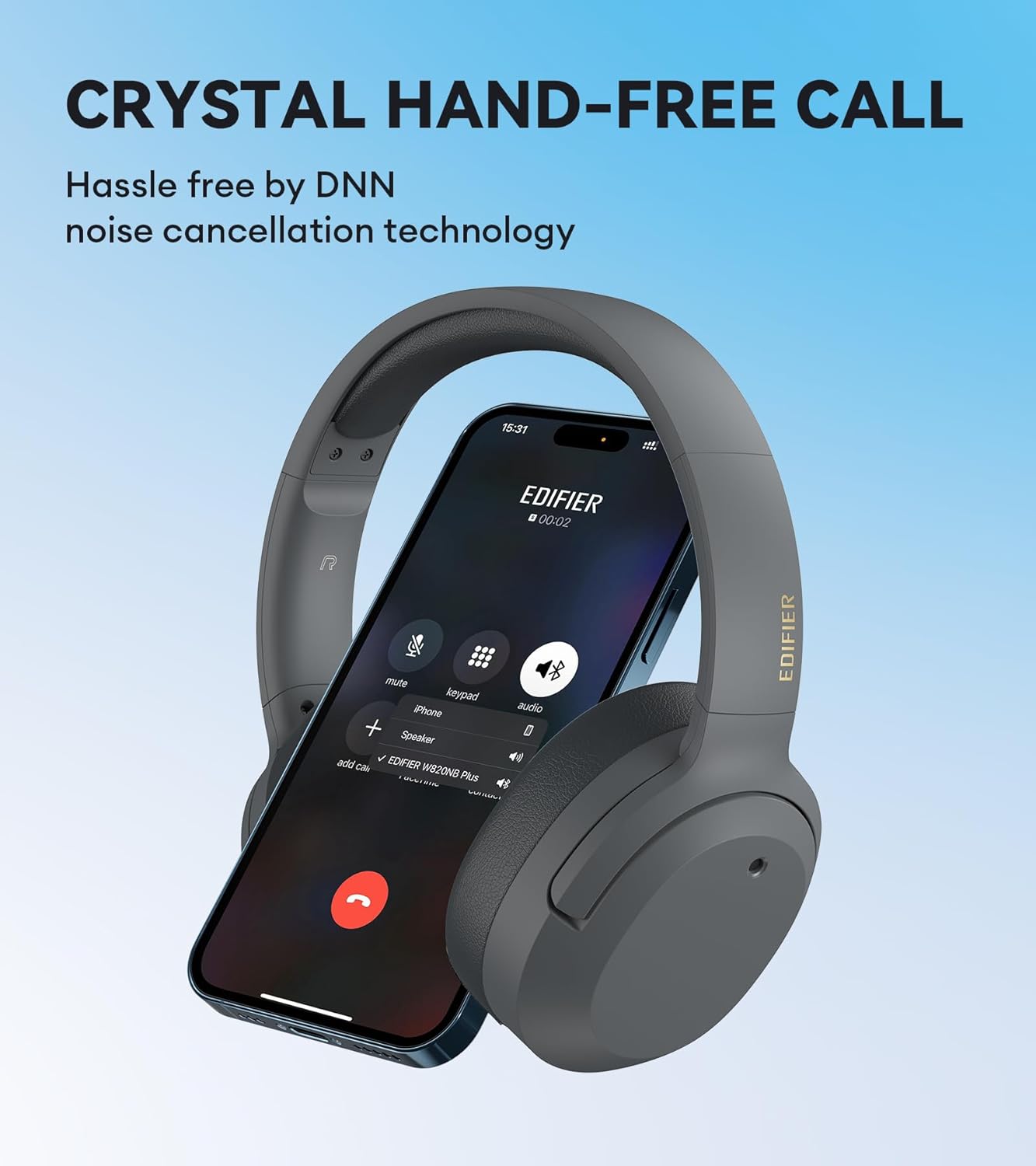
The image shows the headphones alongside a phone, illustrating their seamless integration for hands-free calling with advanced noise cancellation.
2.6. Modo de xogo
Activate Game Mode for an ultra-low latency audio experience, with an audio latency of just 80 milliseconds. This ensures synchronized audio and visuals, providing an immersive gaming experience.

The image captures a user immersed in a game with the headphones, emphasizing the low latency feature for an enhanced gaming experience.
3. Mantemento
3.1. Limpeza
To maintain the longevity and appearance of your headphones, regularly wipe them with a soft, dry cloth. Avoid using harsh chemicals or abrasive materials. For the earcups, gently wipe with a damp pano e deixe secar completamente ao aire.
3.2. Almacenamento
When not in use, store your headphones in a cool, dry place away from direct sunlight and extreme temperatures. The headphones feature a foldable design, allowing them to lay flat for easy storage and portability in a bag or case.

The image shows the headphones being conveniently stored in a bag, highlighting their compact and travel-friendly design.
4 Solución de problemas
4.1. Problemas comúns
- Sen enerxía: Ensure the headphones are charged. Connect them to a power source using the provided Type-C cable.
- Non se pode emparellar: Make sure the headphones are in pairing mode (blinking blue and green LED). Turn off and on your device's Bluetooth. If issues persist, clear pairing records on the headphones.
- Sen son: Check volume levels on both the headphones and your connected device. Ensure the headphones are correctly paired.
4.2. Clearing Pairing Records
To clear all pairing records, press and hold the "+" and "-" keys for 5 seconds when the headphones are powered on. This can resolve persistent pairing issues.
This video demonstrates how to clear pairing records on your Edifier W820NB Plus headphones, a useful step for resolving connectivity problems.
5. Especificacións
| Característica | Especificación |
|---|---|
| Nome do modelo | W820NB Plus |
| Tecnoloxía de conectividade | Sen fíos (Bluetooth V5.2) |
| Control de ruído | Cancelación activa de ruído (-43 dB) |
| Tipo de controlador de audio | Controlador dinámico (40 mm) |
| Rango de frecuencias | 20 Hz-40 kHz |
| Duración da batería | 49 horas (ANC desactivado), 33 horas (ANC activado) |
| Tempo de carga | 1.5 horas |
| Peso do elemento | 220 gramos (7.8 onzas) |
| Dimensións do produto | 1.97 x 6.3 x 7.09 polgadas |
| Latencia de audio | 80 milisegundos (modo xogo) |
| Material | Coiro sintético |
6. Garantía e soporte
Este produto vén cunha garantía dun ano, o que garante o seu rendemento e che proporciona unha asistencia fiable.
For further assistance or inquiries, please visit the official Edifier Store or contact their customer support.
Fabricante: Edificador
Tenda oficial: Tenda Edifier en Amazon