
1. Introdución
Thank you for choosing the ShanWan Q13Xi-B-1 Smartphone Gaming Controller. This device is designed to enhance your mobile gaming experience on both Android and iOS platforms. It offers precise control and broad compatibility with various cloud gaming services and mobile games.
This manual provides essential information for setting up, operating, maintaining, and troubleshooting your controller. Please read it carefully before use.
2. Produto rematadoview e contido do paquete
The ShanWan Q13Xi-B-1 controller features an ergonomic design with responsive buttons and joysticks. It supports a telescopic function to securely hold smartphones.
Contido do paquete:
- ShanWan Q13Xi-B-1 Smartphone Gaming Controller
- Cable de carga USB-C
- Manual de usuario
- Thumb Grips (optional accessories)
- USB-C to USB-A adapters (optional accessories)

Image: The ShanWan Q13Xi-B-1 controller, USB-C cable, user manual, thumb grips, and USB-C to USB-A adapters included in the package.
3. Instrucións de configuración
3.1 Carga do controlador
Before first use, fully charge the controller using the provided USB-C cable. Connect the USB-C end to the controller and the USB-A end to a compatible power source (e.g., computer USB port, wall adapter).
The controller is powered by a battery and will indicate charging status via an LED indicator (refer to the controller's specific LED behavior in the included quick start guide if available).

Image: An illustration showing the internal battery status of the ShanWan controller, indicating over 25 hours of battery life.
3.2 Emparejamento Bluetooth
- Primeira parella: Press and hold the power button on the controller to turn it on. The controller will enter pairing mode, indicated by a flashing LED. On your smartphone (Android 6.0+ or iOS), go to Bluetooth settings and select "Xbox Wireless Controller" (or similar name) from the list of available devices to connect.
- Reconectando: After the initial pairing, simply press the power button to turn on the controller. It will automatically attempt to reconnect to the last paired device.
The Bluetooth connection is designed for low latency, ensuring a smooth gaming experience.
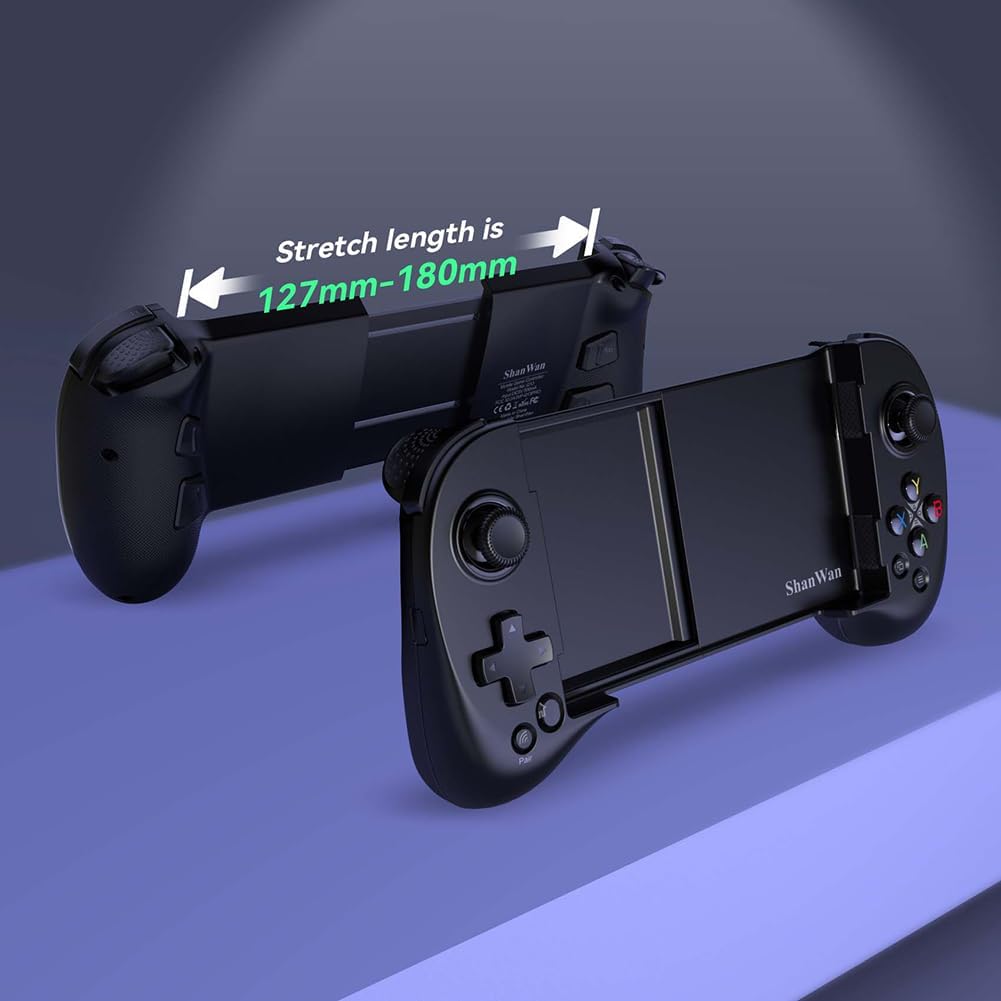
Image: Close-up of the controller showing the power button for initial connection and the pair button for subsequent connections.

Image: The ShanWan controller with a smartphone inserted, showing a Bluetooth connection icon, indicating wireless connectivity.
3.3 Inserción do teléfono intelixente
The controller features a telescopic design that accommodates smartphones with a length between 127mm and 180mm (approximately 13 cm to 17 cm). Gently extend the controller to fit your phone. The design includes a deepened concave area, allowing most phones to be inserted without removing their protective cases, and helps protect the phone's camera lens.

Image: The ShanWan controller shown in its extended state, illustrating the adjustable stretch length from 127mm to 180mm to fit various smartphone sizes.

Image: The ShanWan controller with a smartphone securely mounted, demonstrating its expandable center to accommodate different phone sizes up to 7.086 inches.
4. Instrucións de funcionamento
4.1 Supported Gaming Platforms
The ShanWan Q13Xi-B-1 controller is designed for broad compatibility with various mobile gaming platforms and services:
- Android (versión 6.0 e superior)
- iOS
- Xbox Game Pass Ultimate (Cloud Gaming)
- Ligazón de Steam
- GeForce AGORA
- Reprodución remota de PS
- MFi Arcade Games
- Hundreds of popular mobile games (e.g., Fortnite, Genshin Impact, Brawlhalla)
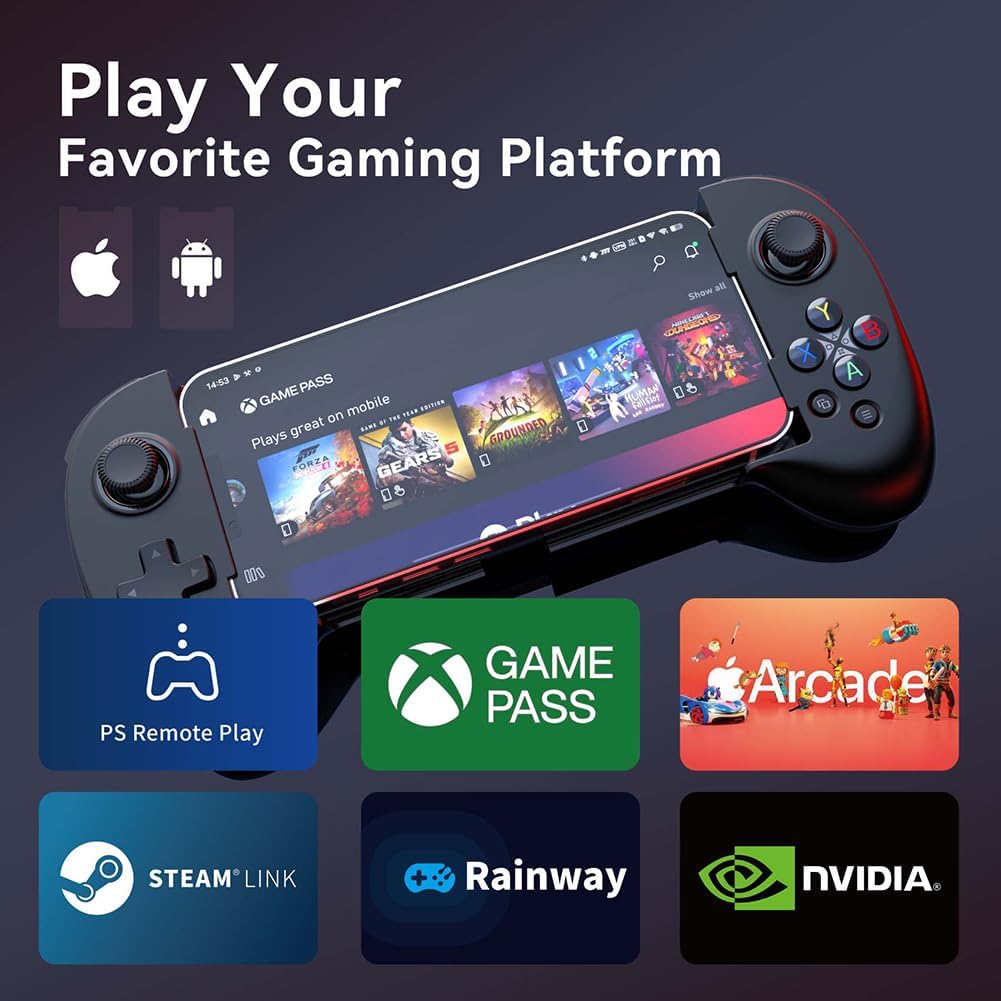
Image: The ShanWan controller with a smartphone displaying a game, surrounded by logos of supported platforms like PS Remote Play, Xbox Game Pass, Arcade, Steam Link, Rainway, and NVIDIA GeForce NOW.
4.2 Key Mapping Function
The controller features a dedicated 'M' button for custom key mapping. According to your preferences, you can assign the A/B/X/Y/Up/Down/Left/Right/L1/L2/R1/R2/L3/R3 buttons to the M1-M4 programmable buttons. This function allows for improved control in complex games.

Imaxe: A parte traseira view of the ShanWan controller, highlighting the programmable M1-M4 buttons (L3/R3, L4/R4) and other standard controls like LT, RT, LB, RB, and the D-pad and face buttons.
4.3 Adjustable Joystick Height
The joysticks on the controller are adjustable in height, offering a customizable gaming experience. You can adjust them from a minimum height of 3.8mm to a maximum height of 6.3mm.

Image: An illustration demonstrating the adjustable height of the controller's joysticks, showing a minimum of 3.8mm and a maximum of 6.3mm.
4.4 Apagado automático
To conserve battery life, the controller will automatically power off if left inactive for more than 15 minutes.
5. Mantemento
To ensure the longevity and optimal performance of your ShanWan Q13Xi-B-1 controller, follow these maintenance guidelines:
- Limpeza: Usa un pano suave e seco para limpar o controlador. Evita o uso de produtos químicos agresivos ou materiais abrasivos.
- Almacenamento: Garde o controlador nun lugar fresco e seco, lonxe da luz solar directa e de temperaturas extremas.
- Manexo: Evite deixar caer o controlador ou sometelo a impactos fortes.
- Cargando: Do not overcharge the battery. Disconnect the charging cable once the controller is fully charged.
6 Solución de problemas
If you encounter issues with your ShanWan Q13Xi-B-1 controller, refer to the following common solutions:
- O controlador non se acende: Asegúrate de que o controlador estea completamente cargado. Conéctao a unha fonte de alimentación mediante o cable USB-C.
- Non se pode emparellar por Bluetooth:
- Ensure the controller is in pairing mode (flashing LED).
- Turn off and on your smartphone's Bluetooth.
- Forget the device in your smartphone's Bluetooth settings and attempt to pair again.
- Asegúrate de que non haxa outros dispositivos Bluetooth que interfiran.
- Buttons not responding or incorrect mapping:
- Verify that the game you are playing supports external controllers.
- Check the in-game settings for controller configuration.
- Re-map the keys using the 'M' button if custom assignments are desired.
- Entrada con atraso ou atraso: Ensure your smartphone is not running too many background applications. While the controller's Bluetooth is designed for low latency, device performance can affect overall responsiveness.
- Smartphone not fitting: Ensure your smartphone's length is within the 127mm to 180mm range. Do not force the phone into the controller.
7. Especificacións
| Característica | Especificación |
|---|---|
| Marca | ShanWan |
| Número de modelo | Q13Xi-B-1 |
| Tecnoloxía de conectividade | Bluetooth |
| Dispositivos compatibles | Android (6.0+), iOS |
| Tipo de controlador | Gamepad sen fíos |
| Características especiais | Ergonomic, Wireless, Key Mapping Function, Adjustable Joysticks |
| Número de botóns | 1 (refers to the main power/mode button, excluding standard game buttons) |
| Smartphone Compatibility Length | 127mm - 180mm (approx. 13cm - 17cm) |
| Joystick Height Adjustment | Min 3.8mm, Max 6.3mm |
| Fonte de enerxía | Battery Powered (USB-C charging) |
| Apagado automático | Despois de 15 minutos de inactividade |
| Dimensións (L x W x H) | 21.6 x 5.1 x 14 cm |
| Orixe | China |
8. Garantía e soporte
For warranty information and customer support, please refer to the documentation included with your purchase or contact the ShanWan Official Store directly. Keep your proof of purchase for any warranty claims.