
Ctronics CTIPC-380C-5MP-BW
Ctronics Outdoor Wi-Fi Security Camera User Manual
Marca: Ctronics
Modelo: CTIPC-380C-5MP-BW
1. Introdución
Thank you for choosing the Ctronics Outdoor Wi-Fi Security Camera. This manual provides detailed instructions for setting up, operating, and maintaining your camera to ensure optimal performance and security. This advanced surveillance camera features 5MP Ultra HD resolution, dual-band 2.4GHz/5GHz Wi-Fi connectivity, intelligent human detection with auto-tracking, color night vision, two-way audio, and robust IP66 waterproof construction.

Figure 1: Ctronics Outdoor Wi-Fi Security Camera Overview
2. Características clave
- Dual-Band Wi-Fi & Enhanced Antenna: Supports both 2.4GHz and the latest 5GHz Wi-Fi for more stable, faster, and smoother data transmission with less interference. Equipped with a reinforced 5DBi antenna for improved signal stability, especially in outdoor environments.

Figure 2: Dual-band Wi-Fi and 5DBi antenna for stable connection.
- Resolución Ultra HD de 5 MP: Captures crystal-clear 5-megapixel video, allowing for precise identification of details like facial expressions, clothing, and accessories, crucial for evidence collection. Supports 4x digital zoom.

Figure 3: High-definition 5MP video capture.
- Advanced Night Vision & Two-Way Audio: Offers full-color night vision for clear identification of subjects even in low light. Features a high-quality built-in microphone and speaker for clear two-way communication without noise.

Figure 4: Color and Infrared night vision modes.
- 360° Pan-Tilt & Smart Detection: Provides a 360° surveillance range with Pan 350° and Tilt 90° capabilities. Equipped with intelligent human detection to minimize false alarms (over 95% accuracy) and an auto-tracking function that follows detected subjects and returns to the preset position after they leave the frame.

Figure 5: Pan-Tilt functionality for comprehensive coverage.

Figure 6: Human detection and auto-tracking in action.
- Durable Construction & Multiple Recording Options: Features a metal front cover for superior heat dissipation, fire resistance, and extended lifespan compared to plastic alternatives. IP66 waterproof and dustproof rating ensures reliable outdoor performance. Supports 24-hour continuous recording, motion-triggered recording, human detection recording, and schedule recording. Compatible with up to 128GB SD cards, ONVIF, NVR, and FTP.

Figure 7: Durable metal construction for longevity.

Figure 8: Multiple recording modes and storage options.
3. Guía de configuración
3.1 Contido do paquete
Before starting, please ensure all items are present in the package:
- Ctronics Outdoor Wi-Fi Security Camera
- Adaptador de alimentación
- Parafusos e ancoraxes de montaxe
- Cable LAN
- Adhesivo de advertencia
- Manual de usuario (este documento)
3.2 Configuración inicial
- Conexión de alimentación: Conecte a cámara a unha fonte de alimentación mediante o adaptador de alimentación proporcionado.
- Descarga da aplicación: Download the "Ctronics" app from the App Store (iOS) or Google Play Store (Android).
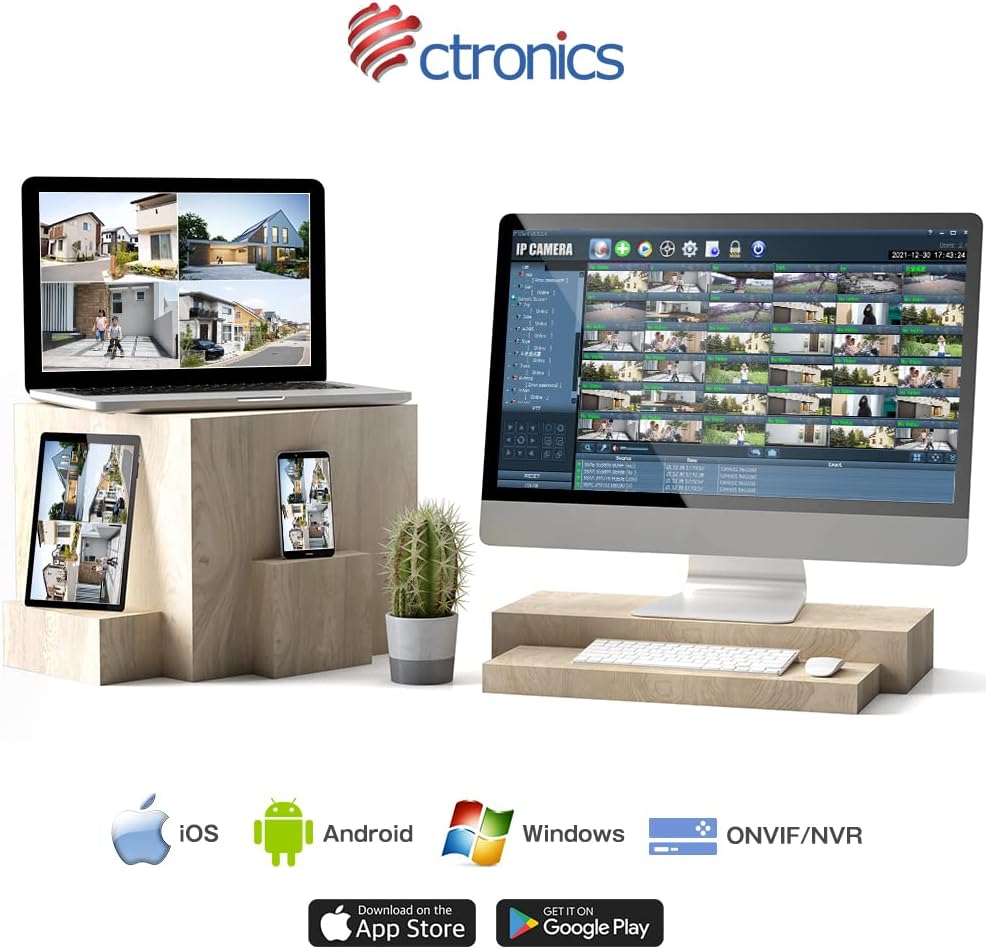
Figure 9: Ctronics App for mobile devices.
- Rexistro da conta: Abre a aplicación e rexistra unha nova conta ou inicia sesión se xa tes unha.
- Engadir dispositivo: Segue as instrucións da aplicación para engadir a túa cámara. Isto normalmente implica escanear un código QR na cámara ou introducir manualmente o seu ID.
- Configuración da rede: Select your preferred Wi-Fi network (2.4GHz or 5GHz) and enter the password. Ensure your camera is within range of your Wi-Fi router. For initial setup, it is recommended to place the camera close to the router.
- Montaxe: Once configured, choose a suitable outdoor location for mounting. Use the provided screws and anchors to securely attach the camera. Ensure the camera has a clear view da zona que desexa controlar.
4. Instrucións de funcionamento
4.1 En directo View
Open the Ctronics app and select your camera from the device list to access the live video feed. You can view o foo en tempo realtage desde calquera lugar con conexión a Internet.
4.2 Control de panorámica e inclinación
En directo view screen, use the directional controls to remotely adjust the camera's pan (horizontal) and tilt (vertical) angles. The camera supports 350° pan and 90° tilt.
4.3 Modos de gravación
The camera offers several recording options:
- 24-Hour Continuous Recording: Records continuously to the inserted SD card or connected NVR/FTP server.
- Gravación de movemento: Grava só cando se detecta movemento.
- Gravación de detección humana: Records specifically when a human figure is detected, reducing false alarms.
- Programar gravación: Set specific times or days for recording.
Recordings can be stored on a microSD card (up to 128GB, not included), or via ONVIF/NVR/FTP for external storage solutions.
4.4 Audio bidireccional
Tap the microphone icon in the app to speak through the camera's speaker. Tap the speaker icon to listen to audio from the camera's microphone.
4.5 Alarma e notificacións
When motion or human detection is triggered, the camera can:
- Envía notificacións push ao teu dispositivo móbil.
- Activate a sensor light to deter intruders.
- Trigger a customizable alarm sound.

Figure 10: Alarm and push notification system.
5. Mantemento
- Limpeza: Limpe regularmente a lente e a carcasa da cámara cun pano suave eamp cloth to ensure clear image quality. Do not use harsh chemicals or abrasive materials.
- Actualizacións de firmware: Check the Ctronics app periodically for firmware updates. Keeping your camera's firmware up-to-date ensures optimal performance, security, and access to new features.
- Fonte de alimentación: Ensure the power adapter and cable are not damaged and are securely connected.
- Condicións ambientais: While the camera is IP66 waterproof, avoid direct exposure to extreme weather conditions if possible, such as prolonged heavy rain or direct sunlight in very hot climates, to maximize its lifespan.

Figure 11: IP66 waterproof and wide operating temperature range.
6 Solución de problemas
| Problema | Causa posible | Solución |
|---|---|---|
| Cámara sen conexión/Non se pode conectar á wifi | Weak Wi-Fi signal; Incorrect Wi-Fi password; Router issues; Camera too far from router. | Ensure camera is within Wi-Fi range. Check Wi-Fi password. Restart router and camera. Try connecting to 2.4GHz if 5GHz is unstable, or vice versa. |
| Mala calidade de imaxe | Dirty lens; Insufficient light; Network bandwidth issues. | Clean the lens. Ensure adequate lighting or enable night vision. Check network speed. |
| False alarms/Too many notifications | Motion detection sensitivity too high; Non-human objects triggering detection. | Adjust motion detection sensitivity in the app. Enable human detection only. Adjust detection zones. |
| A tarxeta SD non grava | SD card full or corrupted; Incorrect recording settings. | Format the SD card in the app. Check recording schedule and mode settings. Ensure SD card is inserted correctly. |
7. Especificacións
| Característica | Detalle |
|---|---|
| Marca | Ctronics |
| Número de modelo | CTIPC-380C-5MP-BW |
| Tecnoloxía de conectividade | Wireless (2.4GHz & 5GHz Wi-Fi) |
| Resolución de captura de vídeo | 5 megapíxeles (2560 x 1920) |
| Rango de panorámica/inclinación | Panorama 350°, inclinación 90° |
| Características especiais | Human Detection, Auto Tracking, Color Night Vision, Two-Way Audio, Alarm Notification, IP66 Waterproof |
| Material | Metal (front cover) |
| Fonte de enerxía | Eléctrico con cable |
| Wattage | 5 W |
| Fonte de luz | Infrared, White Light |
| Soporte de almacenamento | MicroSD card (up to 128GB), ONVIF/NVR/FTP |
| Compatibilidade do sistema operativo | iOS, Android, Windows, MAC |
| Peso do elemento | 800 g |
| Dimensións do paquete | 21.1 x 20.3 x 13.7 cm |
8. Garantía e soporte
Ctronics provides a two-year quality warranty para este produto.
If you encounter any malfunctions or issues with your security camera during the warranty period, you are eligible for a new product replacement, return, or refund.
For any inquiries or support, please feel free to contact our customer service team at: support.jp@ctronics.com
Ask a question about this manual
Ask about setup, troubleshooting, compatibility, parts, safety, or missing instructions. Manuals+ will review the question and use this page’s manual context to help answer it.