
1. Introdución
The GONEO Portable Power Station GNV-USY16 is a versatile and reliable power source designed for various applications, including outdoor activities, emergency backup, and powering sensitive electronics. This manual provides essential information for safe operation, optimal performance, and proper maintenance of your device. Please read this manual thoroughly before using the power station.
2. Instrucións de seguridade importantes
- Non desmonte, repare nin modifique a unidade. Unha montaxe incorrecta pode provocar incendios ou lesións.
- Non expoña a unidade ao lume nin a altas temperaturas (superiores a 60 °C/140 °F).
- Non empregue nin garde a unidade nun baño nin en zonas expostas á choiva ou á humidade.
- Use only the recommended accessories and chargers.
- Manteña a unidade lonxe de nenos e animais.
- Evitar caídas, impactos fortes ou vibracións fortes.
- Non introduza obxectos estraños nos portos.
- Asegúrate dunha ventilación axeitada durante o uso e a carga. Non cubras a unidade.
- En caso de incendio, use un extintor de po seco.
3. Produto rematadoview
3.1 Contido do paquete
- GONEO Portable Power Station GNV-USY16
- Adaptador de alimentación de CA.
- Cable cargador de coche
- Manual de usuario
3.2 Identificación de compoñentes

Imaxe: Fronte view of the GONEO Portable Power Station GNV-USY16, highlighting its various ports, display, and carrying handle.
3.3 Portos de entrada/saída

Image: Close-up of the power station's input and output ports, including DC, PV, Car Socket, USB-C, USB-A, and AC outlets, with exampleis de dispositivos compatibles.
- DC Input/Output (12V/12A): For charging the power station or powering 12V DC devices.
- Entrada PV: For connecting solar panels to charge the power station.
- Car Socket (12V/12A): Para alimentar electrodomésticos de 12 V para automóbiles.
- Entrada/Saída USB-C (PD 100 W): For fast charging the power station or compatible USB-C devices.
- USB-A Output (5V/2.4A): Para cargar dispositivos USB estándar.
- Saída de CA (110 V/600 W): Standard AC outlets for household appliances.
3.4 LED Display Panel

Imaxe: Unha detallada view of the 5.5-inch LED display, showing indicators for charging status (DC, CAR, PD), battery percentage, estimated time to full/empty, input/output power, and active output ports (DC, CIG, USB-A, USB-C, AC, LIGHT).
The 5.5-inch LED display provides real-time information about the power station's status:
- Batería Percentage: Mostra o nivel de carga actual.
- Time to Full/Empty: Tempo estimado restante para cargar ou descargar.
- Potencia de entrada: Displays the current power input (in Watts).
- Potencia de saída: Displays the current power output (in Watts).
- Indicadores de carga: DC, CAR, PD icons illuminate to show the active charging method.
- Indicadores de saída: Icons for DC, CIG (Car Socket), USB-A, USB-C, AC, and LIGHT illuminate when their respective outputs are active.
4. Configuración e uso inicial
- Desembalaxe: Retire con coidado a estación de alimentación e todos os accesorios da embalaxe.
- Carga inicial: Before first use, fully charge the power station using the provided AC adapter. Connect the AC adapter to the DC input port and plug it into a wall outlet. The LED display will show charging progress.
- Encendido/apagado: Prema e manteña premido o botón de acendido principal durante uns segundos para acender ou apagar a unidade.
5. Funcionamento
5.1 Carga da central eléctrica
The power station can be recharged using three methods:
- Adaptador de CA: Connect the provided AC adapter to the DC input port.
- Panel solar: Connect a compatible 100W solar panel to the PV input port.
- USB-C PD 100W: Use a compatible USB-C PD charger and cable.
For fastest charging, use both the USB-C PD port and the DC input port simultaneously. This can fully recharge the battery in approximately 2 hours.
5.2 Dispositivos de alimentación
To power a device, ensure the power station is turned on. Press the respective output button (e.g., AC, DC, USB) to activate the desired port. The corresponding icon on the LED display will illuminate.
- Saída CA: Connect devices requiring 110V AC power (up to 600W).
- DC Output/Car Socket: Connect 12V DC devices.
- USB-A/USB-C Output: Connect USB-powered devices for charging.
Función de lanterna LED 5.3
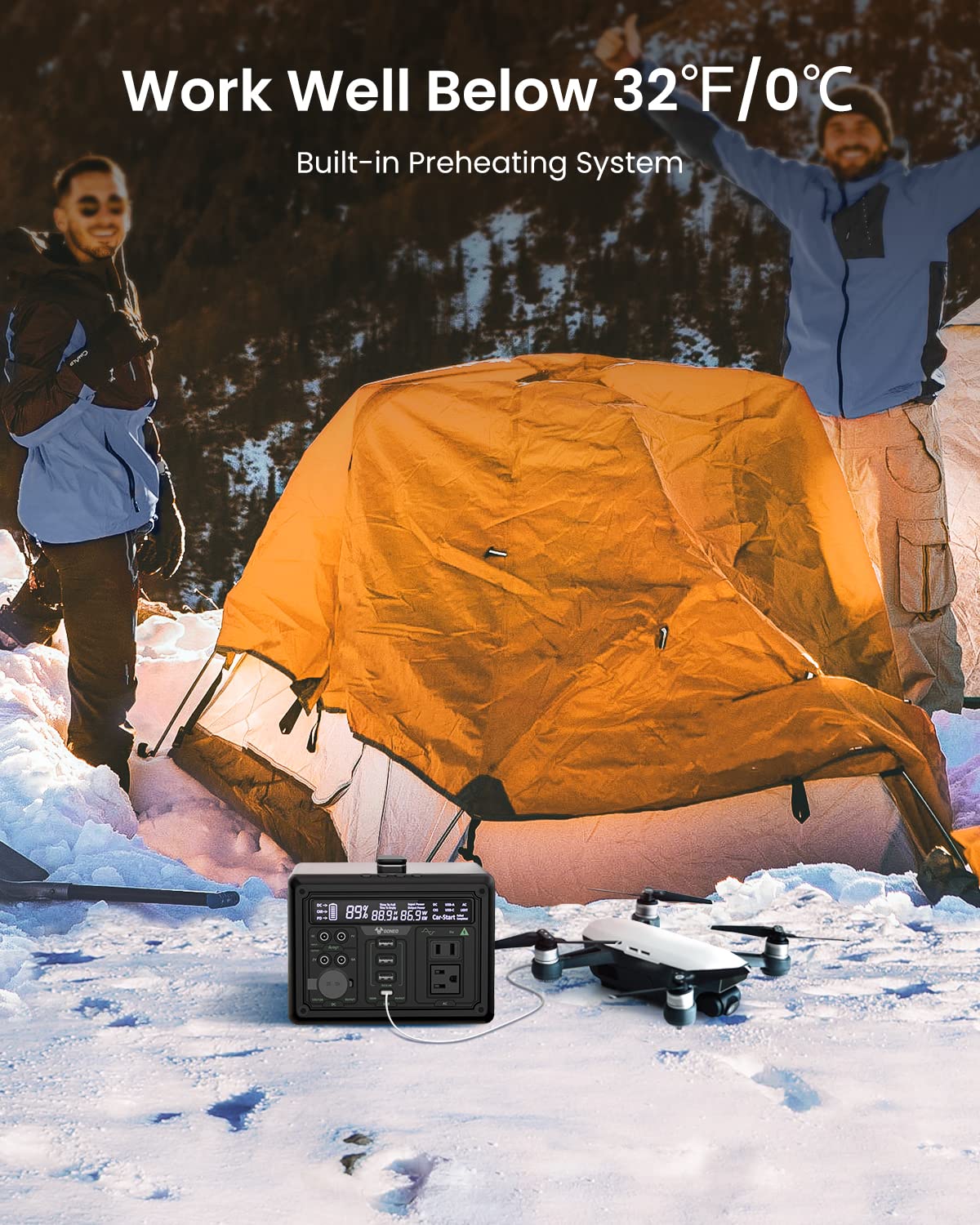
Image: The GONEO Power Station's 6.5-inch LED flashlight panel illuminating a camping tent at night, demonstrating its four lighting modes: Normal, Bright, SOS, and Flashing.
The power station features a 6.5-inch LED flashlight panel with four lighting modes:
- Normal: Iluminación estándar.
- Brillante: Increased brightness for enhanced visibility.
- SOS: Flashes the international distress signal.
- Intermitente: A continuous flashing pattern.
To activate or cycle through modes, press the dedicated flashlight button.
5.4 Low Temperature Operation

Image: The GONEO Power Station in a snowy outdoor setting, demonstrating its ability to operate effectively in cold conditions (below 32°F/0°C) due to its built-in preheating system, shown charging a drone.
The power station includes a built-in preheating system that automatically detects low temperatures (down to -20°C/-4°F) and initiates heating to ensure optimal battery performance and charging capability in cold environments.
5.5 Funcionamento silencioso
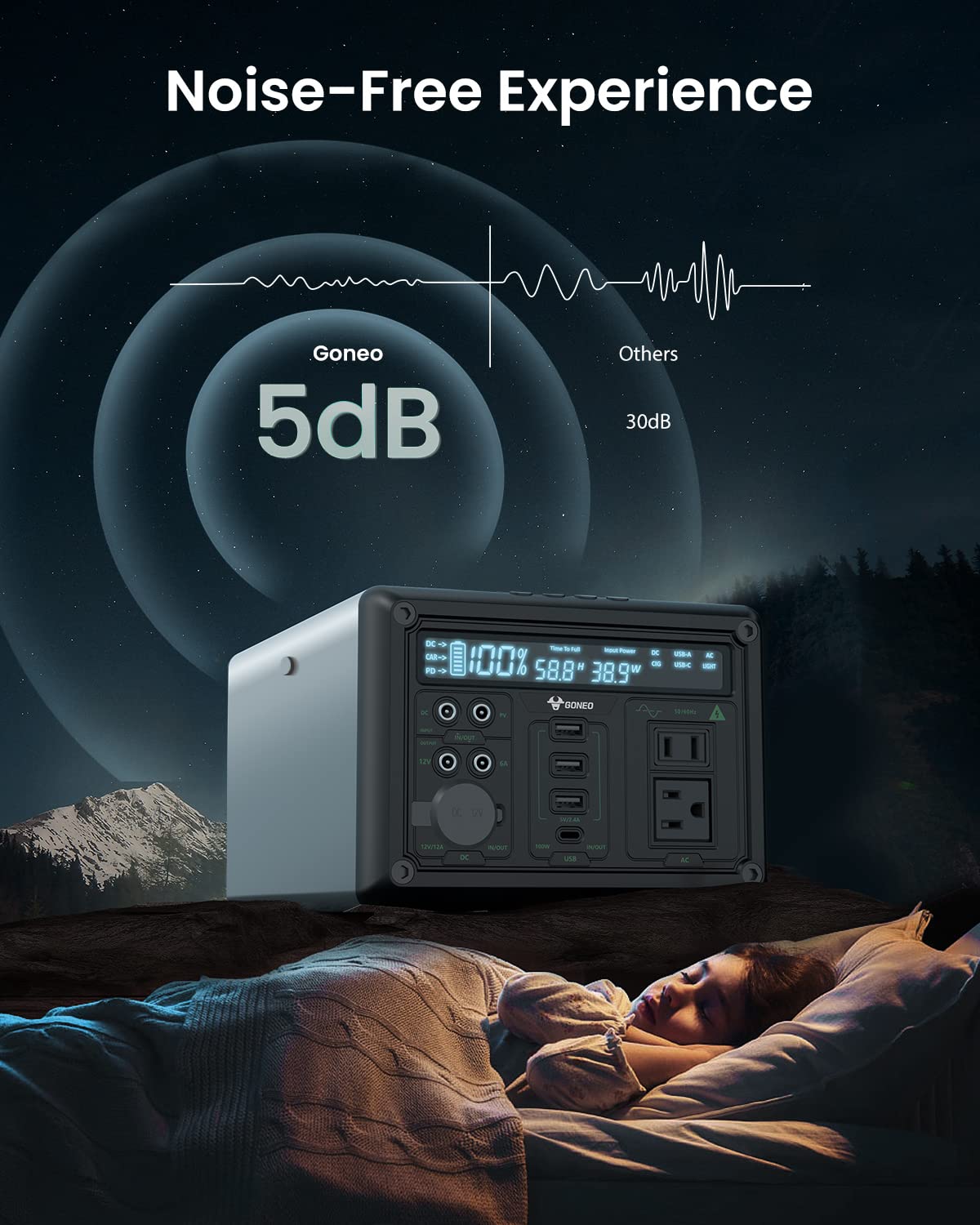
Image: The GONEO Power Station operating at a low noise level of 5dB, depicted next to a person sleeping peacefully in a tent, illustrating its fanless design for a quiet environment.
Designed with a fanless cooling system, the power station operates at a low noise level of approximately 5dB, providing a quiet environment suitable for camping, RV trips, or during power outages.
6. Coidados e mantemento
- Limpeza: Usa un pano seco e suave para limpar o exterior da unidade. Non empregues produtos de limpeza abrasivos nin solventes.
- Almacenamento: Store the power station in a cool, dry place, away from direct sunlight and extreme temperatures. For long-term storage, charge the unit to 50-80% every 3-6 months to preserve battery life.
- Coidado da batería: Avoid fully discharging the battery frequently. Recharge the unit promptly after use.
7 Solución de problemas
| Problema | Causa posible | Solución |
|---|---|---|
| A unidade non se acende | A batería está completamente descargada; o botón de acendido non se premeu o tempo suficiente. | Cargue a unidade; prema e manteña premido o botón de acendido durante 3-5 segundos. |
| Sen saída dos portos | Output port not activated; Device draws too much power; Battery is low. | Press the corresponding output button; Check device wattage; Recharge the power station. |
| Cargando lentamente | Using a low-power charger; Environmental temperature is too low. | Use the provided AC adapter or a 100W PD charger; Ensure unit is within operating temperature range. |
8. Especificacións técnicas
| Modelo | GNV-USY16 |
| Capacidade da batería | 607Wh (Lithium Ion) |
| Saída AC | 110 V, 600 W (onda sinusoidal pura) |
| Entrada de CC | 12 V/12 A |
| Entrada/Saída USB-C | PD 100 W |
| Saída USB-A | 5 V/2.4 A |
| Saída do enchufe do coche | 12 V/12 A |
| Linterna LED | 6.5 inch, 4 Modes (Normal, Bright, SOS, Flashing) |
| Dimensións (LxWxH) | 27.94 x 18.8 x 13.72 cm (11.0 x 7.4 x 5.4 polgadas) |
| Peso | Non especificado nos datos proporcionados |
| Material | Aluminio |
| Temperatura de funcionamento | -20 °C a 40 °C (-4 °F a 104 °F) |
9. Garantía e atención ao cliente
For warranty information, technical support, or any questions regarding your GONEO Portable Power Station GNV-USY16, please refer to the warranty card included with your product or contact GONEO customer service directly. Contact details are typically available on the official GONEO websitio web ou a través da túa plataforma de compra.