
1. Produto rematadoview
The Apple Watch Series 8 is an advanced smartwatch designed to enhance daily life through health monitoring, fitness tracking, and seamless connectivity. It features a durable design, a bright Always-On Retina display, and a suite of sensors for comprehensive health insights.

Image: Apple Watch Series 8 in Midnight Aluminum with Midnight Sport Band.
2. Que hai na caixa
- Apple Watch Series 8 (Midnight Aluminum Case with Midnight Sport Band, M/L)
- Magnetic Fast Charger to USB-C Cable (1m)
3. Guía de configuración
3.1 Desembalaxe e carga inicial
- Carefully remove the Apple Watch and charging cable from the packaging.
- Connect the Magnetic Fast Charger to USB-C Cable to a compatible USB-C power adapter (sold separately) and plug it into a power outlet.
- Place the back of your Apple Watch on the magnetic charger. The watch will begin charging and display a charging indicator.
3.2 Pairing with iPhone
The Apple Watch Series 8 requires an iPhone 8 or later with the latest iOS version for setup and full functionality.
- Acende o teu Apple Watch mantendo premido o botón lateral ata que apareza o logotipo de Apple.
- Bring your iPhone near your Apple Watch. A pairing screen will appear on your iPhone. Tap 'Continue'.
- Position your iPhone so that your Apple Watch appears in the viewfinder of the Camera app. This will pair the devices.
- Follow the on-screen instructions on both your iPhone and Apple Watch to complete the setup, including setting up a passcode, Apple ID, and preferred settings.
Vídeo: Un overview of the Apple Watch Series 8, including unboxing and initial setup steps.
4. Operating Your Apple Watch Series 8
4.1 Navegación básica
- Coroa dixital: Rotate to scroll, zoom, or adjust values. Press once to go to the watch face or app launcher. Double-press to switch between recently used apps. Press and hold for Siri.
- Botón lateral: Press once to open the Dock (recently used apps). Press and hold to access Emergency SOS, Medical ID, or power options. Double-press for Apple Pay.
- Pantalla táctil: Tap to select, swipe to navigate, force touch for additional options (depending on the app).
4.2 Características e aplicacións principais
- Always-On Retina Display: The display remains visible even when your wrist is down, showing time and complications.
- Vixilancia da saúde: Advanced sensors provide insights into heart rate, blood oxygen levels, and temperature changes.
- Seguimento da condición física: Enhanced Workout app with advanced metrics and activity rings to track daily movement.
- Conectividade: Make calls, send texts, listen to music, and receive notifications directly from your wrist.
- Características de seguridade: Includes Fall Detection, Emergency SOS, and Crash Detection for urgent assistance.
Video: A user demonstrating various features of the Apple Watch Series 8, including Siri activation and fitness tracking rings.
5. Health Features
The Apple Watch Series 8 is equipped with advanced health sensors to help you better understand your body.
- Detección de temperatura: Provides retrospective ovulation estimates and advanced cycle tracking features. This sensor works primarily during sleep to track baseline temperature changes.
- Blood Oxygen App: Mide os niveis de osíxeno no sangue a demanda.
- Aplicación de ECG: Take an electrocardiogram anytime, anywhere, to check for signs of atrial fibrillation.
- Monitorización da frecuencia cardíaca: Receive high and low heart rate notifications and irregular rhythm notifications.
- Seguimento do sono: Monitorea o teu sonotages (REM, Core, Deep) to gain insights into your sleep patterns.

Imaxe: Máis deview of Apple Watch Series 8 health and safety features.

Image: Close-up of the Apple Watch Series 8 display showing a temperature reading.
6. Seguimento da actividade física
The enhanced Workout app and Activity rings help you stay active and motivated.
- Activity Rings: Track your daily Move, Exercise, and Stand goals. Close your rings to achieve daily activity targets.
- Workout App: Choose from a variety of workout types, including running, cycling, swimming, yoga, and more. Get advanced metrics for your performance.
- GPS: Built-in GPS accurately tracks your outdoor workouts without needing your iPhone.

Image: Apple Watch Series 8 showing the Workout app interface.
7. Connectivity and Communication
Stay connected with your Apple Watch Series 8.
- Chamadas e mensaxes: Make and receive calls, and send and reply to text messages directly from your wrist when connected to your iPhone or Wi-Fi.
- Siri: Activate Siri by raising your wrist and speaking, or by pressing and holding the Digital Crown.
- Apple Pay: Make secure payments instantly by double-pressing the side button.
- Notificacións: Receive alerts from your favorite apps, calendar events, and more.
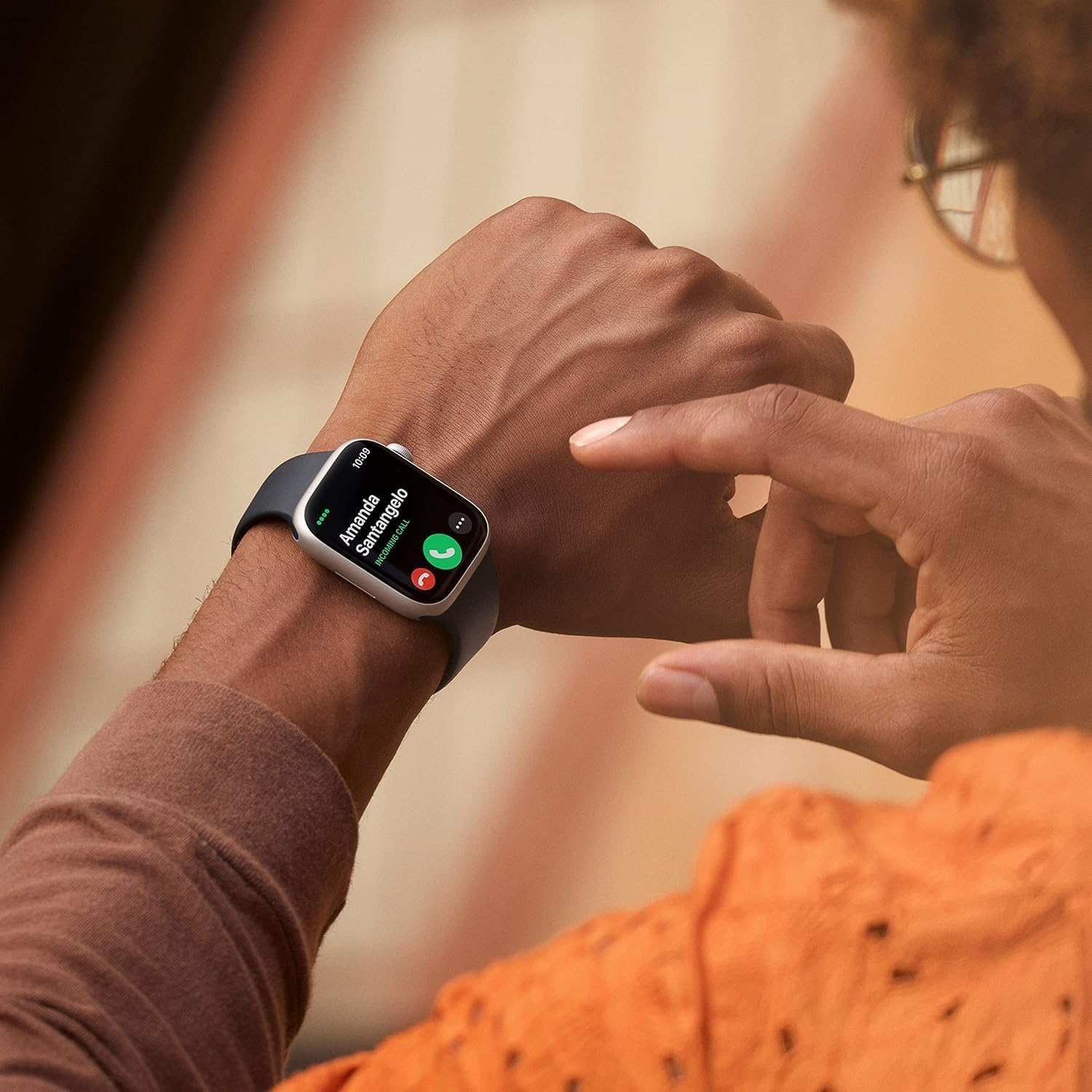
Image: A user answering a call on their Apple Watch Series 8.
8. Durabilidade e resistencia á auga
The Apple Watch Series 8 is built for everyday use and various activities.
- Crack Resistant: Features a highly crack-resistant front crystal.
- Resistencia ao po: IP6X-certified for dust resistance.
- Resistencia á auga: Swimproof with WR50 water resistance, suitable for shallow-water activities like swimming in a pool or ocean. Not recommended for scuba diving, waterskiing, or other high-velocity water activities.
9. Batería e carga
The Apple Watch Series 8 offers all-day battery life and fast charging capabilities.
- Duración da batería: Up to 18 hours of typical use.
- Carga rápida: Charges from 0% to 80% in approximately 45 minutes with the Magnetic Fast Charger to USB-C Cable and a compatible 20W USB-C Power Adapter (sold separately).
10. Personalización
Personalize your Apple Watch Series 8 to match your style and needs.
- Bandas: Easily interchangeable bands allow you to switch styles. The Midnight Sport Band (M/L) is included, fitting 150–200mm wrists.
- Ver caras: Choose from a wide variety of watch faces and customize complications to display information important to you.
Image: Apple Watch Series 8 with its default Midnight Sport Band.
11. Especificacións
| Característica | Detalle |
|---|---|
| Nome do modelo | Mira a serie 8 |
| Número de modelo | A2770 |
| Tamaño do caso | 41 mm |
| Material do caso | Aluminio |
| Cor da banda | Medianoite |
| Sistema Operativo | WatchOS |
| Capacidade de almacenamento da memoria | 32 GB |
| Tamaño da pantalla | 1.8 polgadas |
| Tipo de visualización | AMOLED |
| Tecnoloxía de conectividade | Bluetooth |
| GPS | GPS incorporado |
| Profundidade de resistencia á auga | 50 metros |
| Duración media da batería | 18 horas |
| Dimensións do elemento | 1.61 x 1.37 x 0.42 polgadas |
12. Mantemento
- Limpeza: Wipe your Apple Watch and band with a soft, lint-free cloth. If necessary, lightly dampen the cloth with fresh water. Do not use soaps or other cleaning products.
- Secado: Ensure your Apple Watch is completely dry after exposure to water or cleaning.
- Actualizacións de software: Keep your Apple Watch software updated to the latest version for optimal performance and security. Updates can be managed through the Watch app on your iPhone.
13 Solución de problemas
- O reloxo non se acende: Ensure the watch is charged. Place it on the magnetic charger for at least 30 minutes.
- Problemas de emparellamento: Make sure your iPhone's Bluetooth is on and both devices are close to each other. Restart both devices if necessary.
- Lecturas inexactas: Ensure the watch is worn snugly on your wrist. Clean the back of the watch regularly.
- A batería esgotando rapidamente: Check for background app refresh settings. Enable Low Power Mode if needed.
14. Garantía e soporte
This renewed Apple Watch Series 8 comes with a Garantía limitada de 90 días. For detailed warranty information and support, please refer to the documentation provided with your purchase or visit the official Apple support websitio.
For additional assistance, you can contact Apple Support or visit an authorized Apple service provider.