
Introdución
The ASUS ROG Strix Impact III is a lightweight, ergonomic wired gaming mouse designed for precision and comfort during intense gaming sessions. Featuring a 12,000 DPI optical sensor, 5 programmable buttons, and durable ROG micro switches, this mouse is built for responsive and accurate control. Its semi-ambidextrous design and paracord cable enhance usability for various grip styles and extended use.
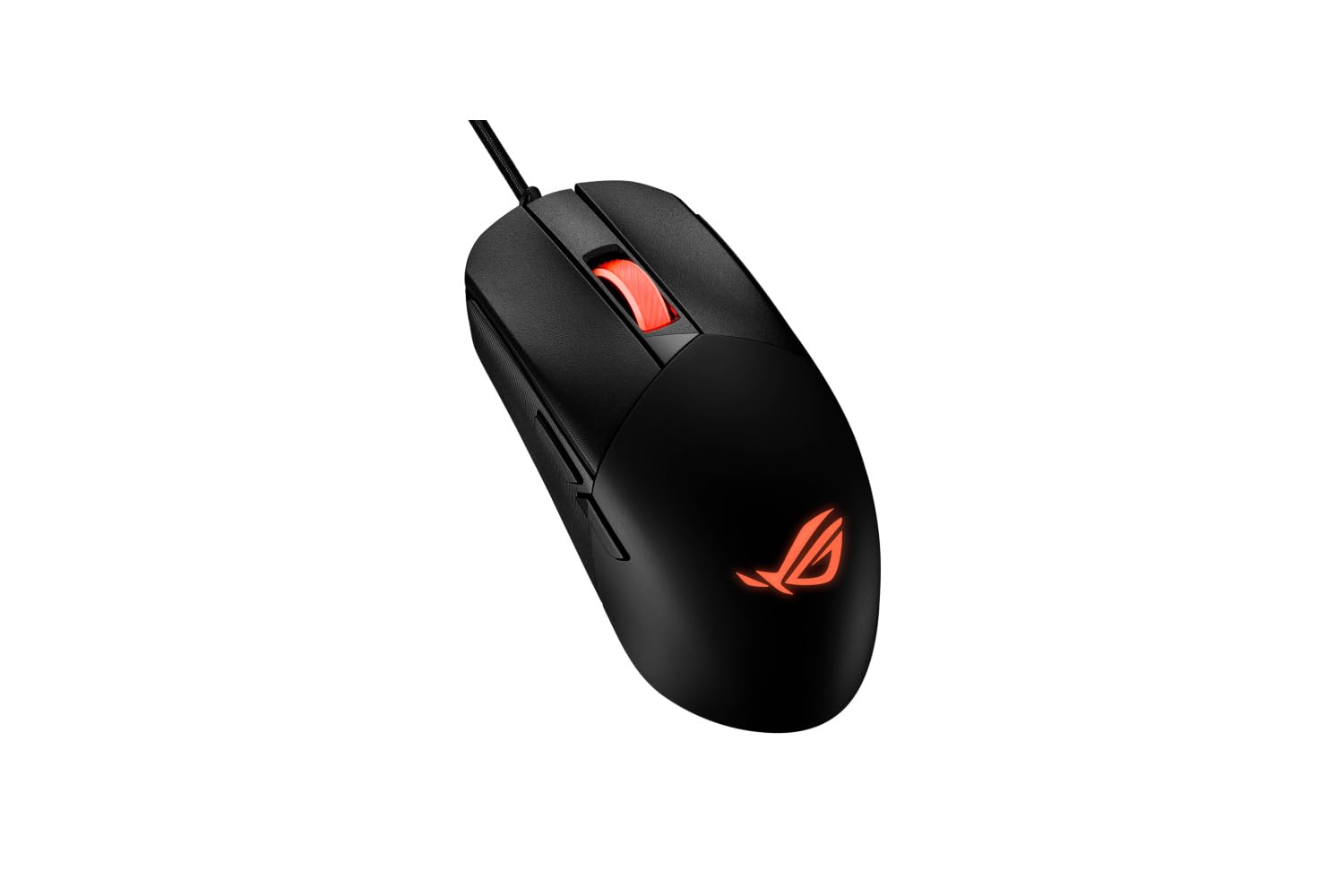
Figura 1: Fronte view of the ASUS ROG Strix Impact III Wired Gaming Mouse.
Configuración
1. Conectando o rato
The ROG Strix Impact III is a wired mouse. To connect it to your computer:
- Localiza un porto USB dispoñible no teu ordenador.
- Plug the USB connector of the mouse's paracord cable into the USB port.
- Your operating system (Windows 7, Windows XP, Linux, etc.) should automatically detect and install the necessary drivers.
2. Instalación do software (opcional)
For advanced customization, including button programming and DPI settings, it is recommended to install the ASUS Armoury Crate software. Visit the official ASUS support website for your product model to download the latest version.
Instrucións de funcionamento
1. Axuste de DPI
The mouse features a 12,000 DPI optical sensor for precise tracking. DPI (Dots Per Inch) determines the sensitivity of the mouse. You can typically adjust DPI settings using a dedicated button on the mouse or through the ASUS Armoury Crate software. Refer to the software interface for specific instructions on customizing DPI profiles.
2. Botóns programables
The ROG Strix Impact III includes 5 programmable buttons. These buttons can be assigned various functions, macros, or shortcuts using the ASUS Armoury Crate software to enhance your gaming or productivity experience.
3. Ergonomía e estilos de agarre
The mouse features a semi-ambidextrous, lightweight (59-gram) design for comfortable use across different grip styles. The precisely crafted shape accommodates palm, claw, and fingertip grips.

Figure 2: Illustration of various grip styles (Palm, Claw, Fingertip) for optimal ergonomic use.
4. ROG Micro Switches and Push-Fit Switch Sockets
The mouse is equipped with durable ROG micro switches, offering a consistent click force and a 70-million click lifespan. It also features a Push-Fit Switch Socket design, allowing users to easily swap out mechanical switches to customize click feel or extend the mouse's lifespan. This design supports both Omron mechanical switches and optical micro switches.
5. NVIDIA Reflex Compatibility
The ROG Strix Impact III is officially verified for NVIDIA Reflex Latency Analyzer, allowing you to monitor mouse responsiveness and optimize your system for competitive gaming.
Mantemento
1. Limpeza
Para manter un rendemento e unha hixiene óptimos:
- Desconecte o rato do ordenador antes de limpalo.
- Use un pano suave e sen pelusa lixeiramente dampEnxágüe con auga ou unha solución de limpeza suave para limpar a superficie do rato.
- Evite o uso de produtos químicos agresivos, produtos de limpeza abrasivos ou solventes.
- Use compressed air to clear dust and debris from crevices and around the scroll wheel.
- Clean the optical sensor on the underside of the mouse with a cotton swab to ensure accurate tracking.
2. Coidado dos cables
The mouse features a durable paracord cable. To prolong its life, avoid sharp bends, kinks, or excessive pulling. Store the cable neatly when not in use.
Resolución de problemas
1. O rato non responde
- Asegúrate de que o cable USB estea conectado correctamente a un porto USB que funcione no teu ordenador.
- Tenta conectar o rato a un porto USB diferente.
- Reinicia o teu ordenador.
- Check Device Manager (Windows) to see if the mouse is recognized and if there are any driver issues. Reinstall drivers if necessary.
2. Inaccurate Tracking or Cursor Jumps
- Limpa o sensor óptico da parte inferior do rato.
- Ensure you are using the mouse on a clean, uniform surface (e.g., a mouse pad). Avoid highly reflective or transparent surfaces.
- Adjust the DPI settings to a suitable level for your usage.
3. Os botóns non funcionan
- Check the ASUS Armoury Crate software to ensure buttons are correctly assigned and not disabled.
- If using custom switches, ensure they are properly seated in the Push-Fit Switch Sockets.
Especificacións
| Característica | Detalle |
|---|---|
| Marca | ASUS |
| Nome do modelo | ROG STRIX Impact III |
| Número de modelo | 90MP0300-BMUA00 |
| Cor | Negro |
| Tecnoloxía de conectividade | Con cable |
| Tecnoloxía de detección de movemento | Óptica |
| Mouse Maximum Sensitivity | 12000 Dots per Inch |
| Cantidade de botóns | 5 |
| Orientación das mans | Ambidiestro |
| Peso do elemento | 1 gramos |
| Dispositivos compatibles | Ordenador portátil, ordenador persoal |
| Sistema Operativo | Linux, Windows 7, Windows XP |
| Característica especial | Luces LED |
| Material do recinto | PTFE |
| Medios incorporados | 1 x paracord cable |
Garantía e Soporte
Información da garantía
For detailed warranty information regarding your ASUS ROG Strix Impact III Gaming Mouse, please refer to the warranty card included with your product or visit the official ASUS support websitio. Os termos e condicións da garantía poden variar segundo a rexión e o vendedor.
Atención ao cliente
If you encounter any issues not covered in this manual or require further assistance, please contact ASUS customer support through their official website. You may need your product's model number (90MP0300-BMUA00) and serial number for support inquiries.