1. Produto rematadoview
This user manual provides instructions for the proper use and maintenance of your new PU Leather Tablet Case. Designed for universal compatibility with various 10 to 10.1-inch tablets, this case offers protection and enhanced usability.
Características principais:
- Material de coiro sintético duradeiro
- Stretchable Design for Secure Fit
- Effective Shock Proof Protection
- Integrated Stand Functionality
2. Configuración e instalación
Follow these steps to correctly install your tablet into the case:
- Prepara a túa tableta: Ensure your tablet is clean and free of debris before insertion.
- Abrir o caso: Gently open the tablet case.
- Inserir tableta: Carefully slide your 10-10.1 inch tablet into the designated compartment. The stretchable material will accommodate various tablet dimensions within the specified size range. Ensure all corners are securely seated.
- Align Ports and Camera: Verify that all tablet ports, buttons, and the camera are accessible through the case's cutouts. The case features a universal camera cutout on the back.
- Secure the Tablet: The case's design, including the stretchable feature, will hold the tablet firmly in place.

Figure 2.1: Tablet inserted into the case, demonstrating the stand feature. The case is black with visible stitching.
3. Funcionamento da caixa
This case is designed for ease of use and protection.
- Protección: The faux leather material and reinforced corners provide protection against scratches, minor impacts, and dust.
- Función de soporte: The front cover can be folded back to create a stand, allowing for hands-free viewing in landscape orientation. Adjust the angle for optimal viewcomodidade.
- Acceso ao porto: All essential ports, buttons, and the camera remain accessible when the tablet is in the case.

Figure 3.1: Illustration of the case's effective shock-proof design, highlighting its protective capabilities against drops.
4. Mantemento e coidados
To ensure the longevity and appearance of your tablet case, follow these care instructions:
- Limpeza: Limpe o exterior cun suave, damp pano. Para manchas difíciles, use unha solución de xabón suave e logo limpe cun pano limpo e seco.amp pano. Evite produtos químicos agresivos ou produtos de limpeza abrasivos.
- Secado: Allow the case to air dry completely before reinserting your tablet. Do not expose to direct sunlight or high heat.
- Almacenamento: Cando non estea en uso, garde a caixa nun lugar fresco e seco, lonxe da luz solar directa.
- Evite obxectos cortantes: Keep the case away from sharp objects to prevent scratches or punctures.
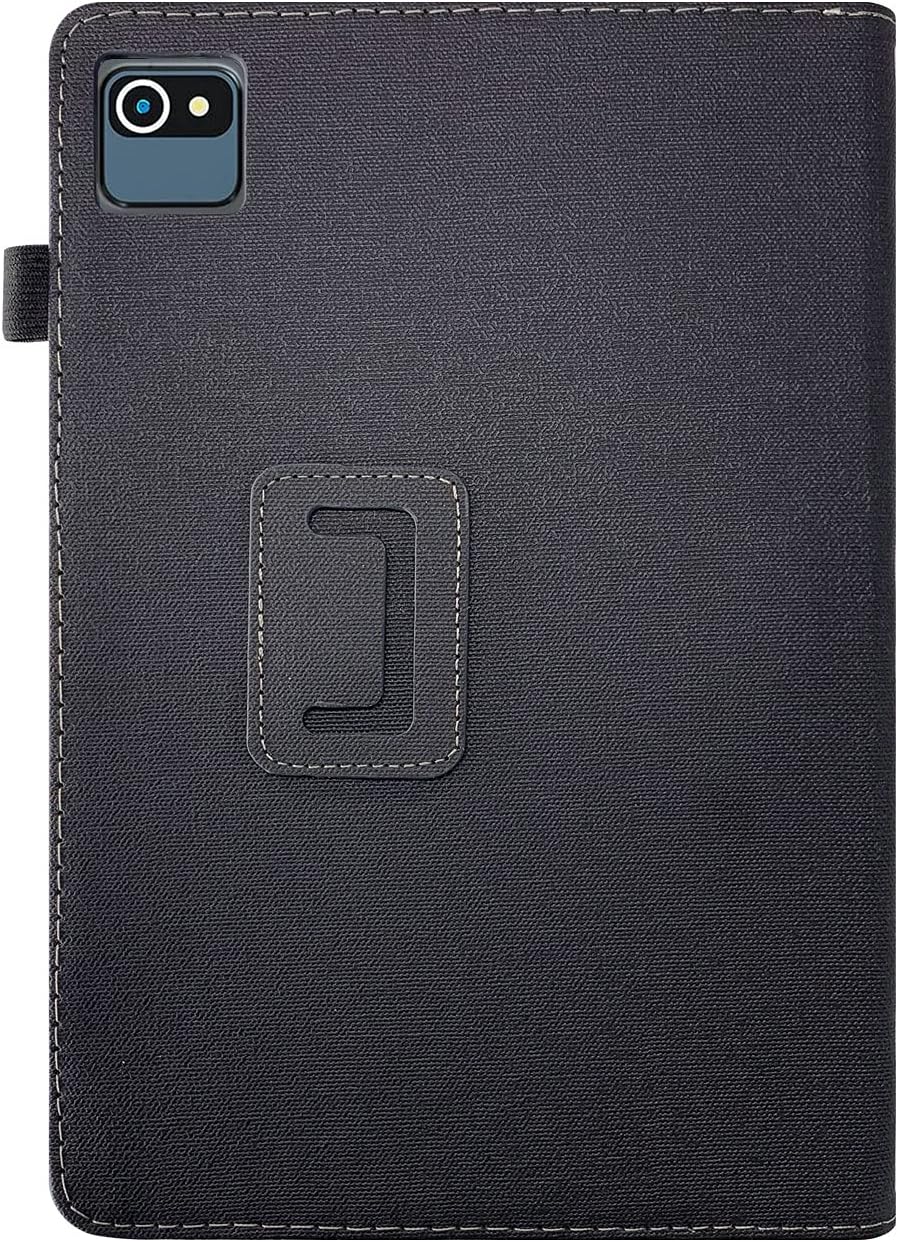
Figura 4.1: Traseira view of the tablet case, highlighting the universal camera cutout and the securing strap.
5 Solución de problemas
If you encounter any issues with your tablet case, refer to the following common problems and solutions:
| Problema | Causa posible | Solución |
|---|---|---|
| Tablet does not fit properly. | Tablet size is outside the 10-10.1 inch range. | Verify your tablet's screen size. This case is designed for 10 to 10.1-inch tablets. |
| Ports/buttons are obstructed. | Tablet not fully seated or misaligned. | Gently adjust the tablet within the case to ensure proper alignment with all cutouts. |
| A carcasa parece sucia ou manchada. | Accumulation of dust or spills. | Consulte a sección "Mantemento e coidados" para obter instrucións de limpeza. |
6. Especificacións
| Característica | Detalle |
|---|---|
| Material | Faux Leather, Leather Blend |
| Características especiais | Stretchable, Shock Proof |
| Dispositivos compatibles | Tablets (10-10.1 inch screen size) |
| Patrón | Sólido |
| Tema | Moderno |
| Cor | Negro |
7. Garantía e soporte
For information regarding warranty coverage, please refer to the specific terms and conditions provided by the seller or manufacturer at the time of purchase. Warranty details may vary depending on your region and retailer.
If you require further assistance or have questions not covered in this manual, please contact the retailer or the product manufacturer directly. Keep your purchase receipt or order number handy for faster service.
Nota: Este manual é só para fins informativos. As especificacións e as características do produto están suxeitas a cambios sen previo aviso.


