
1. Información de seguridade
Please read this manual carefully before using the camera to ensure safe and proper operation. Keep this manual for future reference.
- Non expoña a cámara á auga nin á humidade.
- Evite deixar caer a cámara ou sometela a impactos fortes.
- Do not attempt to disassemble or modify the camera. Repairs should only be performed by qualified personnel.
- Manteña a cámara lonxe da luz solar directa e das altas temperaturas.
- Empregue só o tipo de batería e o cable de carga especificados.
- Despeje as pilas correctamente segundo a normativa local.
- Clean the camera lens and screen with a soft, dry cloth.
2. Contido do paquete
Verifique que todos os elementos que se indican a continuación estean incluídos no seu paquete:
- Andoer Digital Camera Body
- Lithium Battery (3.7V 550mAh)
- Cable de carga USB
- Bolsa de transporte
- Manual de usuario (este documento)

Image: Contents of the Andoer Digital Camera package, showing the camera, wrist strap, USB charging cable, carry bag, and user manual.
3. Produto rematadoview
3.1 Fronte View

Imaxe: Fronte view of the Andoer Digital Camera, displaying the lens, built-in flash, and indicating 2.7" TFT screen and 18 Megapixels.
3.2 Traseira View (Display and Controls)
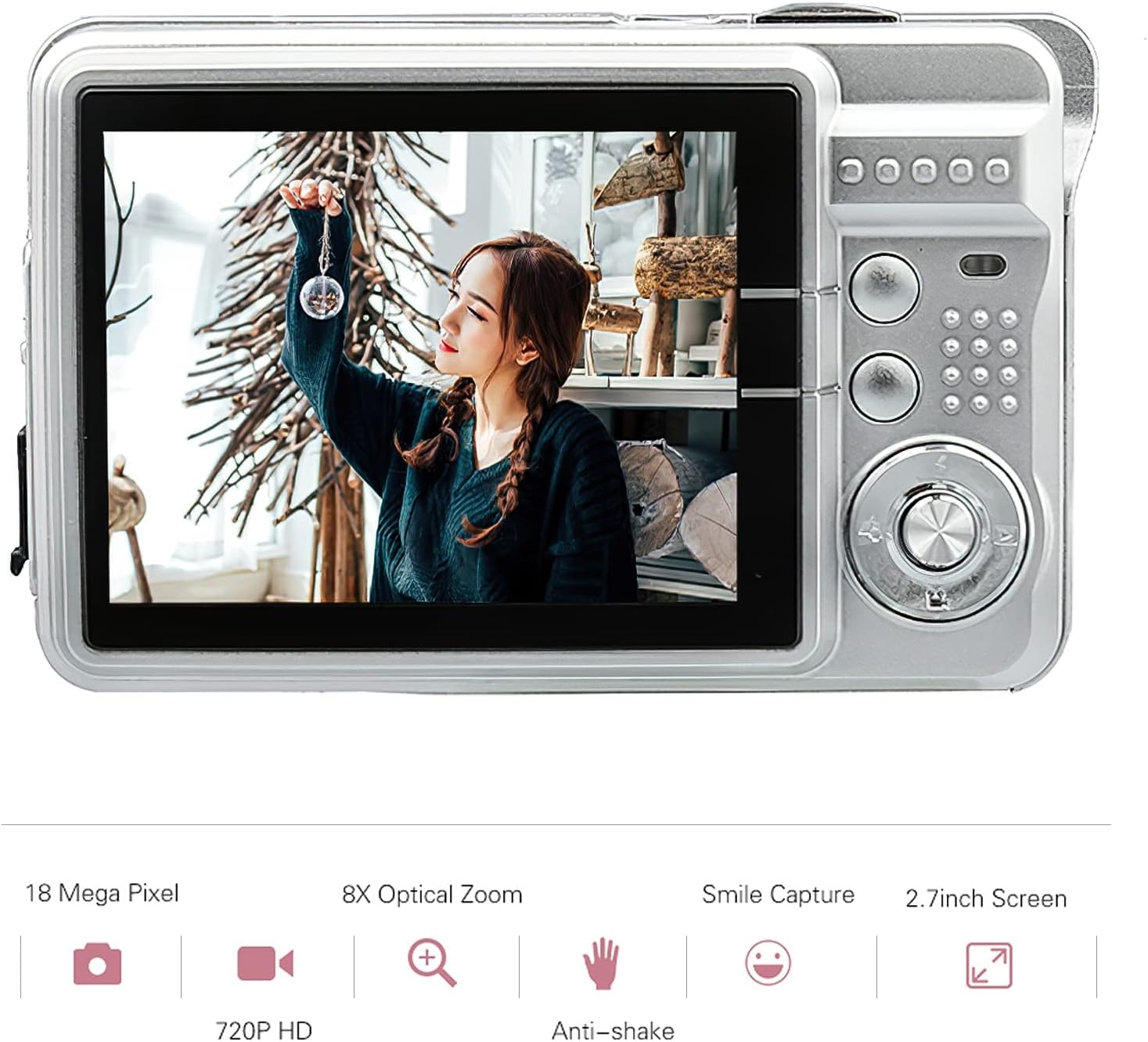
Imaxe: Traseira view of the Andoer Digital Camera, featuring the 2.7-inch TFT display and various control buttons on the right side.
The camera features a 2.7-inch TFT display for viewing photos and videos, along with intuitive controls for navigation and settings adjustment.
4. Configuración
4.1 Carga da batería
- Abra a tapa do compartimento da batería no lateral da cámara.
- Insert the provided Lithium battery (3.7V 550mAh) into the compartment, ensuring correct polarity.
- Pecha a tapa do compartimento da batería de forma segura.
- Connect the camera to a USB power source (e.g., computer, USB wall adapter) using the supplied USB charging cable.
- A luz indicadora de carga acenderase. A carga estará completa cando a luz se apague ou cambie de cor (consulta a pantalla da cámara para ver o estado da batería).
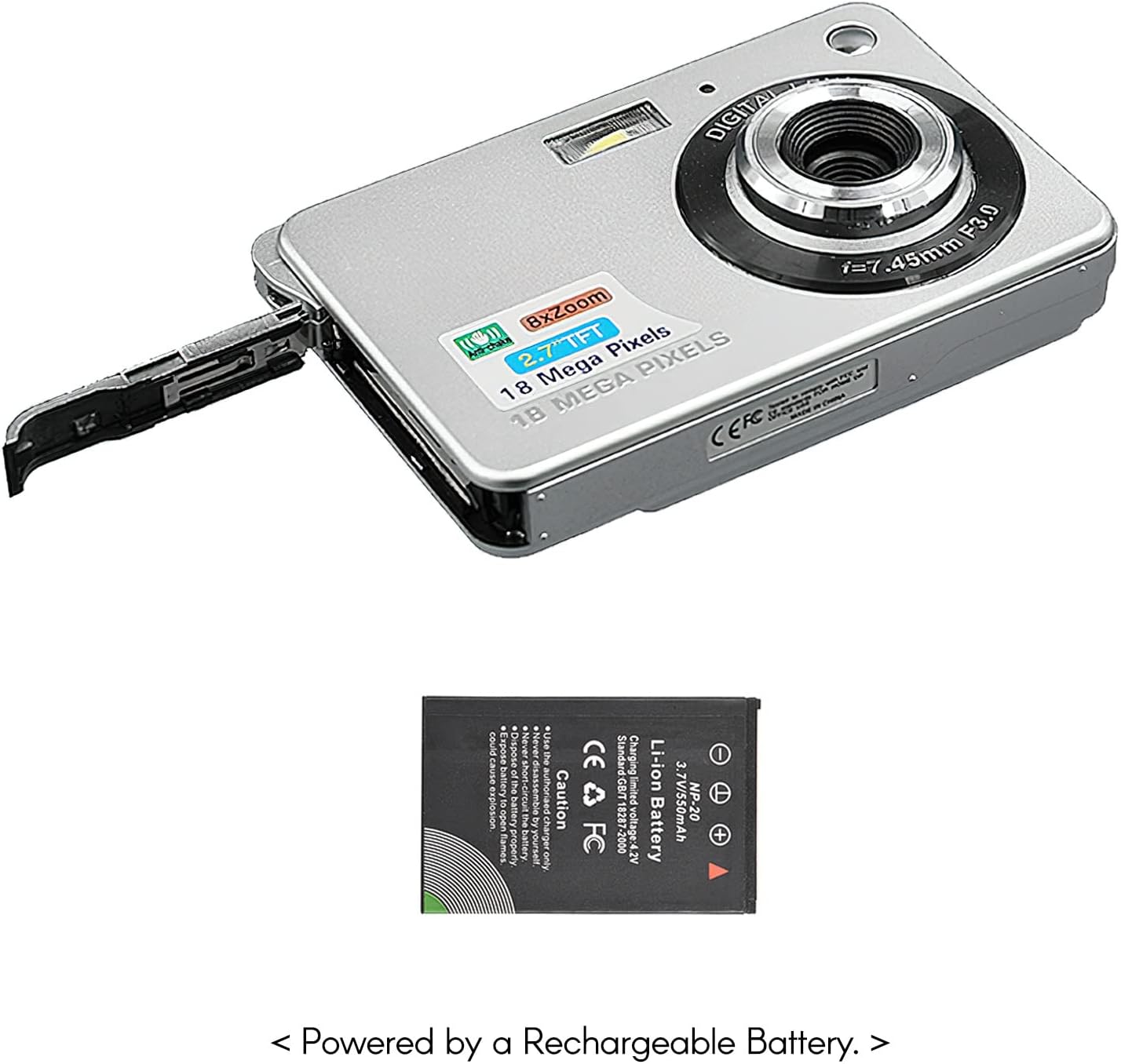
Imaxe: Lateral view of the camera with the battery compartment open, illustrating how to insert the rechargeable lithium battery.
4.2 Inserting a Memory Card (Not Included)
This camera supports SD memory cards up to 32GB. A memory card is required to save photos and videos.
- Localiza a ranura para a tarxeta de memoria, normalmente preto do compartimento da batería.
- Insira a tarxeta SD cos contactos metálicos cara abaixo (ou como indica o diagrama preto da ranura) ata que encaixe no seu lugar.
- Para retirala, empurre a tarxeta con coidado ata que saia de golpe.
5. Instrucións de funcionamento
5.1 Acendido/Apagado
Press and hold the Power button (usually located on the top or side) to turn the camera on or off.
5.2 Facer fotos
- Acende a cámara.
- Frame your shot using the 2.7-inch TFT display.
- Press the Shutter button (typically on top) halfway down to focus, then press fully to capture the image.

Image: The camera's screen showing a captured image, demonstrating the 18 Megapixel photo capability.
5.3 Gravación de vídeos
- Acende a cámara.
- Switch to video recording mode (usually via a mode button or menu option).
- Press the Record button (often marked with a red dot) to start recording. Press again to stop.

Image: The camera's screen displaying a video playback, illustrating its 720P high-definition video recording function.
5.4 Zoom dixital
The camera features 8X digital zoom. Use the zoom buttons (often labeled 'W' for Wide and 'T' for Telephoto) to adjust the zoom level.

Image: A visual representation of the 8x digital zoom capability, showing a scene at 1x magnification and then zoomed in at 8x.
5.5 Navegación por menús
Press the 'Menu' button to access camera settings. Use the directional buttons to navigate and the 'OK' or 'Set' button to confirm selections. Available settings include:
- Temporizador automático: Off/ 2 sec/ 5 sec/ 10 sec
- Exposición: EV-3 to EV+3
- Balance de brancos: Auto/ Daylight/ Cloudy/ Incandescent/ Fluorescent
- Modos de escena: Auto/ Night Portrait/ Night Scenery/ Portrait/ Scenery/ Sport/ Party/ Beach/ High sensitivity
- Outras características: Anti-Shake, Face Detect, Smile Capture
6. Mantemento
6.1 Limpeza da cámara
- Use un pano suave e sen fiapos para limpar o corpo da cámara.
- For the lens and screen, use a specialized lens cleaning cloth and solution if necessary. Avoid abrasive materials.
- Do not use organic solvents to clean the camera.
6.2 Coidado coa batería
- Cargue a batería completamente antes do primeiro uso.
- Se non se vai usar a cámara durante un período prolongado, retire a batería.
- Almacene as baterías nun lugar fresco e seco.
7 Solución de problemas
| Problema | Causa posible | Solución |
|---|---|---|
| A cámara non se acende. | A batería está esgotada ou inserida incorrectamente. | Cargue a batería. Asegúrese de que a batería estea inserida coa polaridade correcta. |
| Cannot take photos/record videos. | Non hai ningunha tarxeta de memoria inserida ou a tarxeta está chea/danada. | Insira unha tarxeta SD compatible. Elimine as innecesarias files ou formate a tarxeta (isto borrará todos os datos). |
| As imaxes son borrosas. | A lente está sucia, hai luz insuficiente ou a cámara treme. | Clean the lens. Use the flash in low light. Hold the camera steady or use anti-shake feature. |
| A cámara conxélase ou deixa de responder. | Fallo temporal do software. | Retire e volva inserir a batería para reiniciar a cámara. |
8. Especificacións
| Característica | Detalle |
|---|---|
| Modelo | IAT4319650447530BC |
| Sensor de imaxe | Sensor CMOS |
| Mostrar | LCD TFT de 2.7 polgadas |
| Resolución fotográfica | Ata 18 megapíxeles |
| Resolución de vídeo | 1280x720 (720P), 720x480, 640x480 (VGA), 320x240 (QVGA) |
| Zoom dixital | 8X |
| Estabilización da imaxe | Antivibración dixital |
| Compensación de exposición | EV-3 to EV+3 |
| Balance de brancos | Auto/ Daylight/ Cloudy/ Incandescent/ Fluorescent |
| File Formato | JPEG (Photo), AVI (Video) |
| Medios de almacenamento | SD Card (up to 32GB, not included) |
| Fonte de alimentación | 1 * Lithium battery (3.7V 550mAh) |
| Sistema soportado | Windows XP, VISTA, WIN7, MAC |
| Tamaño do elemento | 9 * 6 * 2 cm / 3.5 * 2.4 * 0.8 polgadas |
| Peso do elemento | 90 g / 3.2 oz |
9. Garantía e soporte
Andoer products are designed and manufactured to the highest quality standards. For warranty information and customer support, please refer to the documentation provided at the time of purchase or visit the official Andoer websitio.
If you encounter any issues not covered in this manual, please contact Andoer customer service for assistance.
Nota: as especificacións están suxeitas a cambios sen previo aviso.